My Course
block_mycourse shows a user's enrolled courses in year tabs, based on each course start date.
Features
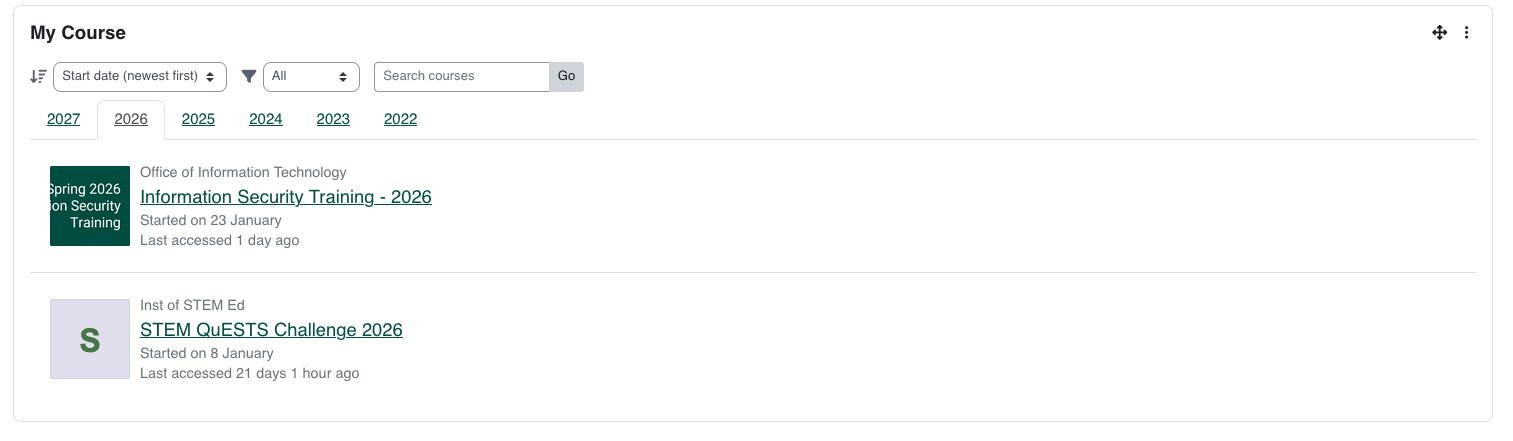
- Year-based tabs (current year active by default).
- Sort options:
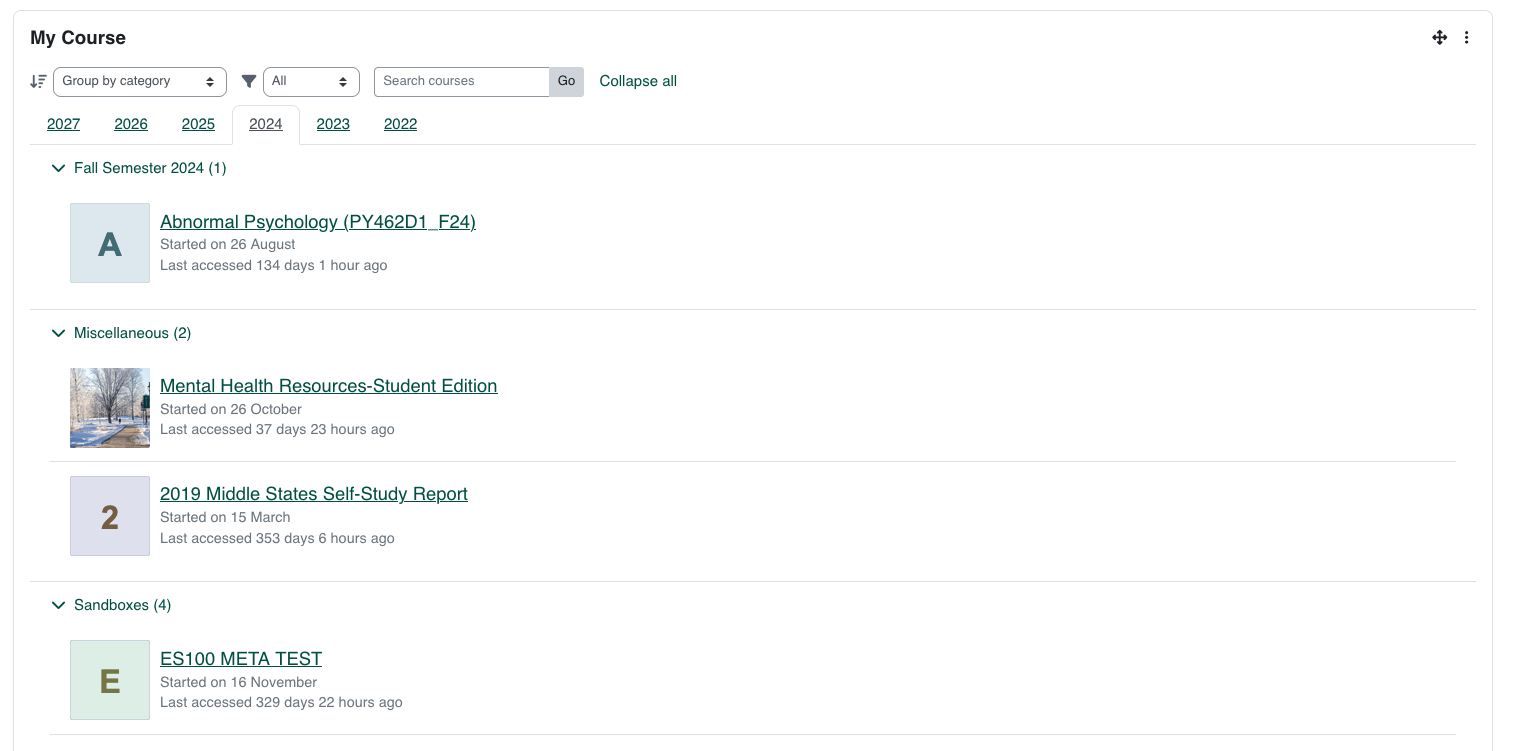
- Group by category
- Recently accessed
- Start date (newest first)
- Status filter:
- Category view with collapsible groups and expand/collapse all.
- Optional course image display.
- Deterministic fallback image for courses without an overview image.
- Optional category metadata display.
- Optional course start status display (
Started on ... / Starts on ...).
- Student course completion percentage display (when completion tracking is enabled).
- Optional search box that submits to Moodle core course search (
/course/search.php).
Configuration
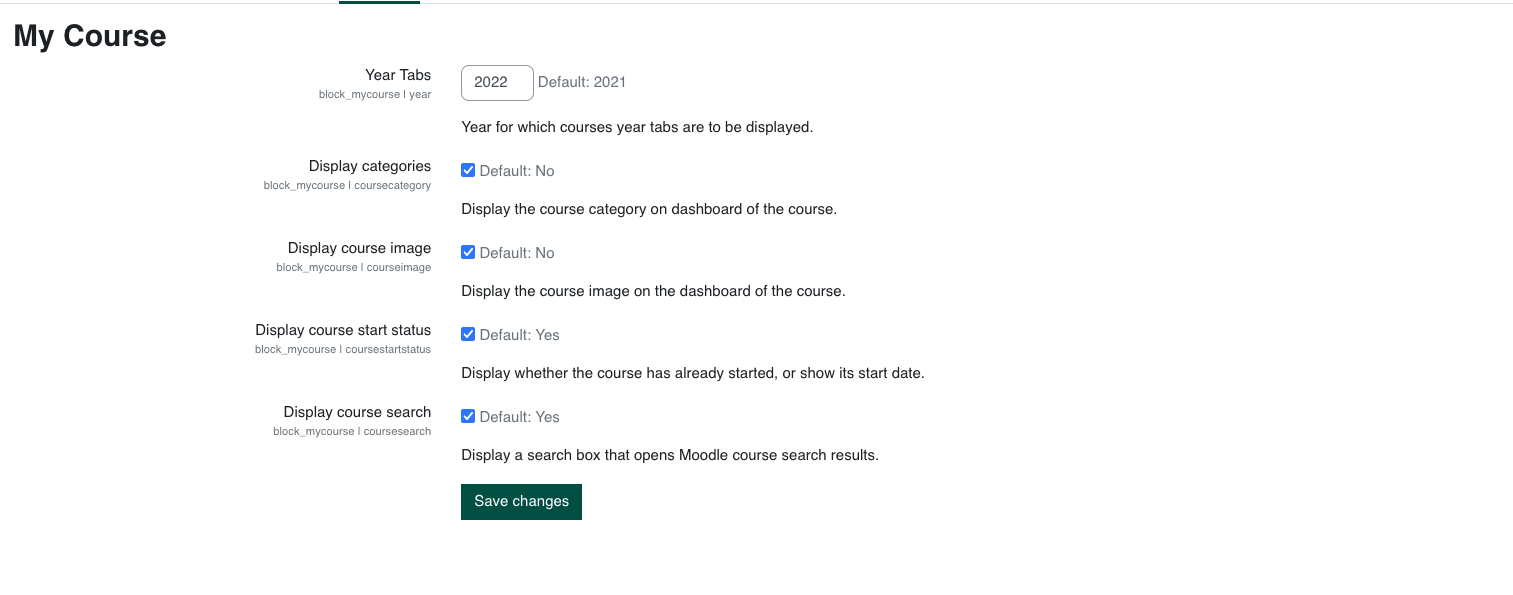
Go to Site administration > Plugins > Blocks > My Course.
Available settings:
Year Tabs: earliest year to include in tabs.
Display categories: show course category text.
Display course image: show overview image (or fallback image).
Display course start status: show started/starts-on date text.
Display course search: show a search field that uses Moodle core course search.
Installation
Installing via uploaded ZIP file
- Log in to your Moodle site as admin.
- Go to
Site administration > Plugins > Install plugins.
- Upload the plugin ZIP.
- Complete the installation steps.
Installing manually
Copy this directory to:
{moodle_dirroot}/blocks/mycourse
Then complete the upgrade from:
- Web:
Site administration > Notifications
- CLI:
php admin/cli/upgrade.php
Developer Notes
- AMD module:
block_mycourse/main (amd/src/main.js).
- Mustache template:
templates/mycourse.mustache.
- Styles are plugin-scoped using
block_mycourse__* classes.
License
2024 Shivanesh Lal <shivanesh.lal@outlook.com.com>
Licensed under GNU GPL v3 or later.