Philippe DECOTTIGNIES
Lead maintainer

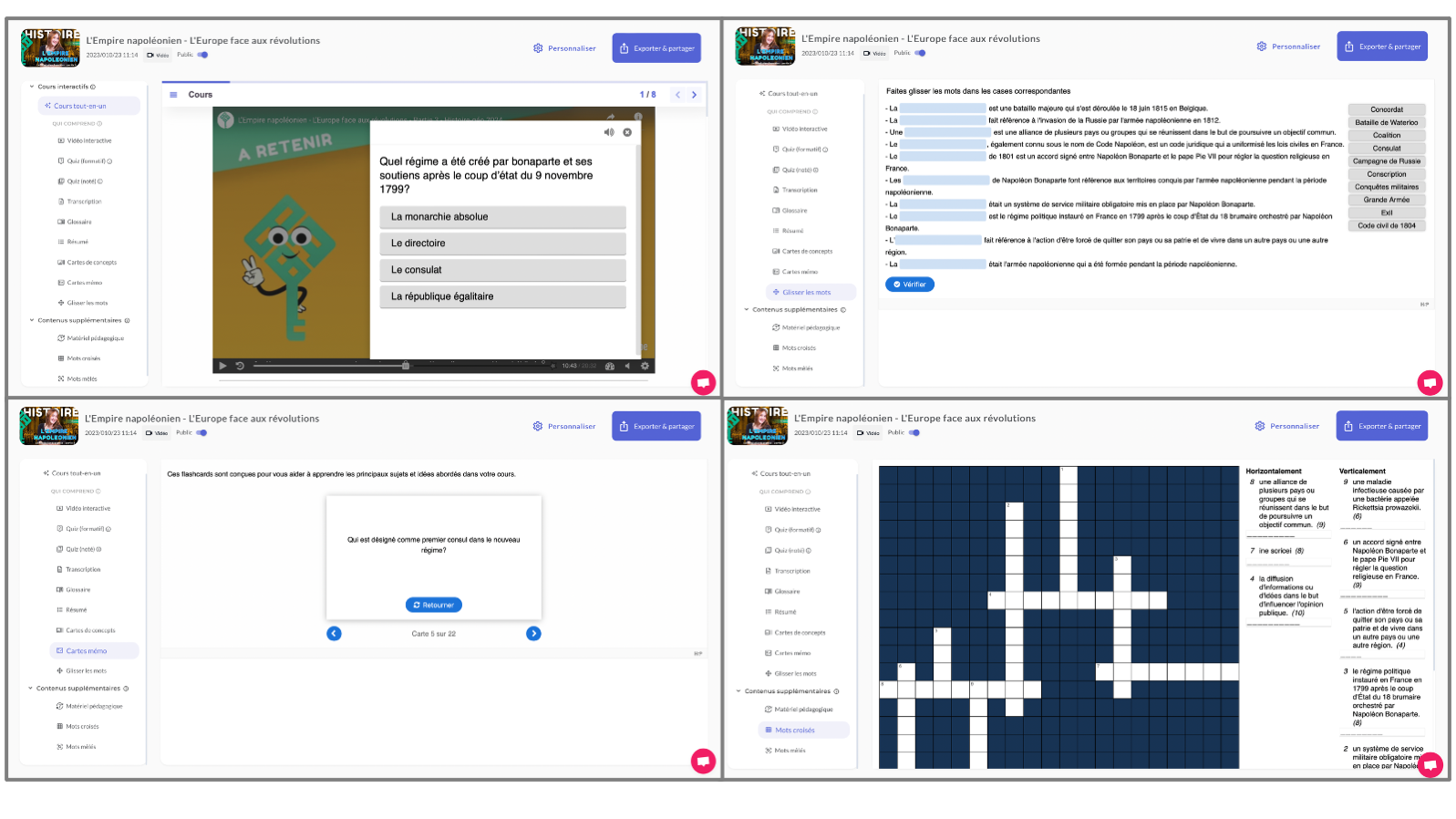
Nolej AI offers several advantages, including AI-driven courseware that can quickly convert documents, videos, and audio into dynamic active learning content. It facilitates skill development and personalized learning paths, saving educators significant time and enhancing engagement through interactive content creation tools, gamification, and social learning.
See the plugin in action:
Nolej AI acts as an assistant, putting teachers/trainers at the centre of content creation. The AI focuses solely on the source document chosen by the educator, avoiding inaccuracies and ensuring quality interactive content production.
Nolej AI’s generative engine detects and filters concepts for contextual relevance, generates various types of questions, and summarises content by identifying key points for concise delivery.
Nolej AI uses the Open Source H5P format for its interactive learning activities, a format backed by cognitive and neuroscience research.
Educators have full control over the content generated by Nolej AI, allowing them to review, edit, and approve before integrating it into various interactive activities.
All activities in Nolej AI are designed with cognitive science principles, focusing on memory and recall models.
To use the plugin, start by registering on Nolej AI website. Upon registration, get in touch with us to receive an API key. Simply insert this key into the plugin to enable its features. It's a quick step to enhance your experience. Let's get started! 🚀
Please note that while the plugin itself is free, registration on Nolej website for an API key is a separate process. Your support is appreciated!
The plugin can be also installed by putting the contents of this directory to
```
{your/moodle/dirroot}/local/nolej
```
Afterwards, log in to your Moodle site as an admin and go to Site administration > Notifications to complete the installation.
Alternatively, you can run
```sh
$ php admin/cli/upgrade.php
```
to complete the installation from the command line.
After the installation, Moodle will redirect you to the plugin setting page, where you have to put the API Key and select where Nolej should store the generated H5P activities.


