Summary
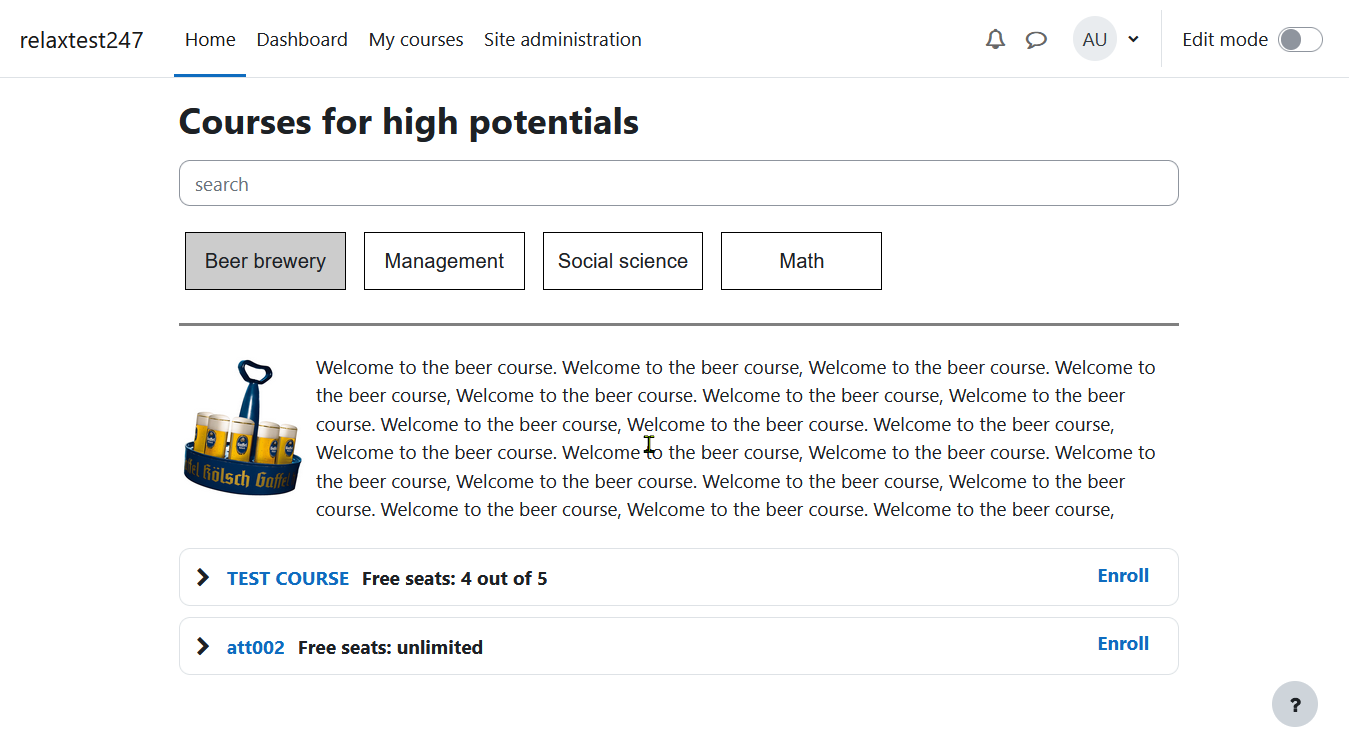
The plugin makes the following possibe: Creation of unlimited alternative course list pages (course catalogs, course menus), based on custom course fields (checkbox).
Installation
The plugin can be installed by either uploading it via the moodle upload interface or manually by placing the unzipped package into the folder /local/
Setup a new course list
Create course list categories and add courses (Admin)
- Go to Site Administration --> Courses --> Course custom fields
URL: /course/customfield.php
- Klick on "Add a new category"
- Change the name of the newly created category (in the following we will use "Demo", then click on "Add new custom field" (Type: "Checkbox")
- In the popup window enter:
• Field name
• Short name
• Description
Under common custom course fields settings, choose
• Locked=YES
• Visible to = Nobody
Repeat for all categories needed.
Create new course list page (Admin)
First go to Site Administration -> Plugins -> Local Plugins -> Manage course list
/local/courselist/manage.php)
Click on "Add new list"
Enter:
• Start- and end date of course visibility
• Course list name
• Description
Finally select related custom course field categories. Here we will select "Demo".
You can visit the course list page by clicking on its name
Let Courses appear in the Course list (Teacher, Admin)
1 Go to the settings of the related course.
2 Select where your course should appear
Important:
In order for the max enrolments to appear on the course list page, the enrolment method "waitlist enrolment" or "student enrolment" has to be at the top of enrolment methods.