Reader
Maintained by
Gordon Bateson
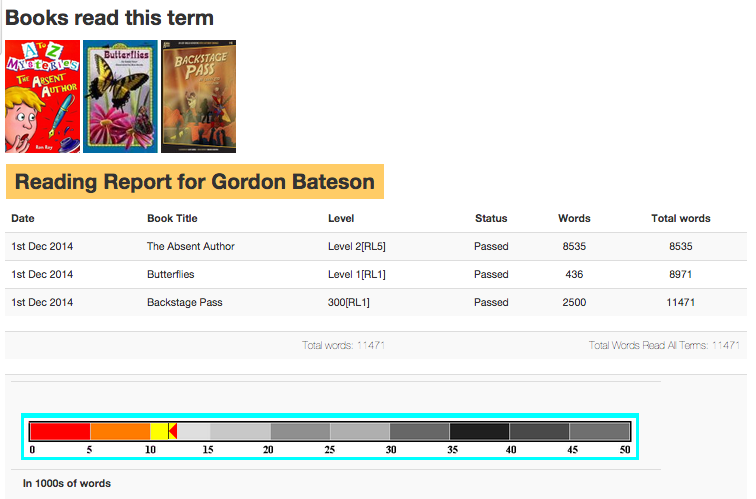
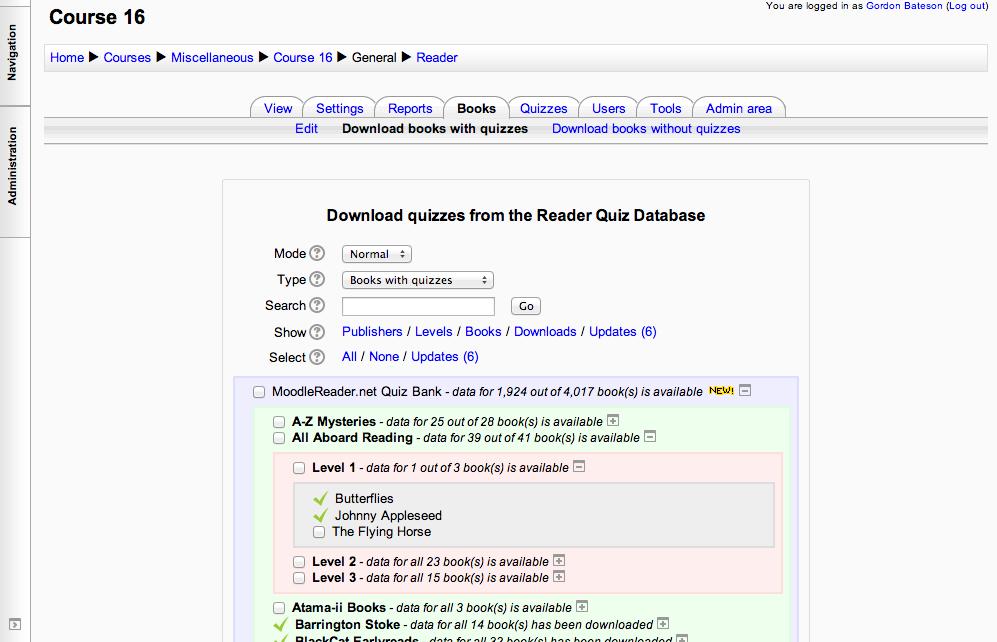
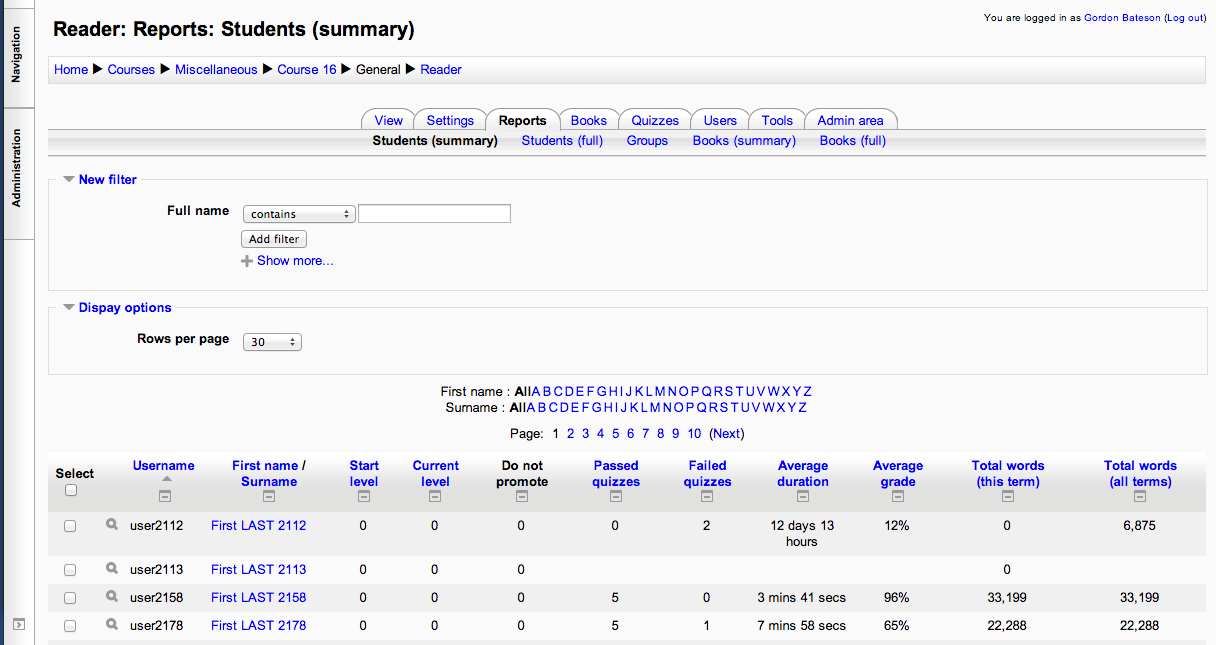
The Reader module for Moodle 2.x tracks the students' reading achievements.
Comments
Comments are no longer open for new posts. Existing comments remain available to read.
SELECT ra.*, rb.difficulty, rb.id AS bookid FROM mdl_reader_attempts ra JOIN mdl_reader_books rb ON ra.bookid = rb.id WHERE ra.userid = ? AND ra.readerid = ? AND ra.deleted = ? AND ra.timefinish > ? ORDER BY ra.timemodified
[array (
0 => '2',
1 => '1',
2 => 0,
3 => '1420693200',
)]
Error code: dmlreadexception
Stack trace:
line 443 of /lib/dml/moodle_database.php: dml_read_exception thrown
line 1014 of /lib/dml/mysqli_native_moodle_database.php: call to moodle_database->query_end()
line 594 of /mod/reader/lib.php: call to mysqli_native_moodle_database->get_records_sql()
line 123 of /mod/reader/view.php: call to reader_get_level_data()
Have Moodle 2.6.2+ (20140314) and accessing a quiz in Moodle reader gives me this:
get_context_instance() is deprecated, please use context_xxxx::instance() instead.
line 4020 of /lib/deprecatedlib.php: call to debugging()
line 3767 of /mod/reader/lib.php: call to get_context_instance()
line 3495 of /mod/reader/lib.php: call to reader_cheatsheet_init()
line 60 of /mod/reader/view_books.php: call to reader_search_books()
I also get numerous php errors when trying to access the new Admin area:
build_navigation() is deprecated, please use $PAGE->navbar methods instead.
line 1988 of /lib/deprecatedlib.php: call to debugging()
line 974 of /mod/reader/admin.php: call to build_navigation()
Notice: Undefined property: stdClass::$last_update in /var/www/html/moodle/2x/mod/reader/admin.php on line 1101 Notice: Undefined property: stdClass::$update_interval in /var/www/html/moodle/2x/mod/reader/admin.php on line 1101
I am assuming this happened due to our migration to version 2.6.2.
Is there something I can do to help troubleshoot/repair this problem?
-Thom
https://github.com/gbateson/moodle-qtype_ordering/archive/master.zip
I downloaded that version but now this error pops up.
Data for the following books was downloaded: switch_minus
Error writing to database
More information about this error
Debug info: Unknown column 'answers' in 'field list'
UPDATE mdl_qtype_multichoice_options SET answers = ? WHERE questionid = ?
[array (
0 => '',
1 => 228,
)]
Error code: dmlwriteexception
Stack trace:
line 444 of /lib/dml/moodle_database.php: dml_write_exception thrown
line 1258 of /lib/dml/mysqli_native_moodle_database.php: call to moodle_database->query_end()
line 1598 of /lib/dml/moodle_database.php: call to mysqli_native_moodle_database->set_field_select()
line 2164 of /mod/reader/admin/download/downloader.php: call to moodle_database->set_field()
line 2117 of /mod/reader/admin/download/downloader.php: call to reader_downloader->add_question_postprocessing_multichoice()
line 1026 of /mod/reader/admin/download/downloader.php: call to reader_downloader->add_question_postprocessing()
line 588 of /mod/reader/admin/download/downloader.php: call to reader_downloader->add_question_categories()
line 464 of /mod/reader/admin/download/downloader.php: call to reader_downloader->add_quiz()
line 100 of /mod/reader/admin/download.php: call to reader_downloader->add_selected_itemids()
https://github.com/gbateson/moodle-qtype_ordering/archive/master.zip
Data for the following books was downloaded: switch_minus
error/Could not insert new record ID question_ordering options
More information about this error
Debug info:
Error code: Could not insert new record ID question_ordering options
$a contents:
Stack trace:
line 1734 of /mod/reader/admin/download/downloader.php: moodle_exception thrown
line 1609 of /mod/reader/admin/download/downloader.php: call to reader_downloader->add_question_options()
line 1417 of /mod/reader/admin/download/downloader.php: call to reader_downloader->add_question_ordering()
line 1307 of /mod/reader/admin/download/downloader.php: call to reader_downloader->add_question()
line 1013 of /mod/reader/admin/download/downloader.php: call to reader_downloader->add_question_category()
line 588 of /mod/reader/admin/download/downloader.php: call to reader_downloader->add_question_categories()
line 464 of /mod/reader/admin/download/downloader.php: call to reader_downloader->add_quiz()
line 100 of /mod/reader/admin/download.php: call to reader_downloader->add_selected_itemids()