Moodle Plugin: Custom API SMS Gateway
Author: Kewayne Davidson
License: GNU GPL v3 or later
Requires: Moodle 4.1+
1. Overview
The Custom API SMS Gateway is a powerful and flexible Moodle plugin designed to connect Moodle's messaging system to virtually any third-party SMS or messaging provider.
If your provider has an API that can be triggered by a simple HTTP GET or POST request, you can use this gateway. Instead of being locked into a specific provider, this plugin gives you a graphical interface to build the API request that matches your provider's requirements, including custom headers, query parameters, and body data.
2. Key Features
- Universal Compatibility: Works with any SMS/messaging provider that has a basic HTTP API.
- GET & POST Support: Choose the HTTP method your provider requires.
- Full Request Customization:
- Define custom HTTP headers for authentication (e.g.,
Authorization: Bearer ...).
- Build URL query string parameters.
- Build request body data for POST requests.
- Dynamic Placeholders: Automatically insert the recipient's phone number (
{{recipient}}) and the message content ({{message}}) into any part of your request.
- Custom Success Responses: Define what a "successful" response from your provider's API looks like to ensure messages are tracked correctly.
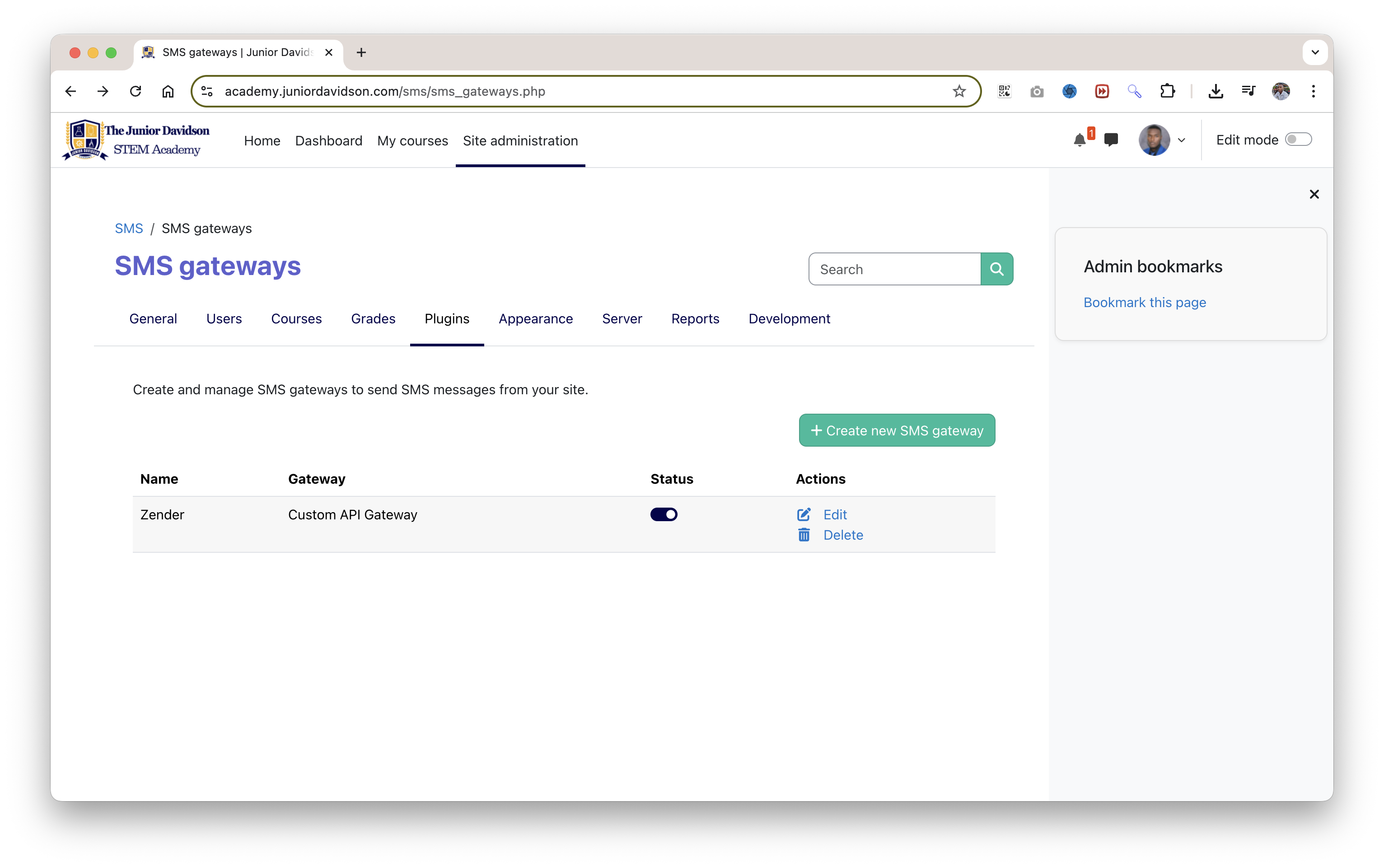
- Built-in API Tester: A live test utility on the settings page lets you send a test message and see the raw API response instantly, making setup and debugging incredibly simple.
3. Installation
- Download: Obtain the plugin files and ensure they are in a folder named
customapi.
- Upload: Upload the
customapi folder to the smsgateway/ directory of your Moodle installation. The final path should look like this:
your_moodle_site/smsgateway/customapi/
- Install: Log in to Moodle as an administrator and navigate to:
Site administration > Notifications
Moodle will detect the new plugin. Follow the on-screen prompts to install it by clicking the "Upgrade Moodle database now" button.
4. Configuration
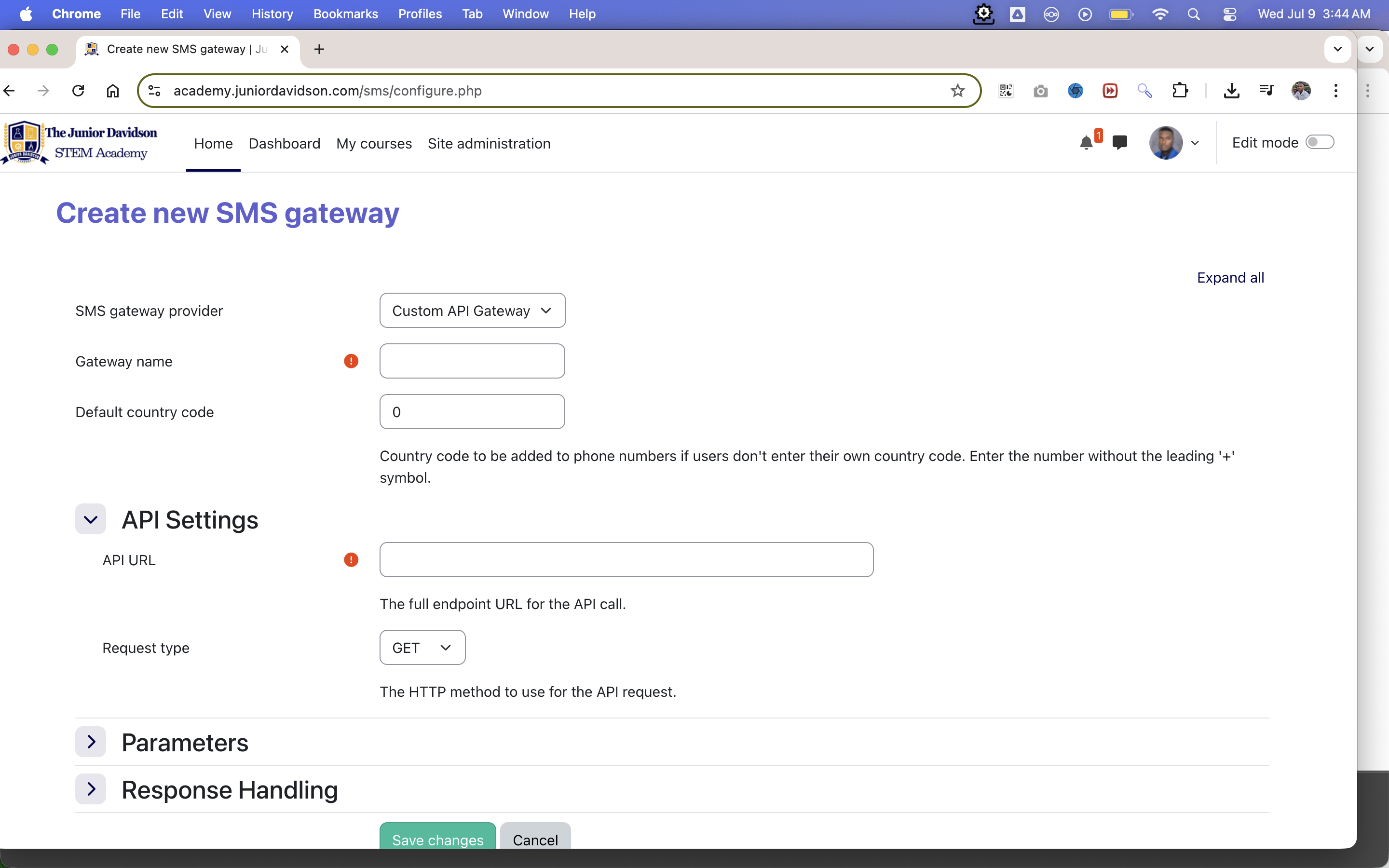
This is where the power of the plugin lies. After installing, navigate to:
Site administration > Plugins > Message outputs > SMS
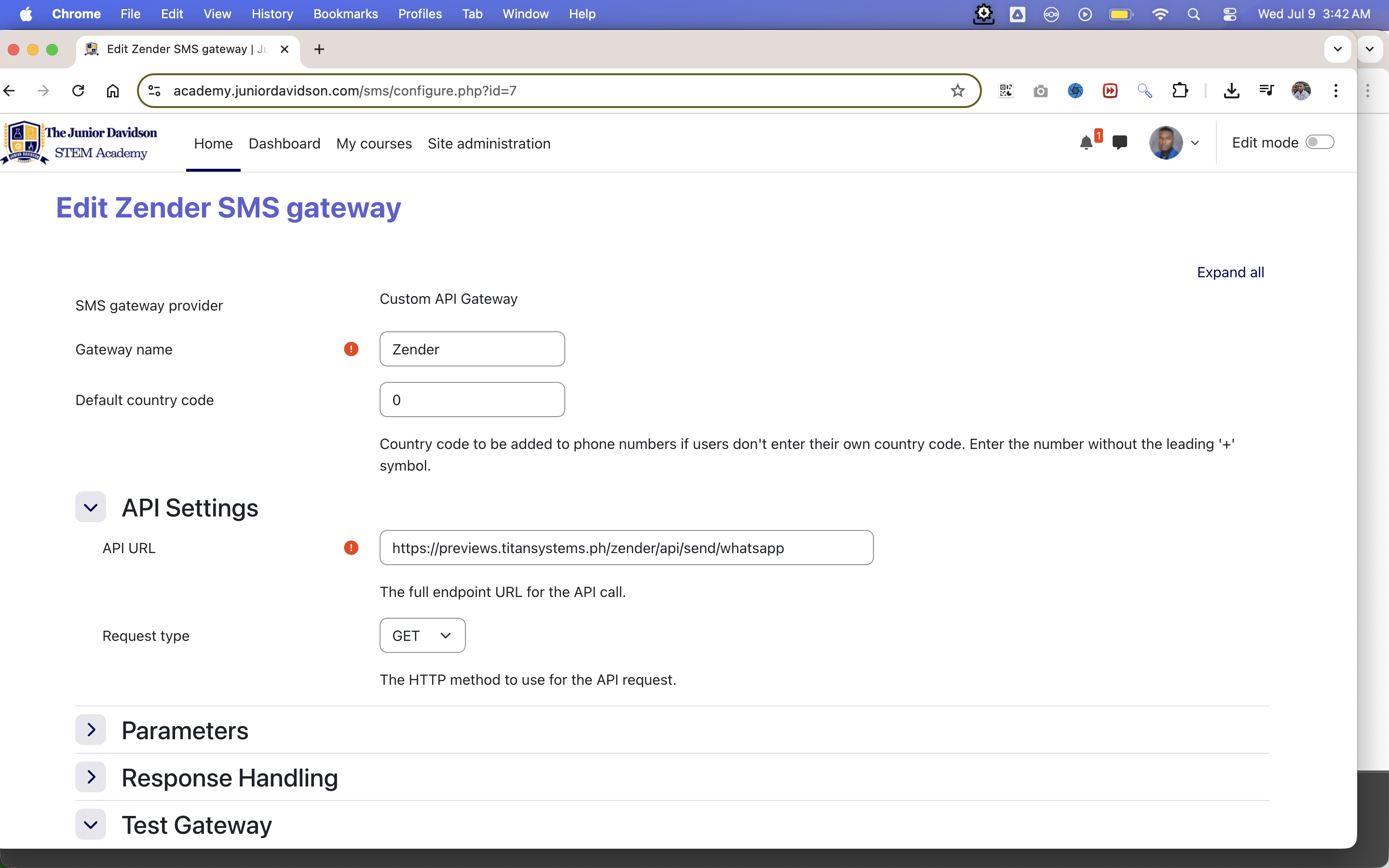
From the "Add gateway" dropdown, select Custom API Gateway and click "Add".
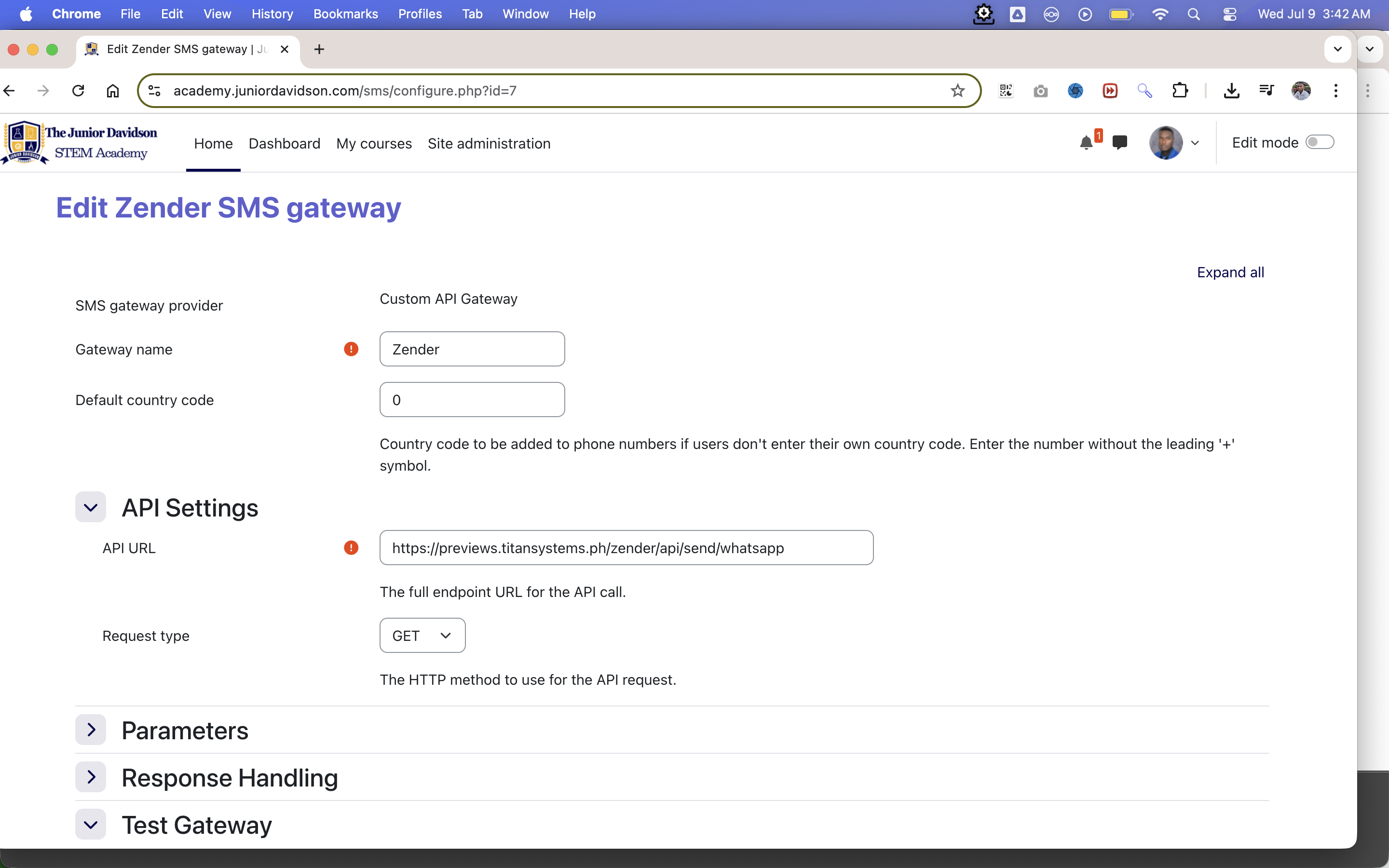
You will be presented with the following settings:
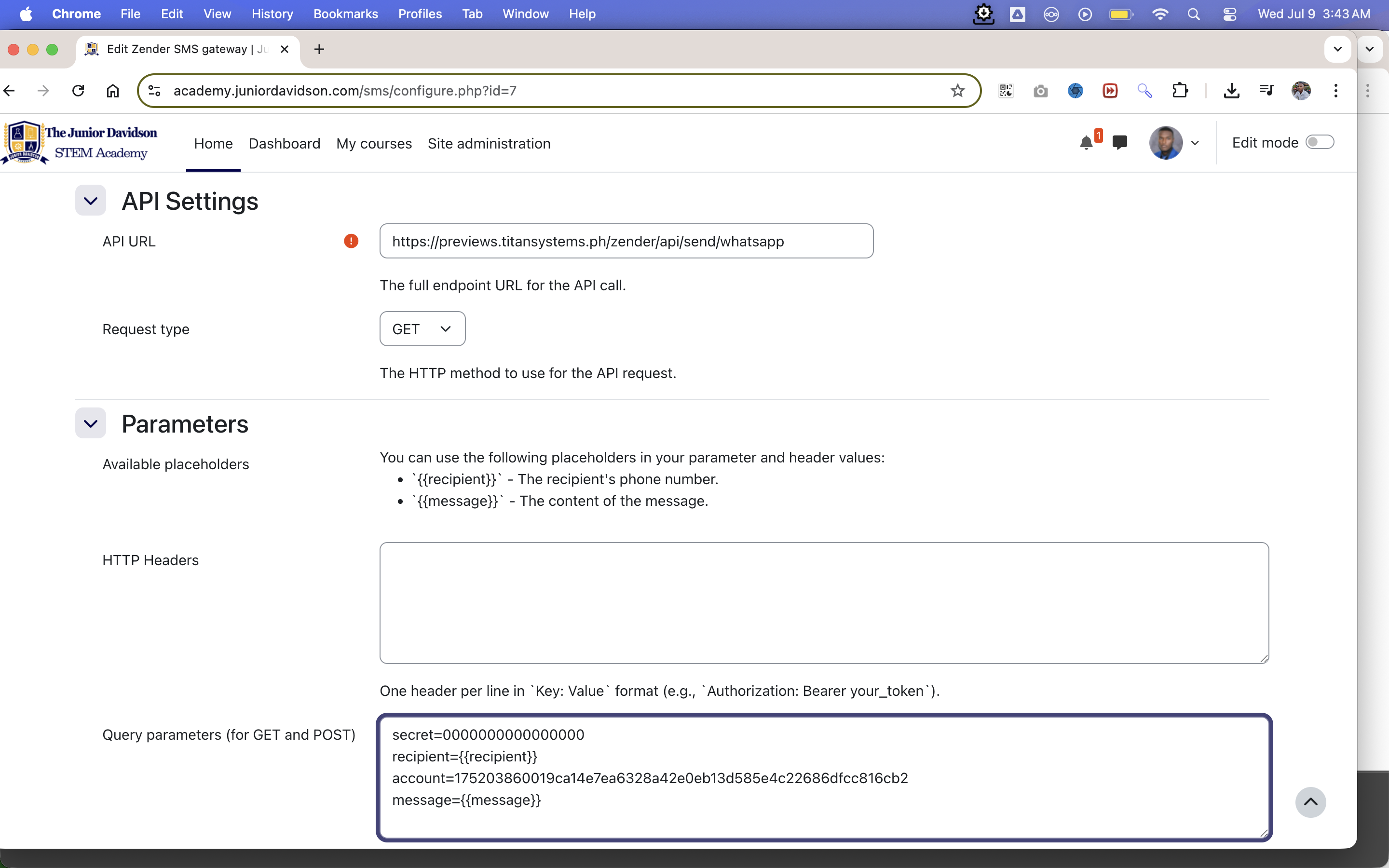
API Settings
- API URL: The full endpoint URL from your provider that sends the message.
- Request type: Choose
GET or POST based on your provider's documentation.
Parameters
This section lets you build the data for your API request.
Response Handling
- Success condition:
- This tells the plugin how to recognize a successful message send.
- Enter a string of text that is only present in the API response body when a message is sent successfully. For example, your API might return
{"status":"success"}. In this case, you would enter success here.
- If you leave this field blank, the plugin will consider any HTTP status code in the 200-299 range as a success.
Testing the Gateway
Note: You must Save changes at least once before you can test the gateway.
- Test recipient number: Enter a phone number (including country code) to send a test message to.
- Test message: The content of the message you want to send.
- Run Test Button: When you click this, the plugin will:
- Build the API request using your current settings and the test data.
- Send the request to your API URL.
- Display the raw response from your provider's server directly below, including the HTTP status code and the response body. This is invaluable for debugging.
5. Example Configuration (Generic)
Let's imagine a provider has the following requirements:
- URL:
https://api.someprovider.com/v1/send
- Method:
POST
- Authentication: An API key
xyz123 must be sent in a header called X-API-Key.
- Parameters: The phone number must be in a body field called
destination and the message in a field called text.
- Success Response: The API returns
{"sent": true} on success.
Your configuration would be:
6. Disclaimer
This plugin is a connector tool. It does not provide any SMS or messaging services itself. You are responsible for securing an account with a third-party API provider and for any costs associated with their service. Please ensure you handle your API keys and other credentials securely.
7. Support This Project
If you find this plugin helpful, consider supporting my work: