
PoodLL Online (old)
Maintained by
Justin Hunt
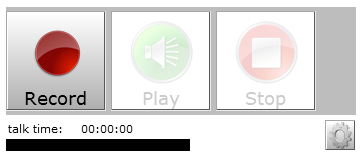
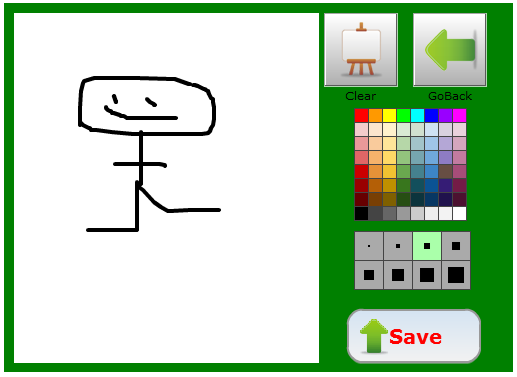
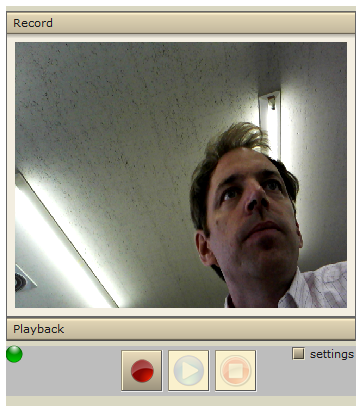
An audio/video recording assignment type for Moodle 2.x It either uses a "cloud" based recording server, or a standalone MP3 recorder. There is also a "Draw a picture" submission option. It requires the PoodLL filter to be installed and enabled.
Comments
Product ratings and reviews are coming to Moodle Marketplace. Until then, existing comments remain available to read, but new posts have been disabled.
It might be possible to add a few capabilities to the assignment and repository mods here and there, so the teacher would not see the PoodLL options when creating assignments / repositories. I would have to try it to see how well that worked.
I suspect this won't be easy in the PoodLL recording question.
So I think you might be able to get it going, but it would require adding capabilities that currently don't exist. A little bit tricky.
We have installed Poodll and I am looking to be able to use the Permissions within Moodle to limit all Poodll activities to one course - a kind of pilot. I am having difficulty achieving this, when I change the permissions for the options 'Can download media' and 'View Poodll Plus repository' I can still add a Poodll assignment and have all the Poodll options for feedback when creating an assignment. Is there another setting within Poodll that will help me limit it to either a category or role?
Thanks,
Steph
You are being asked to start using the new Moodle assignment (available since 2.3). That is a good idea, and PoodLL will be ok through the upgrade process. The submission plugin for the newer Moodle Assignment is called "onlinepoodll." Make sure that you have that installed.
Just got this message from our service provider. Does this mean that Poodll doesn't work with Moodle 2.7?
As part of the upgrade to Moodle 2.7, the legacy Assignment 2.2 activity has been disabled. Backups from the legacy Assignment 2.2 activity will seamlessly restore to the newer Assignment activity. All remaining instances of the legacy Assignment 2.2 activity must be upgraded using the assignment upgrade tool...
Thanks
KerryJ
Can you please advice of which Poodll host address and Host id I should add in the menu Poodll filter?
Instead of tokyo.poodll.com, should I add
127.0.0.1:5080?
Thanks for the advice
I tried it with Moodle 2.2 and it works fine, but the quality of the video recordings (webcam and from Ipads) is very poo using the default Red5 server located in Tokio. It doesn't improve increasing the number of FPS or changing the settings.
I am installing a Red5 open source video streaming server in a Windows 2008 server (the same server in which our Moodle test site is) to check if the quality of the recordings improve.
I have followed the steps in this manual:
http://fitcom.co/2013/07/08/red5-server-on-windows-or-linux/
but I have an error message when I tried to start the server:
JAVA_HOME environment variable not set! Take a look at the readme. Press any key to continue...'
There is not any readme file.
and the content of the red5.bat is:
______________________________________________________________________________________
@echo off
SETLOCAL
if NOT DEFINED RED5_HOME set RED5_HOME=%~dp0
if NOT DEFINED RED5_MAINCLASS set RED5_MAINCLASS=org.red5.server.Bootstrap
if NOT DEFINED JAVA_HOME goto err
REM JAVA options
REM You can set JAVA_OPTS to add additional options if you want
REM Set up logging options
set LOGGING_OPTS=-Dlogback.ContextSelector=org.red5.logging.LoggingContextSelector -Dcatalina.useNaming=true
REM Set up security options
REM set SECURITY_OPTS=-Djava.security.debug=failure -Djava.security.manager -Djava.security.policy="%RED5_HOME%/conf/red5.policy"
set SECURITY_OPTS=-Djava.security.debug=failure
REM Setup python/jython path
set JYTHON_OPTS=-Dpython.home=lib
REM Combined java options
set JAVA_OPTS=%LOGGING_OPTS% %SECURITY_OPTS% %JAVA_OPTS% %JYTHON_OPTS%
set RED5_CLASSPATH=%RED5_HOME%\red5-server-1.0-bootstrap.jar;%RED5_HOME%\conf;%CLASSPATH%
if NOT DEFINED RED5_OPTS set RED5_OPTS=
goto launchRed5
:launchRed5
echo Starting Red5
"%JAVA_HOME%\bin\java" %JAVA_OPTS% -cp "%RED5_CLASSPATH%" %RED5_MAINCLASS% %RED5_OPTS%
goto finally
:err
echo JAVA_HOME environment variable not set! Take a look at the readme.
pause
:finally
ENDLOCAL
______________________________________________________________________________________________________________
Thank you very much for your advice.
Mari Cruz
I tried it with Moodle 2.2 and it works fine, but the quality of the video recordings (webcam and from Ipads) is very poo using the default Red5 server located in Tokio. It doesn't improve increasing the number of FPS or changing the settings.
I am installing a Red5 open source video streaming server in a Windows 2008 server (the same server in which our Moodle test site is) to check if the quality of the recordings improve.
I have followed the steps in this manual:
http://fitcom.co/2013/07/08/red5-server-on-windows-or-linux/
but I have an error message when I tried to start the server:
JAVA_HOME environment variable not set! Take a look at the readme. Press any key to continue...'
There is not any readme file.
and the content of the red5.bat is:
______________________________________________________________________________________
@echo off
SETLOCAL
if NOT DEFINED RED5_HOME set RED5_HOME=%~dp0
if NOT DEFINED RED5_MAINCLASS set RED5_MAINCLASS=org.red5.server.Bootstrap
if NOT DEFINED JAVA_HOME goto err
REM JAVA options
REM You can set JAVA_OPTS to add additional options if you want
REM Set up logging options
set LOGGING_OPTS=-Dlogback.ContextSelector=org.red5.logging.LoggingContextSelector -Dcatalina.useNaming=true
REM Set up security options
REM set SECURITY_OPTS=-Djava.security.debug=failure -Djava.security.manager -Djava.security.policy="%RED5_HOME%/conf/red5.policy"
set SECURITY_OPTS=-Djava.security.debug=failure
REM Setup python/jython path
set JYTHON_OPTS=-Dpython.home=lib
REM Combined java options
set JAVA_OPTS=%LOGGING_OPTS% %SECURITY_OPTS% %JAVA_OPTS% %JYTHON_OPTS%
set RED5_CLASSPATH=%RED5_HOME%\red5-server-1.0-bootstrap.jar;%RED5_HOME%\conf;%CLASSPATH%
if NOT DEFINED RED5_OPTS set RED5_OPTS=
goto launchRed5
:launchRed5
echo Starting Red5
"%JAVA_HOME%\bin\java" %JAVA_OPTS% -cp "%RED5_CLASSPATH%" %RED5_MAINCLASS% %RED5_OPTS%
goto finally
:err
echo JAVA_HOME environment variable not set! Take a look at the readme.
pause
:finally
ENDLOCAL
______________________________________________________________________________________________________________
Thank you very much for your advice.
Mari Cruz
https://moodle.org/plugins/view.php?plugin=filter_poodll
So if you install that, then you will also be able to install the PoodLL Online assignment.
NB If you are using Moodle 2.3 or greater then you can use the new Moodle assignment, which uses not this, but a similar plugin.
https://moodle.org/plugins/view.php?plugin=assignsubmission_onlinepoodll
filter_poodll (2013120500)
But filter_poodll with this version does not exist:
https://moodle.org/plugins/pluginversions.php?plugin=filter_poodll
How can I fix this?