Dates

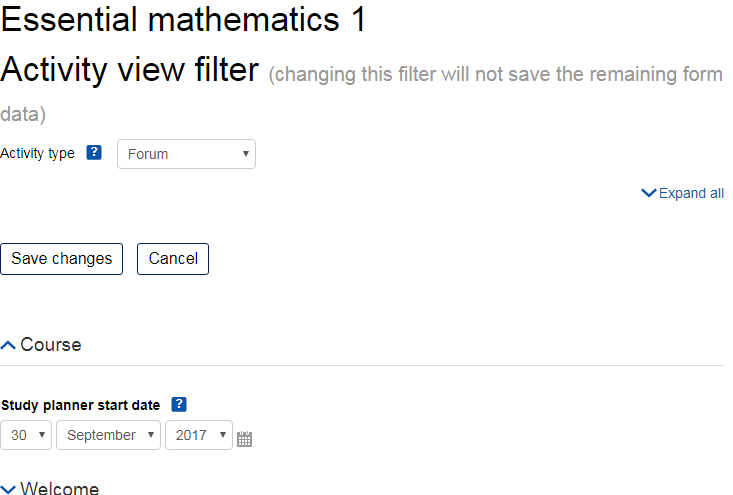
This 'report' is actually a tool to let you edit all the dates in a course on one page.
Price option: Free

Supports Moodle 2.2-5.0 See all versions
Latest release: 9 months ago
Installations: 1569
Downloads (last 90 days): 334

Frankenstyle name: report_editdates
Reports
Open University

Comments

Comments are no longer open for new posts. Existing comments remain available to read.

This plugins needs a helper for each type of activity you want it to support. https://github.com/moodleou/moodle-report_editdates/tree/master/mod. If you are using some custom activity type, and you want this plugin to support it, then you will need to code that bit yourself.
The Activity Type "All" thing is because we were having problems when the form got too big. Therefore, if the course has too many activities, that option is not available. If you want to risk it, you can change this constant to something bigger than 20 https://github.com/moodleou/moodle-report_editdates/blob/master/index.php#L29
There is another plugin called "availability restrictions" that is active. Could this plugin be conflicting?
Tim - We had implemented this for our 2.2 environment and it worked great. Our faculty were very happy that they could go to one spot and modify all the dates for their course contents. However, after upgrading to 2.7 and we are experiencing issues with the plugin:
The main issue occurs with uploaded files. The plugin seems to work fine with Assignments, but with an Activity Type of "Upload File to Moodle" there are issues. If a powerpoint or other file is added as this activity type, it does not show up in the Dates page. If a date restriction is manually added on the activity, it shows up in the page, but the date cannot be altered from the Dates page. Instead you see: "Edit restricted access (opens a new window)" which makes you go to the item individually to modify the restricted dates (which defeats the purpose of the plugin).
I've also noticed that in some courses, the Activity Type "All" is not available in the drop down.
Am I doing something wrong? Thanks in advance for your help.
That block got renamed a few Moodle releases ago. Thanks for pointing out we need to fix our description here.
started testing this for our 2.7 install, looks great. in all the documentation it says "Once the plugin is installed, you can access the functionality by going to Reports -> Dates in the navigation block when you are looking at the course." but should say "...in the Administration block..." - at least that is where it is showing up for us.
thanks for the plugin.
As it says here, this version of this plugin is not compatible with Moodle 2.7. There will be a version that is compatible with Moodle 2.7 soon.
Also, this is not specific to quiz.
Not sure what changed but when I did the version update the quizzes stopped working. I have a tracker issue open on the error I am getting. Tracker: CONTRIB-5361
What change between 2.7.1 to 2.7.2?
We have a version that we think works with 2.7.2. I will make sure we have put the latest version here, hopefully in the next few days.
Hello Tim, Any thoughts of bringing this plugin up to 2.7.2? It was working but with the change from 2.7.1 to 2.7.2 it seems to error out on the quizzes. Thanks!
I have not plans. If someone else writes the code, and does a github pull request, I will review and integrate it.
Any plans on having Turnitin assignments start date, due date, and post date to be included in the activity type for the dates plugin?
A screenshot would really help here, TIA.
Thank you for the info Tim.
Yes. The OU will need a 2.7 version around the start of September.
This is non-trivial task, because of the changes in conditional availability in Moodle 2.7.
I am probably not going to have a change to think about this before September. If anyone else wants to try, I am happy to receive pull requests on github.
It might be possible to do an initial version for 2.7 that ignores conditional availability dates.
Hi Tim
Any plans to make a 2.7 version?