Academic Ticket System
Short Description
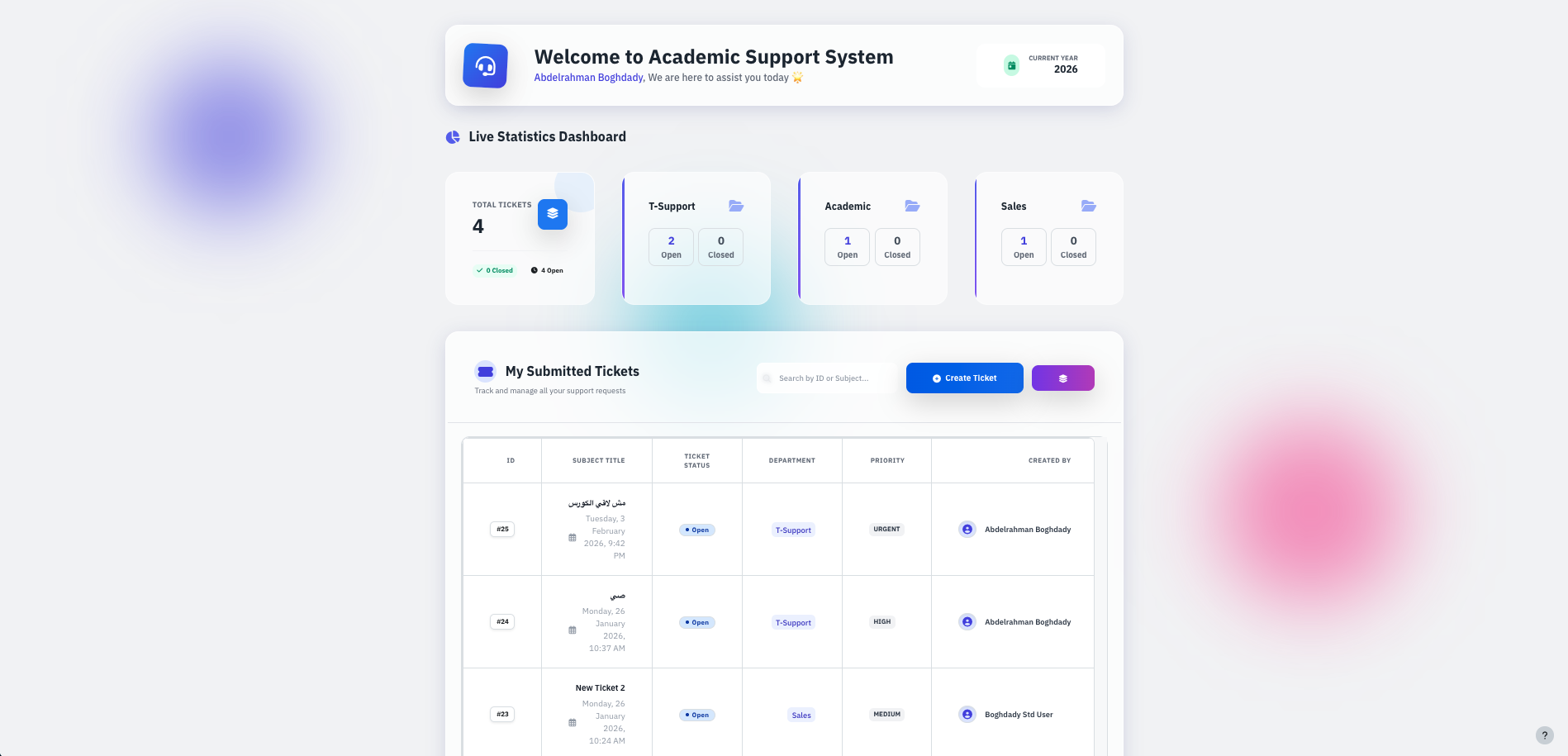
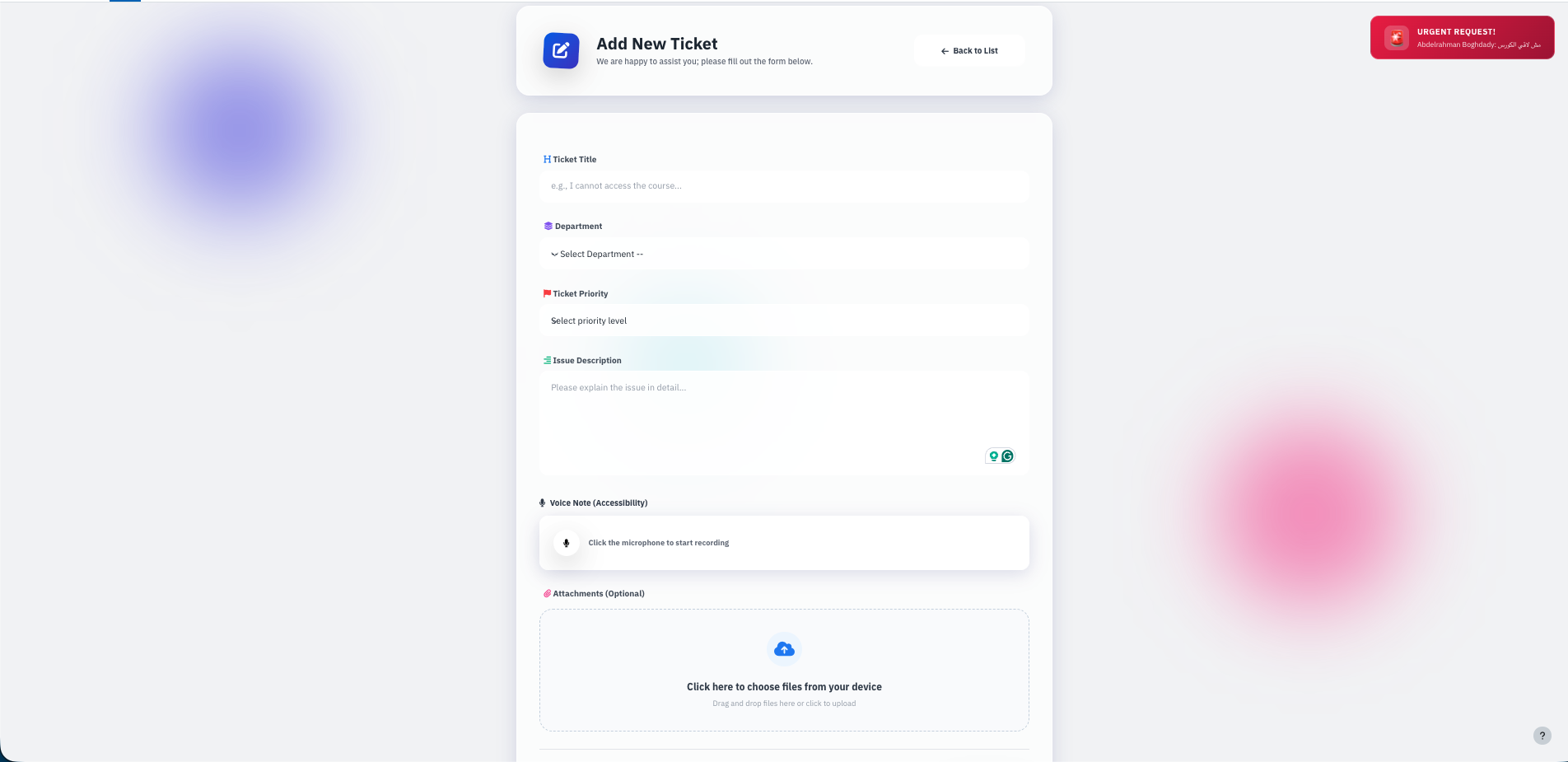
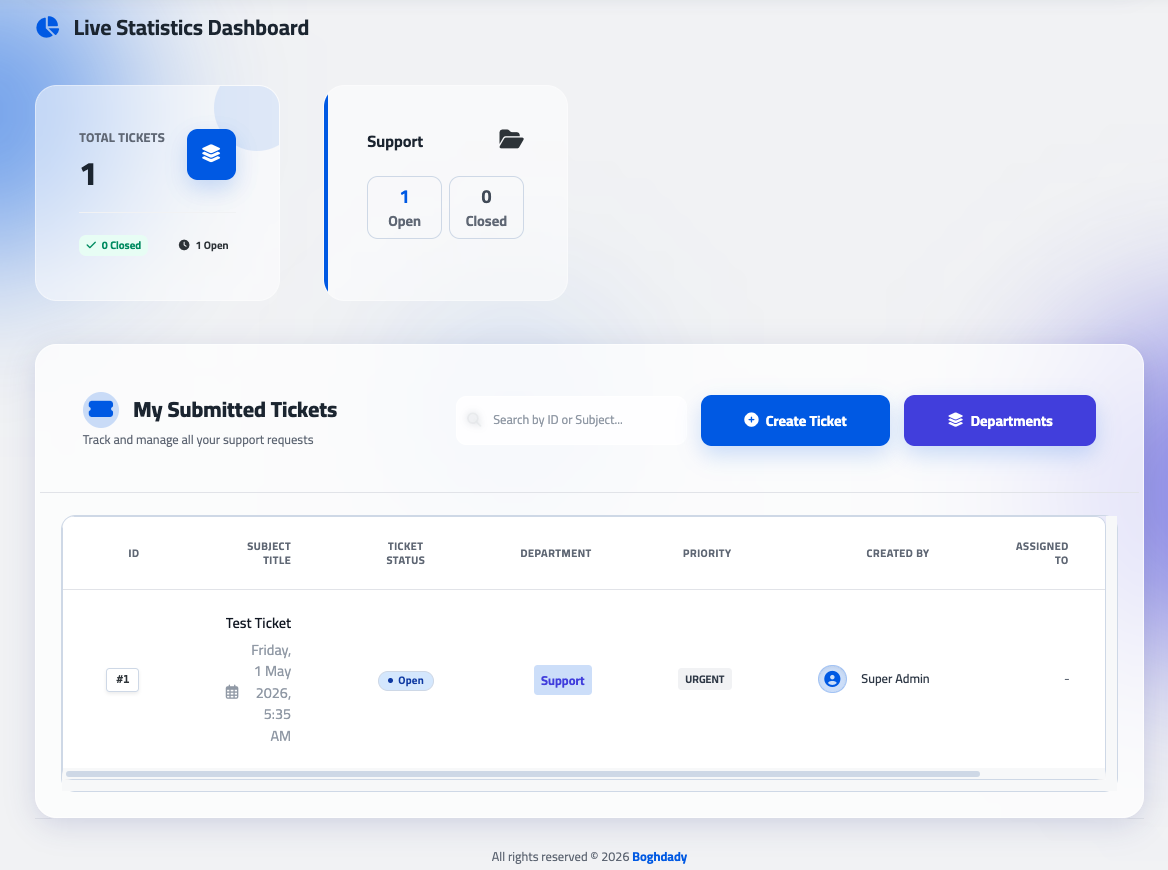
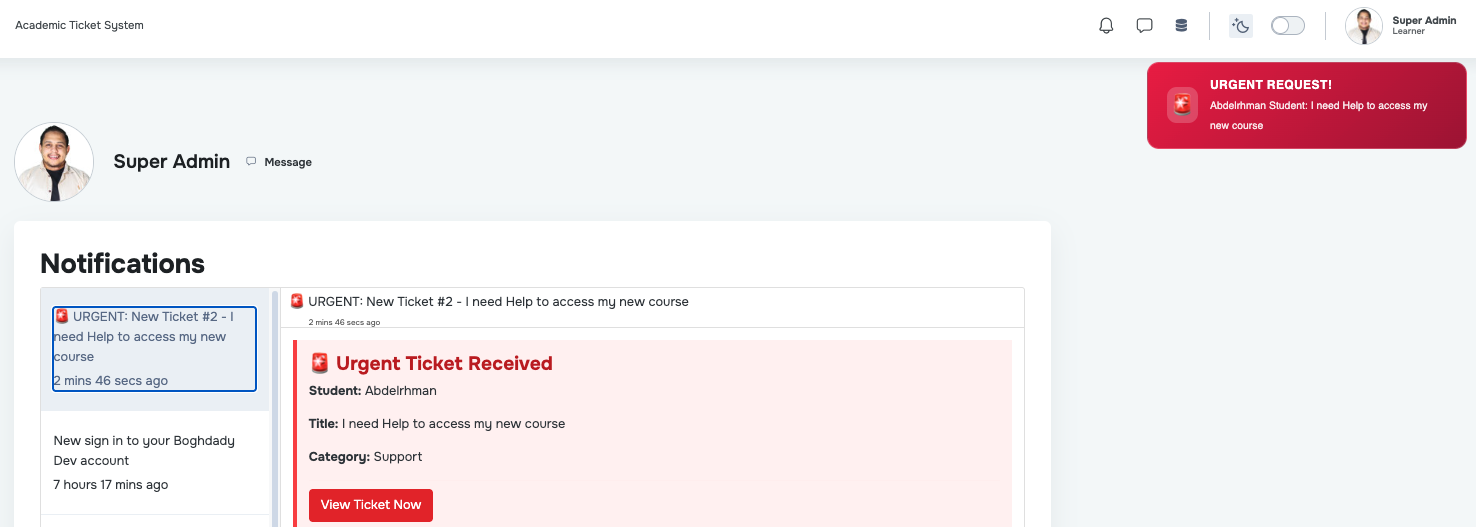
A robust and modern Moodle local plugin designed to streamline communication between students and academic support departments. It provides a centralized hub for managing inquiries, technical issues, and administrative requests with a high-end User Experience (UX).
Detailed Description
The Academic Ticket System (v3.2.0) is a comprehensive lifecycle management tool for academic support. Built with a focus on Instructional Design (LXD) principles and a modern Tailwind CSS interface, it ensures that the learning journey remains uninterrupted by technical or administrative hurdles.
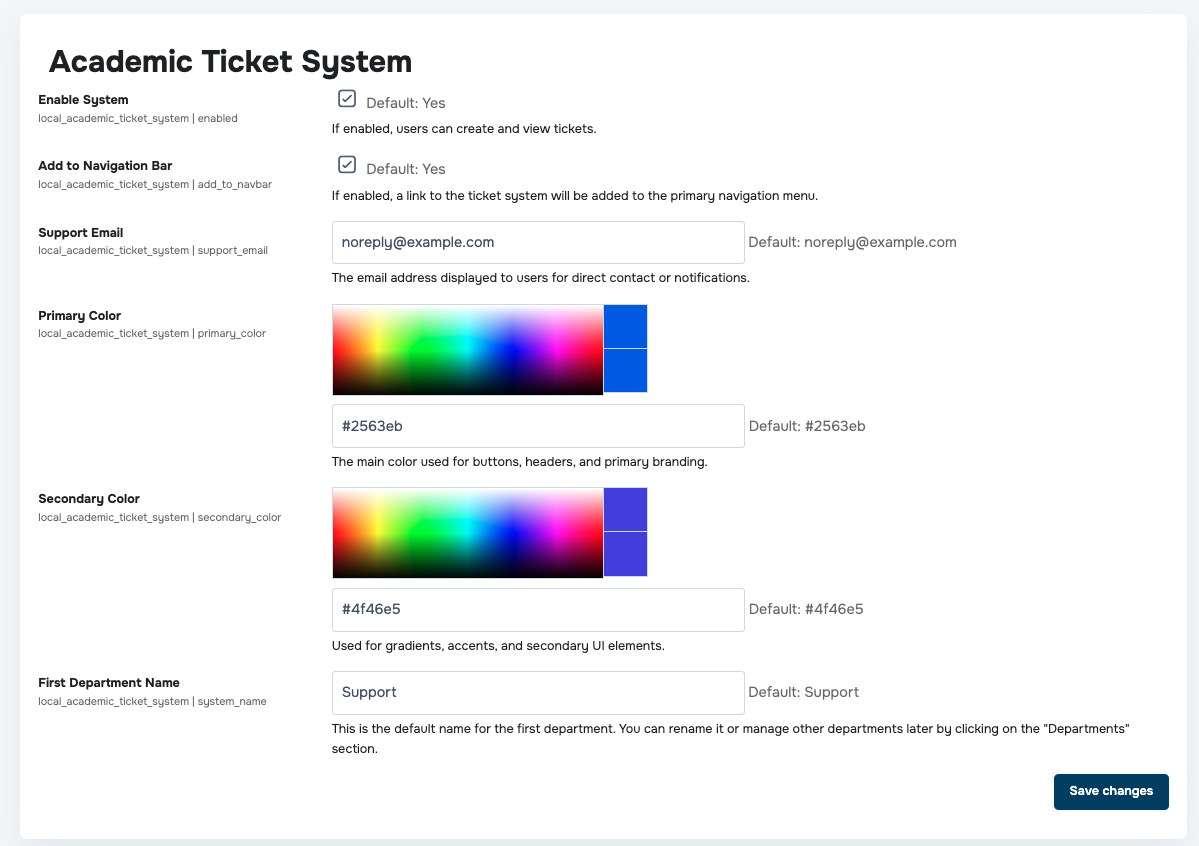
The latest version introduces enhanced administrative workflows, including intelligent search for assignments, customizable role visibility, and improved tracking tools to keep your support team organized.
Key Features:
Modern UI/UX Overhaul: A clean, responsive dashboard that fits perfectly within the Moodle ecosystem while offering a modern, premium "SaaS" feel.
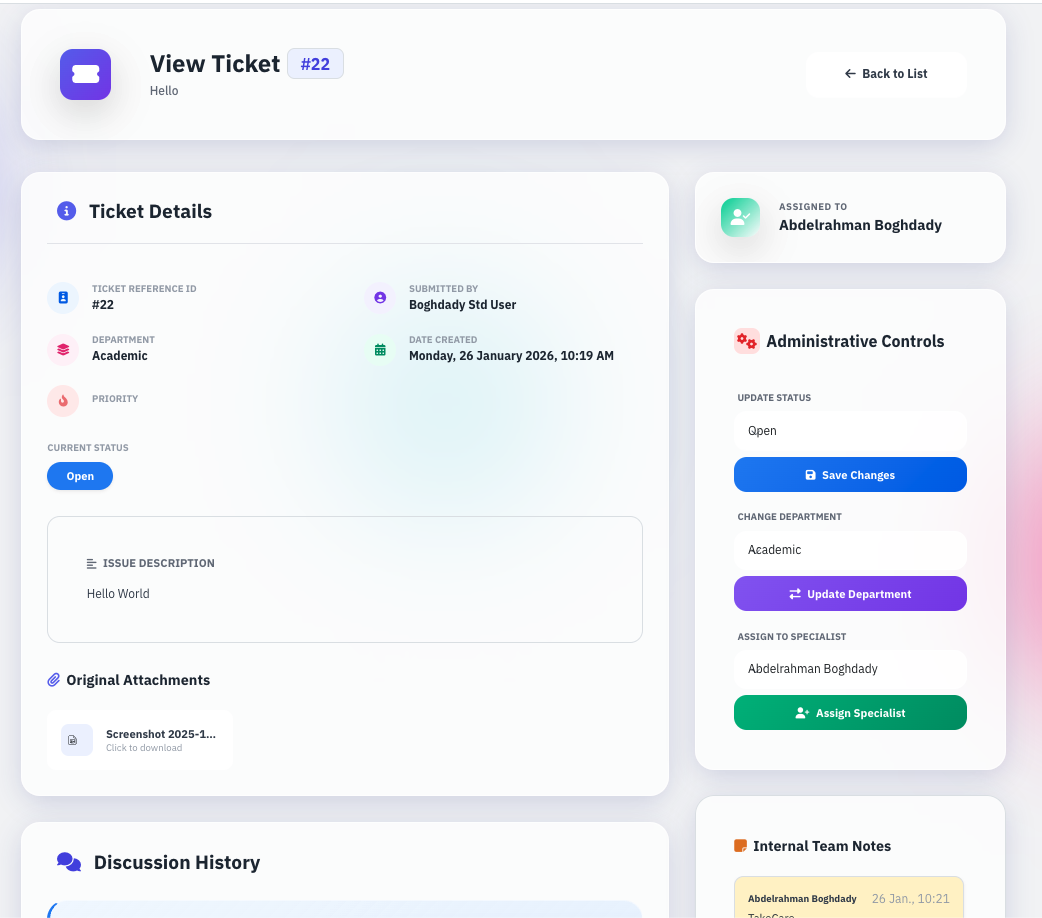
Intelligent Assignment Search: Administrators can now search for assignees directly within the ticket interface using Name, Email, or Username, making ticket routing faster and more accurate.
Configurable Role-Based Assignment: Administrators have full control to specify which Moodle roles appear in the assignment dropdown, ensuring that only the relevant staff (e.g., Support Specialists, Finance, Student Affairs) are available for selection.
My Assignment Tracking: Staff members can now quickly identify their workload through a dedicated "My Assignment" indicator, providing instant visibility into tickets awaiting their attention.
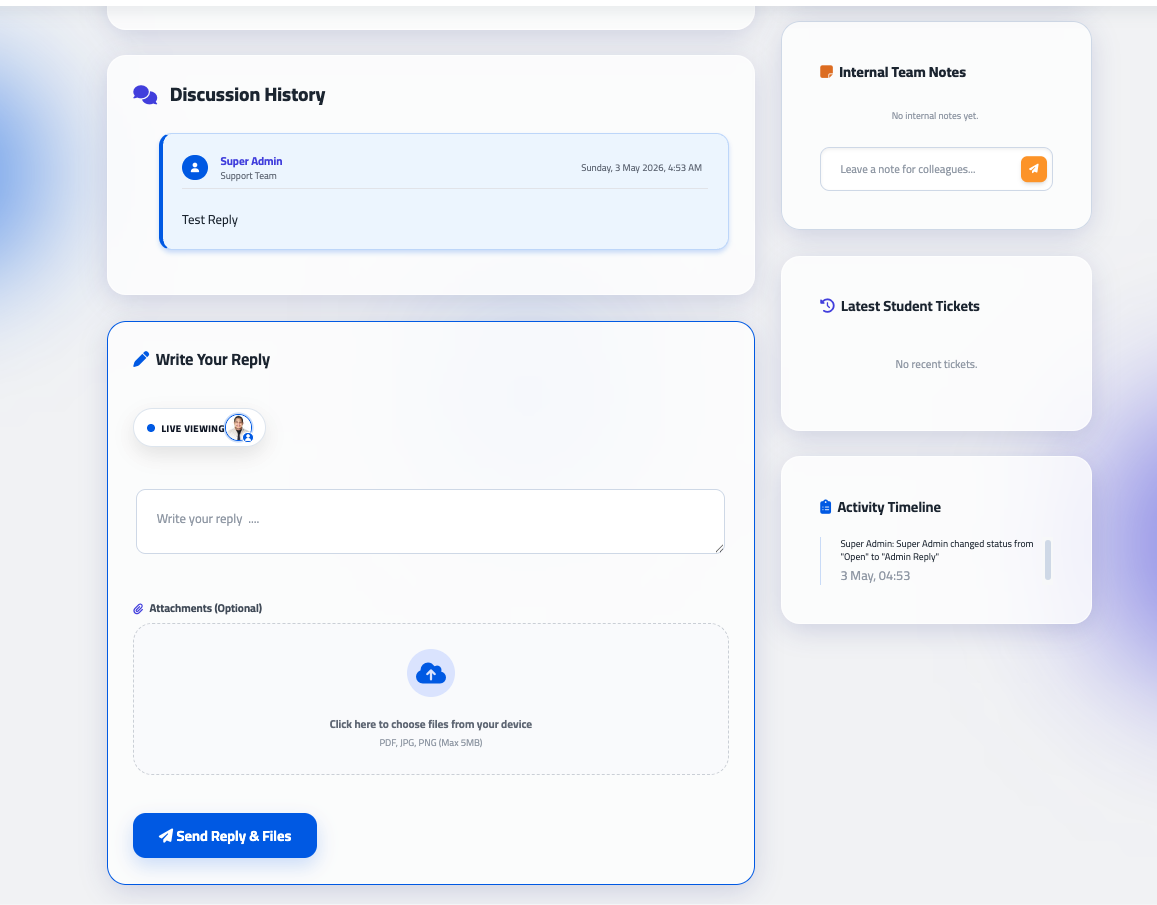
Enhanced Attachment Display: Improved layout for file handling, with inline previews for images, videos, and PDFs, allowing admins and students to review content without unnecessary downloads.
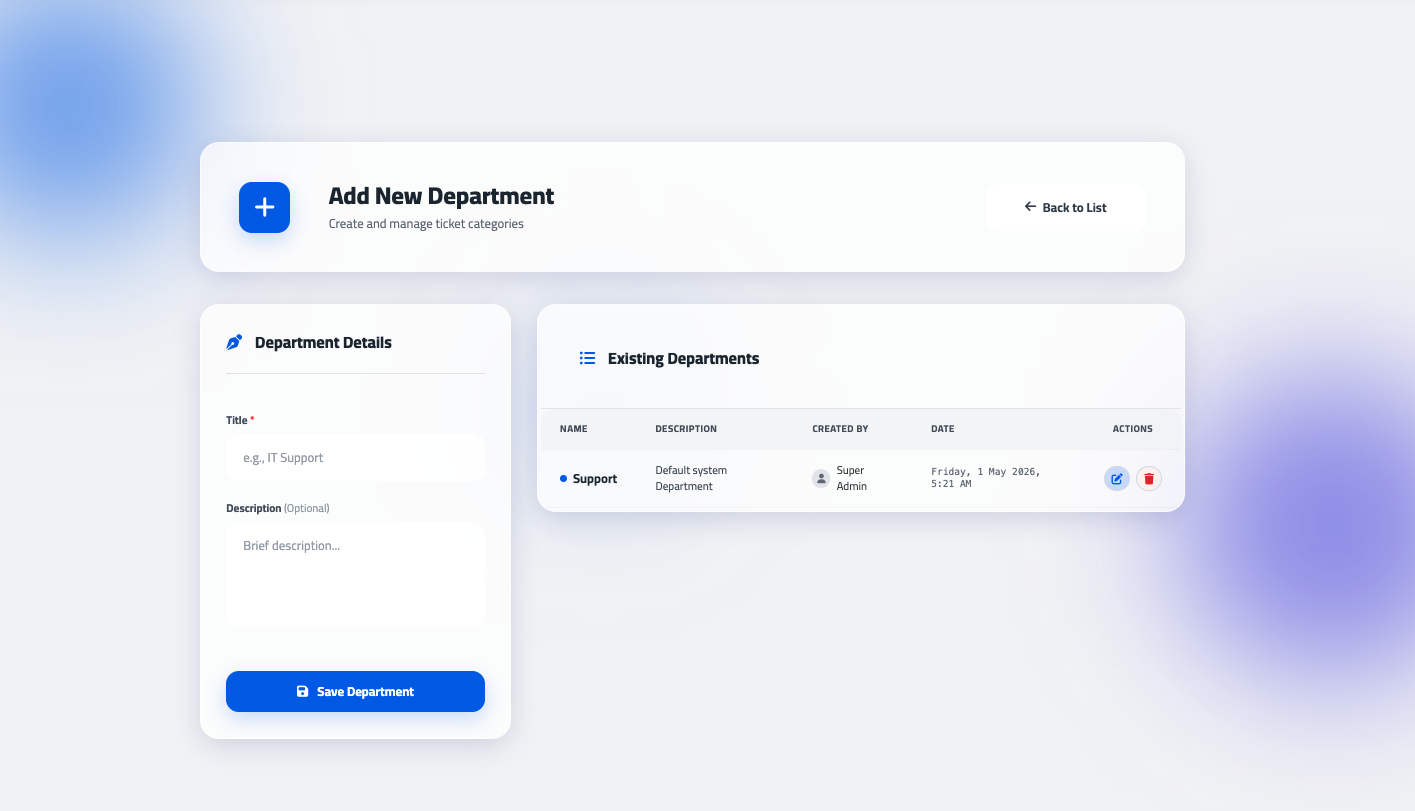
Department-Based Routing: Tickets can be categorized into specific departments for faster response times.
Activity Timeline: A detailed audit log that tracks every status change, assignment, and reply for full accountability.
Rich Text Support: Full integration with Moodle's TinyMCE/Atto editors for detailed issue descriptions and replies.
Installing via uploaded ZIP file
Log in to your Moodle site as an admin and go to Site administration > Plugins > Install plugins.
Upload the ZIP file with the plugin code.
Check the plugin validation report and finish the installation.
Installing manually
The plugin can also be installed by putting the contents of this directory into:
{your/moodle/dirroot}/local/academic_ticket_system
Afterwards, log in to your Moodle site as an admin and go to Site administration > Notifications to complete the installation.
Alternatively, you can run:
$ php admin/cli/upgrade.php
to complete the installation from the command line.
License
2026 learn-ix support@learn-ix.com
This program is free software: you can redistribute it and/or modify it under the terms of the GNU General Public License as published by the Free Software Foundation, either version 3 of the License, or (at your option) any later version.