AI Resource Guide icon

AI Resource Guide

Maintained by Tanmay Deshmukh
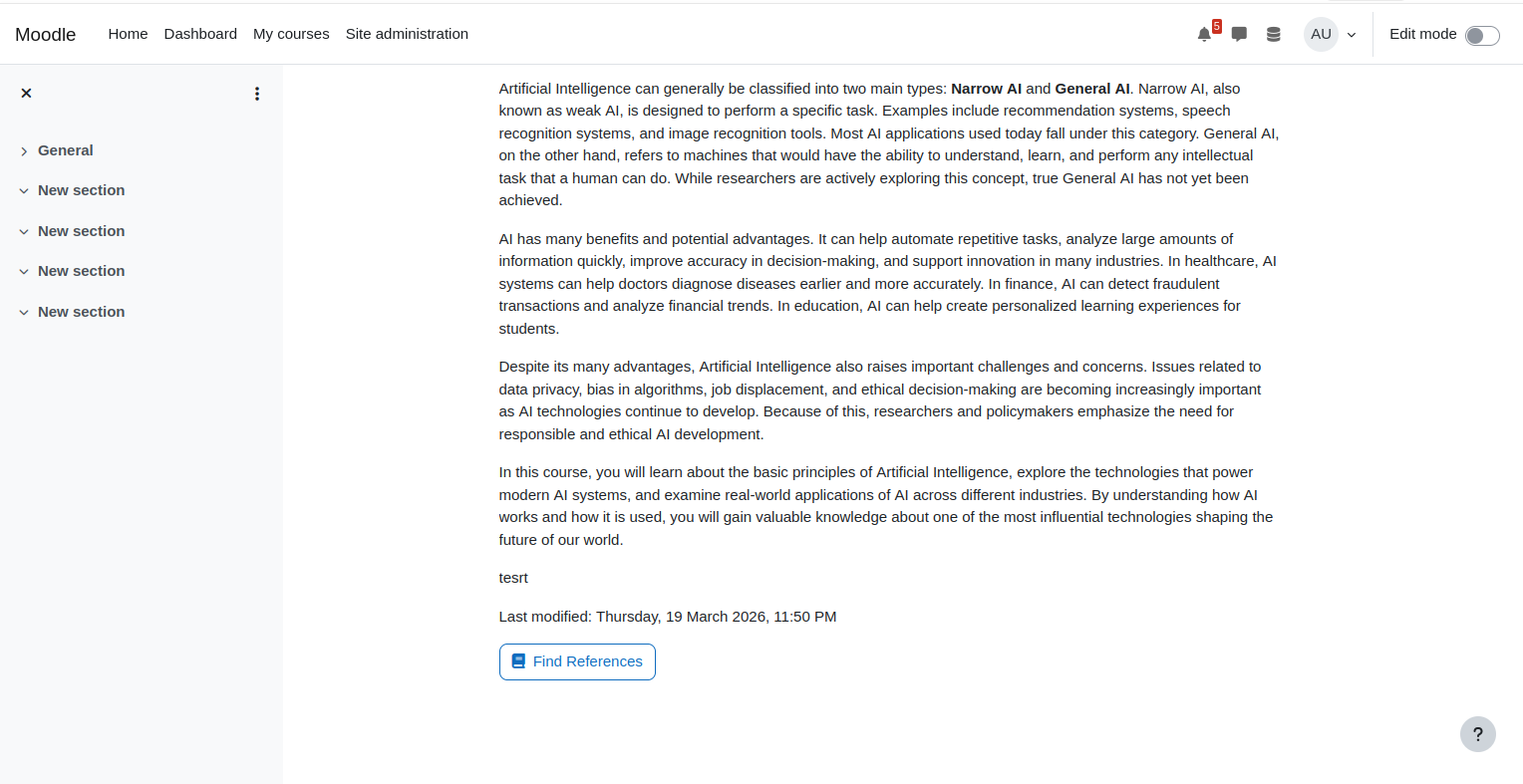
Adds a "Find References" button to Page activities. Uses Moodle's AI subsystem to identify key concepts in the page content and provides students with curated external resource links (Google Scholar, YouTube, Wikipedia, and more).
Price option: Free

Supports Moodle 4.5 See all versions
Latest release: 3 months ago
Installations: 11
Downloads (last 90 days): 177

Frankenstyle name: aiplacement_airesourceguide
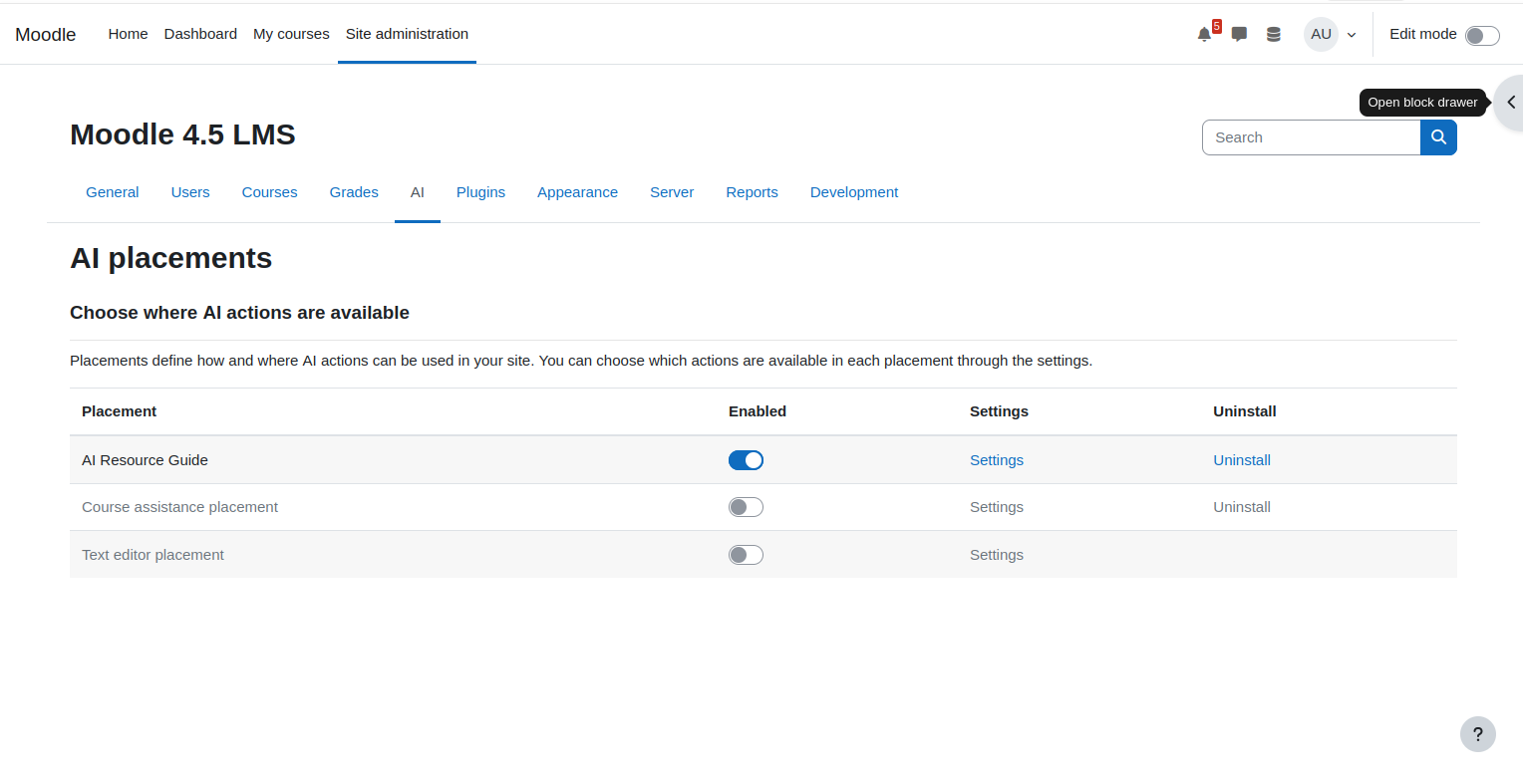
AI placements

Description

AI Resource Guide is a placement plugin for Moodle's AI subsystem. It adds a "Find References" button to Page activities that helps students discover relevant external learning resources.

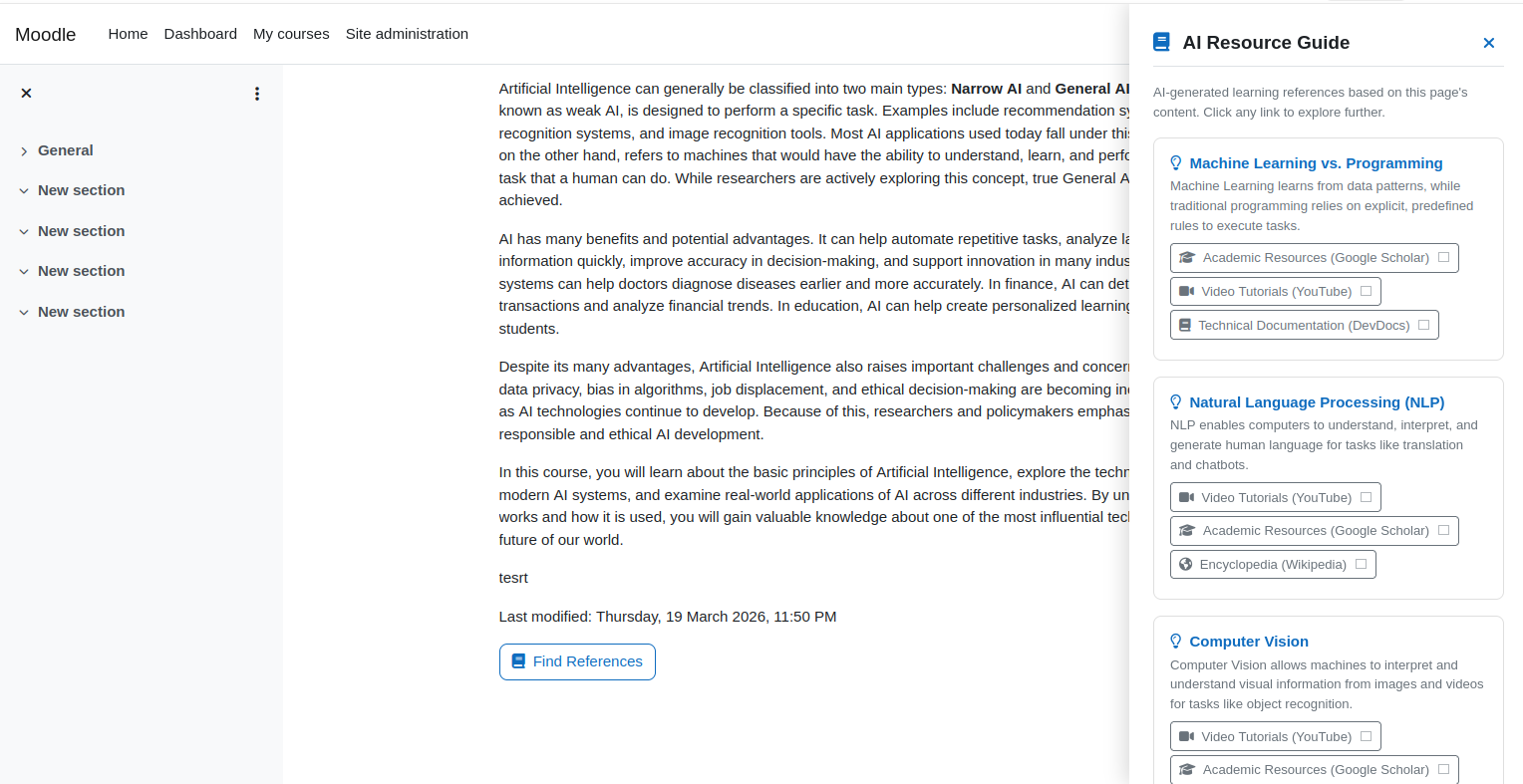
When a student clicks the button, the plugin sends the page content to the site's configured AI provider, which identifies 3-5 key concepts. For each concept, the plugin generates real search links to external platforms like Google Scholar, YouTube, Wikipedia, DevDocs, Google Books, and Google News.

Features:

  • Works with any AI provider configured in Moodle (OpenAI, Azure AI, Ollama, etc.)
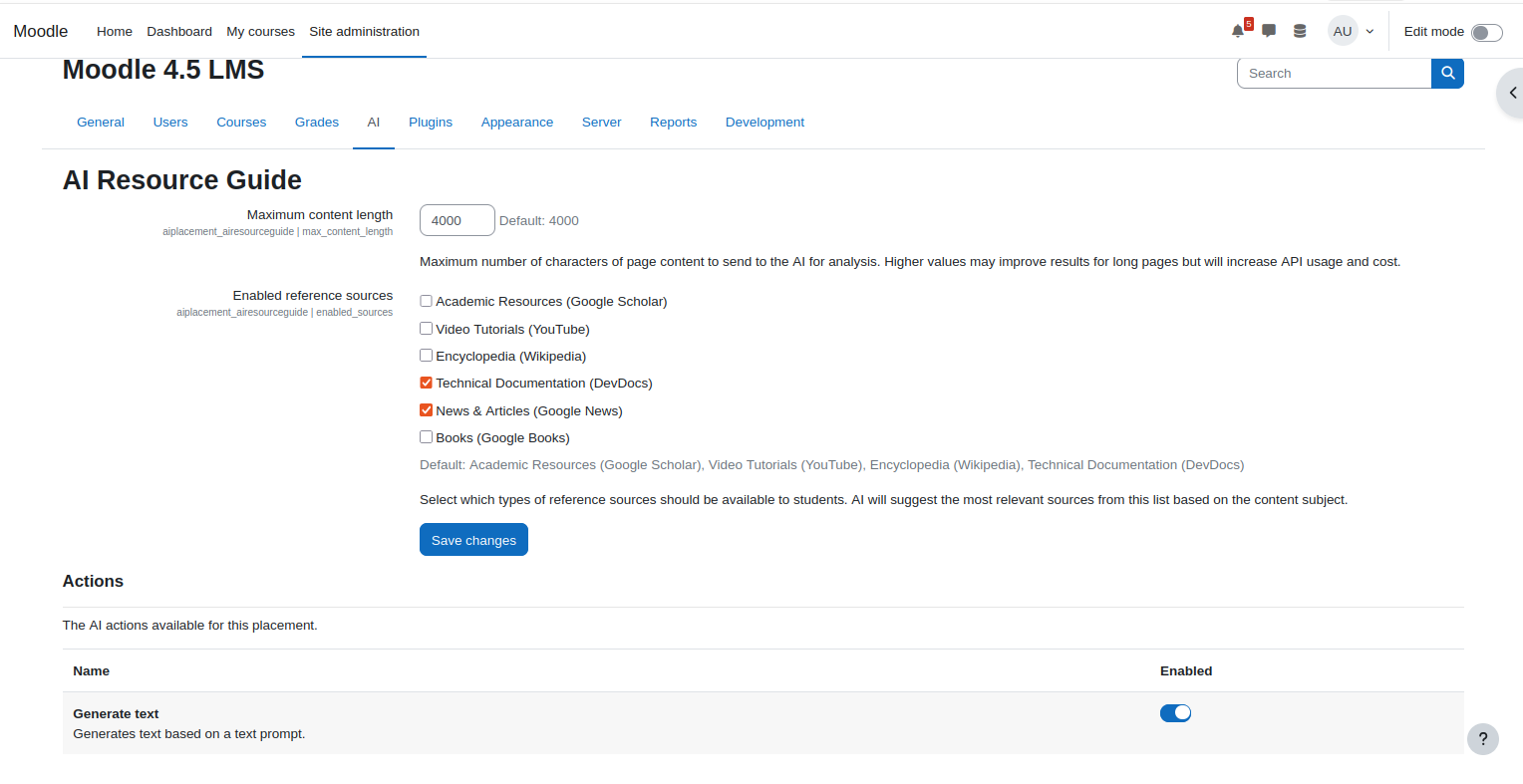
  • Configurable reference sources — admins choose which platforms are available
  • Results cached for 24 hours to minimize API costs
  • No AI-hallucinated URLs — all links are real search engine URLs built from extracted concepts
  • AI policy compliance built in — students must accept the policy before first use
  • GDPR compliant — no personal data stored

Requirements:

  • Moodle 4.5 
  • At least one AI provider configured with the generate_text action enabled

Contributors