Richard Rangel
Lead maintainer

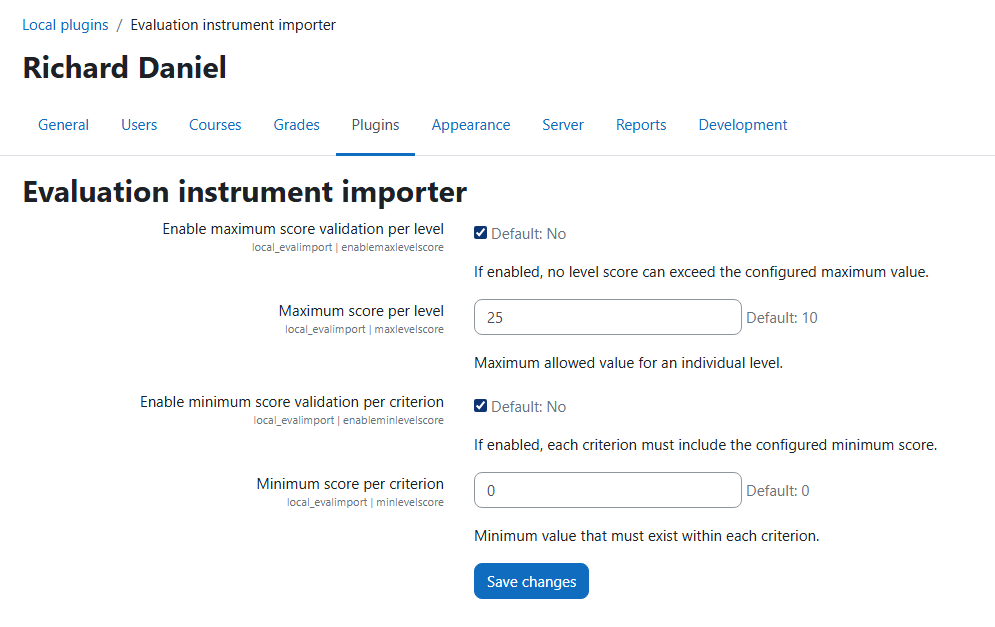

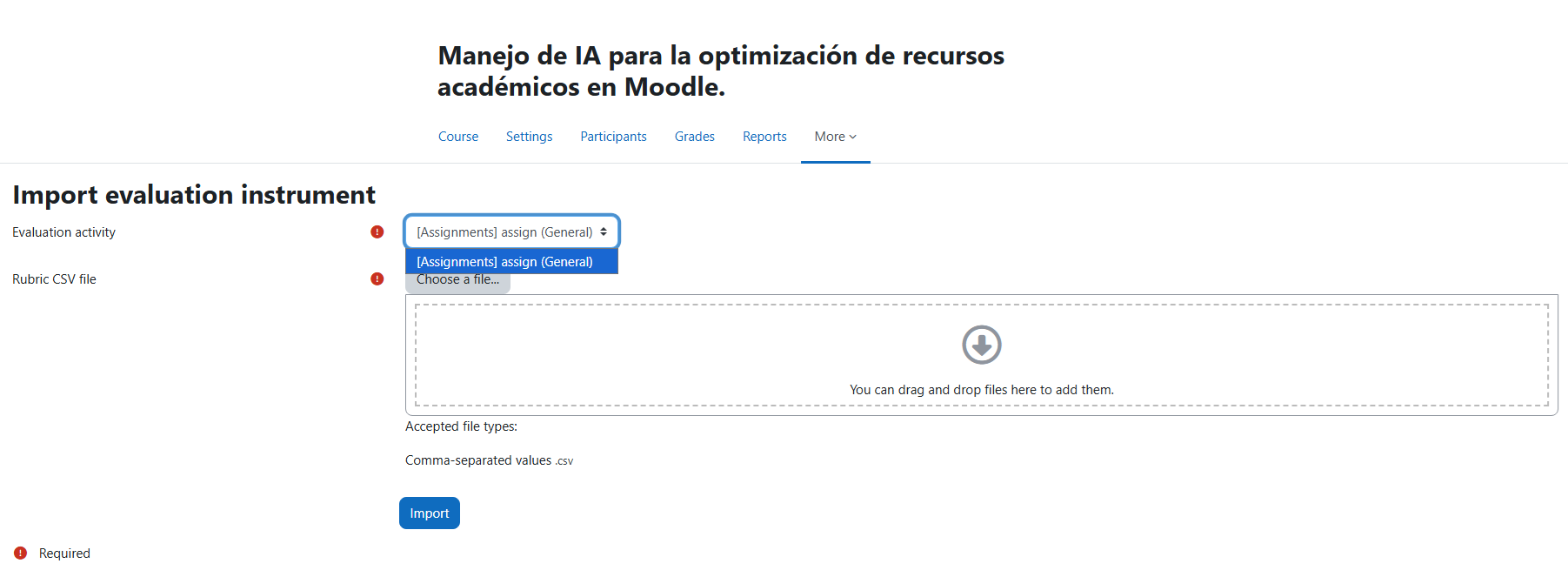

The Evaluation Instrument Importer plugin allows teachers to import rubric-based evaluation instruments from CSV files directly into Moodle activities. This tool simplifies rubric creation by allowing instructors to prepare evaluation instruments in a spreadsheet and import them quickly inside the course.
The plugin adds a course-level option called "Import evaluation instrument" that allows teachers to select an activity and upload a CSV file containing the rubric structure.
Only activities that are visible to the teacher and compatible with advanced grading will appear in the activity selector.
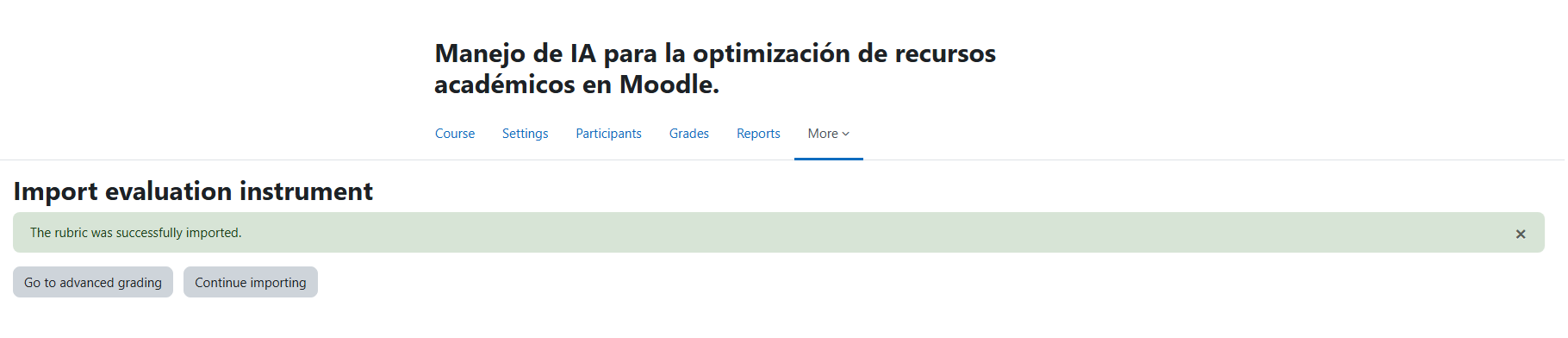
After a successful import the teacher can either review the rubric in Advanced grading or continue importing more instruments.
The CSV file must contain the following columns:
criterion,level,level_description,score
| Column | Description |
|---|---|
| criterion | Name of the rubric criterion |
| level | Label of the rubric level |
| level_description | Description displayed in the rubric |
| score | Numeric score assigned to the level |
criterion,level,level_description,score
Argumentation,Excellent,Clear and well-supported argument,10
Argumentation,Good,Argument mostly supported,7
Argumentation,Weak,Limited argument support,4
Argumentation,Poor,Argument missing or incorrect,0
Structure,Excellent,Well structured and organized,10
Structure,Good,Mostly structured,7
Structure,Weak,Some organization problems,4
Structure,Poor,No clear structure,0
Users must have the capability:
moodle/grade:managegradingforms
Typically this capability is available to editing teachers.
This plugin does not store personal user data. It only reads existing course and grading information in order to import rubric definitions.
GNU GPL v3 or later
