Jitsi icon

Jitsi

Maintained by Sergio Comerón
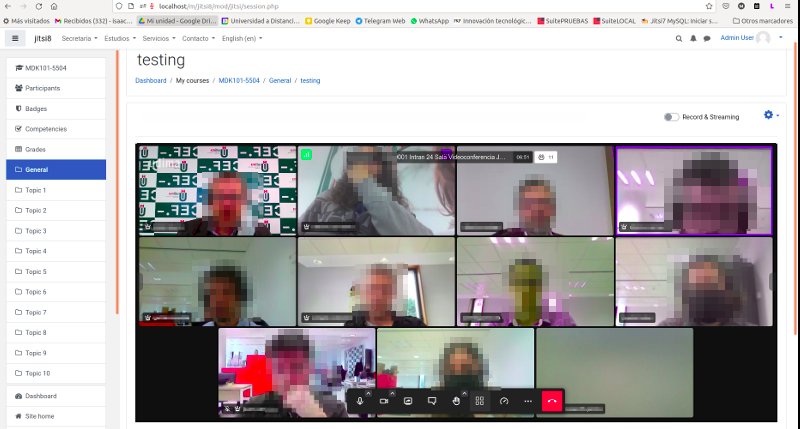
This module allows creating jitsi-meet videoconference sessions.
Price option: Free

Supports Moodle 4.4-5.2 See all versions
Latest release: 1 month ago
Installations: 3240
Downloads (last 90 days): 1623

Frankenstyle name: mod_jitsi
Activities

Comments

Product ratings and reviews are coming to Moodle Marketplace. Until then, existing comments remain available to read, but new posts have been disabled.

Thanks, I've tried and works. I'm waiting for them to fix the problem. Can you post here some news as son as you got it?
Hi again,
the fix to this problem has to be implemented by the Jitsi team and does not depend on the plugin. I can confirm that they already have a solution (https://github.com/jitsi/jitsi-meet/commit/cced41665da164c0ef8cb2a90eef9823f5962931) but it is not yet implemented in production. If you try the beta.meet.jit.si test server you will be able to verify that the recordings are already downloaded correctly there.
The solution will be deployed to production in the next few days and it will not be necessary to download a new version of the plugin.
Thank you for your answer, if it's help, I've tried to record and download directly from Jisti website with chrome and works, this is why I've assumed is something in this plugin that is missing. I'm waiting for your workaround smile
Hi DonnaJobs and Виктор,
It seems that chrome in one of the last updates has removed the possibility of downloading files from an iframe, which is the technology used in the plugin. We are working to fix this issue as soon as possible.
Hi, I've got the same problems as others. I cannot record the jitsi session. The button is present, but when I click on "stop recording" no file is downloaded...
Hi Виктор Рогов,
what would be the problem? the button does not appear? The recording is not generated although it indicates that it has been recorded?
Hello. For some reason, the jitsi plugin does not work with the new version of jitsi with a built-in record on the server. Is it possible to somehow return the ability of the plugin to write to the jitsi server again?
Estas usando el servidor público meet.jit.si? Acabo de probar las grabaciones locales y en un servidor nuestro si están funcionando correctamente y se baja el archivo cuando se finaliza la grabación, pero tambien he probado en el servidor publico meet.jit.si y no me lo ha bajado. Parece que el problema viene de la gente de Jitsi. Supongo que lo arreglaran pronto.
El tema de las grabaciones locales no tiene nada que ver con el plugin, lo único que puede hacer es mostrar u ocultar el botón para la grabación.
Hola de nuevo Sergio, gracias por tu respuesta....estoy con la versión 3.3. y no me permite de grabar de forma local, con lo anterior versión si lo hacia......esta a la hora de detener la grabación se queda como en limbo y no lo baja, ya hice pruebas con dos computadora y nada....que podrá ser?....gracias
Hola Javier, el limite de tiempo o tamaño por grabación no es algo que pueda configurar desde el plugin. Si tienes tu propio servidor jitsi podrías cambiarlo pero si usas el público no puedes modificar esos parámetros.
Te dejo un enlace al hilo donde puedes ver lo que tienes que modificar si tienes tu propio servidor (https://community.jitsi.org/t/increase-local-recording-limit-for-self-hosting/117065)
Un saludo!
hola Sergio, la nueva versión se puede grabar de manera local mas tiempo? solo me deja 1gb o 90 minutos sino mal recuerdo.....gracias
In version 3.3 share screen is work good.
Thank you, Sergio)
Hi Again Vladimir,
If you don't want to view the attendee report, you can remove the permission mod/jitsi:viewusersonsession and that way it won't appear.
For now, until a better configuration option is implemented, this workaround can help you.
Anyway, it shouldn't take long to visualize. Can you tell me what version of the plugin you are using and the approximate number of minutes and jitsi sessions it takes you to view?
Hi Vladimír,
there is currently no possibility to turn off attendee reporting. Maybe it's a good idea to give it a chance. I will study it for the next version.
Thanks for the suggestion.
Is it possible to turn off the attendees report? When there have been many meetings in the Jitsi room, it takes too long to load - sometimes up to 30 seconds.