
Jitsi
Maintained by
Sergio Comerón
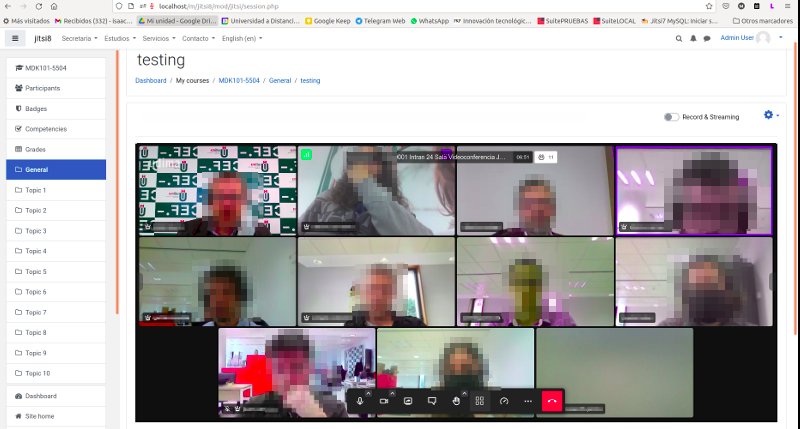
This module allows creating jitsi-meet videoconference sessions.
Comments
Product ratings and reviews are coming to Moodle Marketplace. Until then, existing comments remain available to read, but new posts have been disabled.
Yes, the participants pane button and select-background is included in the update.
If you want you can view and test the new version on dev branch of repo (https://github.com/udima-university/moodle-mod_jitsi.git)
I have read that in the next few days there will be an update of the Jitsi plugin.
I have updated our Jitsi server and we now can use breakout rooms in Jitsi.
For this I have manually added the entry "partitianspane" in the button bar in your plugin. Would it be possible to integrate this into the plugin (plugin options)?
I also noticed that the "Bluerbutton" option has changed in Jitsi. The option is now called "select-background". Is the change included in your update?
Many greetings
Marco
It is a error that Jitsi is having. In this thread (https://community.jitsi.org/t/error-after-update-google-chrome-on-jitsi-with-iframe/109972/11) they are trying it and giving some workaround, but I have tried them and they don't work in this case. I am waiting for them to provide a solution so that I can implement it if necessary.
At the moment the only thing we can do, if this problem is occurring on your jitsi server, is to reload the frame by pressing the mouse right button.
Thanks for the info. yes, as the error says, the method is declared but then it is not implemented. You will need to update to the new version which should be out in the next few days.
I have at same problem that Matteo Renzi. This error appears always that use google chrome (version 99.0.4844.84 ) with firefox (version 91.7.1esr (32bits)) work fine.
Moodle: 3.9.7
Plugin jitsi: v3.0.1 (2021070601)
We are using the Jitsi plugin on our Moodle server.
Moodle 3.10.6 Build: 20210820
mod_jitsi - v3.1.2 2021090100
When activating the Mobile function for the MoodleApp, the following error occurred.
In the menu "External service / Moodle mobile web service" there is an error when opening the "Functions":
Add functions to the service 'Moodle mobile web service
Error found in coding that only programmers can fix: Missing implementation method mod_jitsi_external::create_link
Without the Jitsi plugin the error does not exist.
Can we maybe fix the problem ourselves or is a correction in the plugin necessary?
Some user not ear and see anything: all videos are black e no audio is listened by users. How to resolve this issue? Thanks
Here you are: Chrome Version: 98.0.4758.82 - Operative System: Windows 10 - Moodle Version: 3.9.1
Thanks in advance.
to reproduce it, can you tell me what version of Chrome and operating system do you use? And Moodle versión?
Thanks!
I've been experiencing some problems when loading a Jitsi room using Chrome browser. It appears nothing and I have to refresh the entire webpage or the frame to make it work. It does work fine in Microsoft Edge, Android (Chrome) and Firefox but definitely not working with Google Chrome. Hope you can help.
Thanks in advance