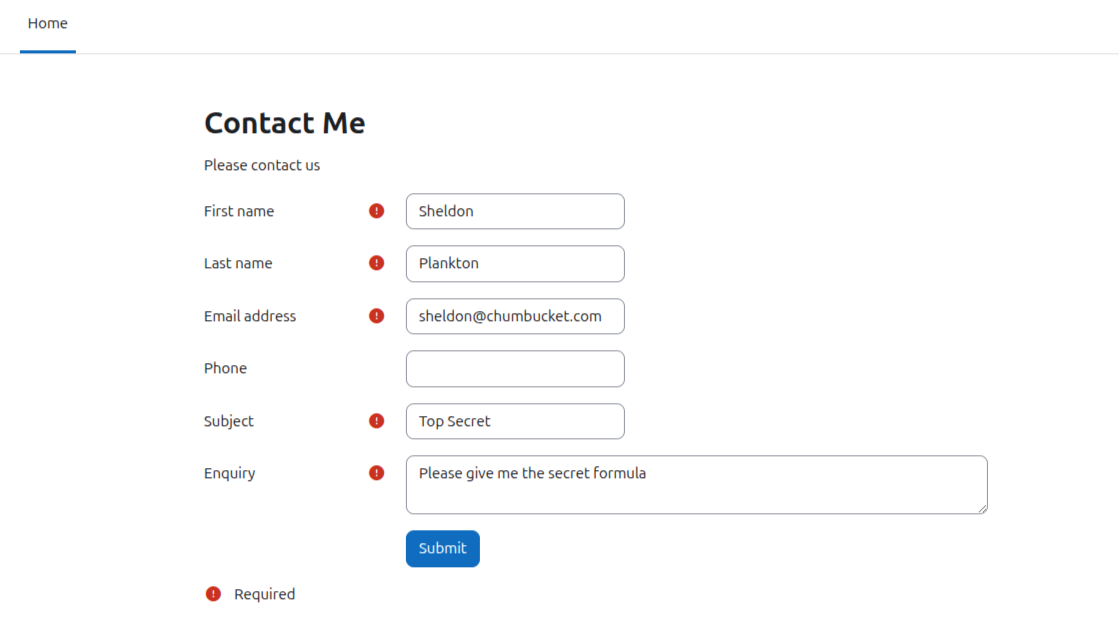
Contact Me
A simple contact form that uses the Moodle messaging system
This will send the contact message to the site admins and/or any user with the
'local/contactme:notification' capability and also save them in the local_contactme table.
A report view is available and optionally, admins can add a note to messages or delete them.
Note : Named contactme because moodle-local_contactus is already on github by a different developer.
After install
Contact me page
Add /local/contactme/index.php as a link in your home page or wherever needed.
Only external users (not logged in) will be able to use the form.
If enabled, Recaptcha will be used to avoid spam
See https://docs.moodle.org/500/en/Security_FAQ#How_do_I_enable_reCAPTCHA
Change the contact us message via Site admin > General > Language > Language Customisation > [Language] > Open for customisation
Filter for component : local_contactme
And string identifier : welcome
Enter your preferred message and save.
Send contact message to admins
For admins to receive contact messages,
Go to Site Admin > Plugins > Local plugins > Contact me
and check the box for 'Send to all admins'.
Send contact message to selected users
Messages can also be sent to all users with the 'local/contactme:notification' capability.
Go to Site admin > Users > Permissions > Define roles > Add a new role
Choose a role name eg. 'Contact Me', then filter for the 'local/contactme:notification' capability and save role
Go back to Site admin > Users > Permissions > Assign system roles
Select the role created above eg. 'Contact Me'
And select users who will receive the contact message
Message delivery
The message delivery default is email and popup
You can change this via the drop down menu under your profile icon
Choose Preferences > Notification preferences > Contact me
And choose email and/or web
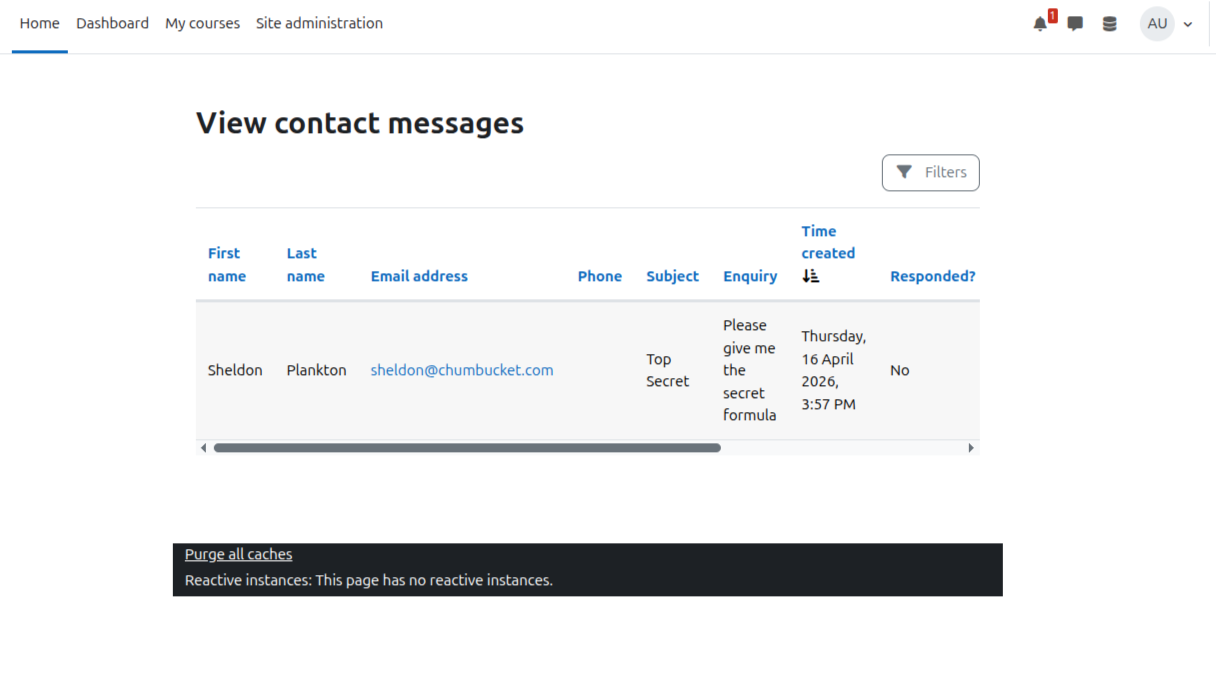
View messages
Admins and users with the 'local/contactme:viewmessages' capability will see a menu item at
Home page > More > View contact me messages
This is a report of the contacts recieved
Users with the 'local/contactme:deletemessages' capability will be able to delete messages
Users with the 'local/contactme:respond' capability will be able to add a note and tick the responded box
Responded messages will be dimmed in the report
Custom reports
A custom report source is available - Contact Me Messages
Go to Site admin > Reports > Report builder > Custom reports
Hooks
after_message_sent will be dispatched after the contact form has been submitted
Installing via uploaded ZIP file
- Log in to your Moodle site as an admin and go to Site administration >
Plugins > Install plugins.
- Upload the ZIP file with the plugin code. You should only be prompted to add
extra details if your plugin type is not automatically detected.
- Check the plugin validation report and finish the installation.
Installing manually
The plugin can be also installed by putting the contents of this directory to
{your/moodle/dirroot}/local/contactme
Afterwards, log in to your Moodle site as an admin and go to Site administration >
Notifications to complete the installation.
Alternatively, you can run
$ php admin/cli/upgrade.php
to complete the installation from the command line.
License
2026 Russell England http://www.russellengland.com
This program is free software: you can redistribute it and/or modify it under
the terms of the GNU General Public License as published by the Free Software
Foundation, either version 3 of the License, or (at your option) any later
version.
This program is distributed in the hope that it will be useful, but WITHOUT ANY
WARRANTY; without even the implied warranty of MERCHANTABILITY or FITNESS FOR A
PARTICULAR PURPOSE. See the GNU General Public License for more details.
You should have received a copy of the GNU General Public License along with
this program. If not, see https://www.gnu.org/licenses/.