
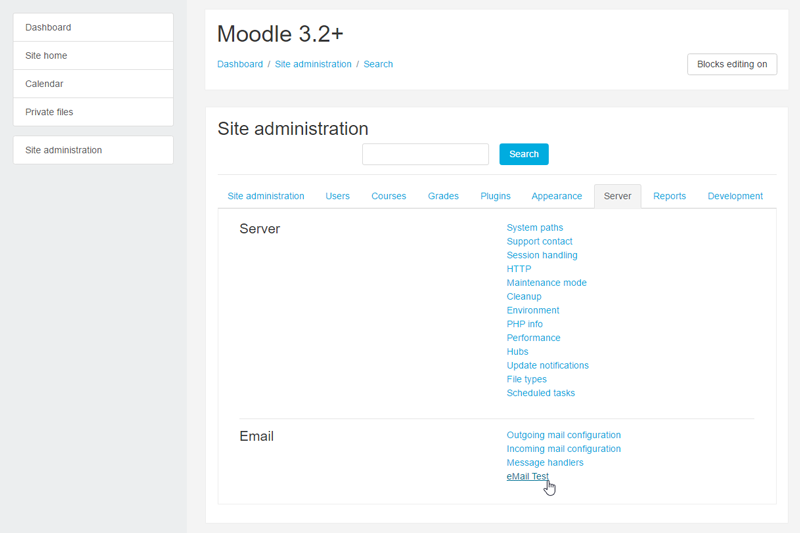
Moodle eMail Test
Maintained by
Michael Milette
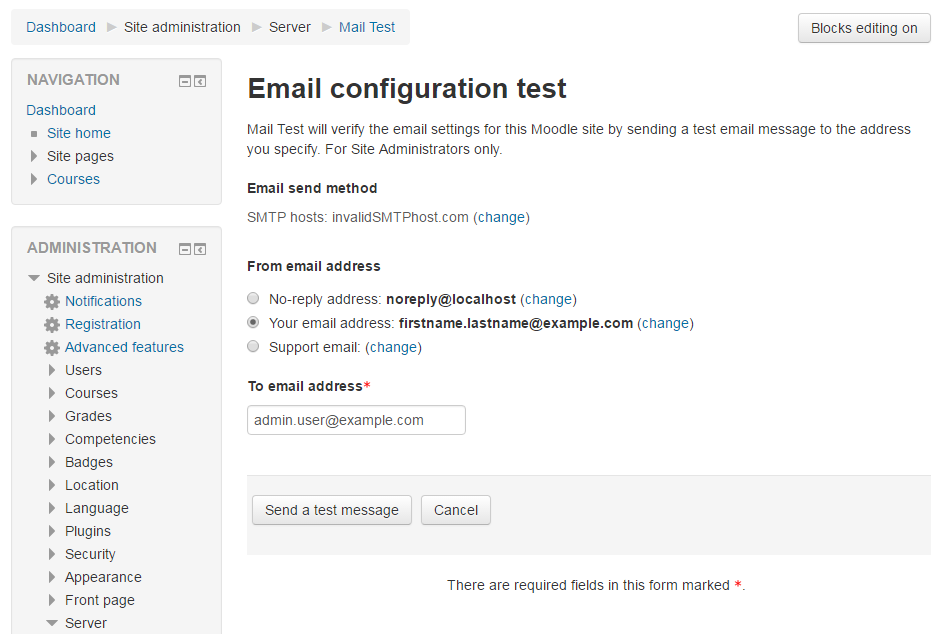
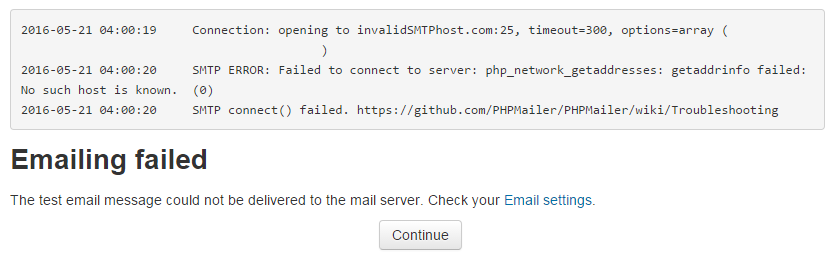
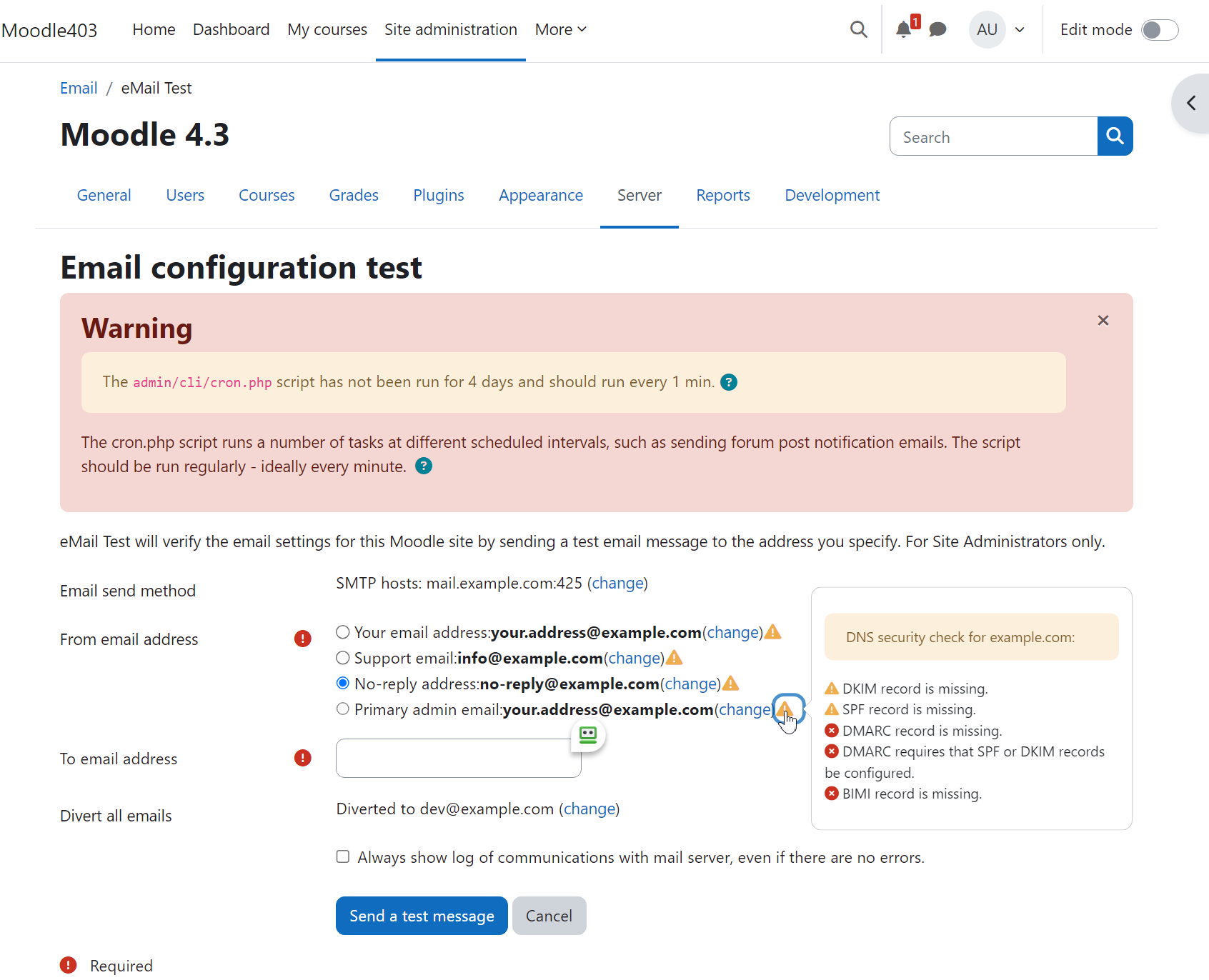
Moodle eMailTest is a powerful tool that enables administrators to test Moodle’s email system with ease. With this plugin, you can rest assured that your emails will be delivered without any hiccups. In case of any issues, a trace of the SMTP dialogue will be displayed. The plugin will also attempt to diagnose the issue and help you identify and resolve the problem quickly.
Comments
Comments are no longer open for new posts. Existing comments remain available to read.
What's New
- Detects and reports the log location if mail.log is set in php.ini.
- Detects if email diverting is enabled.
- Detects if email/messaging is disabled by way of $CFG->noemailever.
- Compatible with PHP 5.6 to 7.4.
Hope you find it useful.
Michael Milette
Regards,
www.elpasotileinstallation.com
Logging is not available when using PHP mail() function. However, may find logs on your server. Most common locations on Linux include:
/var/log/maillog
/var/log/mail.log
/var/adm/maillog
/var/adm/syslog/mail.log
Alernatively, a custom location may be specified using the mail.log setting in php.ini.
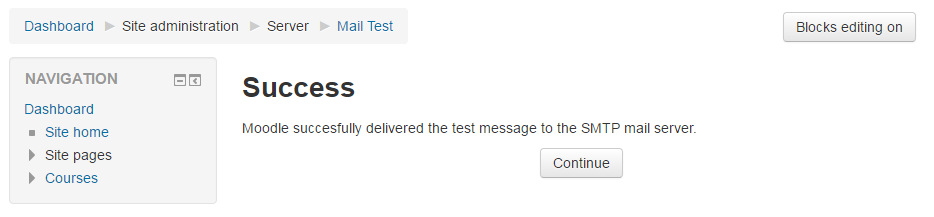
Success
The Moodle test message was successfully accepted by PHP Mail.
From : admin@xxxxxxxxxx.ca
To : xxxxxxxx@gmail.com
plz guide anyone . using moodle latest 3.9
Moodle sends email over SMTP (port 587), not IMAP (port 993) so you can't just copy the settings from your smartphone.
For the proper settings, see
https://support.office.com/en-us/article/pop-and-imap-email-settings-for-outlook-8361e398-8af4-4e97-b147-6c6c4ac95353
Some additional tips (predicting your challenges):
- Sometimes you may need to also specify the port on host address.
Example: outlook.office365.com:587
- Be sure that your no-reply email address is one that actually exists.
- Use TLS.
Hope this helps.
Best regards,
Michael
this is the error:
Connection: opening to outlook.office365.com:993, timeout=300, options=array()
2020-03-22 15:28:41 Connection failed. Error #2: stream_socket_client(): unable to connect to outlook.office365.com:993 (Permission denied) [/var/www/html/lib/phpmailer/src/SMTP.php line 324]
2020-03-22 15:28:41 SMTP ERROR: Failed to connect to server: Permission denied (13)
2020-03-22 15:28:41 SMTP connect() failed.
I searched in the internet but any resolution resolve
Turning on DEVELOPER mode won't produce any additional information because that is exactly what the plugin does in order to capture and display this information.
As for your error message, did you take a look at the link it suggested on the last line? https://github.com/PHPMailer/PHPMailer/wiki/Troubleshooting
Search the page for "SMTP Error: Could not connect to SMTP host." and anything to do with "TLS". Also note the section that specifically mentions "PHP 5.6".
TLS stands for "Transfer Layer Security" which is all about secure encrypted email communication. I am not familiar with your email environment but your problem could be with openssl, DNS, port, credentials, server configuration, etc. If your successful test was on the same server as your instance of Moodle, that could eliminate many of these possibilities. What remains is potential conflicting configuration issues, on the web server and/or the mail server.
When you tried using a standalone instance of PHPMailer, you are very likely using different configuration settings as well. The next step would be to compare the configuration between the two instances of PHPMailer. Comparing their interaction with the SMTP server might reveal something of significance.
Have you tried conducting your test using the version of PHPMailer that is included in Moodle's /lib/phpmailer folder? Have you tried sending email using PHP's own mail() function?
Hope this gives you some ideas of things to try.
Best regards,
Michael
I downloaded this plugin to test my moodle emailing functions. I am getting the following message:
2017-12-06 20:39:13 Connection: opening to smtp.sendgrid.net:587, timeout=300, options=array (
)
2017-12-06 20:39:19 Connection: opened
2017-12-06 20:39:19 SMTP -> get_lines(): $data is ""
2017-12-06 20:39:19 SMTP -> get_lines(): $str is "220 SG ESMTP service ready at ismtpd0005p1iad1.sendgrid.net
"
2017-12-06 20:39:19 SERVER -> CLIENT: 220 SG ESMTP service ready at ismtpd0005p1iad1.sendgrid.net
2017-12-06 20:39:19 CLIENT -> SERVER: EHLO starslms.com
2017-12-06 20:39:19 SMTP -> get_lines(): $data is ""
2017-12-06 20:39:19 SMTP -> get_lines(): $str is "250-smtp.sendgrid.net
"
2017-12-06 20:39:19 SMTP -> get_lines(): $data is "250-smtp.sendgrid.net
"
2017-12-06 20:39:19 SMTP -> get_lines(): $str is "250-8BITMIME
"
2017-12-06 20:39:19 SMTP -> get_lines(): $data is "250-smtp.sendgrid.net
250-8BITMIME
"
2017-12-06 20:39:19 SMTP -> get_lines(): $str is "250-PIPELINING
"
2017-12-06 20:39:19 SMTP -> get_lines(): $data is "250-smtp.sendgrid.net
250-8BITMIME
250-PIPELINING
"
2017-12-06 20:39:19 SMTP -> get_lines(): $str is "250-SIZE 31457280
"
2017-12-06 20:39:19 SMTP -> get_lines(): $data is "250-smtp.sendgrid.net
250-8BITMIME
250-PIPELINING
250-SIZE 31457280
"
2017-12-06 20:39:19 SMTP -> get_lines(): $str is "250-STARTTLS
"
2017-12-06 20:39:19 SMTP -> get_lines(): $data is "250-smtp.sendgrid.net
250-8BITMIME
250-PIPELINING
250-SIZE 31457280
250-STARTTLS
"
2017-12-06 20:39:19 SMTP -> get_lines(): $str is "250-AUTH PLAIN LOGIN
"
2017-12-06 20:39:19 SMTP -> get_lines(): $data is "250-smtp.sendgrid.net
250-8BITMIME
250-PIPELINING
250-SIZE 31457280
250-STARTTLS
250-AUTH PLAIN LOGIN
"
2017-12-06 20:39:19 SMTP -> get_lines(): $str is "250 AUTH=PLAIN LOGIN
"
2017-12-06 20:39:19 SERVER -> CLIENT: 250-smtp.sendgrid.net
250-8BITMIME
250-PIPELINING
250-SIZE 31457280
250-STARTTLS
250-AUTH PLAIN LOGIN
250 AUTH=PLAIN LOGIN
2017-12-06 20:39:19 CLIENT -> SERVER: STARTTLS
2017-12-06 20:39:19 SMTP -> get_lines(): $data is ""
2017-12-06 20:39:19 SMTP -> get_lines(): $str is "220 Begin TLS negotiation now
"
2017-12-06 20:39:19 SERVER -> CLIENT: 220 Begin TLS negotiation now
2017-12-06 20:39:19 SMTP Error: Could not connect to SMTP host.
2017-12-06 20:39:19 CLIENT -> SERVER: QUIT
2017-12-06 20:39:19 SMTP -> get_lines(): $data is ""
2017-12-06 20:39:19 SMTP -> get_lines(): $str is ""
2017-12-06 20:39:19 SERVER -> CLIENT:
2017-12-06 20:39:19 SMTP ERROR: QUIT command failed:
2017-12-06 20:39:19 Connection: closed
2017-12-06 20:39:19 SMTP connect() failed. https://github.com/PHPMailer/PHPMailer/wiki/Troubleshooting
I installed a separate version of PHPMailer and set up a test email using the same SMTP settings Moodle is using and I received the email from the standalone PHPMailer. I have DEVELOPER mode turn on for Moodle and it didn't seems to add more messages. Do you have an suggestion as to why the connect seems to fail at the TLS handshake.
I am using PHP 5.6 / moodle version 3.2
Thank you,
Ernie