Response template icon

Response template

Maintained by Joseph Thibault, Mike Nodding
Preset a response template while creating your online text assignment, this will be inserted to the student writing area when they open/begin the assignment.
Price option: Free

Supports Moodle 4.0-5.1 See all versions
Latest release: 2 months ago
Installations: 6
Downloads (last 90 days): 79

Frankenstyle name: assignsubmission_responsetemplate
Assignment submissions

Description

Response Template — Assignment Submission Plugin

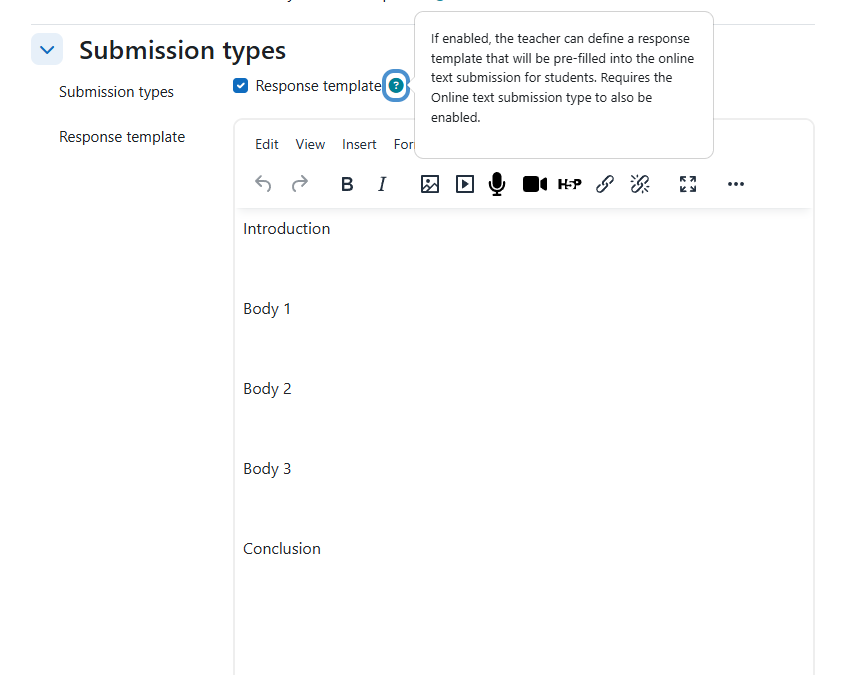
An assignment submission plugin for Moodle that lets teachers define a response template which is pre-filled into the online text editor when students first open their submission.

Use case

Assignment grading and feedback workflows are often better suited than quiz for exam-style scenarios. This plugin brings the "essay question with template" pattern from quiz into assignments — teachers provide structured prompts
(headings, numbered sections, tables) and students fill in their responses.

How it works

  1. Teacher enables both Online text and Response template in the assignment settings, then writes template content in the WYSIWYG editor.
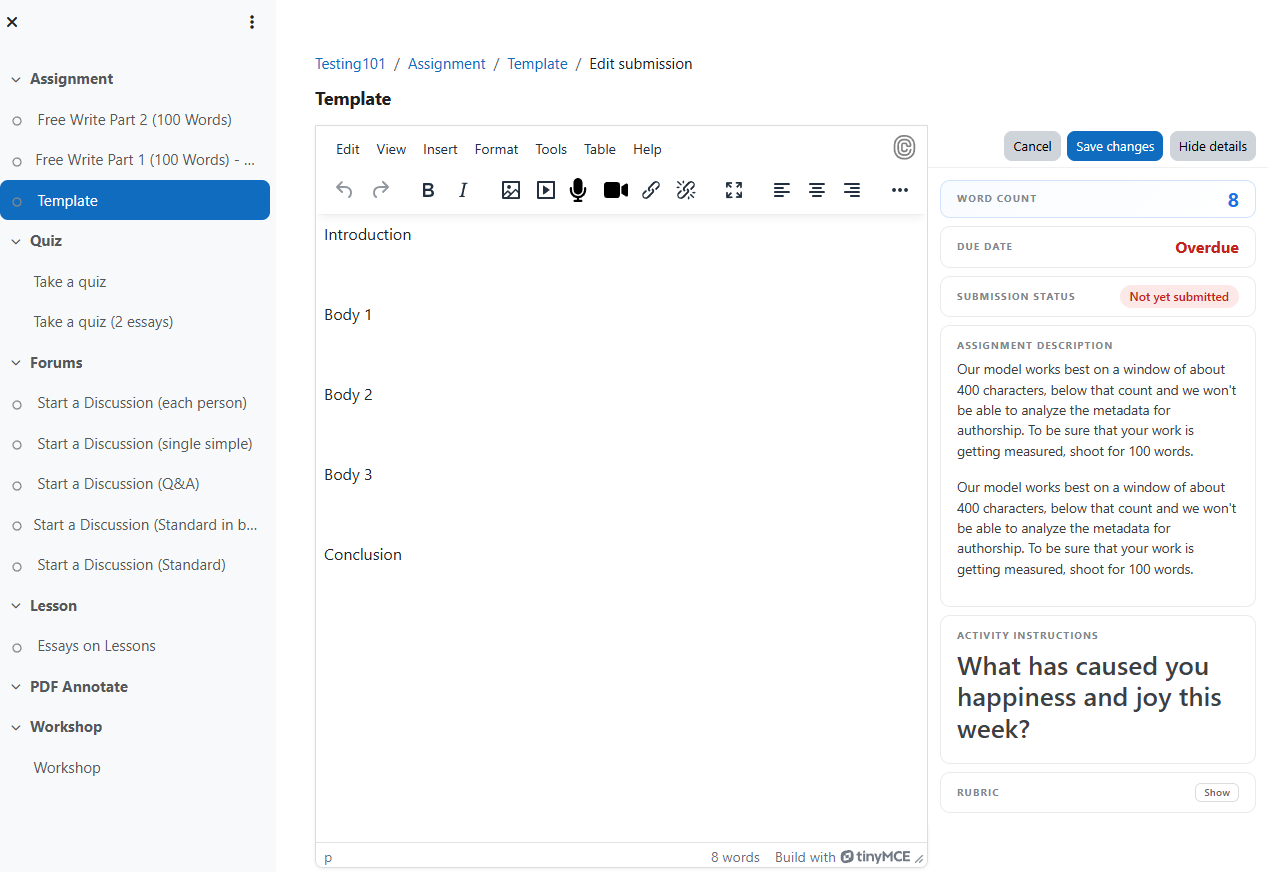
  2. Student opens the assignment for the first time — the template appears pre-filled in their TinyMCE editor.
  3. Student edits, adds their work, and saves/submits as normal.
  4. On return — if the student already has a saved draft or submission, the template is **not** re-applied. Their work is preserved.

Contributors

Awards

Automated testing support
Privacy friendly