Course End Date Restriction icon

Course End Date Restriction

Maintained by David Cambra
Automates module access restrictions based on the course end date. It dynamically applies a "prevent access" condition to activities with completion tracking.
Price option: Free

Supports Moodle 3.5-5.2 See all versions
Latest release: 2 weeks ago
Installations: 3
Downloads (last 90 days): 108

Frankenstyle name: local_enddateaccess
Local plugins

Description

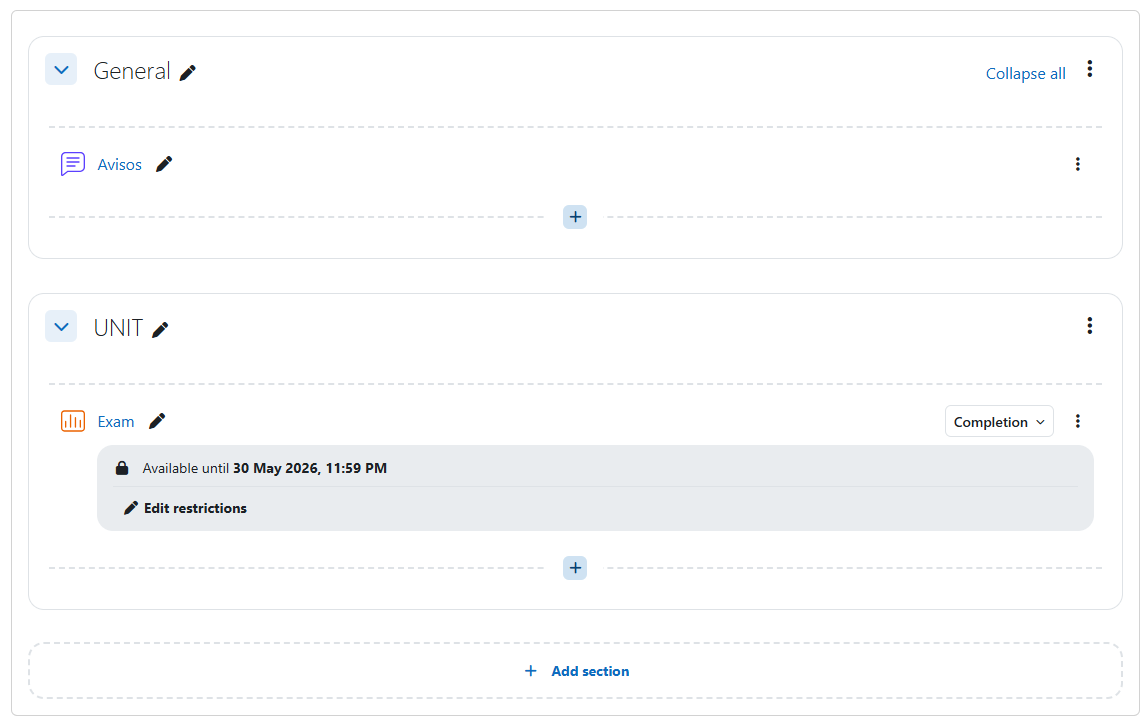
This local plugin automates the process of restricting access to course modules based on the course end date. It listens to course update events and automatically applies a "prevent access after course end date" availability restriction to all modules that are tracked for course completion.

Instead of manually editing the deadline for every single activity when a course schedule changes, administrators and teachers can simply update the course end date. The plugin will instantly sync the deadline across all relevant activities.

" Key Features

  • Automatic Synchronization: Instantly updates module availability restrictions when the course end date is modified.
  • Safe Merging (Non-destructive): The plugin intelligently parses the existing availability JSON. It safely adds or updates the date restriction without overwriting or destroying existing conditions (e.g., group restrictions, grade requirements, or user profiles).
  • Targeted Action: Only applies restrictions to activities that have course completion criteria enabled, leaving optional resources untouched.
  • Cleanup: If the completion tracking is removed from a module, the plugin automatically removes the injected date restriction while keeping any other conditions intact.
  • Global Toggle: Administrators can easily enable or disable the automatic synchronization globally via the plugin settings without uninstalling it.
  • Audit Logging: Triggers custom Moodle log events whenever a module restriction is automatically updated, ensuring full traceability for site administrators.

⚙️ Configuration & Usage

The plugin works silently in the background.

Global Settings:
Go to Site administration > Plugins > Local plugins > Course End Date Restriction. Here you can toggle the Enable automatic synchronization setting.

Triggering the Sync:
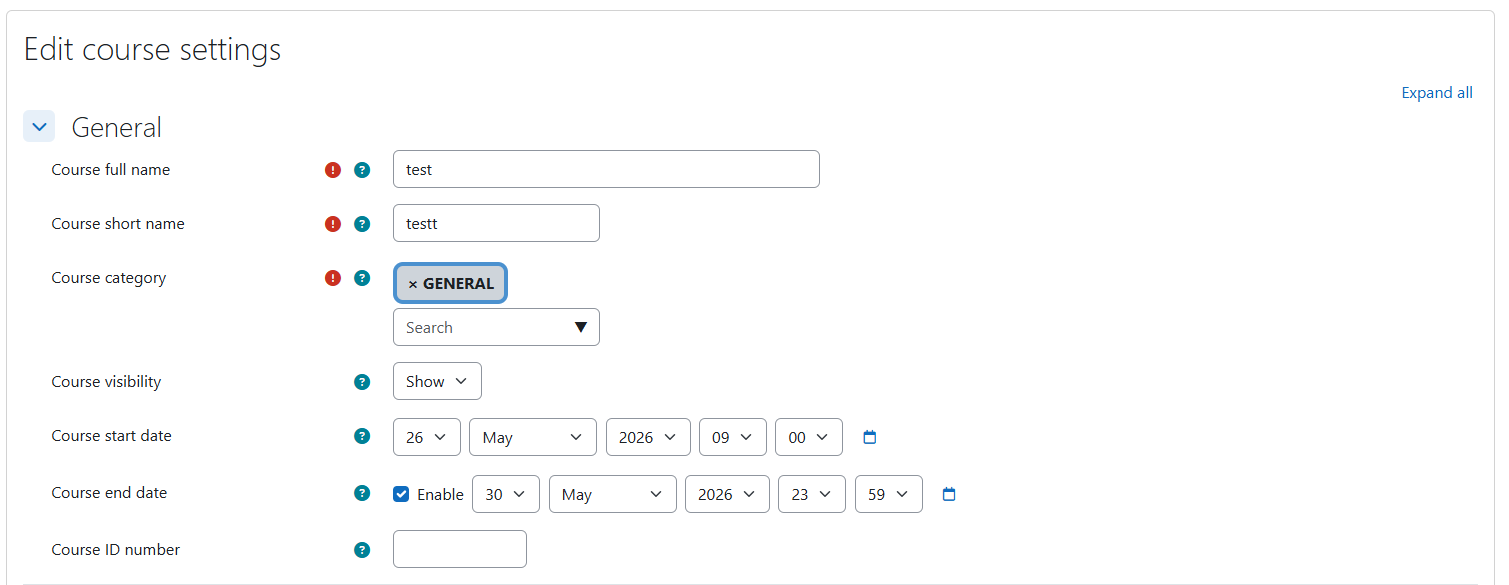
1. Ensure your course has an End date set in the course settings.
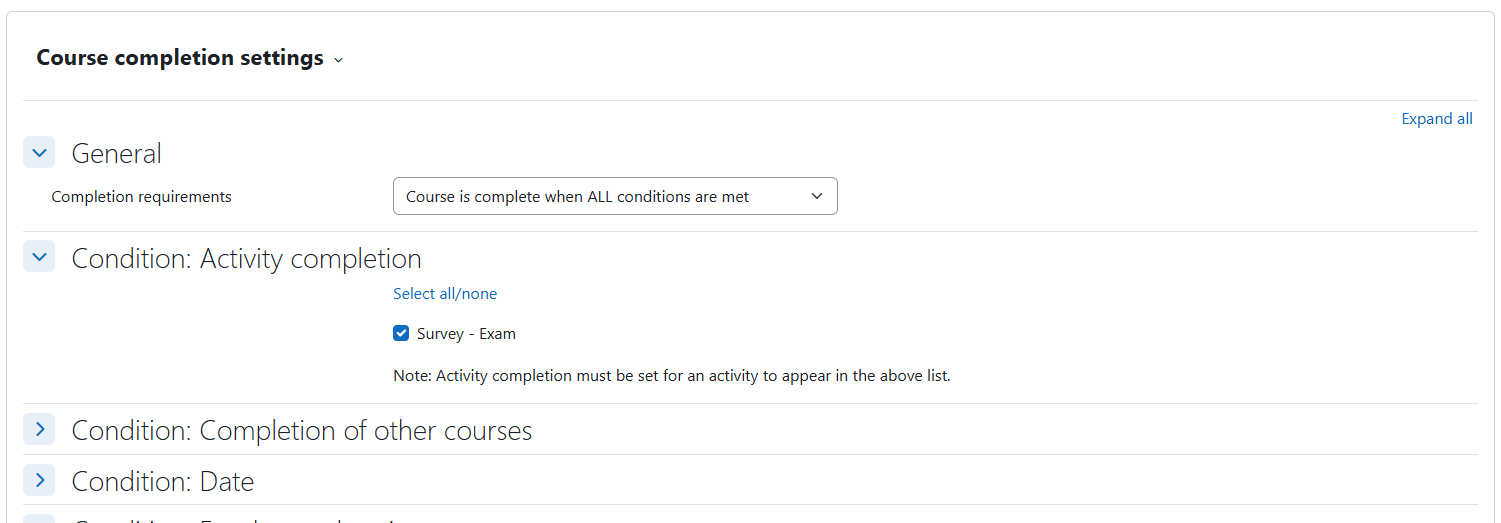
2. Add an activity (like a Quiz or Assignment) and configure its Activity completion settings to require a specific condition.
3. Save the activity. The plugin will automatically append the date restriction based on the course end date.

🛠️ Requirements

  • Moodle 3.5 or later (Requires version 2018051700).
  • PHP 7.2 or higher.

" License

This plugin is free software: you can redistribute it and/or modify it under the terms of the GNU General Public License as published by the Free Software Foundation, either version 3 of the License, or (at your option) any later version.

Contributors

Awards

Privacy friendly
Automated testing support