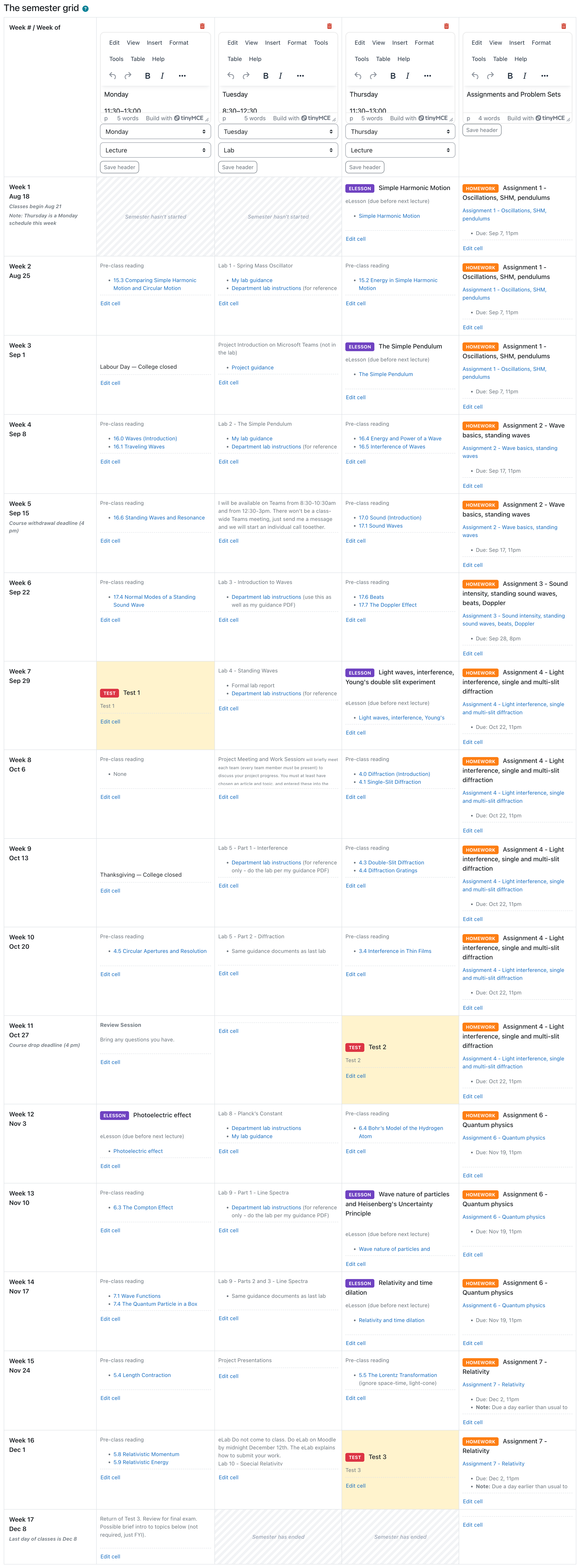
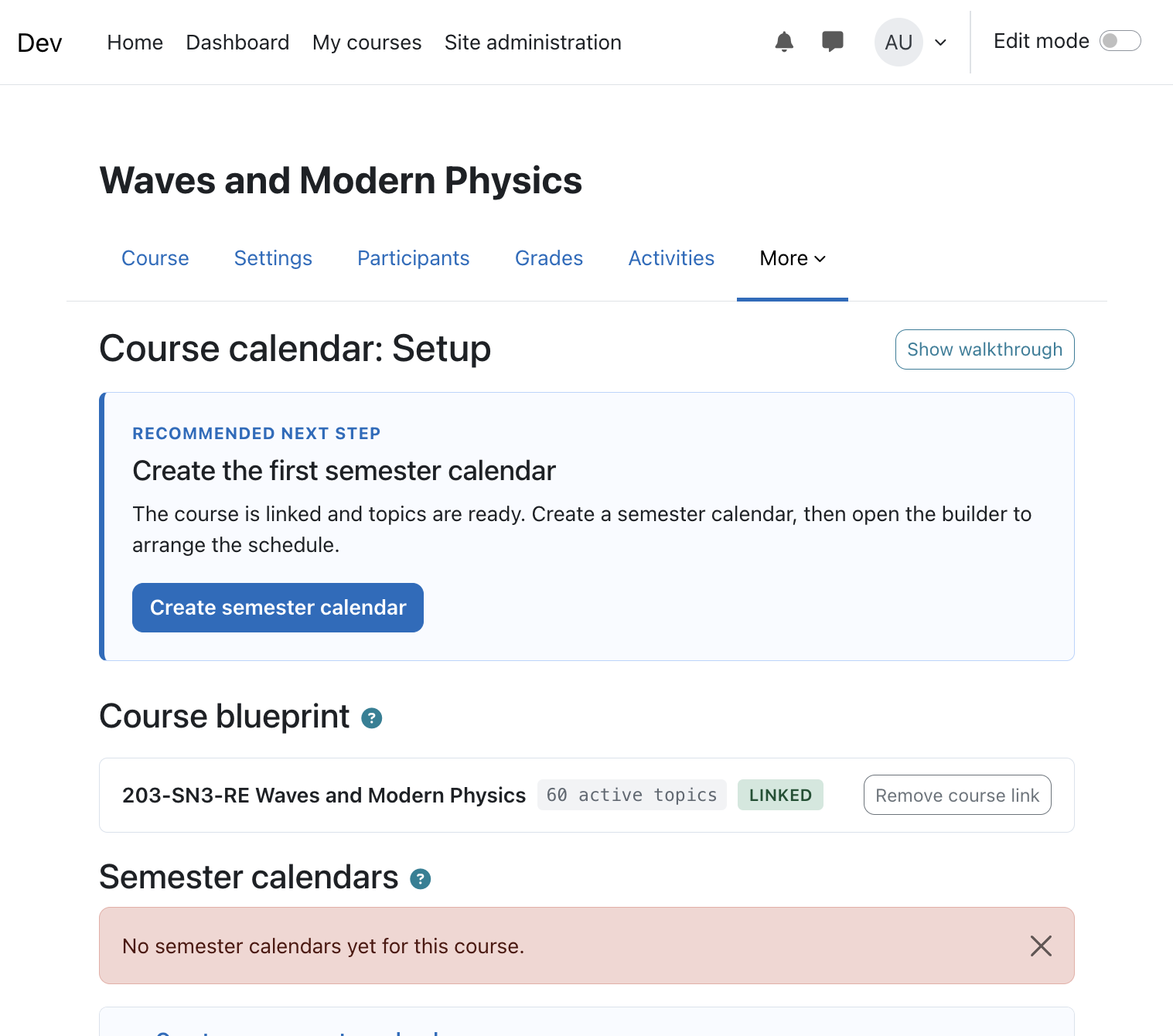
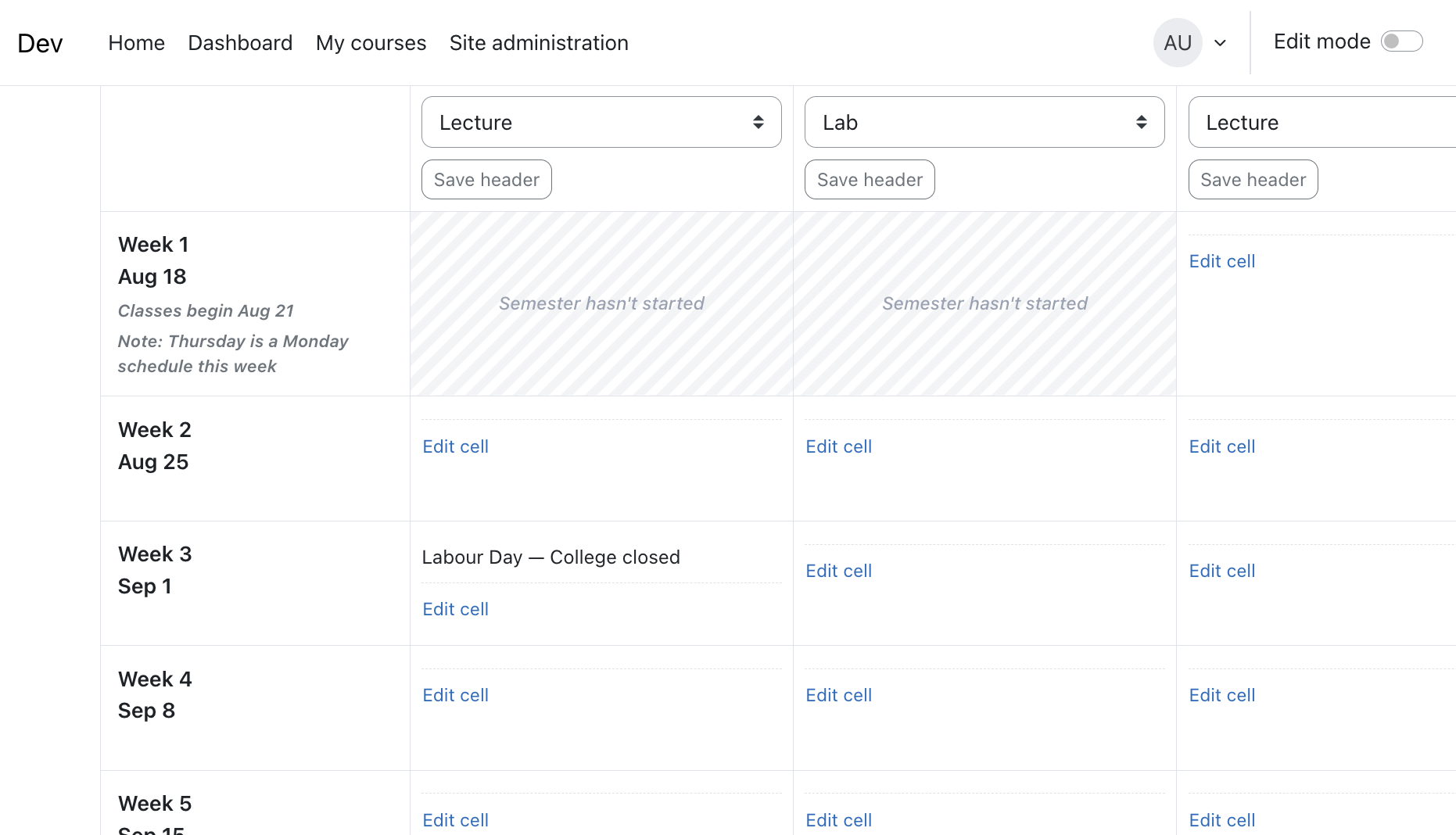
Course calendar lets teachers plan a course once and reuse it every term. You define your lectures, labs, online lessons, tests and homework as a reusable blueprint, link a Moodle course to it, and build a per-semester calendar that students see directly inside Moodle.
What it does
- Reusable blueprints — Build your topic library once per course you teach. Reuse the same blueprint every semester; topic edits propagate live to every calendar that uses them.
- Semester calendars — Each term, create a new calendar (e.g. "Fall 2025") from the blueprint. The student-facing grid is per-course, per-semester.
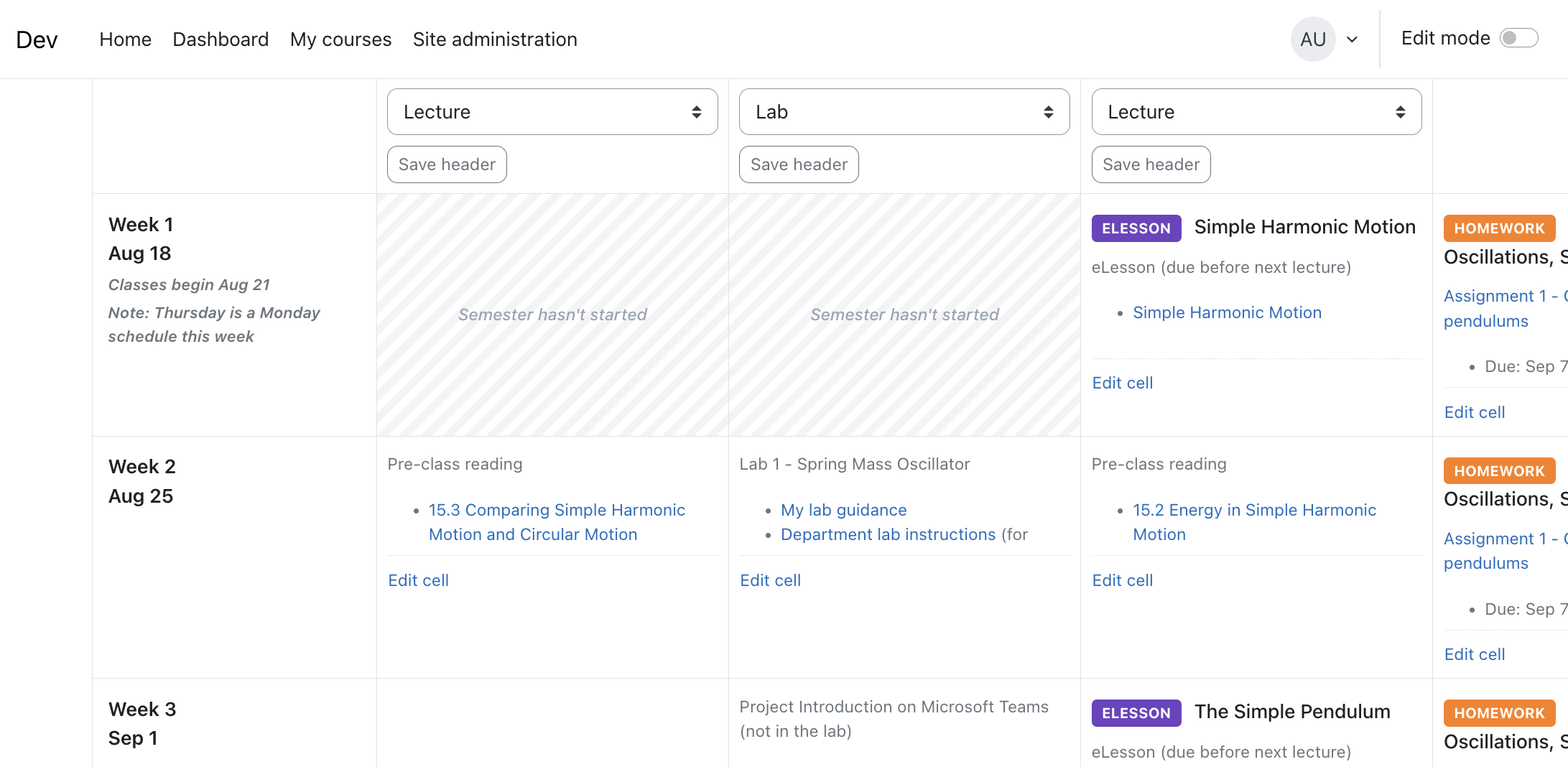
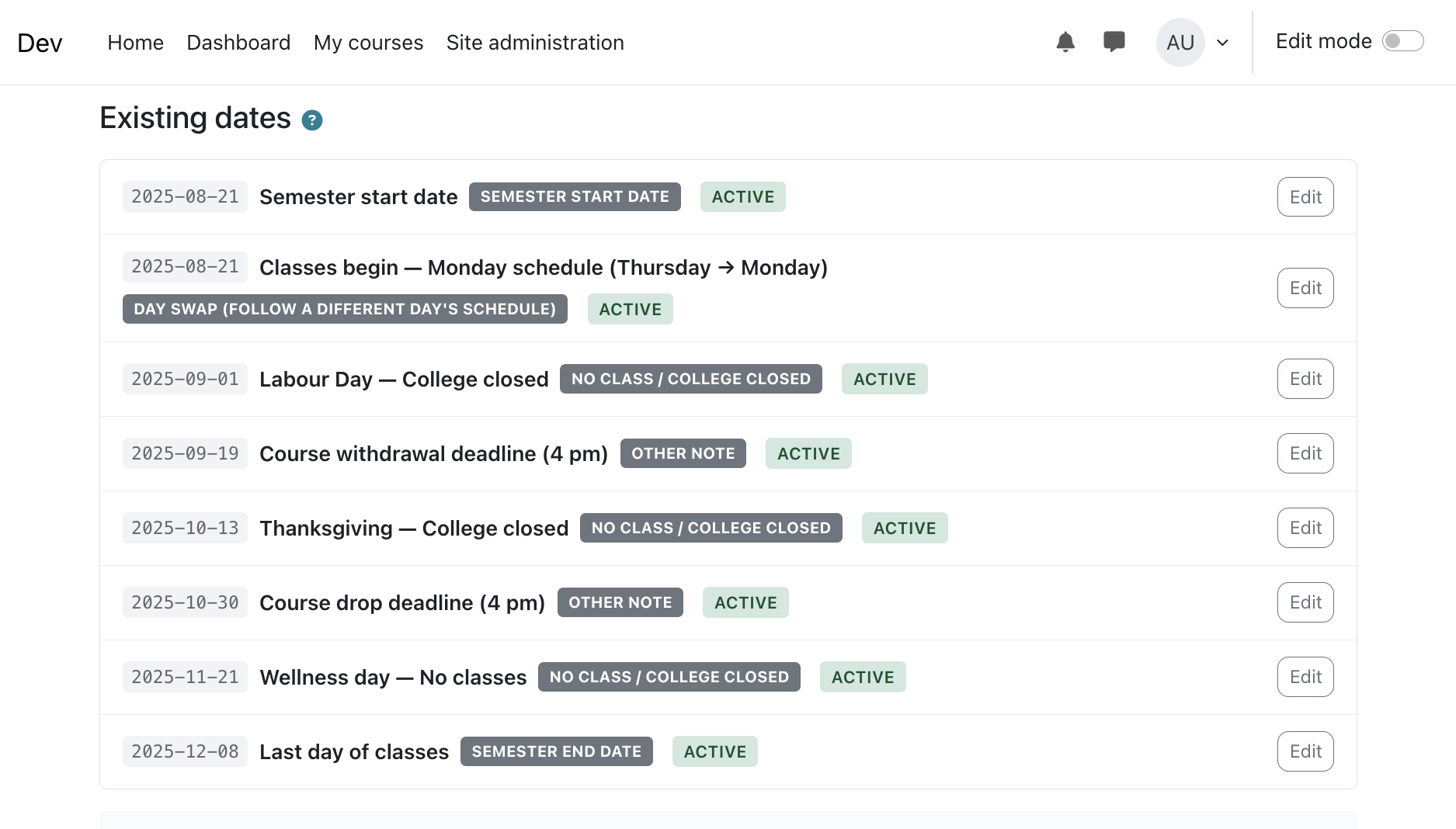
- Academic timeline dates — Enter your semester start/end, holidays, college closures and day-swaps. Click Apply Dates to Calendar and the grid is generated automatically: week labels, no-class markers, and days outside the semester greyed out.
- One-click auto-populate — Drop every blueprint topic into the right grid cell in the right order. Labs land after their prerequisite lecture; homework fills its own column; tests are highlighted. A blank grid becomes a complete semester schedule in a single click.
- Drag-and-drop builder — Fine-tune any cell, swap cells, add headings, highlight, with full undo/redo and batched saving.
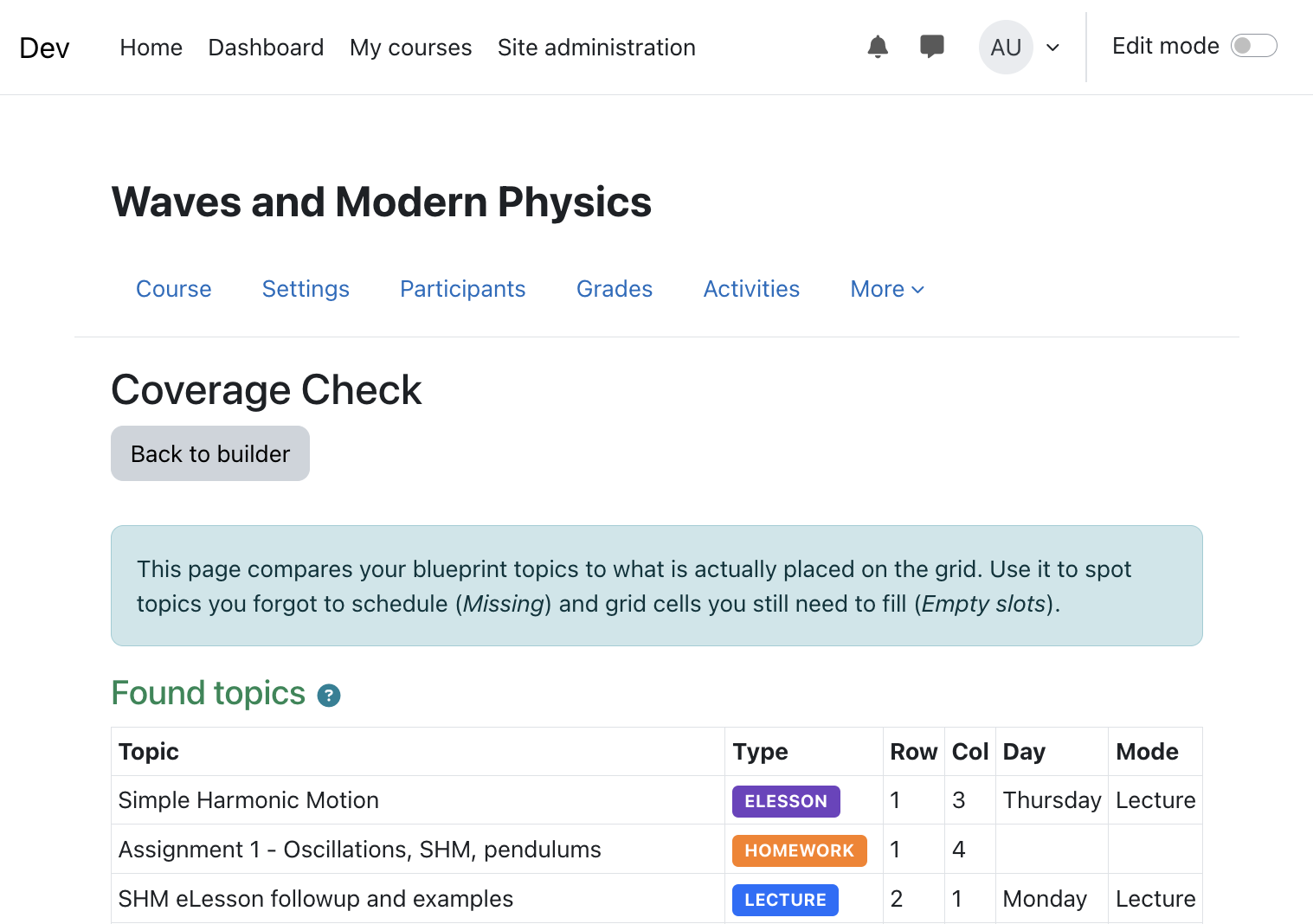
- Coverage check — See at a glance which blueprint topics are placed, which are still missing, and which grid slots are empty.
- Polished student view — Students get a read-only calendar with today's cell highlighted, auto-scroll to the current week, live topic content, and links that open in new tabs. An embeddable iframe view is included for course front pages.
- Migration helpers — Seed a blueprint by pasting an HTML table from an existing syllabus; the importer detects topic types and order automatically.
Who it's for
Built for college and university teachers who run the same course across many semesters and want a consistent, student-friendly schedule without rebuilding it by hand each term. Originally developed for a CEGEP (Quebec college) physics department.
Roles and privacy
- Editing teachers and managers get full builder access; students get a read-only view. All pages enforce
require_login() and capability checks in the course context, and teachers only see blueprints they own.
- Implements the Moodle Privacy API (GDPR): full metadata declaration, export, and deletion across all plugin tables.
Requirements
- Moodle 4.2 or later (tested through Moodle 5.1).
- Boost-based theme recommended (standard Bootstrap classes).