Restriction by course icon

Restriction by course

Maintained by Vinit Mepani
Restrict activity and section access until a student has completed a prerequisite course. Features live course search with direct course links.
Price option: Free
Supports Moodle 4.0-5.2 See all versions

Latest release: 1 week ago
Installations: 10
Downloads (last 90 days): 131

Frankenstyle name: availability_prerequisite

Description

Prerequisite Course Restriction

This plugin adds a "Prerequisite Course" condition to Moodle's Restrict Access settings. It allows teachers to require students to complete one course before they can access activities in another course, making it easy to create structured learning paths while keeping students enrolled in all courses.

Example

Suppose you have three courses:

  • T1 – Introduction
  • T2 – Intermediate
  • T3 – Advanced

Students are enrolled in all three courses from the beginning.

You can configure the plugin so that:

  • Activities in T2 become available only after T1 is completed.
  • Activities in T3 become available only after T2 is completed.

This ensures students follow the intended sequence without needing to manually manage enrolments.


How It Works

  1. Create the first activity in your course (or edit an existing one).
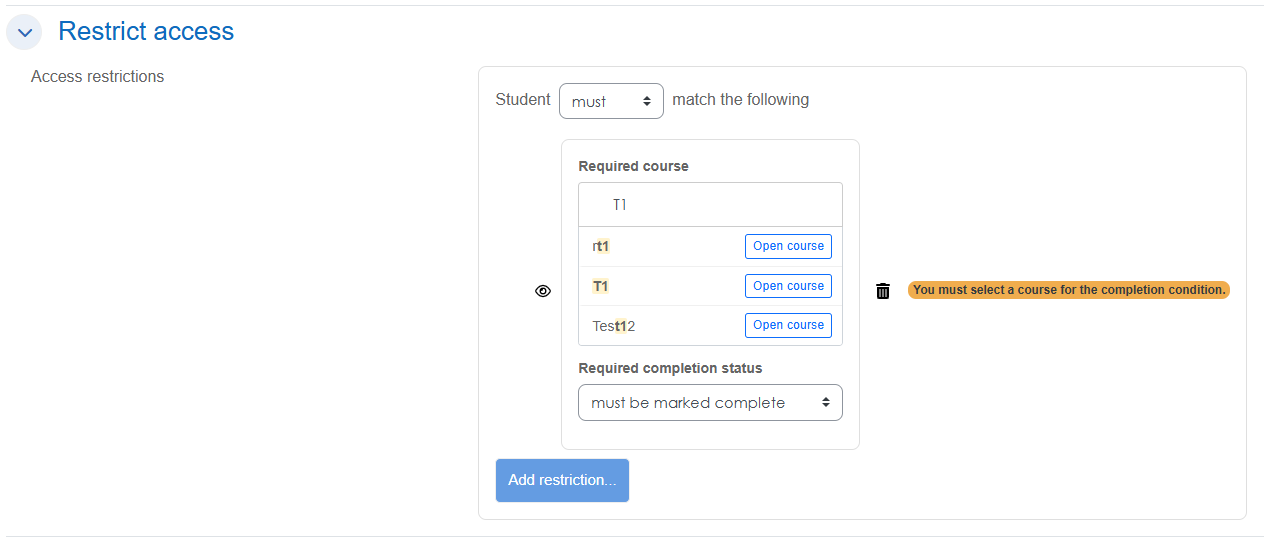
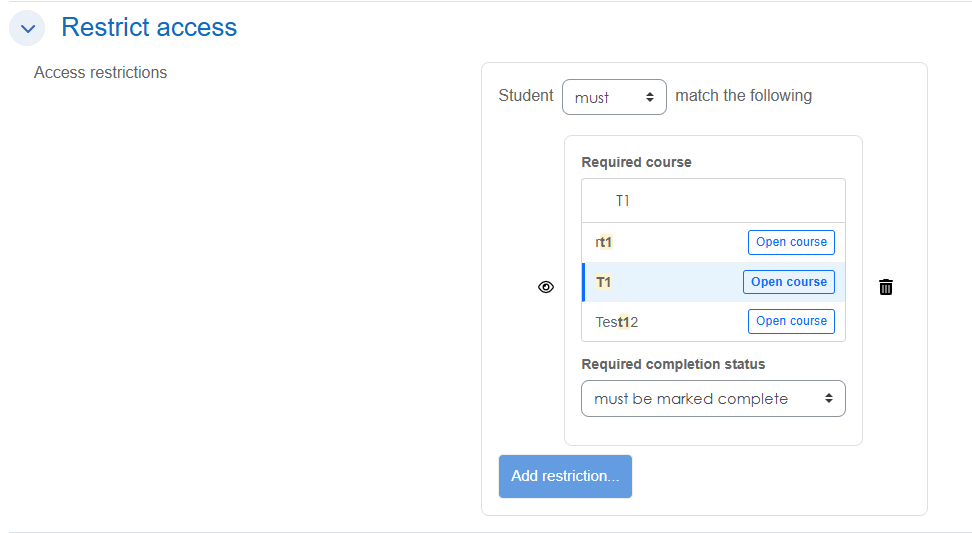
  2. Open Restrict Access and add the Prerequisite Course condition.
  3. Select the prerequisite course and choose whether it:
    • Must be complete, or
    • Must not be complete.
  4. Save the activity.

That's it.

After you configure the restriction on the first activity, any new activities you create in the same course automatically inherit the same prerequisite course restriction. You do not need to configure the restriction for every activity individually, saving time and ensuring consistent access rules throughout the course.

If needed, you can still edit or remove the restriction on individual activities.

Features

  • Live course search for quickly finding prerequisite courses, even on large Moodle sites.
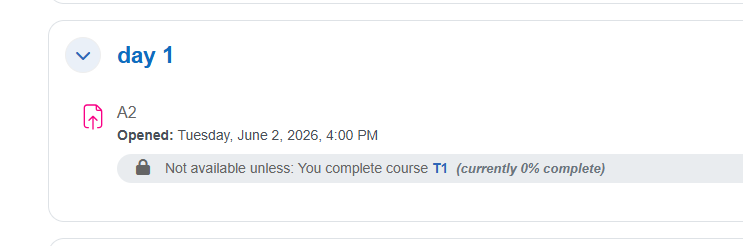
  • Clickable course link in the restriction message, allowing students to navigate directly to the prerequisite course.
  • Supports both:
    • Must be complete
    • Must not be complete
  • Automatic inheritance of the prerequisite restriction for newly created activities within the course—configure it once and it applies to future activities automatically.
  • Ideal for creating sequential learning paths while keeping students enrolled in all courses.
  • Compatible with Moodle 4.1 through 5.0.
  • GDPR compliant – stores no personal data.
  • Includes comprehensive PHPUnit and Behat test coverage for reliability.

Contributors

Awards

Privacy friendly
Automated testing support