Adam Jenkins
Lead maintainer

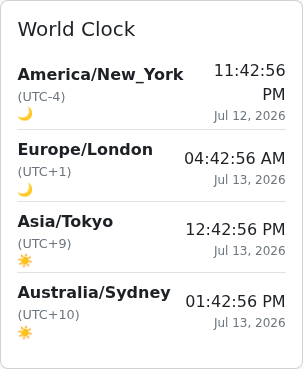
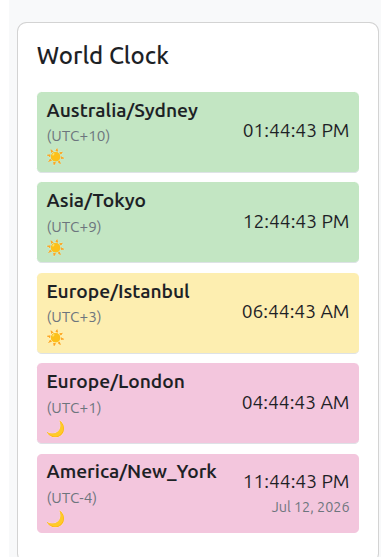
World clock (block_worldclock) is a Moodle block for courses whose participants span the globe. Add it to a course page, an activity page or a user's dashboard, and it renders a list of live clocks — updated every second in the browser using the Intl API, with daylight saving handled correctly for named IANA timezones.
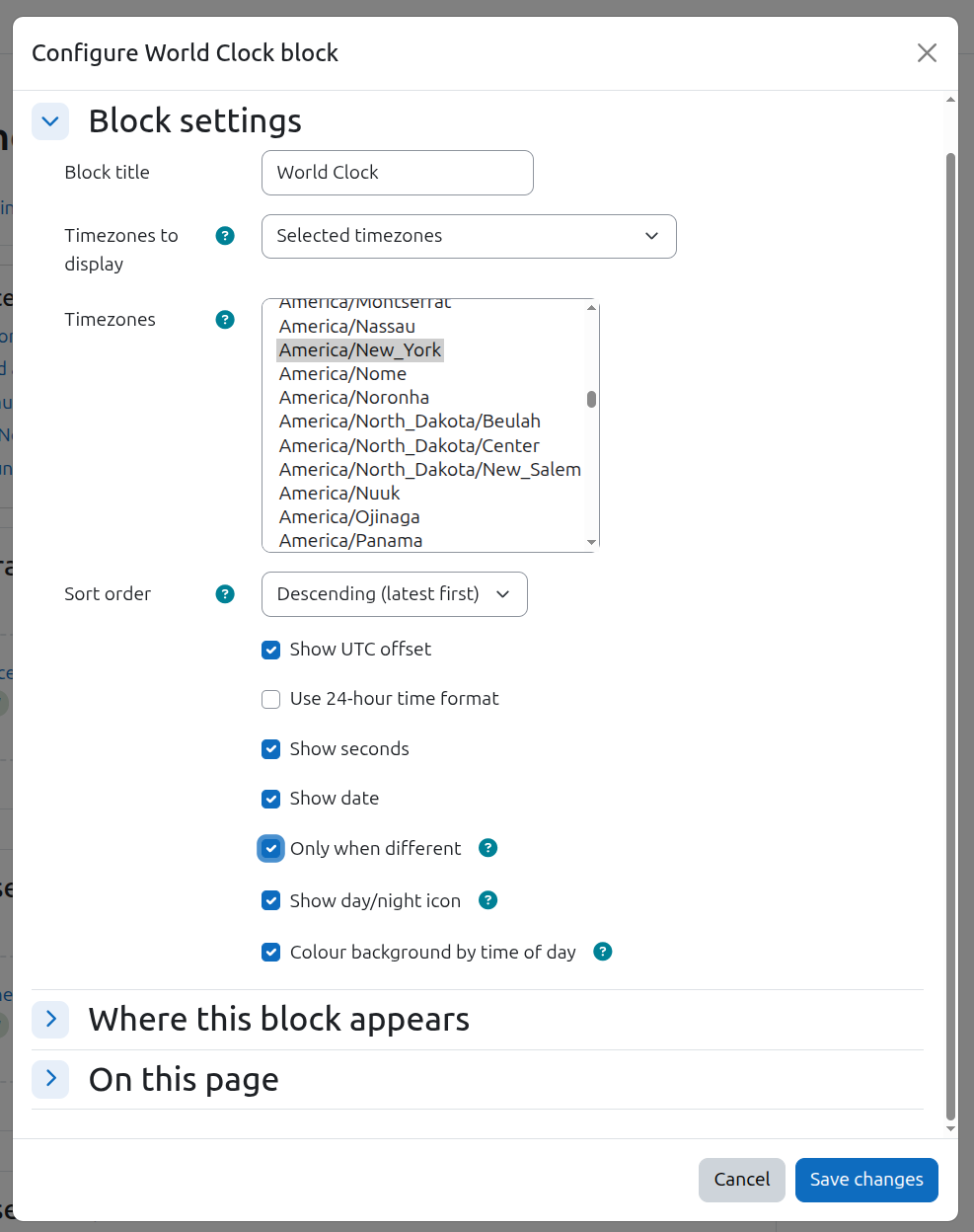
Two modes are available per block instance. In manual mode the editor picks any timezones from the full IANA list. In automatic mode the block inspects the course's enrolled users and shows one clock for every distinct timezone found (capped at twelve, and only for viewers allowed to see the participant list), so a teacher instantly sees the time wherever their students are.
Display options are per-instance: 12/24-hour format, seconds, dates (always, or only when a timezone's date differs from the viewer's), current UTC offset, a sun/moon icon showing day or night in each place, and a background tint that distinguishes overnight, transition and daytime hours — boundary hours for the icon and tint are configurable site-wide. Clocks sort chronologically, ascending or descending. Multiple instances per page are supported, each independently configured. No user data is stored (null privacy provider), and the block works with Moodle 5.0–5.2.
