
Gapfill
Maintained by
Marcus Green
Cloze (fill in the blanks) question type with VERY simple question creation syntax. Can do drag drop, dropdowns or gapfill questions
Comments
Comments are no longer open for new posts. Existing comments remain available to read.
Just started using it; it's a joy to work with. Keep up the good work.
Help appreciated. I've just installed the plugin in moodle 3.5 using the install link instead of downloading the file. Problem is, when I try to add an activity, this plugin does not show in the list of available activities. Am I missing something?
It's strange I am using the latest version of the app (the one that was updated just a few days ago) and the latest version of gapfill (the one you released today). I have synched the app with the website but the same problem. I am using Moodle 3.5.1 and an IPhone SE
Which version of the app are you running? It should work with the latest and the previous, but just to check. Also which version of Moodle are you running? You can see it in action at http://vledevelop.co.uk/mdl351 and you can login as username=s1 password=test
In the past I have seen issues where the app doesn't recognise that there is a new plugin available and you may need to go to App settings synchronisation. I think that re-downloads all the javascript stuff.
I have the latest version of gapfill Release 1.974 on my site but if accessing from the app users receive message saying question type is not supported and are prompted to open in browser. Any ideas why?
https://github.com/marcusgreen/moodle-qtype_gapfill/wiki/Roadmap-and-potential-features
Let me know if my description matches what you are asking for.
Great question type, but I'd also like the option Giovanni mentioned. Would it be possible to add a switch so that each option can only be used once? I use this question type often to arrange items in a table, and only allowing an answer to be used once would help students make sure they have placed all the items.
Also, in No Duplicates mode, it would be nice if you could still have multiple blanks be counted correct.
Thanks,
Aaron
One more question: when I choose the dragdrop answer type, with no duplicate option, I'd be happy to see the options disappearing when I chose one and drag it in a placeholder (it doesn't matter if it's the right place or not).
This is extremely usefull when you have a few words to be dragged, specially in the mobile app. Is it possible?
This can be done using the no duplicates mode which is documented here
https://docs.moodle.org/34/en/Gapfill_question_type#No_Duplicates_Mode
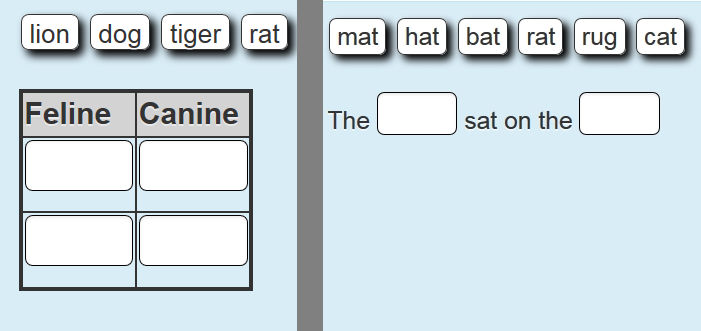
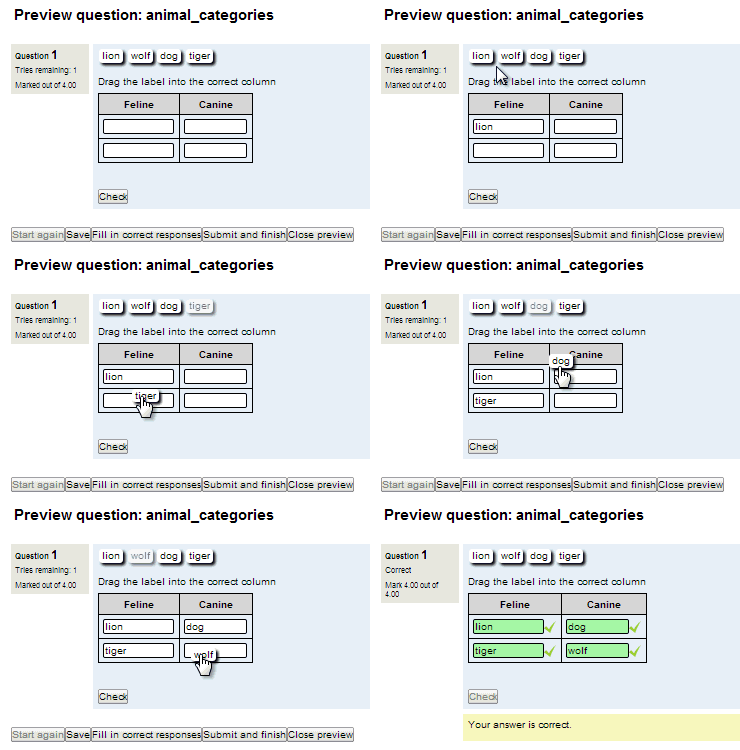
I would like to be sure that the student give all the correct answers. In the example shown in the screenshot, the student can write 'lion' twice in the 'feline' column, and it get 100% mark.
Is it possible to control this case?
Thanks in advance
Giovanni
Gapfill is amazing and I am using in Moodle 3.4 server with version 1.971. However, it seems the gapfill questions are still not supported in the Moodle Mobile app (3.4.0). I had thought the plugin was usable in the app and am sure I have used it in the app??
https://moodle.org/plugins/pluginversions.php?plugin=qtype_formulas
https://moodle.org/plugins/pluginversions.php?plugin=qtype_algebra