
Gapfill
Maintained by
Marcus Green
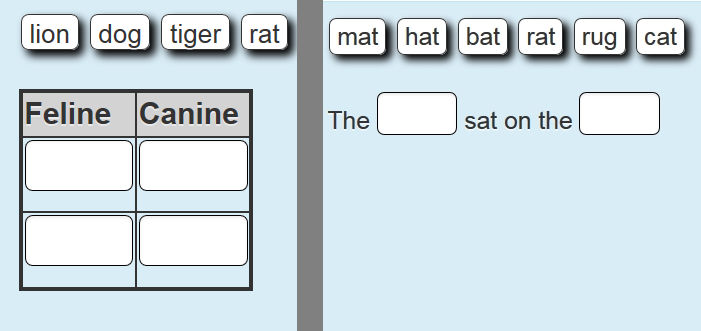
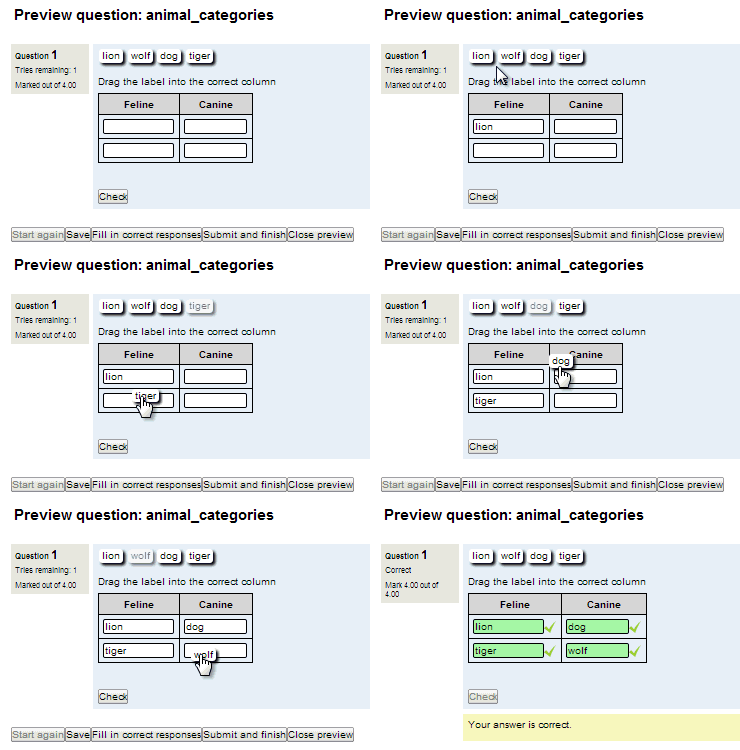
Cloze (fill in the blanks) question type with VERY simple question creation syntax. Can do drag drop, dropdowns or gapfill questions
Comments
Comments are no longer open for new posts. Existing comments remain available to read.
I tell you what my problem is. I have a Moodle platform version 2.9.1, with the latest update on the type of "gapfill" question.
The platform is in Spanish, and the problem occurs when generating a question to fill in where the answers have accents (Spanish spelling), when finalizing the questionnaire fails on those responses. No hunt properly.
I've also updated the language pack "Spanish-International", but continues to this judgment when evaluating responses GapFill type.
Any suggestions or bug moodle own?
The plugin is great and helpfull, but I am experiencing the same problem with non ASCII characters. Using Moodle2.8, gapfill1.8. The problem is axactly the same as Cirrelli wrote before. Is there any solution?
Thank you
yes I got your message but I didn't quite understand what I was supposed to do. Thank you for getting back to me so quickly!
I am experiencing an error everytime I work with non ASCII characters. My language is Italian. Whenever I create a gapfill exercise where my students have to write words with a final accent (è, à, ecc) the system will mark the answer wrong even when it's right.
For example, if the word to type in the box is [andrà] and the student writes [andrà], the system will mark it wrong anyway and suggest the correct answer which is ...[andrà]!!!
I am using version 2.9 of Moodle and version 1.8 of Gapfill. I tried switching case sensitivity on and off but it didn't work. Is there a way the problem can be fixed?
Thank you!
Paola
I have trouble with the insertion of audio files (mp3) in the question text area. They don't appear as players but as error messages: PLUGINFILE (empty box)
/name.mp3">name.mp3 ... Any ideas on how to deal with it? I saw Elton's screenshot: it seems to work fine for him.
I just wanted to say thank you for a great plugin. My school uses tablets in the classroom, and the drag & drop functionality is a big plus. I've put up screenshots (see http://934091646357577694.weebly.com/gapfill-images.html) of a couple of questions I made. The first is a pretty standard picture matching. The second is a listening task in which students listen to the audio file (located in the table header) and drag items to the appropriate location on the timetable. I used CSS to change the location of the question status information. It is normally located to the left of the question, but I found that this took up valuable space on the page, especially for a question type like Gapfill.
I am working with non ASCII characters. In the question bank every thing works fine but in the quiz when I check the answers it will not grade the questions. Could you please look into this. Thanks