Windows Share access (AKA Network Drive Access, SMB Web Client)

Maintained by Guy Thomas
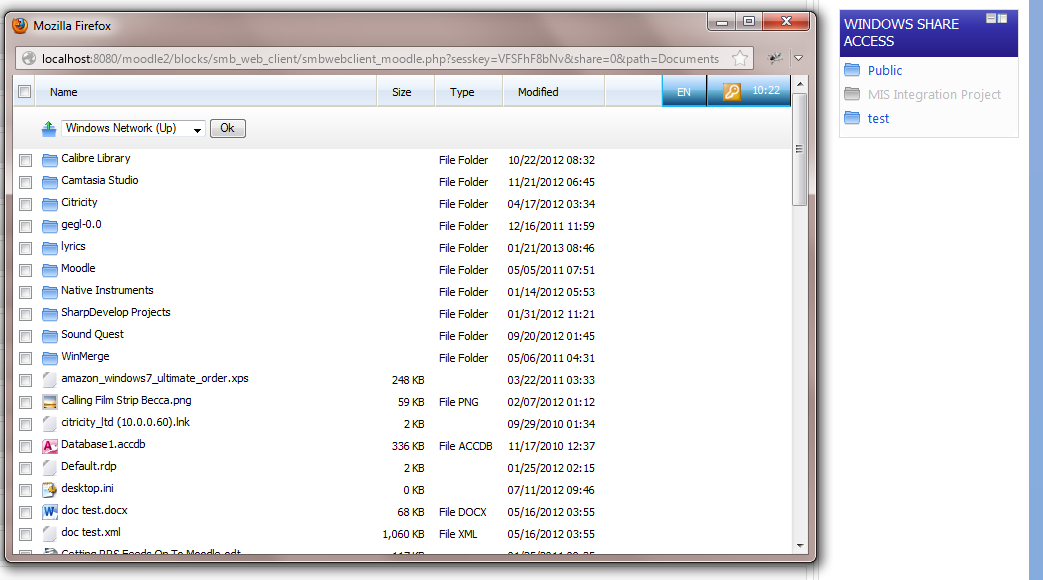
Access windows shares via a Moodle web interface.
Price option: Free

Supports Moodle 2.2-2.7 See all versions
Latest release: 11 years ago
Installations: 14
Downloads (last 90 days): 16

Frankenstyle name: block_smb_web_client
Blocks

Comments

Comments are no longer open for new posts. Existing comments remain available to read.

I have this working on server 2008 r2 and using moodle 2.7. I originally tried the 64 bit version of cygwin, but it didnt work. You need to use the 32bit. and follow the rest od the instructions. On the moodle block I had to put the share path in with the ip address of the server where the share was. It worked.
sorry I should have said:
Windows server 2008r2
moodle 2.7
cygwin 64
sbmclient 3.0.7
Hello, I am trying to get this block to work. I have followed all the instructions and when i try to run smbclient from cmd it says access denied.
On the moodle site I just get the windows with tool bar at top and dropdown bbox with new folder etc..
I am getting this error.Please Help.
The requested URL /blocks/smb_web_client/smbwebclient_moodle.php was not found on this server.
Hi Rob. You can send them to gthomas[at]moodlerooms[dot]com. Logs are much more useful than screens hots. Also, please tell me more details about your server setup.
Morning Guy, I've managed to repeat the issue with smb. Doesn't seem related to the browser at all. I've got a few screenshots how can I send them?
Morning Guy, it was just after logging in. It worked in chrome fine.
I've double checked this morning and it appears to be working now. Will keep you updated.
Regards
Rob
rob, what actions caused this error? Opening a directory, logging in, etc...
Simon - I think you need to use the short name of the role - R[coursecreator] - also note that the course creator role will probably need to be allocated at system level. I think cohorts is a better method, again use the short name of the cohort.
I'm having problems with SMB in IE11.
Error reads object_name_not_found works in chrome.
Any suggestions?
Should have mentioned:
Moodle 2.6.2+ (Build: 20140424)
0.1.2
Stable version
and module 2013101400)
Am having trouble with the Filter setting. Have a Staff Share that I would rather not have hte students see, although Windows Security seems to be working. But no matter what Filter I apply the SHare is hidden from everyone. eg R[Course Creator] as all my staff are Course Creators (working on getting cohorts happening but even with staff in a particular cohort eg Staff setting CH[STaff] likewise just hides the share. Without the filter it works properly.
THe share is nit hidden ($) or part of DFS
Hi Guy. I've enabled that and now at the top of my empty windows I get this:
get_context_instance() is deprecated, please use context_xxxx::instance() instead.•line 4020 of \lib\deprecatedlib.php: call to debugging()
•line 14 of \blocks\smb_web_client\smbwebclient_moodle.php: call to get_context_instance()
Hi Phil. I guess that the logs go into the windows event viewer logs. If you are getting a blank page I recommend you switch debugging on to 'Developer' and then set it to display errors (site administration > developer > debugging). If you let me know the errors which show up I can maybe help.
Should also mention, smbclient from the command line works and connects to the share using smbclient //server/share -U domain/username%password