Windows Share access (AKA Network Drive Access, SMB Web Client)

Maintained by Guy Thomas
Access windows shares via a Moodle web interface.
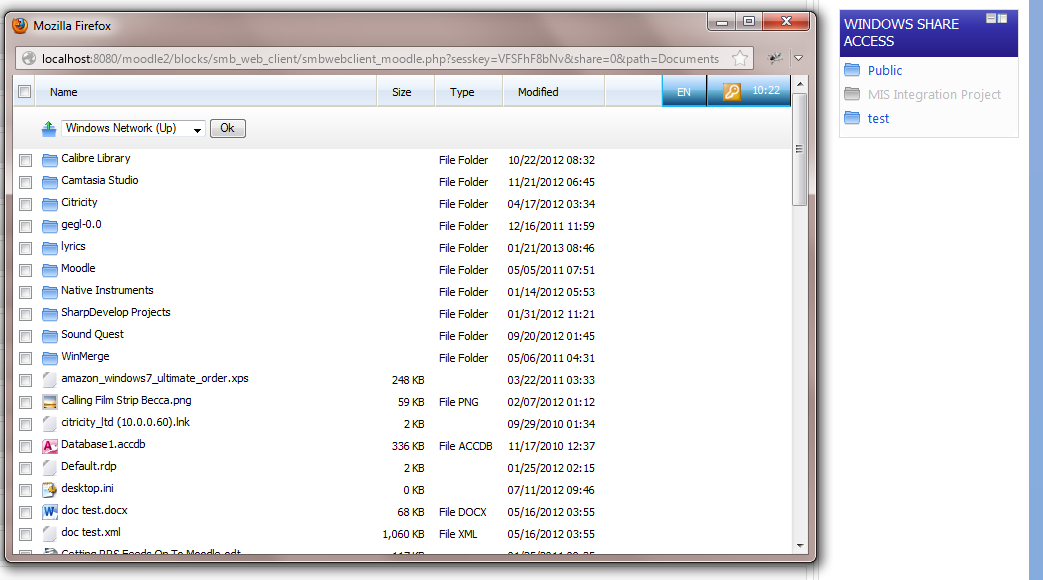
Price option: Free

Supports Moodle 2.2-2.7 See all versions
Latest release: 11 years ago
Installations: 14
Downloads (last 90 days): 16

Frankenstyle name: block_smb_web_client
Blocks

Comments

Comments are no longer open for new posts. Existing comments remain available to read.

Complete Moodle newbie here. I'm struggling to get this block to work using our Windows server. It just opens with a blank page no matter what settings I try. I've got shares in the form //server/share (using the Linux style forward slashes. I have SSL disabled, the username prefix is DOMAINNAME/ - can anybody help, specifically Windows users? Also, when I enable logging - WHERE does it put the logs???!!!! I've searched inside CYGWIN folder
Hi Guy, I discovered that the AV setting was the culprit and should've reported this back apologies. A little odd as Clam AV is set on a scheduled scan for the MoodleData directory. Nonetheless this works so a great plugin.
Thanks for reporting Moodle 2.6 issues Peter. Moodle 2.6 version is now available.
hi Alex. Sorry for the late reply. It could be because in your settings you have clam av enabled but it is not available on your operating system.
Unable to upload content back into home folder anyone?
I can access the home folder, and download content but unable to upload - Can anyone advise?
Hi Nigel. I assume you are using a *nix OS. If so, the first step is to make sure you can access your shares via the command line using smbclient - e.g. smbclient //192.168.56.30/Shared -U yourusername%yourpassword
I wonder if someone could point a Moodle newbie in the right direction please? I have followed the instructions to add Windows Share access to my site. I can get them to appear but they don't link to anything. My smbclient folder does not contain a smb.conf file. Can anyone point me in the direction of a sample one or some documentation on how to create on please?
Hi Guy,
The Add Shares box is broken in Moodle 2.6/2.6.1, the add button shows but doesn't do anything when clicked and the share box is not shown. Tested with standard theme.
No problem Seb, thanks for positive feedback.
Thanks for releasing this Guy, all set up and working here!
Les, the only place I can see it showing the full share path is when you log in using form authentication. I have to admit I haven't spent ages looking for it but at a quick look that's the only place I can see it. In the next version of the block 2013101600 it will check to see if the share is hidden (has a $ sign) and if it is it wont show that component. Also it wont show the start of a share so "\\fileserver\share\stuff" would result in the path being displayed as "share\stuff". A hidden share of "\\fileserver\share$\stuff" would result in a path being displayed as "stuff". I hope this meets your needs.
Seems to be showing the share path which is not very good for security, going to alter the code myself to remove this.
Thanks Guy that works perfectly
Hi Guy I have messaged you.