
YouTube Anywhere
Maintained by
Justin Hunt
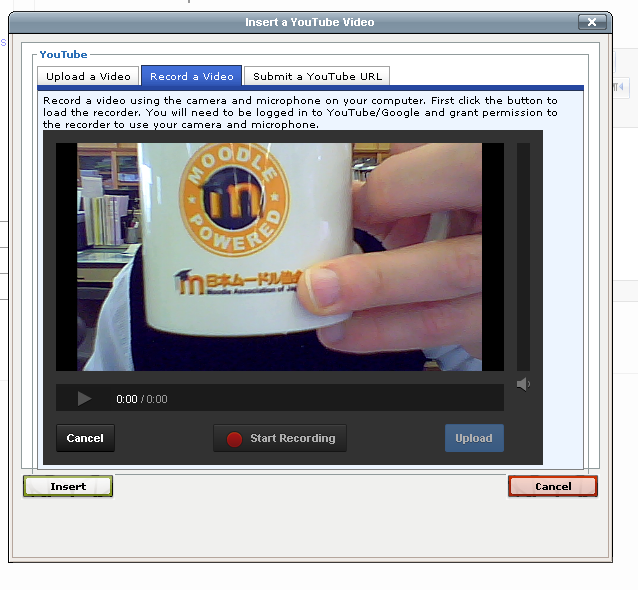
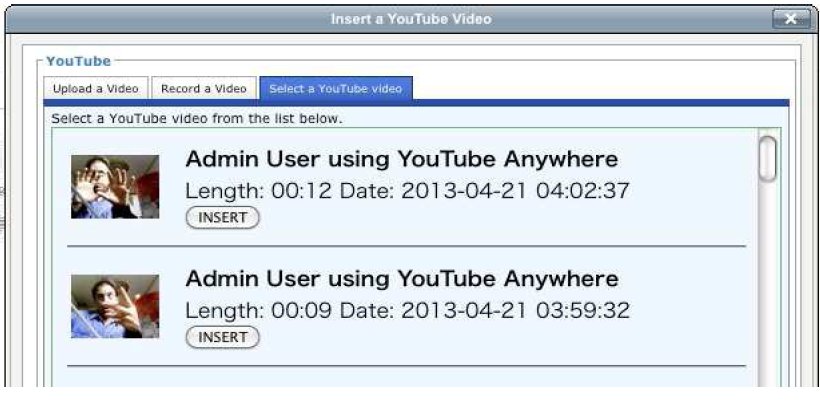
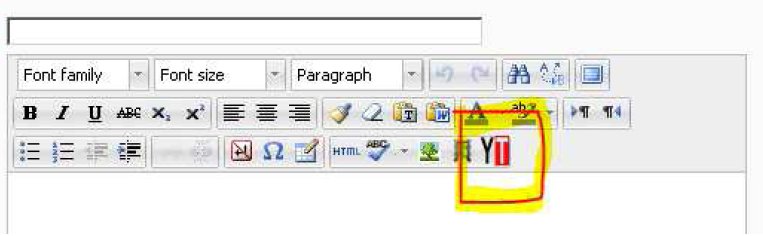
YouTube Anywhere enables direct recording and uploading into YouTube from the TinyMCE HTML editor.
Comments
Product ratings and reviews are coming to Moodle Marketplace. Until then, existing comments remain available to read, but new posts have been disabled.
It's plugins like this and developers like yourself that make Moodle so valuable, imo - so a big thanks for sharing your work with us!
I left that manual submit thing in because
a) When testing it was quite useful to be able just paste a url rather than have to record something each time
b) I thought somebody might like it, someday, somewhere
So I am glad that some people do want to use it. Probably the simplest way of doing it is just to check if the length of the video id is greater then 11. If so consider it a URL and don't add the full youtube url.
A quick "hack" to do this would be to add a line in /lib/editor/tinymce/plugins/youtube/tinymce/js/youtube.js:
Around line 60, just after:
var src = "http://www.youtube.com/watch?v=";
Add this line:
if (vid.length > 11){src ="";}
Next release of the plugin I will add switches and stuff to enable the manual tab.
If possible, I wonder if I could ask for one last bit of help before we release this plugin to our users. During trials with staff, a recurring request we came across had to do with making it possible for tutors to easily embed videos which already exist on YouTube (not necessarily their own). This functionality - simply entering a URL - was present in the beta release (i.e. via the $manual option) and is available in the YouTube submission plugin also. With this in mind, I've managed to restore the manual tab via uncommenting the relevant parts of youtubelib.php, but have hit a snag when it comes to the URL then being passed into the TinyMCE window itself. Basically, the desired URL becomes prefixed with the same address that's applied to uploaded or recorded vid IDs i.e. "http://www.youtube.com/watch?v=", resulting in a broken player. I know this behaviour is controlled in /youtube/tinymce/js/youtube.js, but I just wondered if there's any easy fix for this (unfortunately, my own js skills are a bit limited)? Maybe something like an additional if statement that was able to parse manual URL entries? I do realise there are alternative approaches to doing what our tutors have in mind, but it would be really great in our eyes if YouTube Anywhere was a one-stop shop for all things YouTube-related.
If you do have any ideas you'd be willing to share, I'd be very grateful.
I am not sure about that error. But I would try a few things.
1) Completely close the browser and all browser windows. Then try again. That should make sure you are logging in as you think
2) Are you using a full email address as your YouTube login. I think that is important.
3) Check that your oath and client keys are all ok.
Does that make a difference?
NoLinkedYouTubeAccount
Error 401
I am certain I am logged into my YouTube account correctly as another tab is viewing YouTube and logged in. I am using student authentication in our site.
Why would I use this plugin over the MyTube version or does this plugin replace it?
For anyone using it on a fully https site, note that URLs contained in a couple of files may need modifying slightly (otherwise Google Chrome will block the associated scripts from running automatically).
Here's what worked for us:
In both of the following...
/lib/editor/tinymce/plugins/youtube/youtubelib.php
/lib/editor/tinymce/plugins/youtube/tinymce/js/youtube.js
...modify the line containing a reference to "http://www.youtube.com/iframe_api" to "https://www.youtube.com/iframe_api".
Also, in the youtube.htm file, change the line referencing "http://yui.yahooapis.com/3.9.0/build/yui/yui-min.js" so it points to the equivalent .js on your https Moodle installation. For example, on Moodle 2.4.5 this would be "https://your.moodle.domain.here/lib/yuilib/3.7.3/build/yui/yui-min.js".
Chrome's javascript console will probably still report a gdata-related error when uploading a video, but it should work successfully.
Master account authentication, allows you to set a single YouTube account for all the videos. This works, but is not the ideal method. That is because it means the account holder is responsible for the content uploaded by the students. That could lead to problems. Also there is no way to make webcam submissions use Master account authentication.
The second method, student authentication is recommended. This requires the each user to login to their own google/ account to do the recording or upload. But avoids the problems of the other method.
I am glad you think its useful. I think it is too.
My humble vid:
https://www.youtube.com/watch?feature=player_embedded&v=E-v0wZxMjrA