
Drag-and-Drop Matching
Maintained by
DualCube Team
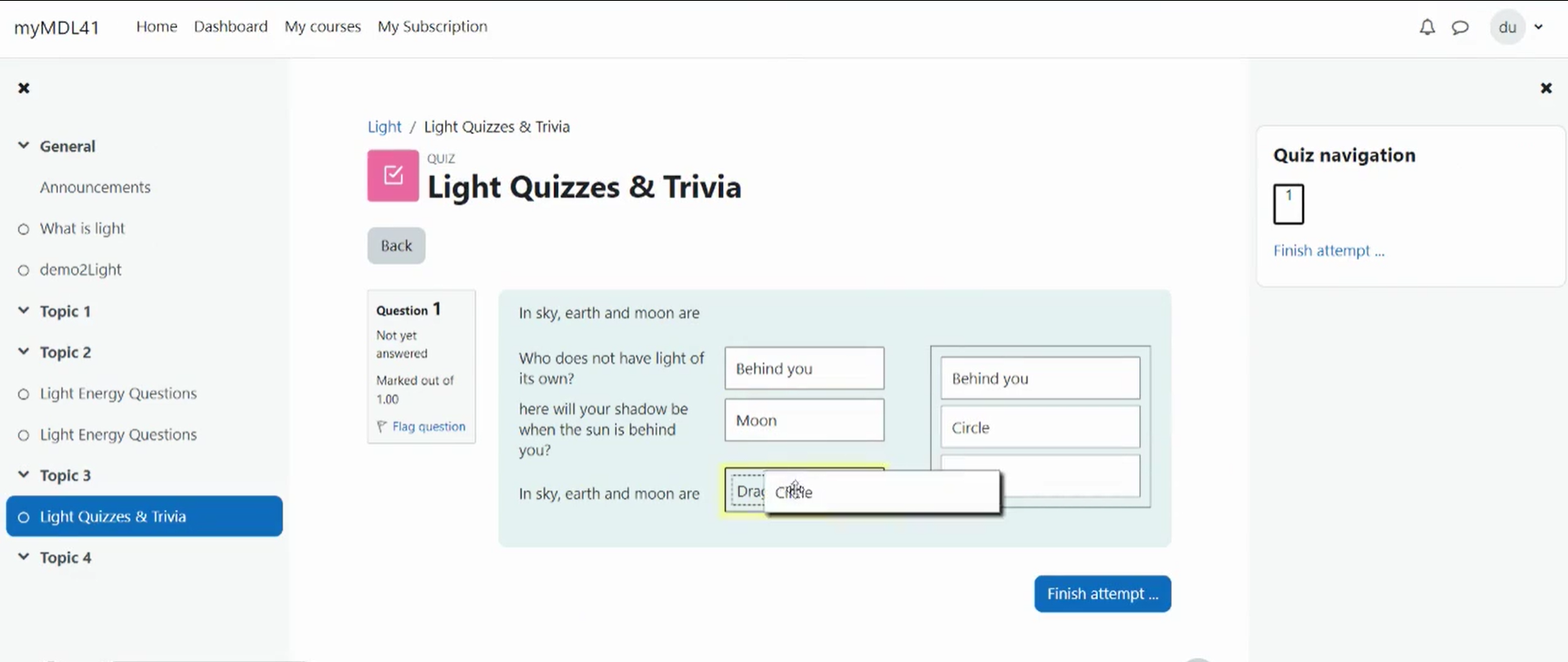
Drag-and-drop matching is a simple solution that is meant to help learners with matching quizzes. The students must simply "drop" their responses into a pre-defined space from the list of options that are available. The drag-and-drop interface makes learning fun and interesting.
Comments
Product ratings and reviews are coming to Moodle Marketplace. Until then, existing comments remain available to read, but new posts have been disabled.
We noticed that the Mathjax filter is not applied properly when showing the answers to a ddmatch question. Is that something you could address?
Thanks
We’re currently working on the “ddmatch” update on our end. Hopefully, we’ll be able to share an update with the fix by next week.
I have updated the plugin to version 2.5.4 (Build: 2025051900).
Debug:
Warning: Undefined array key "plugin_qtype_ddmatch_question" in /moodle/question/type/ddmatch/backup/moodle2/restore_qtype_ddmatch_plugin.class.php on line 92
Warning: Trying to access array offset on null in /moodle/question/type/ddmatch/backup/moodle2/restore_qtype_ddmatch_plugin.class.php on line 92
Warning: Trying to access array offset on null in /moodle/question/type/ddmatch/backup/moodle2/restore_qtype_ddmatch_plugin.class.php on line 92
Warning: Trying to access array offset on null in /moodle/question/type/ddmatch/backup/moodle2/restore_qtype_ddmatch_plugin.class.php on line 92
Exception - Attempt to assign property "subquestions" on false
Código de error: generalexceptionmessage
Ruta del error:
/question/type/ddmatch/questiontype.php línea 46
/lib/questionlib.php líneas 966 y 1028
/backup/util/dbops/restore_dbops_class.php líneas 689 y 520
/backup/util/prechecks/precheck_helper.class.php líneas 95 y 178
/backup/controller/restore_controller.class.php línea 454
/backup/import.php línea 180
How can I show the whole picture? Thanks in advance!
Could you please share a short video demonstrating the steps you’re taking? This will help us better understand the situation and get back to you with a solution.
PHP Warning: Trying to access array offset on null in /usr/local/www/moodlexxxx/question/type/ddmatch/questiontype.php on line 173
Sorry if my English is not very clear.
Could you please provide more details about the task creation process you are referring to? Specifically, can you describe where these answer fields appear and their intended use?
This will help me understand the situation better and provide you with the most accurate solution.
Looking forward to your response.