
Drag-and-Drop Matching
Maintained by
DualCube Team
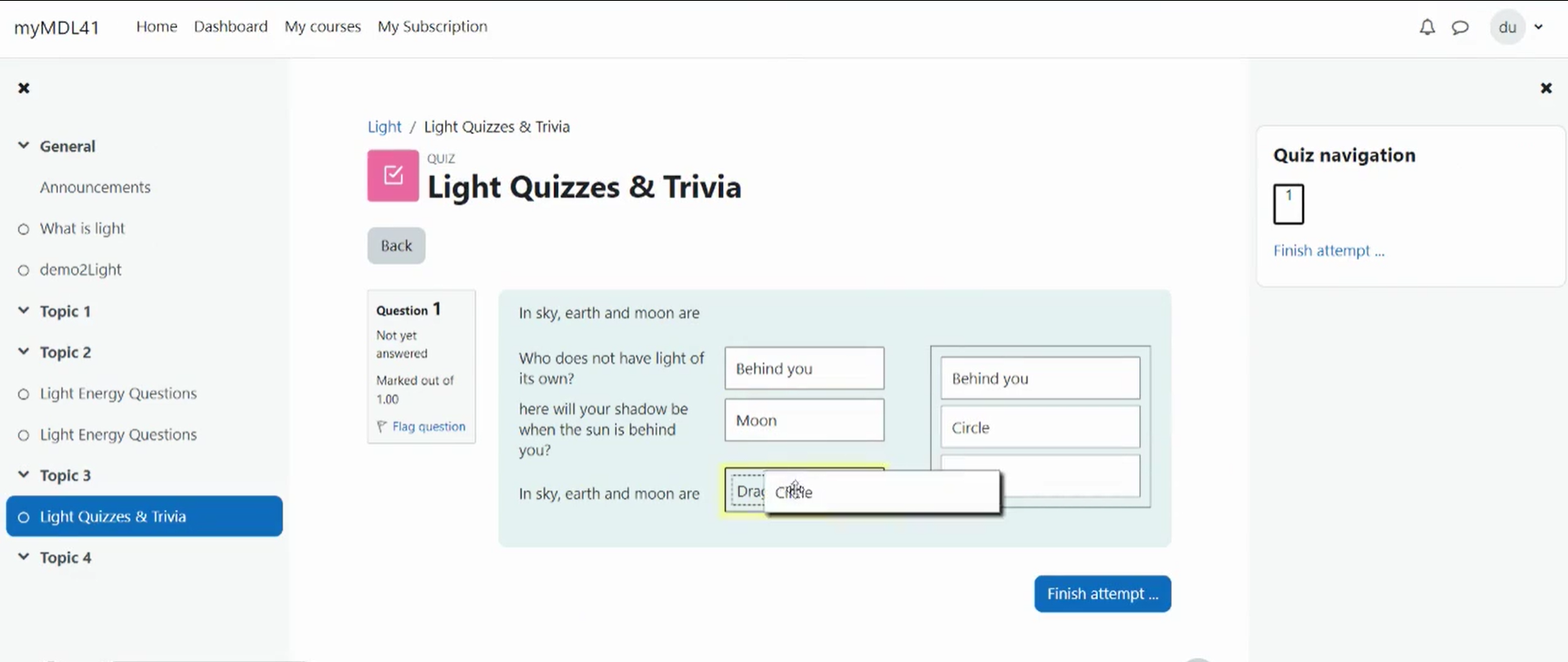
Drag-and-drop matching is a simple solution that is meant to help learners with matching quizzes. The students must simply "drop" their responses into a pre-defined space from the list of options that are available. The drag-and-drop interface makes learning fun and interesting.
Comments
Product ratings and reviews are coming to Moodle Marketplace. Until then, existing comments remain available to read, but new posts have been disabled.
Please update your plugin.. we fixed this issue on our last update.
Thank you.
p, .text {
font-size: 15px !Important;
word-break: break-word;
line-height: 20px;
color: #333;
}
...cause many instances of text across our Moodle site to be rendered incorrectly (in terms of size, colour, etc.). If possible, please could you provide a fix asap. Many thanks!
Thanks
...just a quick note to inform anyone that runs into this problem prior to the issue being fixed, removing the offending code from the styles.css file (below) and clearing your site cache, will return all headers to their 'normal' state.
tr {
word-break: break-all;
}
Regards
P.S. Actually, the following may be more appropriate:
.ddmatch tr {
word-break: break-all;
}
Regards
tr {
word-break: break-all;
}
...apply a word break rule to the headers of all tables across Moodle. If possible, please could you provide a fix asap. Many thanks!
Thank you.
Cheers!
The pleasure is all mine. Your satisfaction is our reward.
Thank you.