Enrol by user profile fields
Maintained by
Nicolas Dunand
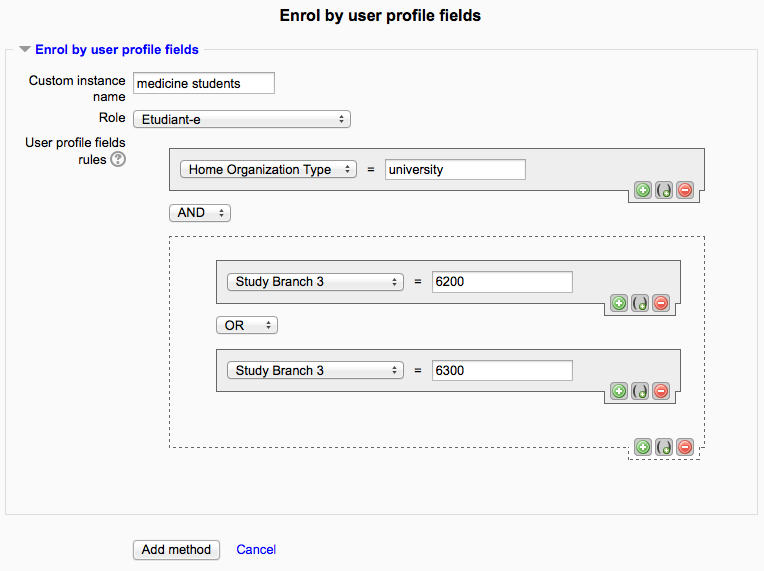
This plugin allows users to be enrolled according to any value stored in their user profile.
Comments
Product ratings and reviews are coming to Moodle Marketplace. Until then, existing comments remain available to read, but new posts have been disabled.
How it configure?
I am using moodle 3.3.2
I have a problem, please help.
After installing and configuring the plugin, I added the method into the course. If I configure only one simple condition (button "Add condition") - it works correctly, users are enroled. BUT if I configure the same rule but into the group condition (button "Add group") - it doesn't work, users are not enroled...
What could it be because of?
Moodle version 3.5.
Plugin version 2.5.2.
LDAP authentication.
Any help would be appreciated.
Thanks for your feedback and further explanation. I'll include a fix for this in the upcoming release.
I try not to hack other peoples code unless it's the only option, so in my case I simply corrected the course that had enrol_attributes enabled, but the rule left empty. Justing putting any random value in the "User profile fields rules" field fixed the issue. I should also specify that the edit form is only broken (at least in RemUI theme) if the rules is a very simple rule (one field, one value) which almost all of our rules are. If a modifier is added (this field and/or that field, or this value and/or that value) the save button does work.
Because I found the cause of the issue, I didn't continue to troubleshoot what those variables look like or how much different they might be for simple vs complex rules, but I think you're headed in the right direction. Maybe use count() or something to figure out if this is a simple or complex rule and then determine if continue/break or continue 2 / break 2 is needed. In our database we had a course in the enrol table with a record for attributes and status set to 0 but the customtext1 field was blank.
Thanks a lot for your report. I really appreciate you sharing your discovery and taking the time to explain it here.
I looks like you might have found the issue plaguing so many here. I've been looking at this and I'm thinking that this "break 2" and the previous "break" should act in the same way (the purpose is to try and eliminate misconfigured rules, or rules using attributes not listed by the plugin 'profilefields' setting.
I can't figure why both breaks should behave differently. Another case against badly documented code. Off the top of my head, these should both be "continue 2" – to break off the foreach ($enrol_attributes_records ...) loop. Is that how you fixed it?
I too was facing the same issue -- all of a sudden new courses we added to Moodle were not working with enrol_attributes -- but all of our existing courses remained working as expected. We're using our own SAML idp that does a Drupal => Moodle login, so between simpleSAMLphp, Drupal & Moodle, a lot of debugging took place before finally figuring out the issue (which was so simple it was a bit frustrating).
In enrol_attributes's process_enrolments() function -- https://github.com/ndunand/moodle-enrol_attributes/blob/74621611ff92f55d178a7926bc592b2d5bc5701a/lib.php#L310 it breaks out of the user enrollment part of the function if there are any courses that enrol_attributes is active on, but not properly configured (User profile fields rules is empty). So in my case, we had a bunch of courses setup and functioning properly, then a course was added with this enrollment method enabled, but the rule didn't save properly. We added a bunch of new courses so it wasn't immediately obvious one was missing a rule.
Nicolas Dunand - I'm writing this after many hours of debugging, so I'm probably not thinking clearly, but I'm curious of the reasoning for writing that chunk of code the way you did?
I also discovered the attributes/edit.php form is broken (at least when using the Edwiser RemUI theme https://edwiser.org/remui). When we press the "Save changes" button nothing is saved - both on initial setup and when editing an existing instance. We have to press the return key while the cursor is in the text box for the changes to be saved. This could be 100% a theme specific issue, but figured I should mention it incase others are using the same theme.
I'm a big fan of your plugin! It's super easy to setup and incredibly useful -- especially for SAML setups (please don't take any of this as me not appreciating all your work -- I very much do).
I just spent many hours debugging all this so hopefully other users experiencing the same issue won't have to.
Yes, if you check the "Unenrol after attributes expiration" box in the enrolment method, then the person whose attributes no longer match the rule would be unenrolled after their next login.
I want to know what happend if i change a user profile. Does the plugin unenrol the user? That would be very useful.
Or if there is a way to manually unenrol the user.
Thanks,
I am facing same issue in 3.1 did you get any solutions for this, please suggest if you fixed.
Bug: My enrolls by profile fields not working , It's not starting automatically, but if I press "force enrollment now" - everything run smoothly. Any ideas?
The login of field content comparison is in the lib.php file, more precisely see https://github.com/ndunand/moodle-enrol_attributes/blob/master/lib.php#L177
You could change this to affect the behaviour to match your intended purpose.
I have the same question as Sofia:
"Just wondering, is it possible to have that the criteria matches any word found in the user profile field, instead of must be exactly the same as the profile field? For example I want the user profile field to contain the word Engineering, but it can be any type of Engineering."
Thank you.
This plugin should work on Moodle 3.4.