Authentication by IP
Maintained by
Jordi Pujol Ahulló, Robert Marsal, Daniel Tome Fernandez, Cristian Martinez
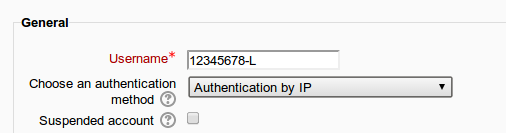
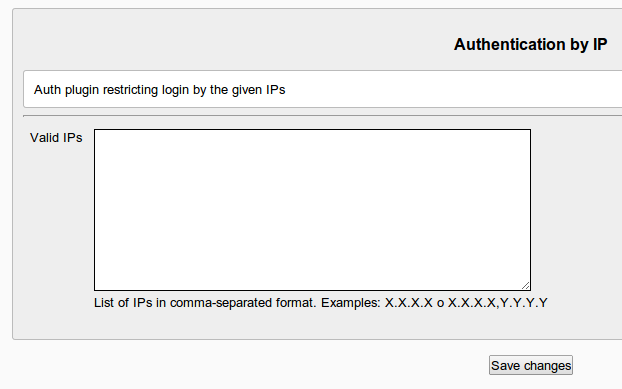
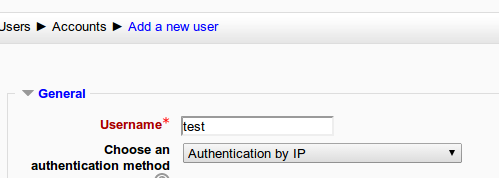
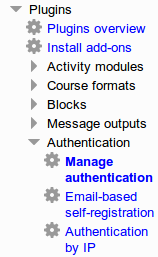
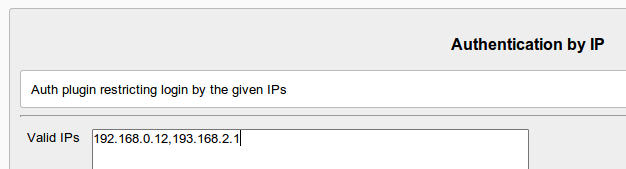
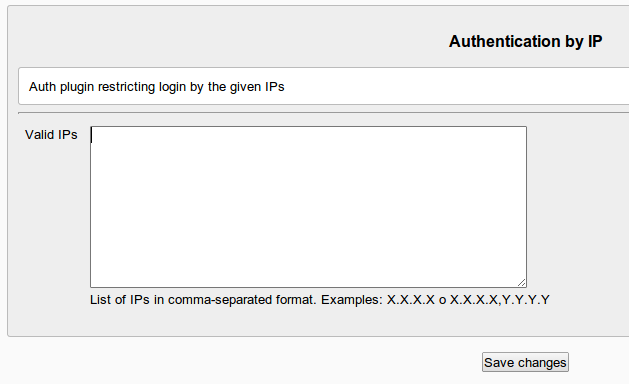
This authentication plugin helps to manage manual accounts being accessed only by the list of restricted IPs.


Comments
Comments are no longer open for new posts. Existing comments remain available to read.
This plugin is minimally updated. We added full support for IPv4 adresses and network adressing (CIDR notation). I suppose that full suport for IPv6 notations is not currently implemented. I have not checked it, but from your comment, I understant it does not.
I suggest you to rise an issue on the github repo, and, even better, provide a patch for supporting it.
Thanks,
Jordi
This plugin inherits the behaviour of a "manual" auth plugin, and adding a restriction of the list of allowed IPs.
Consider that "guest" access is something related to the enrolment of a user into a cours (enrol/guest). It is not related to the authentication access. I do not know if there is any other enrolment plugin restricting IP access. I can suggest you to ask it into the tracker as an additional feature form the enrol/guest plugin. Another option is to implement your own enrolment plugin (enrol/ip?) inheriting all from enrol/guest and adding the restriction for the allowed IPs.
There may be another option: set up a course with a guest access, and then restrict all elements be accessible to a given value on a user profile item. I didn't make it so take it as a suggestion.
Regards,
Jordi
I'm looking for a plugin that allows guest access if coming from a certain IP and blocks all other guests.
Is this possible with this plugin?
What I can check from our plugin at https://github.com/SREd-URV/moodle-auth_ip/blob/master/auth.php is that if you state fixed IPs (not ranges), the only problem that may arise is that the REMOTE_ADDR processed in the server side does not match, somehow, to the expected IPs. Could you login as admin from one of those IPs and check the PHP information from the server, and report here the line related to the REMOTE_ADDR. Please, add the confirmation that the shown IP is the corresponding, expected IP.
Actually, this plugin is just for what you are asking for: it's like a manual authentication including the restriction of logging in from a given IP or IP range.
Sorry for the late answer,
Jordi
Check the Moodle logs and extract the IP your user is logging in. It can be something related to the infrastructure that (internal IP, NATs) that prevent arriving the IP you are expecting into Moodle. It the IP is one of you are defining in the plugin settings (or in the IP range), please, come back again with more detail, so that we can manage to see what is happening.
It would be better if you report it into the github.
Jordi
If I want to have it such that users can login using a password, but only if they are on a certain IP address, then this plugin can do that? i.e. the password authentication and the IP authentication can be stacked?
Thanks
Les