Grade Me

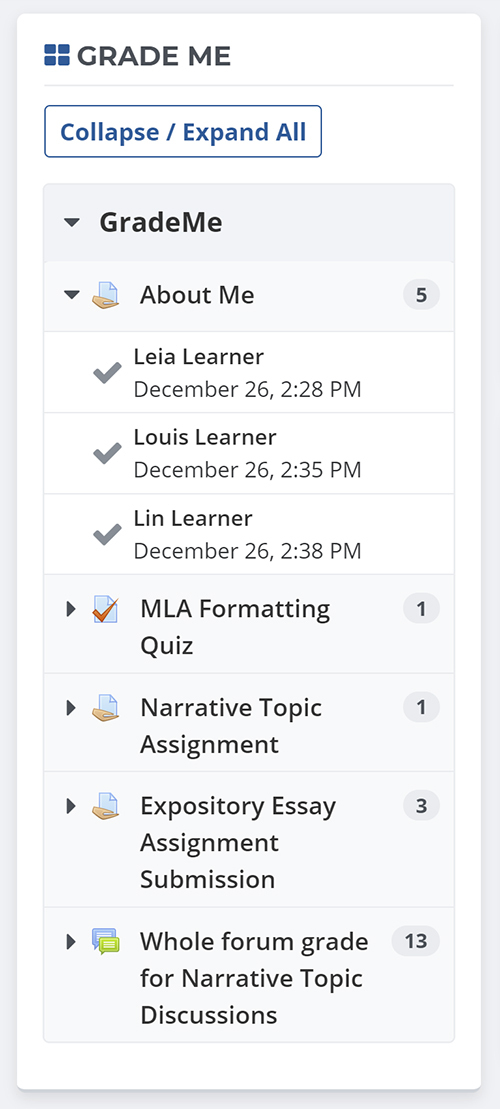
Shows a teacher all of the assignments and manual quiz questions (essays and file responses) that have been submitted, but not graded.
Price option: Free

Supports Moodle 2.3-4.5 See all versions
Latest release: 1 year ago
Installations: 3456
Downloads (last 90 days): 780

Frankenstyle name: block_grade_me
Blocks

Comments

Comments are no longer open for new posts. Existing comments remain available to read.

Thanks for the recent updates to fix the block. I noticed that since the October 4th update there seems to be one small thing not quite right.
If there are no items to grade, the block used to tell teachers "nothing to grade" with a smiley face. However, this is no longer happening. If there are no items the block does not appear at all. It still appears perfectly with the "nothign to grade" message for admin and managers. But it disappears for teachers and non-editing teachers. My teachers are finding this really confusing since they think the block has disappeared altogether. Could we have it come back for teachers when there are no items outstanding? O let me know where in the code I should make a change to get it to appear again - I suspect it is to do with the role of the teacher not being recognized as one that can see the block when there is nothing to grade but I cannot figure out where to change that. Thanks!
Hi Grade Me team,
Our Institute is running Moodle 2.3 (with the vision to move to 3.1 very soon) with your Grade Me block installed (version 2014010708). It is used in one course where it contains many assignment uploads. However, the Grade Me module does not accurately count the number of tasks/assignments that require marking. The Grade Me block is always counting higher than the "Needs Grading" field in the Grading Summary.
For Example: Grade Me on the course page counts 10 "Intro CAD - Saw Blade Upload" assignments need to be marked. I open the link to those assignments, where the Grading Summary table shows that there are 95 participants, 0 drafts, 35submissions and only 2 needs grading.
Clicking on the "View/grade all submissions" link and filtering the assignments by status shows that the assignments are of one of 3 statuses: Submitted and Graded (many) , Reopened (5) and not submitted (many). This issue does not occur for every assignment within the course.
I have dived into the Grade Me module settings and cannot find anything on what could affect the count.
Any help is much appreciated smile
@Chris - can you update to 2.8.0.10 and re-test?
We are using Grade Me in Moodle 2.8 and just updated to the latest version of Grade Me for 2.8 (2.8.0.9 version 2014111010) today. When we click on the red checkmark beside a name, the assignment for the first student (by the default sort) in the class is opened, not the assignment for the student who had the red checkmark showing beside their name.
I recently installed Grade Me in Moodle 3.1. I tested two students to submit their assignment unfortunately there are no notifications shown in Grade Me block. It stays as "Nothing to grade!"
I've just noticed that using the new 3.1.0.1 version of Grade Me, that if I click on a checkmark in the Grade Me block to go grade a student, then exit the grading page without actually giving a grade, that student is no longer listed in the Grade Me block as needing to be graded. Is this a bug, or is it expected behavior?
Thanks! for a great plugin. I am wondering if the following is a bug.
As is mentioned on previous post. "teachers will only see the assignments submitted by students if they are both members of the same group".
We have check all the settings
- course settings set to 'separate' and Force Group Mode set to 'yes'
- Assignment setting set to "separate groups"
- Add instructor to their group
The result is that all instructors enroll on the course can see the same all assignments on the "grade me" block They do not need to be in a group, they see the assignments for all the groups on that course. Also I add an instructor to the course and don't put him on any group - this one also can view all assignments on the grade me block.
Is this a bug or it is how the plugin supposed to work? - Thanks
We've released new versions of Grade Me for Moodle 2.7-3.1 that have a small, but important, bug fix that should prevent Grade Me from becoming confused and linking to the wrong quiz attempts when there are quiz attempts to be marked.
Thanks Tyler! Much appreciated.
Hi Paul, it should be fixed now. I just finished uploading the updated versions of the plugin for Moodle 2.7 to 3.1. There was an under-the-hood change made to the gradebook in 3.0 and 3.1 that broke our linkage to the students needing grading. I've rewritten the management of the students needing marking list for use with the gradebook. This release also includes some coding style fixups to make the code compatible with Moodle's and POET's coding standards, and a performance boost for sites with many quizzes.
@Rebecca, Tyler posted a temporary workaround a month ago a few lines up the page. "... teachers should probably be using the multi-grade view which can be reached by clicking on the assignment name in the Grade Me block, and then on the "View/grade all submissions" link under the "Grading summary" on the next page."
@Tyler @ Logan - do you have an idea of when you might be able to fix this bug?
(So I know what to say to our teachers and IT dept)
Hi there, we're using Grade Me and love the plugin. Just recently the link on the red tick box is taking the trainer to a different student. For example, it says there is something to grade (red tick) next to the name 'Donald', when clicking the red tick the trainer goes to the student 'Minnie'. Same course and assignment but a different student's submission. What is the best way to fix this?
Depends on your organizational structure, I guess. Would be nice if this could be mentioned somewhere in the desrciption, since "teachers will only see the assignments submitted by students if they are both members of the same group" is no accurate.
Thanks for support. smile
teachers should not have moodle/site:accessallgroups. In a course context that should only be for Managers.
We have. We did some investigation by ourself and our current guess is, that the access right ("moodle/site:accessallgroups") might be the problem. If the teacher is allowed to see all groups, the filtering does not work. Not sure if it is a bug (if it's true), but a bit unexpected.