
Microsoft Word File Import/Export (Question Format) icon

Microsoft Word File Import/Export (Question Format)

Maintained by Eoin Campbell
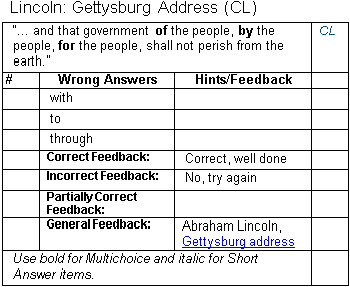
Import questions (including images and equations) from structured tables in a Word file (.docx format) into a course question bank, and also export questions to a Word file, allowing for round-trip editing.
Price option: Free

Supports Moodle 1.9-5.0 See all versions
Latest release: 1 year ago
Installations: 4468
Downloads (last 90 days): 1043

Frankenstyle name: qformat_wordtable
Question formats

Comments

Comments are no longer open for new posts. Existing comments remain available to read.

I believe that as a matter of mathematical convention, single letters such as 'x' or 'y' in equations are considered as variables, and therefore they are rendered using an italic style. The Microsoft Equation Editor automatically does this in Word, and the MathJax filter inside Moodle does the same thing. Even though you override this in Word by forcing a Roman (non-italic) font, this is lost in conversion, and MathJax renders the single letter in italic. My knowledge of maths is very limited, so an alternative explanation might be that your Word document is much edited over time, and as a result becomes quite complexly formatted internally (although you can't see this in the visible Word file). A side-effect is that when it is converted to HTML and MathML, the conversion process is not smart enough to disentangle all the markup, and gets the conversion wrong. If you send me the document I can take a look.
When importing questions, mathematical expressions created in MS Equation Editor are always rendered italicized even when the italic format has been removed in the equation editor. Is there a way to make it retain the same format in Word?
I am having the same issues as Ken, installed the word template as per youtube video but the same error message pops up when I click convert images "Image Conversion has been disable to avoid Windows Defender issues"
- Windows defender is disabled
Not sure where I am going wrong so please help. Using Word 2013, don't know if that is the issue
Hi Ken, you need to install a Word template in order to run a macro to convert image data back into embedded images in Word. The template is available at www.moodle2word.net, and you must log in as a guest to get it, because it is inside a course. Note that it generates warnings about malware, so you must turn off Windows Defender to install and run it. See the video https://www.youtube.com/watch?embed=no&v=C7Pita4Sj6Q for a demonstration of how to install it. Download a Zip file containing the templates from http://www.moodle2word.net/mod/resource/view.php?id=54.
Not sure if you can help me with this, but I have been trying to convert images after exporting questions with the Moodle2Word (v. 3.6) plugin in Word. I keep getting this error:
"Windows Conversion has been disabled to avoid Windows Defender issues."
Any ideas about what Windows Defender might be blocking (that I can change)?
Thanks very much.
Hi Fernando, unfortunately you will have to revert to the last release of the plugin (v3.6.3), as the new release is broken. I have removed it for the moment.
Eloin can you help me with the following error that occurs when importing and exporting issues:
Exceção - Call to undefined function get_contributed_question_labels()
Awesome Plugin... Great work.. Thanks Eoin.
Thank you Eoin
I tried this older version, but it does not solve the problem, there are now different Buttons, but they give me the Run-time error 9112. I will try on a Win Computer. Thank you.
Hi Andy,
I don't have much access to Macs, so can't keep the templates up-to-date. You can download an old version for Macs (Word 2011) from http://www.moodle2word.net/mod/resource/view.php?id=7, but you'll have to register on my test site to do so.
Hello Eoin,
I am trying to install the Moodle2Word Templates. On Mac OS and using a Microsoft Word 2021 (V16.45).
On starting Word I get a Visual Basic Error: Compile Error in hidden module: 'mdlUpload'. This error commonly occurs when code is incompatible with the version, platform, or architecture of this application.
I understand that I use a version, that is more advanced than the supported one. Do you see a way to help with the issue? Thank you!
Hi Ablay,
Can you tell me what language Word template you are using to create the files, and what user interface language are you using in Moodle? These two must match. If the table labels in the Word file containing the questions are in Russian, then the custom property moodleLanguage in the Word file must be "ru", and the Moodle interface language must be Russian too.
See https://docs.moodle.org/36/en/Word_table_format for detailed instructions.
Otherwise, send me the Word file and I'll take a look.
Hello, help me, please, I was trying to find questions and this is what came out "Failed to import questions because the language of the labels in the Word file does not match the language of the Moodle interface." "! =" Ru "". Please help fix this
Equations must use the built-in Equation Editor, not MathType. In your Moodle site, the MathJax filter must be installed and configured properly at https://www.moodlesite.com/admin/settings.php?section=filtersettingmathjaxloader. The "Additional equation delimiters" field (filter_mathjaxloader | additionaldelimiters) must be set to "
Hi Eoin,
My import does not carry mathematics equations in to moodle. Any way out ?