
Microsoft Word File Import/Export (Question Format) icon

Microsoft Word File Import/Export (Question Format)

Maintained by Eoin Campbell
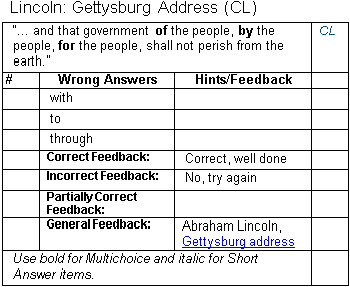
Import questions (including images and equations) from structured tables in a Word file (.docx format) into a course question bank, and also export questions to a Word file, allowing for round-trip editing.
Price option: Free

Supports Moodle 1.9-5.0 See all versions
Latest release: 1 year ago
Installations: 4468
Downloads (last 90 days): 1044

Frankenstyle name: qformat_wordtable
Question formats

Comments

Comments are no longer open for new posts. Existing comments remain available to read.

Just want to confirm that with Moodle 3.7.2 imoprt fails reporting "Error writing to database" (dmlwriteexception)
Considering downgrade to version 3.6 sad
Hi Eoin,thank you for your suggestion,and I had exported some question,then create new questions,and import successfully
Hi there, I’ll try and prepare one for you at the weekend. In the meantime, if you export some questions from Moodle into Word format, with the Chinese language set then that will give you a good starting point for creating questions.
I need a word template of traditional chinese,and can't find at moodle2word.net,could you help me?Thank you very much.
Send me on a Word file with the problem and I’ll take a look. Have you configured your MathJax filter correctly? That is the most likely issue.
Hello Eoin, I have an issue with plugin, i cna upload all the questions, but I have a problem whem try to charge a question who contains a mathematic equation (generated with Microsoft Word Equation), not upload all the information inside this equation area, example: elimate parenthesis, square parentheses and fractions are not upload and are replace with empty space.
This seems to be an error caused by modifying Moodle PHP code, not an import error
Hi Eoin,
I get errors when I import .docx questions. It seems like Jame said. "Error writing to database".
This error comes after I upgrade moodle to 3.7 from 3.6. And I upgrade PHP from 7.0 to 7.2 .
In PHP info of the sever , xsl is enable. Those .docx questions files which I imported into bank sveral weeks ago can't import again! I can't find wrong . So I 'm anxious. Can you help me ?
songlin.
You can use the "Number the choices?" field in the table heading to define the numbering.
A = uppercase alphabetic
a = lowercase alphabetic
i = lowercase Roman
I (capital letter i) = uppercase Roman
0 (zero) = Unnumbered
Eoin, is there any way to change the default numbering from "A" to "0" for multiple choice questions?
Thanks for sharing this Valuable information with us, it is really helpful article!
Eoin, I am having issues trying to import or export Missing word style questions. Any thoughts
The plugin exports files into a .doc file, but only imports files in .docx format. Silly but necessary. So after exporting questions to a Word file, you must then open it in Word and save it as a .docx file instead. Then you can import it to another server. However, if you just want to exchange questions between Moodle server, I strongly recommend that you export to Moodle Question XML format instead, as this is a more complete interchange format. For example, it supports Calculated and Numerical questions, which the Word plugin doesn't do.
I'm trying to export questions in this format and import it again somewhere else, and I got this error "The type of the file you selected (application/msword) does not match the type expected by this import format (application/vnd.openxmlformats-officedocument.wordprocessingml.document)." Looks like a bug to me. I'm on Moodle 3.6. Please take a look.
Good to know - many thanks for your assistance with this Eoin. We will keep it in mind for next time we encounter that issue!