Generico Filter icon

Generico Filter

Maintained by Justin Hunt
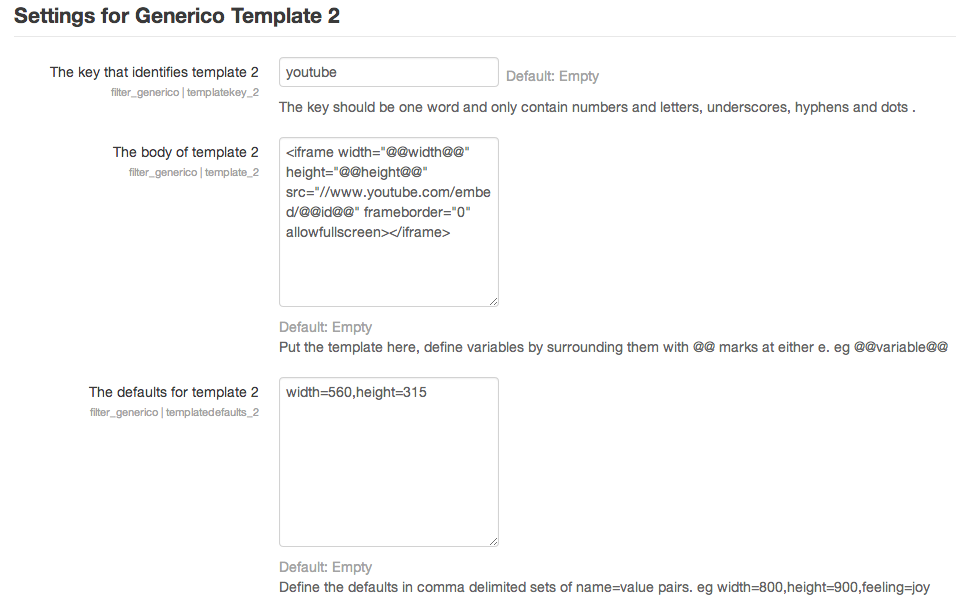
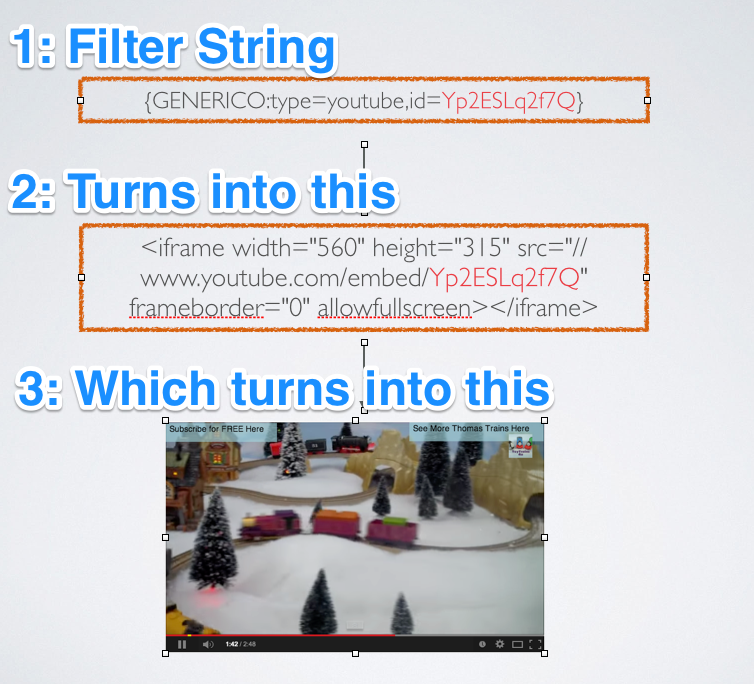
Generico is a simple filter for creating templates of code snippets and text that can be inserted into Moodle text areas.
Price option: Free

Supports Moodle 2.1-5.2 See all versions
Latest release: 9 months ago
Installations: 2564
Downloads (last 90 days): 558

Frankenstyle name: filter_generico
Filters

Comments

Comments are no longer open for new posts. Existing comments remain available to read.

@marc I sent an email. For anyone else, if you add this code to the Custom CSS area of that template, it will turn the background of the close link blue. tweak that to match what you want, or some variation of it to alter the close link foreground color.
.fancybox-close-small, .fancybox-close-small svg {
background: blue;
}
Hi Marc. I will have a look. Thats just a 3rd party library wrapped up in a Generico template. Hopefully its a quickie. FYI You can use Lightbox2 template with your Poodll filter too.
Thank you for your Generico plugin. We use it at the Université de Sherbrooke and added the Lightbox 2 code to user available plugins. We noticed that the top right « close window » image background color is white (as a result, users doing a MouveOver don’t see the small « x » that lets them close the active window). Can you provide a the solution to this problem? Thank you.
Hi Yannick. Lets have this conversation in the Generico forum. I have posted a solution to using qq.com videos with Generico there. ..
https://moodle.org/mod/forum/discuss.php?d=261896#p1512939
(following my previous post) : if this may help, here are the embed code and iframe widget code available from the platform (am adding a few spaces for displaying the code as plain text) :
HTML EMBED CODE =
< embed src="https://imgcache.qq.com/tencentvideo_v1/playerv3/TPout.swf?max_age=86400&v=20161117&vid=s0629i76rm6&auto=0" allowFullScreen="true" quality="high" width="480" height="400" align="middle" allowScriptAccess="always" type="application/x-shockwave-flash" >< / embed >
IFRAME =
< iframe frameborder="0" width="640" height="498" src="https://v.qq.com/iframe/player.html?vid=s0629i76rm6&tiny=0&auto=0" allowfullscreen >< / iframe >
Hi,
I'd like to make use of the Youtube Lightbox template in order to embed a video that is hosted on a Chinese platform (some Youtube equivalent). Here is the link to the original video : https://v.qq.com/x/page/s0629i76rm6.html
And here is my own unsuccessful attempt at trying to modify the code for the template body, (am adding a few spaces in there for the code to be displayed as text in my comment) :
< a href="#" data-featherlight="#@@AUTOID@@" >< div class="filter_generico_ytl" >< img src="https://puui.qpic.cn/vpic/0/@@videoid@@_160_90_3.jpg/0" width="@@width@@" height="@@height@@" / >< / div >< / a >< div style="display: none;" >< div id="@@AUTOID@@" >< iframe width="@@videowidth@@" height="@@videoheight@@" src="https://v.qq.com/iframe/player.html?vid=@@videoid@@&tiny=0&auto=0" allowfullscreen >< / iframe >< / div >
Any idea on how to make this work ?
Thanks a million for helping !
Best,
Yannick
Hi Justin,
Thanks a million for a very quick and efficient answer as I had not added the "generico" word in the Atto toolbar settings !
Best,
Yannick
Have you added the word "generico" in the Atto toolbar settings? You need to do that manually. Moodle doesn't do it for you. Thats the most likely issue. The other possible issue is that you are using TinyMCE without knowing it. There is no Generico icon for TinyMCE
Hi,
I have installed both the Generico Atto icon plugin and the filter (which I have activated) but the "G" button won't show in the Atto HTML editor : any idea of what might be missing to make it all work ? (am using Moodle 3.4 - Build: 20171113)
Thanks for helping,
Best,
Yannick
I think that you have not installed the Generico Atto icon plugin. It is separate to the filter. It is here: https://moodle.org/plugins/atto_generico
Hi,
This is a fantasic plugin. It makes it easy to use templates and the changes get reflected in the content pages. I am try to add the "genrico"icon to the atto editor. The error that I get is The plugin 'generico' cannot be used; it does not appear to be installed. I am on Moodle 3.5 and Atto Text editor plugin is installed.
Nice that you can set up text and code snippet templates for use in Moodle text areas with this plugin. I also use a Wordpress shortcode plugin for articles on Tuxbrain so I am really excited if you can really use it the same.
Hi Justin,
I have updated my moodle instance to 3.4, I was previously using Generico, are there plans to have Generico for moodle 3.4. Thanks.
Thank you Justin, this is a good workaround.
In the atto editor, you will just see a drop down list, and Generico provides no inbuilt way to present the 4th option as a text field. But in the actual filter string that is inserted on the page, of course its possible to just type in any value. You might say that in the instructions. Or if you wanted you could add the "other" field as a separate variable, and also have "other" as the 4th option. Then in the template you would check for the selection of the 4th option other, and if it was selected use the value of the other field. This is probably only going to be easy if you are using these variables in javascript. In plain html templates, it would be a bit of a head spin.