
Generico Filter
Maintained by
Justin Hunt
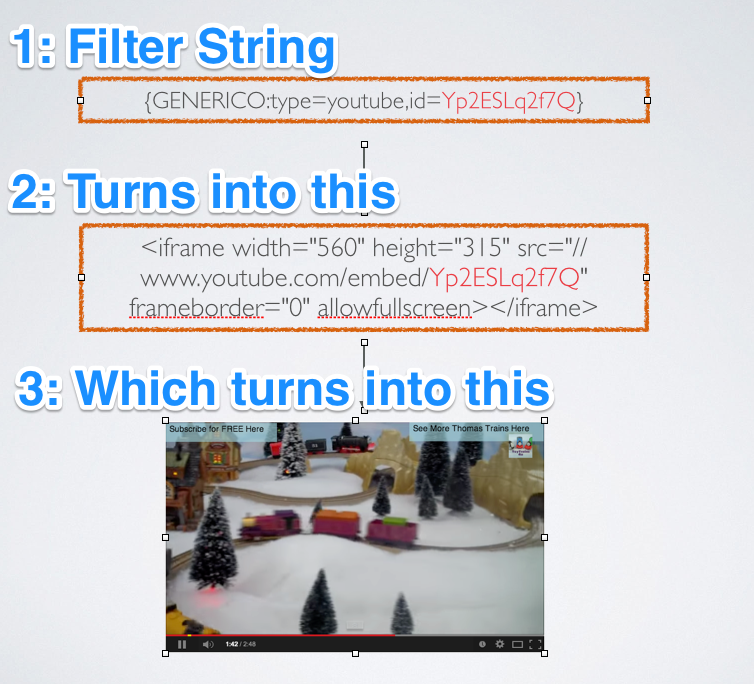
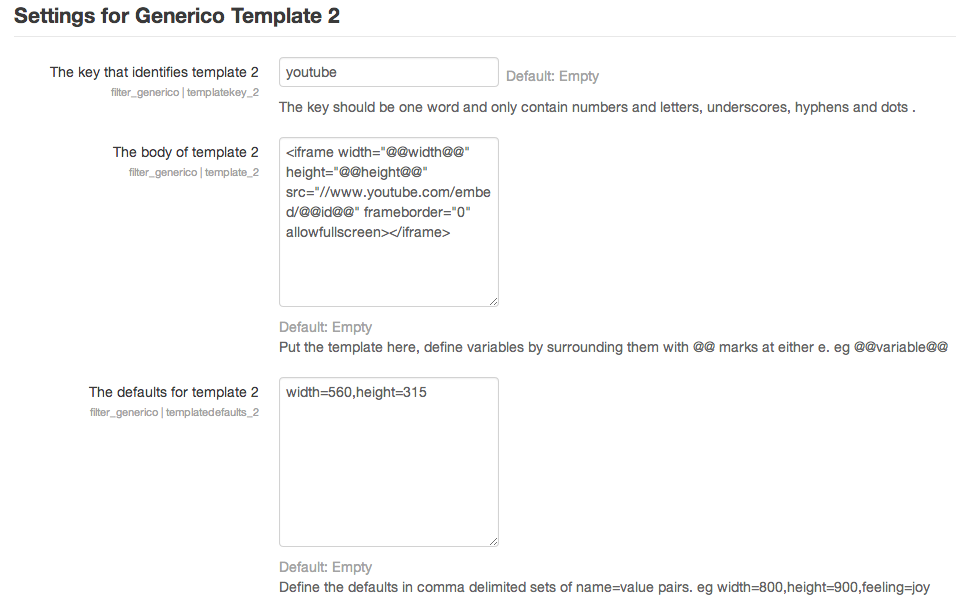
Generico is a simple filter for creating templates of code snippets and text that can be inserted into Moodle text areas.

Comments
Comments are no longer open for new posts. Existing comments remain available to read.
Probably Quickmail doesn't pass the text through the filter system.
Not sure if this is what you are trying to do, but trying to use Generico tags in email text really is problematic. If the text is filtered before it is sent. the user specific information won't be correct. Generico will use information of the logged in user. You might be able to get around that because Generico can perform custom database queries. But the next hurdle is to get Quickmail to send the post processed text. My guess is that you would need to customize Quickmail to pass the email text through the Moodle filter system, and then use that post processed text (not the original) when sending.
Kind regards,
George
How can we add database connection and sql by using Generico Filter plugin as shown as the link
Thanks a lot.
Carlos
We need some help here. We upgraded the version of the plugin from 1.3.0 to 1.3.8. The plugin is now stripping out the html tags when it renders the code.
Ex:
in html view:
{GENERICO:type="narration",audiofile="
Vivaldi! Il prete rosso, or “the red priest” in Italian. This was
Antonio Vivaldi’s nickname because of his red hair and because he had
trained to become . . . a priest! At the age of 26, he was forced to
abandon priestly duties because of ill health.
Perhaps leaving the priesthood allowed him to focus all of his energy on
music. He continued to expand his reputation as an accomplished violinist,
conductor, and a highly prolific composer.
So virtuosic was his violin playing that a German architect who heard him
play in 1713 stated that “it is hardly possible that anyone has ever played
or ever will play in such a fashion.”
"} {GENERICO:type="narration_end"}
When the page is in view mode, the
tags are removed. We are using Moodle 3.0.7.
It worked before when we were using Generico 1.3.0 and Moodle version 3.0.5. Any ideas of what might be happening?
Carlos
Moodle version 2.7
Can you ask me what version may help us?
If there are not, can you update plugin for 2.7 moodle?
You can not put Generico variables in the Dataset field. The syntax is just the same as for the $DB get_records_sql function.
https://docs.moodle.org/dev/Data_manipulation_API#moodle_database::get_records_sql.28.29
You put any variables in the SQL as '?' marks, and any data or variables that should take their place in the Dataset vars field.
Is it possible to improve sql query like this ?
SELECT u.firstname, u.lastname, u.email, c.fullname FROM mdl_user u, mdl_role_assignments r, mdl_context cx, mdl_course c WHERE (u.id = r.userid) AND (r.contextid = cx.id) AND (cx.instanceid = @@COURSE:id@@) AND (r.roleid =3) AND (cx.contextlevel =50);
i dont understand how it make
help me plese