MS Graph API Mailer replaces Moodle's built-in SMTP email delivery with Microsoft Graph API, routing all outgoing emails through Microsoft 365 / Azure AD using OAuth2 client credentials — no SMTP server or password required.
Key Features
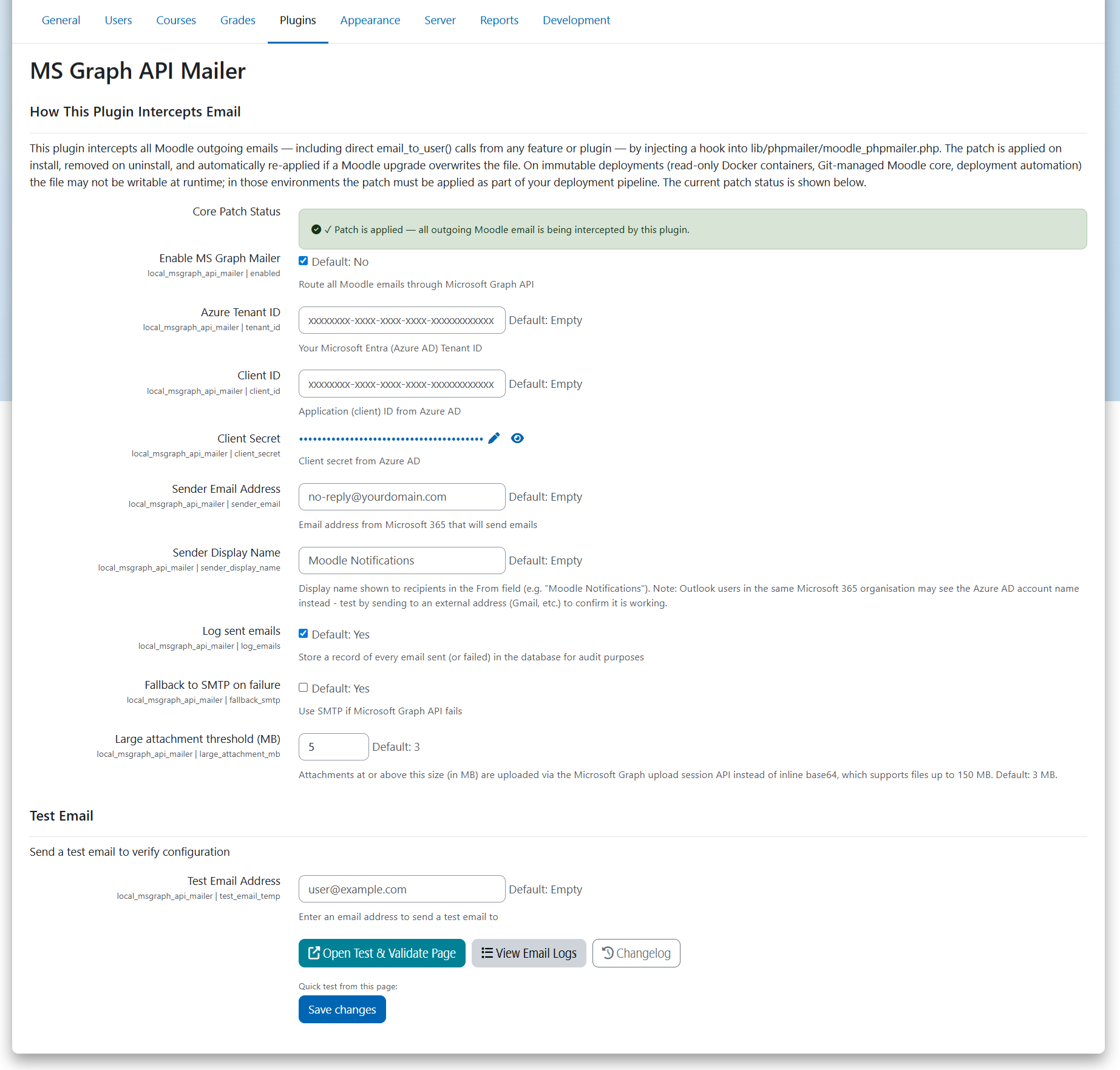
- Zero-SMTP setup — authenticates via Azure AD app registration (tenant ID, client ID, client secret); no mail server configuration needed
- Drop-in replacement — intercepts all Moodle outgoing emails transparently via the
phpmailer_init hook; no core file modifications required beyond an auto-applied patch to moodle_phpmailer.php
- Large attachment support — files under the threshold (default 3 MB) are sent inline; larger files (up to 150 MB) are automatically uploaded via the Microsoft Graph upload session API (chunked PUT)
- MIME detection — detects file type from magic bytes for extensionless temp files (e.g. Moodle scheduled report attachments), automatically appending the correct extension
- SMTP fallback — optionally falls back to Moodle's configured SMTP if the Graph API call fails
- Email divert support — fully respects Moodle's
$CFG->divertallemailsto and $CFG->divertallemailsexcept settings
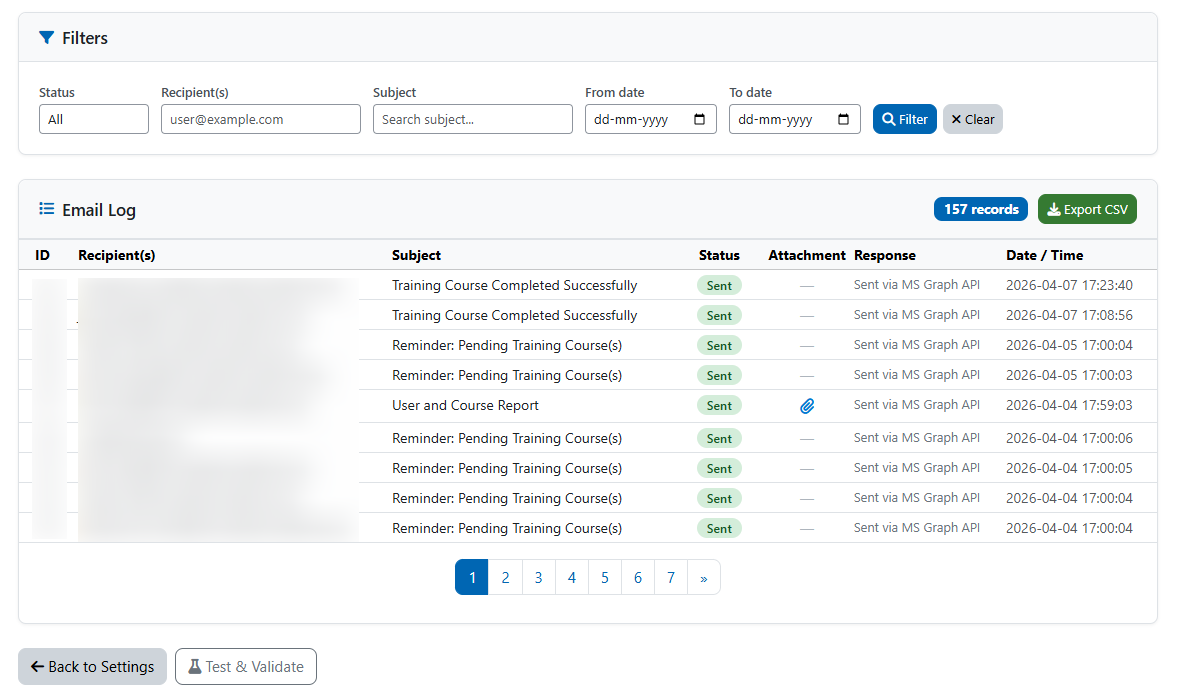
- Email log viewer — searchable, filterable table of all sent and failed emails with recipient, subject, response, attachment indicator, and CSV export
- Connection status badge — settings page auto-checks Azure connectivity on load and displays a live green/red badge
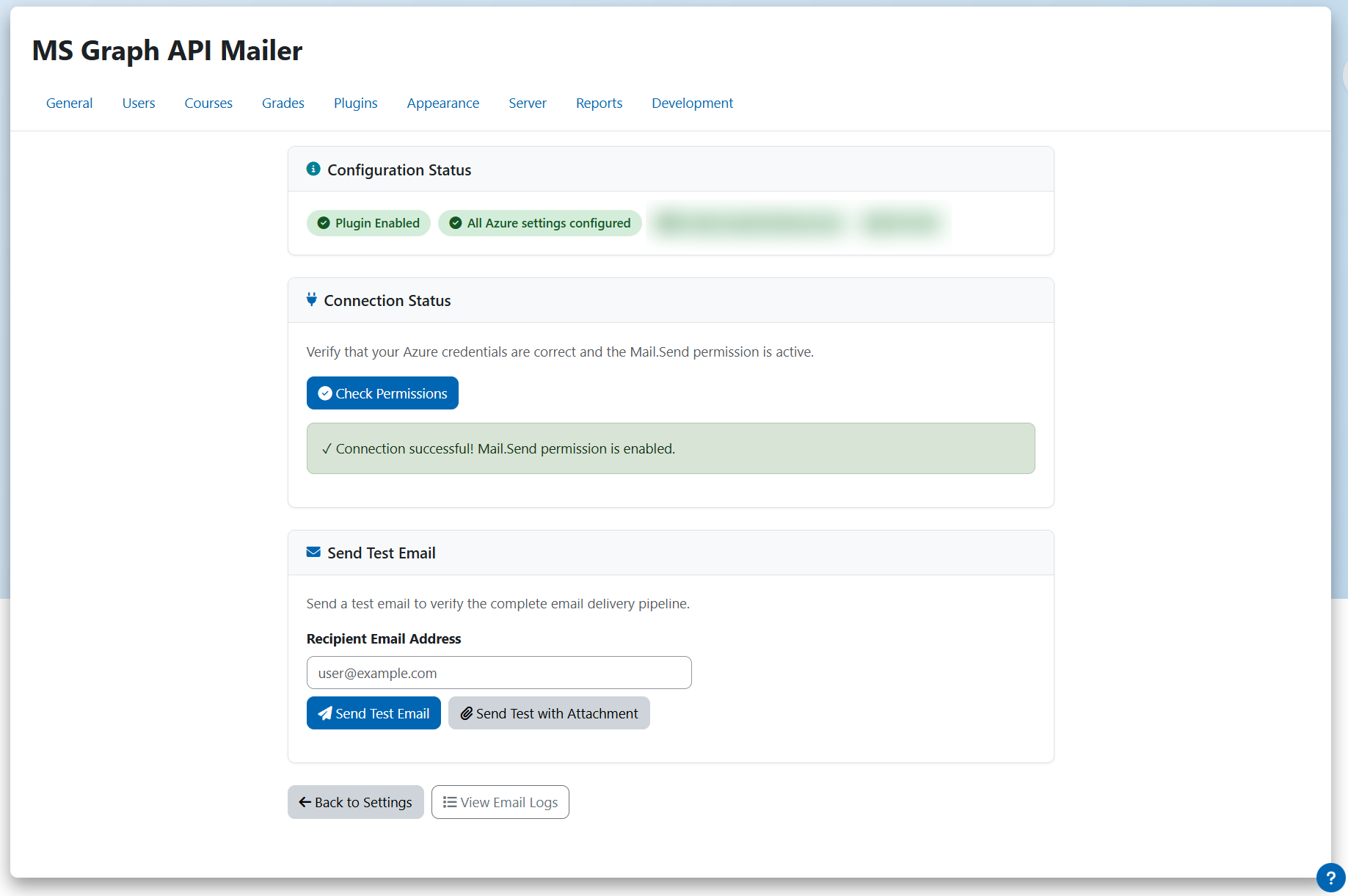
- Test & Validate page — dedicated page to check permissions, send a plain test email, and send a test email with a real
.xlsx attachment to verify the full delivery pipeline
- Mandatory field validation — the plugin cannot be enabled until all required Azure credentials are filled in
Requirements
- Moodle 5.1 or later
- PHP 8.3 or later
- A Microsoft 365 / Azure AD app registration with the
Mail.Send application permission granted
Setup
- Install the plugin
- Go to Site administration > Plugins > MS Graph API Mailer
- Enter your Azure Tenant ID, Client ID, Client Secret, and Sender Email Address
- Click Check Permissions to verify connectivity
- Enable the plugin