Kewayne Davidson
Lead maintainer

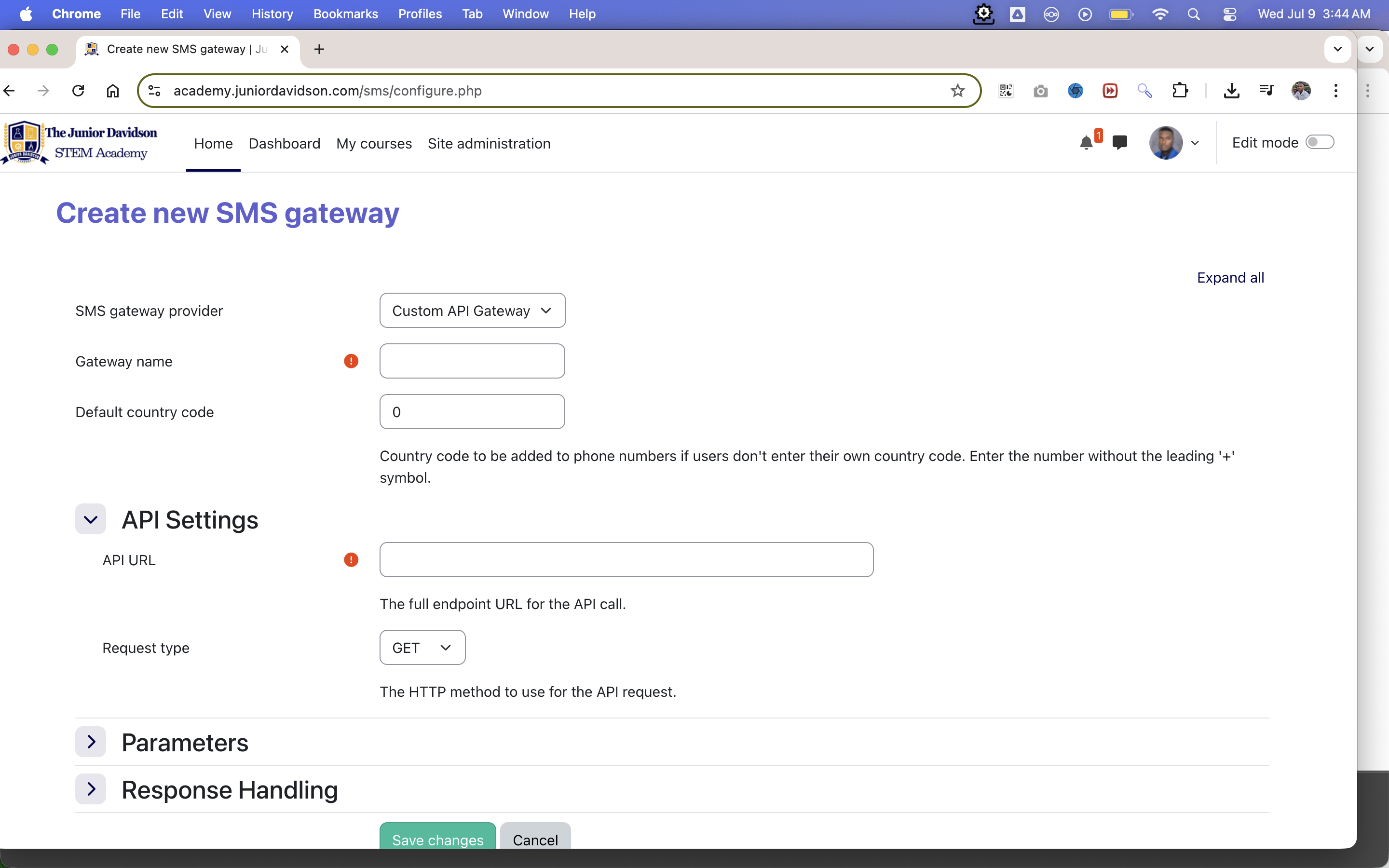
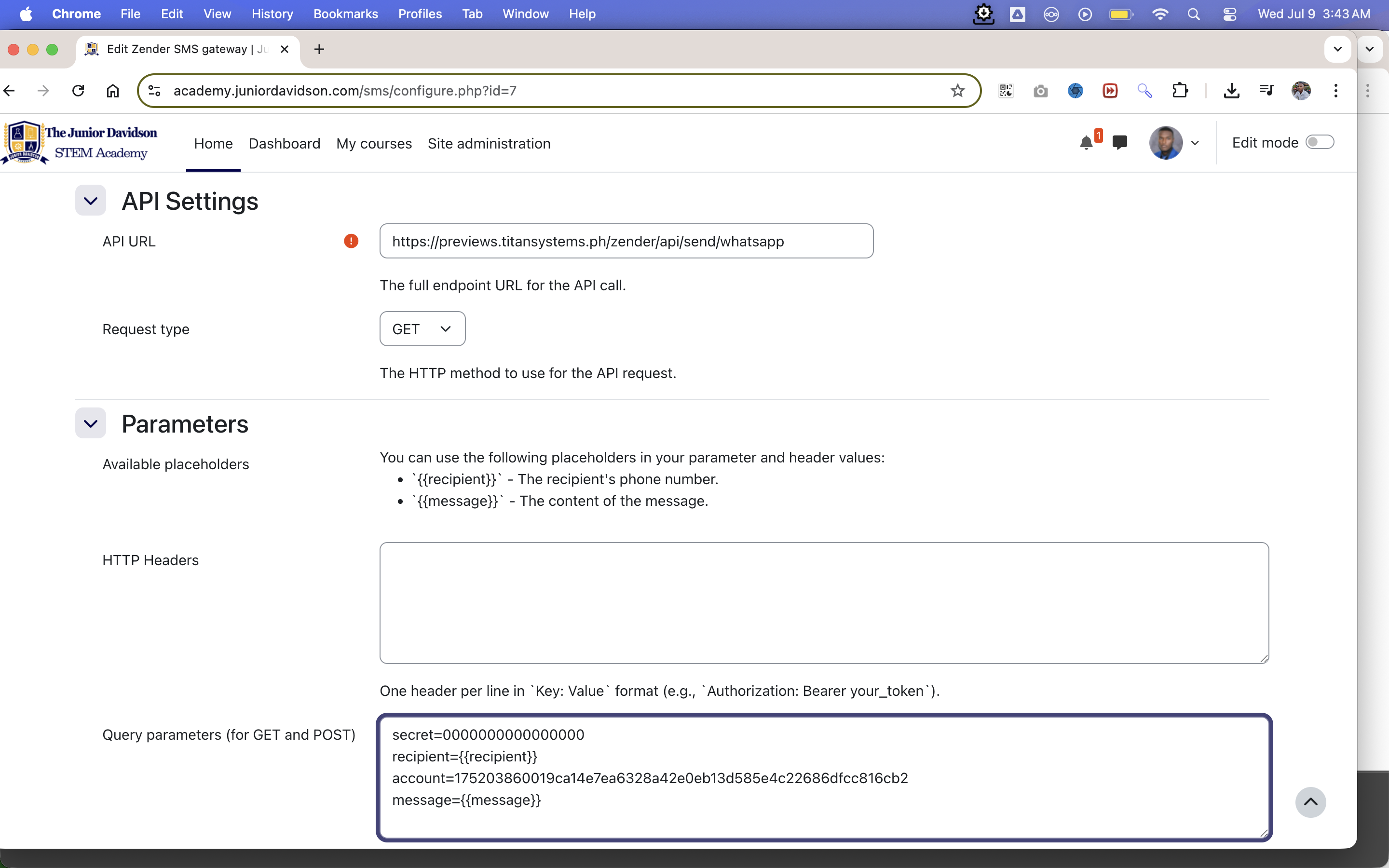
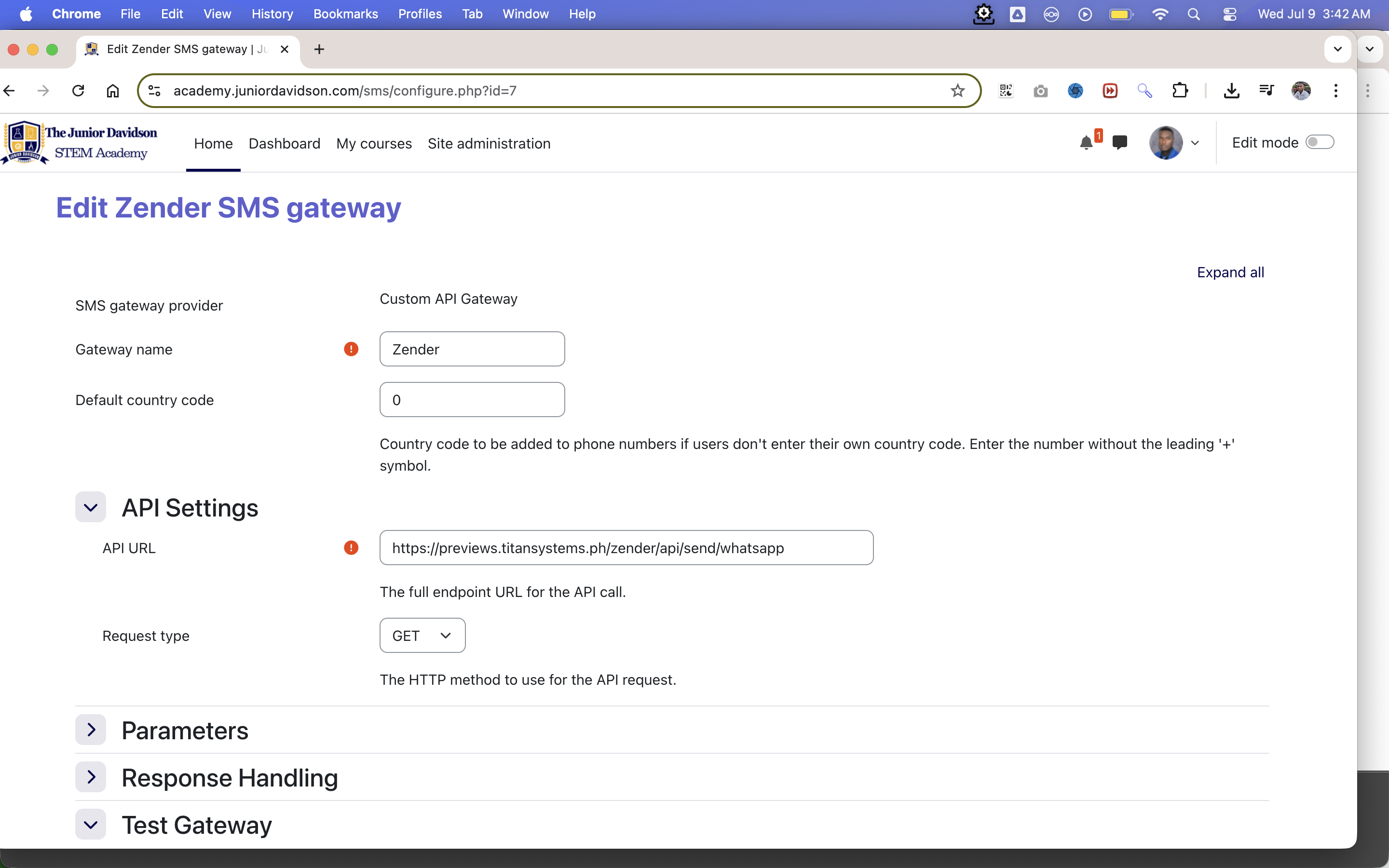
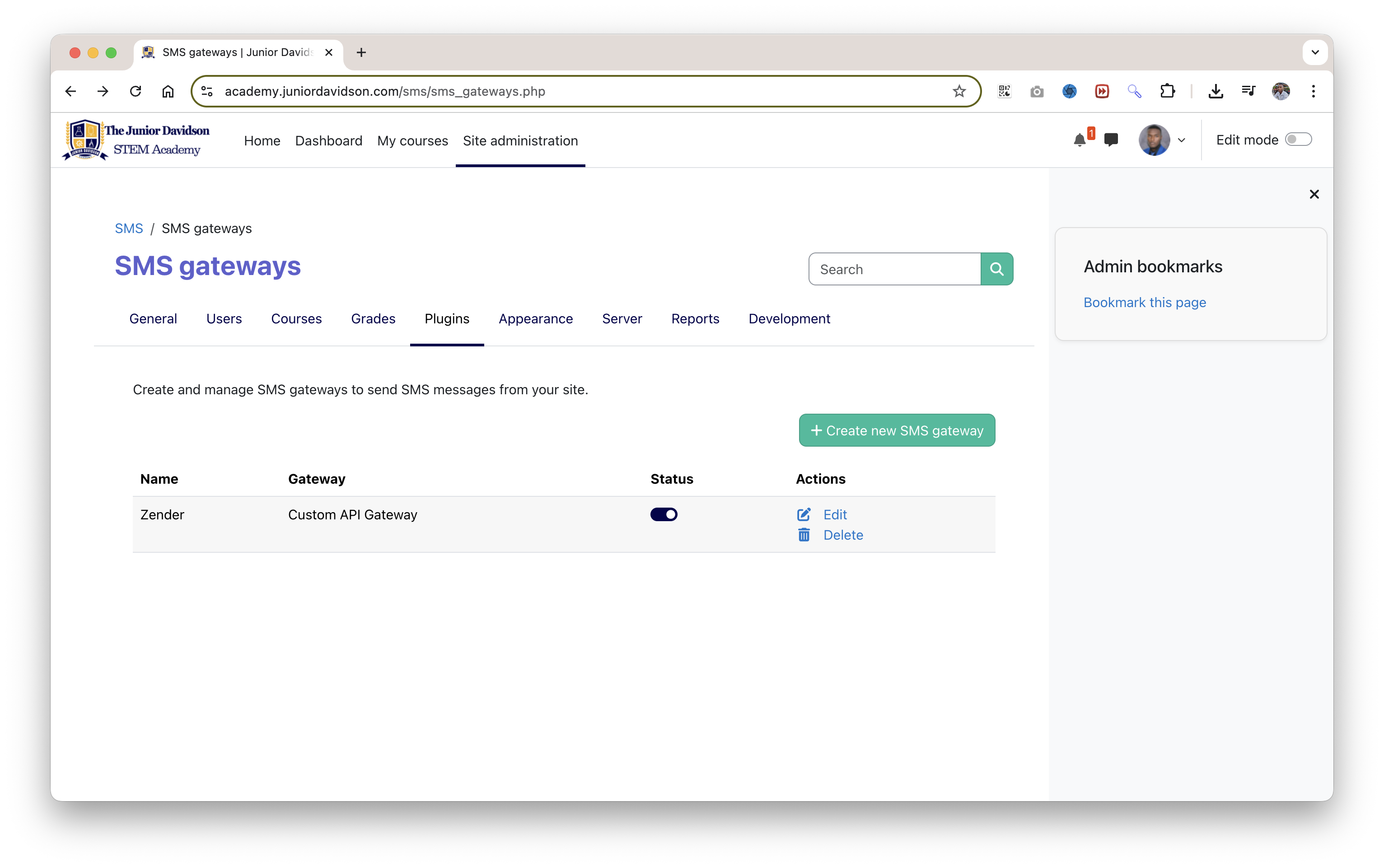
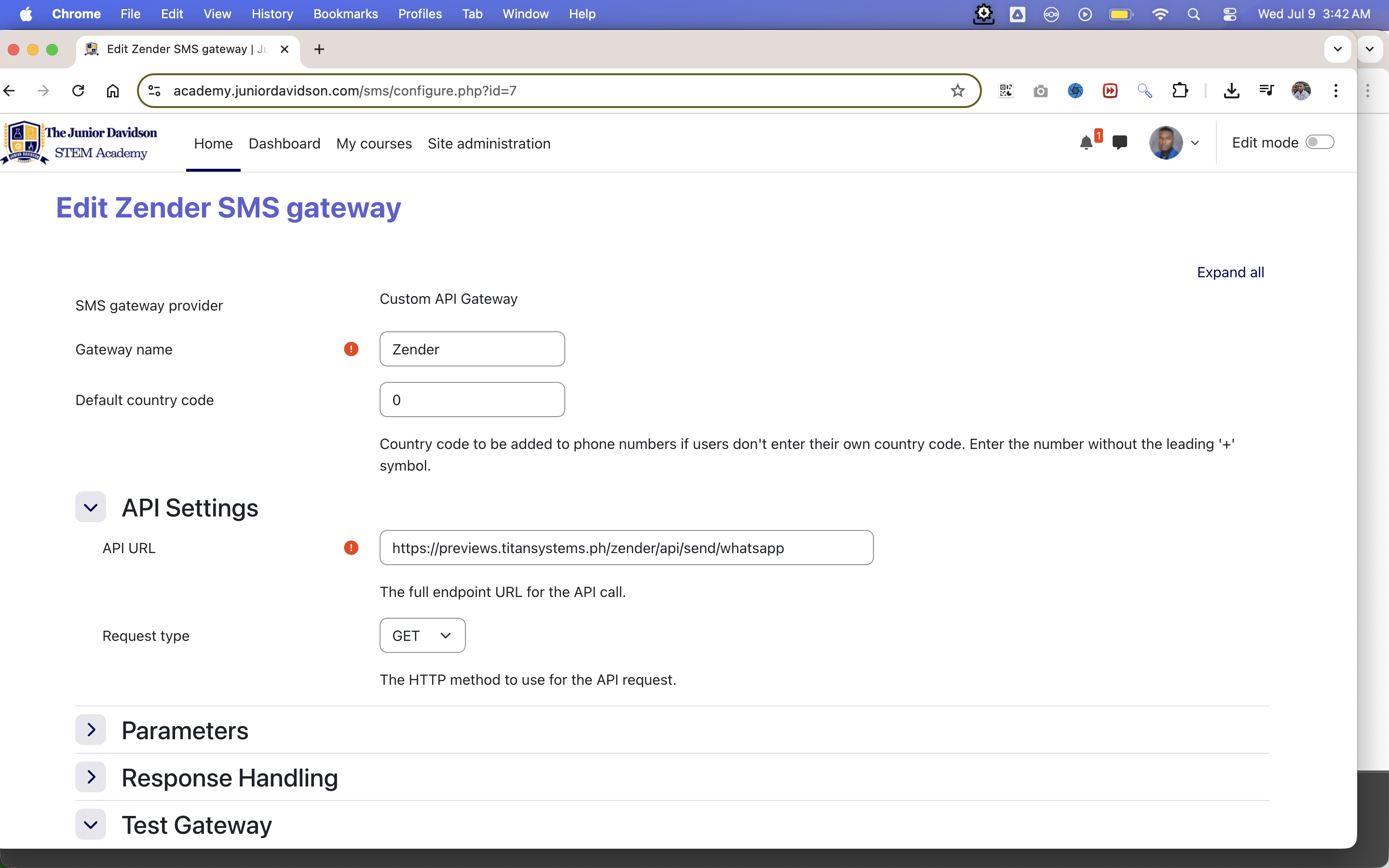
This plugin enables Moodle to send messages through any third-party service that supports HTTP API requests—making it a flexible and provider-agnostic messaging solution. Designed for maximum configurability, it allows administrators to define custom request types, headers, parameters, and authentication methods directly from the admin panel. Compatible with services like WhatsApp, Waziper, Zender, Twilio and SMSGlobal, this plugin integrates seamlessly with Moodle's core messaging system starting from version 4.5+. It’s perfect for institutions needing a custom or local SMS integration without being tied to a specific vendor.
The Custom API SMS Gateway is a powerful and flexible Moodle plugin designed to connect Moodle's messaging system to virtually any third-party SMS or messaging provider.
If your provider has an API that can be triggered by a simple HTTP GET or POST request, you can use this gateway. Instead of being locked into a specific provider, this plugin gives you a graphical interface to build the API request that matches your provider's requirements, including custom headers, query parameters, and body data.
Authorization: Bearer ...).{{recipient}}) and the message content ({{message}}) into any part of your request.customapi.customapi folder to the smsgateway/ directory of your Moodle installation. The final path should look like this: your_moodle_site/smsgateway/customapi/Site administration > Notifications Moodle will detect the new plugin. Follow the on-screen prompts to install it by clicking the "Upgrade Moodle database now" button.This is where the power of the plugin lies. After installing, navigate to: Site administration > Plugins > Message outputs > SMS
From the "Add gateway" dropdown, select Custom API Gateway and click "Add".
You will be presented with the following settings:
GET or POST based on your provider's documentation.This section lets you build the data for your API request.
Available placeholders:
{{recipient}}: This will be replaced with the user's phone number.{{message}}: This will be replaced with the content of the message being sent. You can use these placeholders in the Headers, Query parameters, and Body parameters fields.HTTP Headers:
Key: Value.Authorization: Bearer your_secret_api_keyQuery parameters (for GET and POST):
?.key=value.from=1234567890
to={{recipient}}
Body parameters (for POST only):
GET.key=value.message_content={{message}}
recipient_number={{recipient}}
{"status":"success"}. In this case, you would enter success here.Note: You must Save changes at least once before you can test the gateway.
Let's imagine a provider has the following requirements:
https://api.someprovider.com/v1/sendPOSTxyz123 must be sent in a header called X-API-Key.destination and the message in a field called text.{"sent": true} on success.Your configuration would be:
https://api.someprovider.com/v1/sendPOSTX-API-Key: xyz123destination={{recipient}}
text={{message}}
{"sent": true}This plugin is a connector tool. It does not provide any SMS or messaging services itself. You are responsible for securing an account with a third-party API provider and for any costs associated with their service. Please ensure you handle your API keys and other credentials securely.
If you find this plugin helpful, consider supporting my work:
