BCU
Maintained by
Jez H, Mike Grant
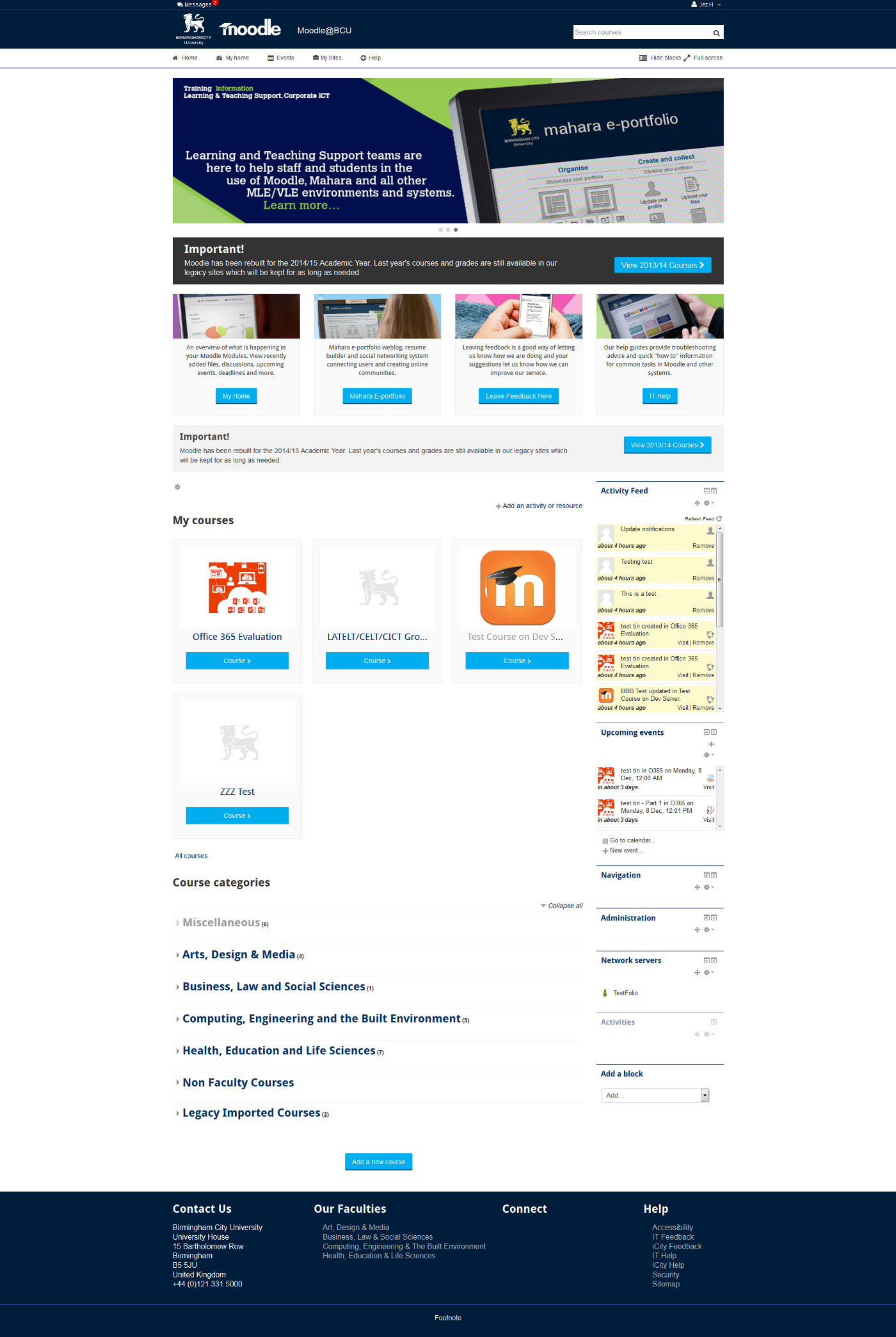
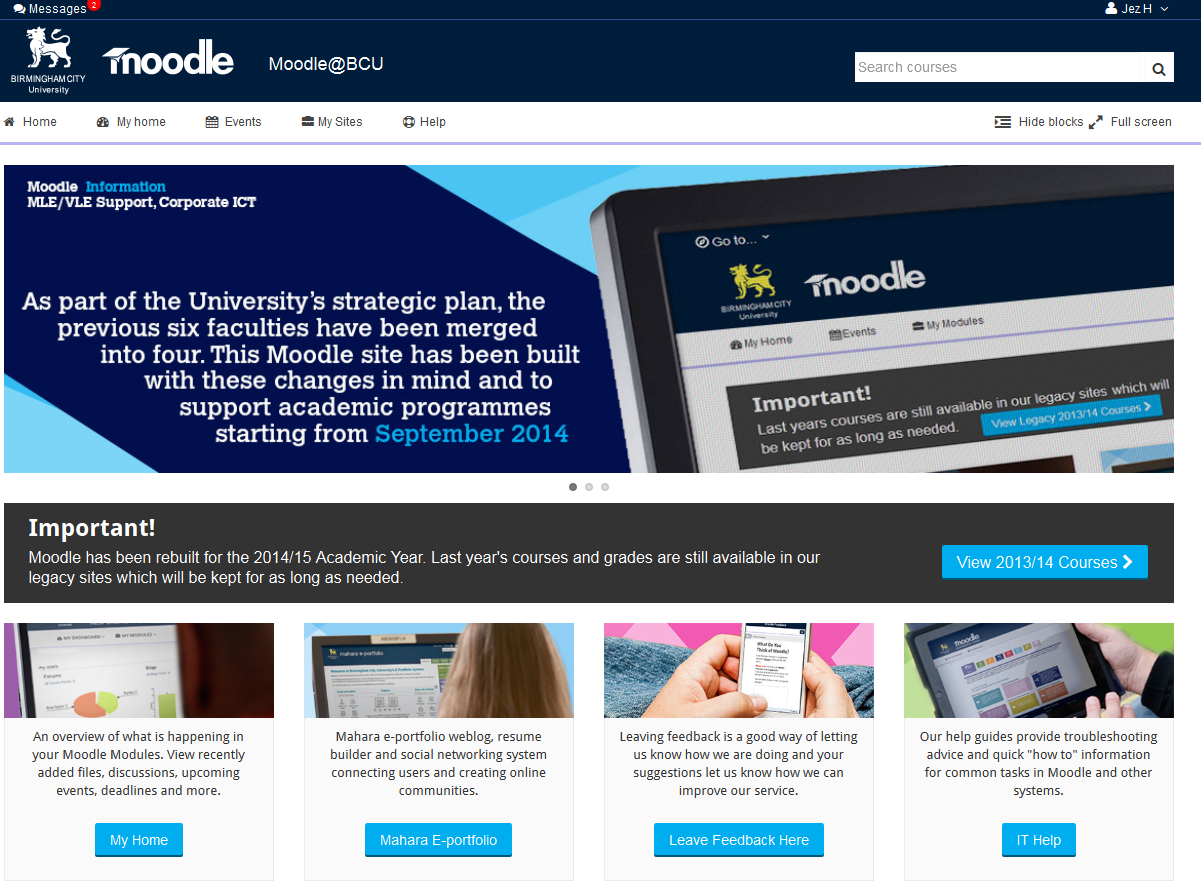
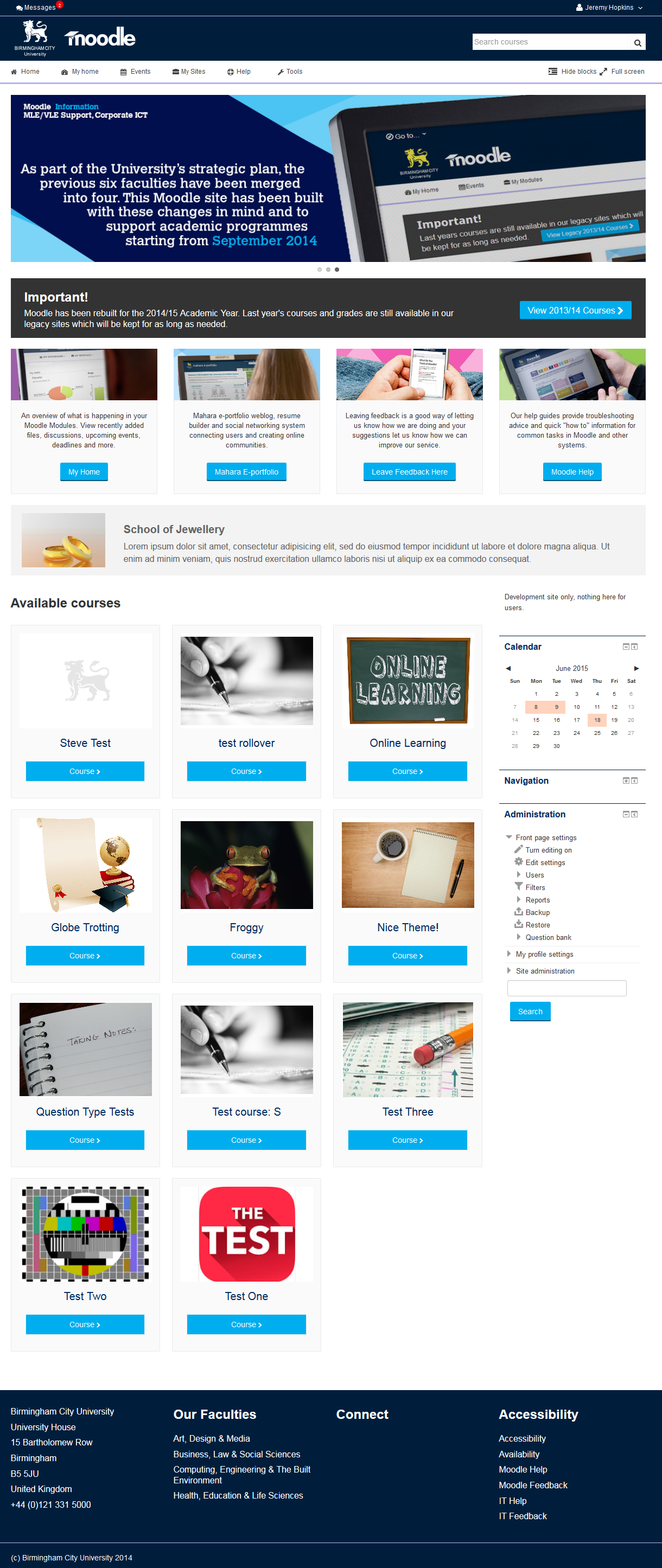
This is the theme from the moodle site of Birmingham City University. It's based on bootstrap and allows for extensive customisation and some unique features to help improve Moodle's usability.
Comments
Comments are no longer open for new posts. Existing comments remain available to read.
Yes we will be putting custom menus back but we want to get icons working with it which has been a bit tricky
@Baraa, we don't need RTL so its not going to be a priority, we will make a note of it and if its quick to do may add it. If you know what needs to be done and are able to give us a patch we can apply it to our copy.
@Dan, what size monitor are you using? I have seen that happen, sometimes on laptops when you go into "My Home" and turn "customize this page" on, but across the rest of the site I have not seen a problem with it. It should collapse some of the menus down to icons on smaller screens, by guess is your screen size maybe somewhere in between it being able to display correctly and collapsing.
If you can send a screen shot and confirm your screen size / resolution that would be a help.
By the way, gorgeous theme!
and i created anthor langauge the lang switch does appeare
even i go to the lang folder in the them and add new folder with new lang
Very nice theme you've got here. Customisation options are excellent.
One things though.
The "My Sites" link under the header appears on a separate line from the other links. Cant see it like that in your screenshots and looks a bit funny.
Which feature are you talking about in essential, the ability to drag sidebar blocks to the footer and hide them?
If so I am not sure we need that given our theme allows users to toggle blocks on / off already?
Also you can set SCORM up to open in a new window / popup so blocks need not be an issue there?
If you mean something else like hiding the footer blocks on certain pages we will probably be looking at that in the near future.
If I have misunderstood what you mean please let me know
It's really a gorgeous fresh looking theme. Simple but feature packed. Thanks a lot for that. I was wondering how will I be able to add the feature of hiding blocks in the footer like Essential theme. It's a great little tool for SCORM player pages. I don't know whether it is even possible to add that feature as I guess you certainly do have some controller overlay on the blocks which is letting you hide and unhide blocks. Please let me know if possible and kindly give me some lead I will try to add that feature.
Thanks,
Sumanta
If I might ask a more specific question here and it is - how can we control the amount of screen devoted to the displayed slider image?
Thanks for any help that you can offer.....Pete
@Rene, yes we will add that option too
I have been a litte to euphoric with my last comment regarding the "Help-Link". In deed I got it work, but one small idea for further developement remains: It would be fine to have the possibility to make the help-Link show up in a new ...href target="_blank"... page.
In fact that is not vital but would be nice.
Rolf
Just paste in the url (no html) with the http prefix like http://moodle.org/help and it will add the text / icon for you.
At the moment I don't think you can alter the text via language customization in Moodle for the link text so changing the text from "help" to something else would require a change to the theme. Those strings can be added to the lang pack easily enough (allowing you to use Moodles language customisation to update them), it just looks like they got missed.