
Video Easy Filter
Maintained by
Justin Hunt
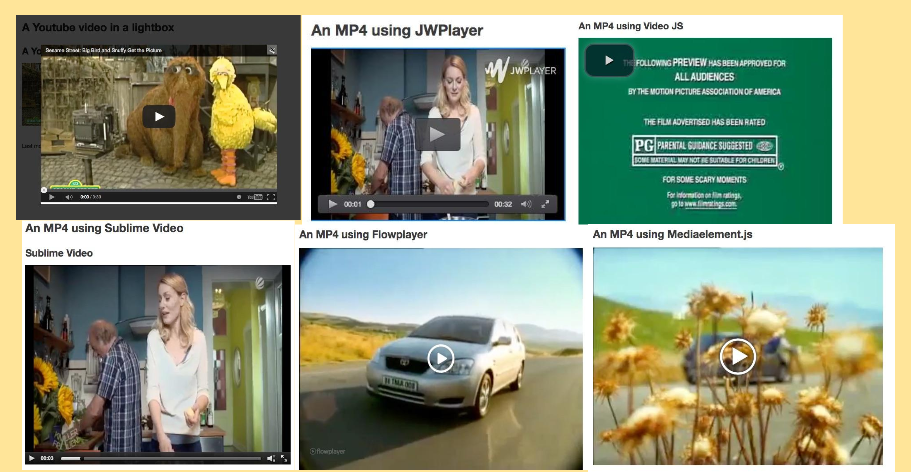
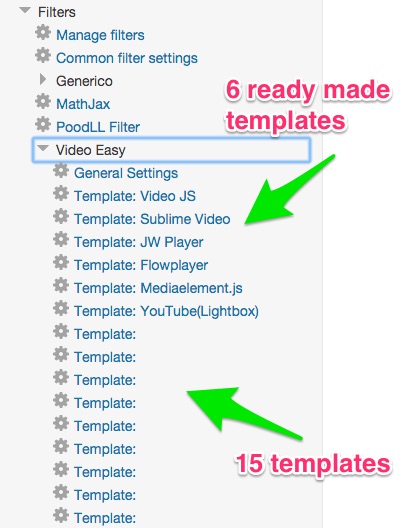
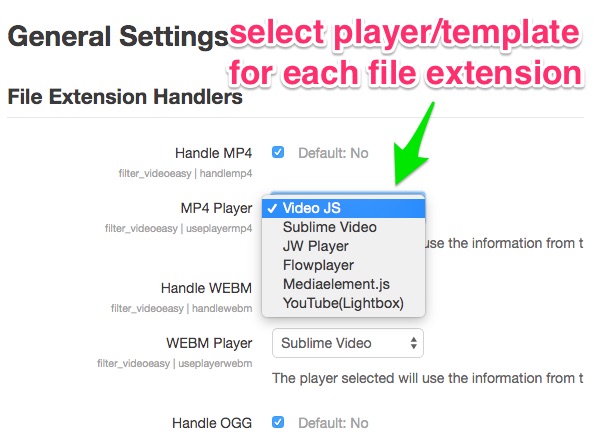
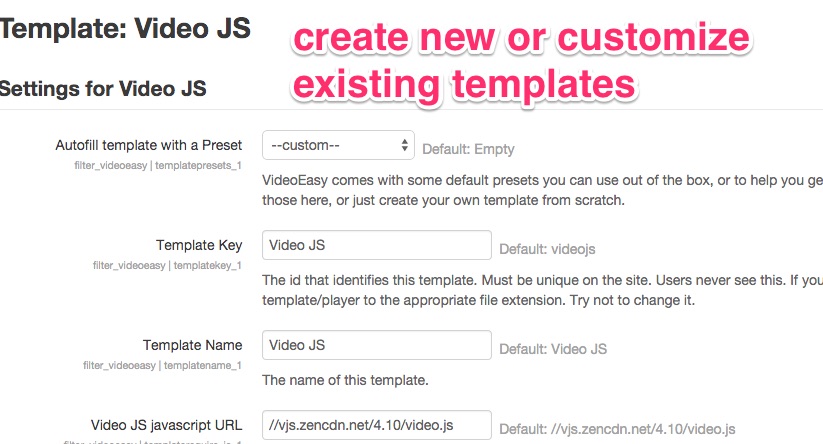
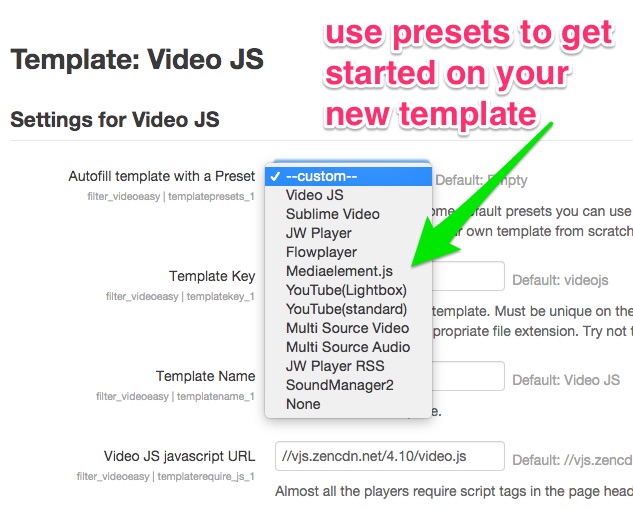
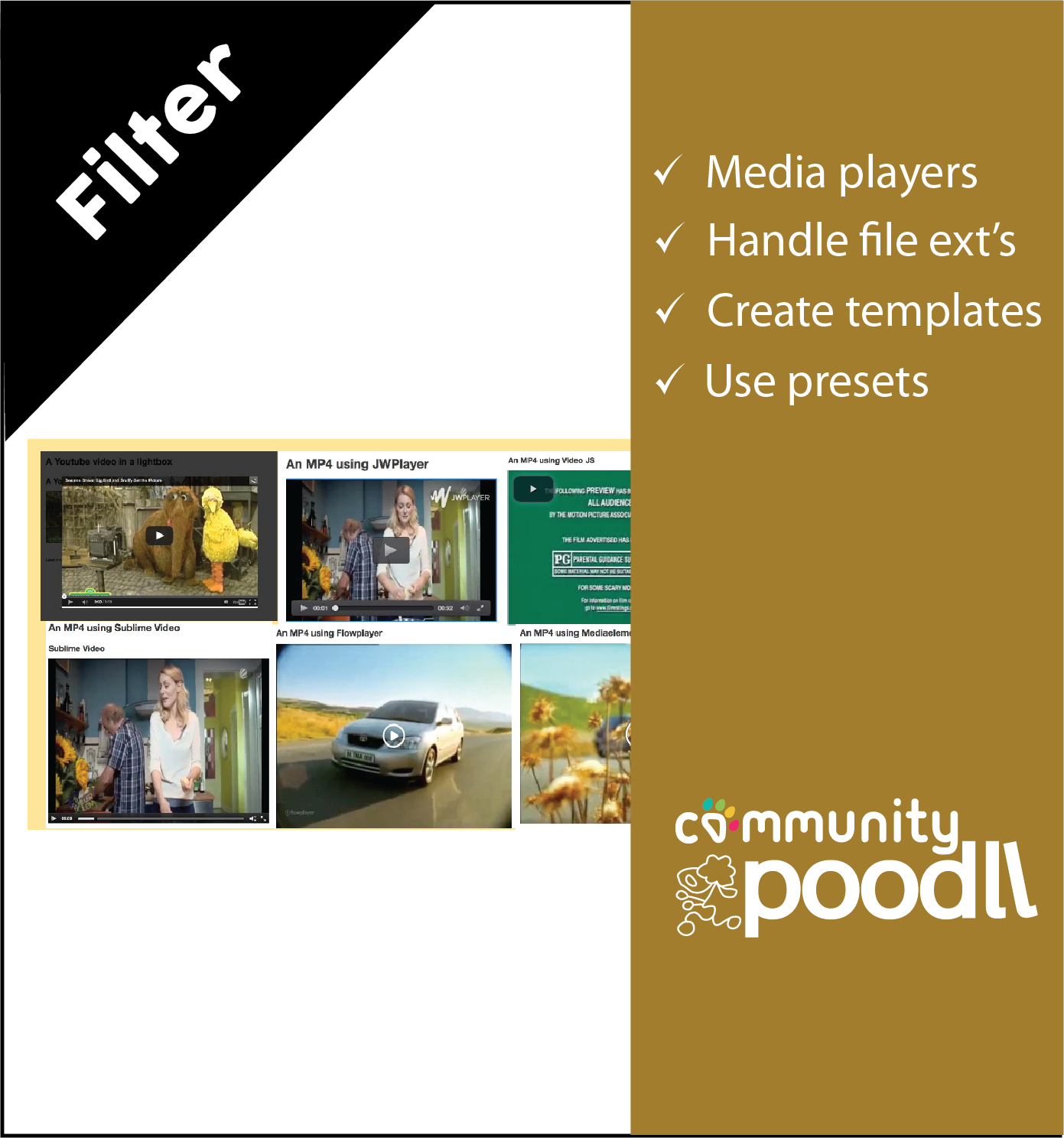
VideoEasy is a filter to play mp4, mp3 and other media files with html5 players. It uses user editable templates to allow the admin to customize the appearance of existing players or to support new players. Predefined player templates support Video JS, JPlayer, JW Player, Flowplayer and MediaElement.js

Comments
Comments are no longer open for new posts. Existing comments remain available to read.
I managed to use VideoEasy filter successfully. However, if I use Safe Exam Browser, it doesn't work.
Any idea how to solve this issue ?
Thank you.
However, is there a way to force the audio to be played till the end before going to next page? Thanks
https://moodle.org/mod/forum/discuss.php?d=382047
I would like know if with this plugin can I implement interactive video transcript?
if yes, how i do it?
This is an example of what I am looking for:
https://www.3playmedia.com/solutions/features/plugins/interactive-transcript/
Best regards,
Seems to be working properly again, but what I did originally that caused the error and inability to access the "Site Administration" link.
Thanks for any advice.
Dave
Error Message
Invalid admin setting (filter_videoeasy/handle ACC)
Debug info:
Error code: invalidadminsettingname
Stack trace:
line 1701 of /lib/adminlib.php: moodle_exception thrown
line 1567 of /lib/adminlib.php: call to admin_setting->parse_setting_name()
line 2643 of /lib/adminlib.php: call to admin_setting->__construct()
line 94 of /filter/videoeasy/settings.php: call to admin_setting_configcheckbox->__construct()
line 88 of /lib/classes/plugininfo/filter.php: call to include()
line 215 of /admin/settings/plugins.php: call to core\plugininfo\filter->load_settings()
line 8000 of /lib/adminlib.php: call to require()
line 7885 of /lib/adminlib.php: call to admin_get_root()
line 10 of /admin/blocks.php: call to admin_externalpage_setup()
Invalid admin setting (filter_videoeasy/handle ACC)
Debug info:
Error code: invalidadminsettingname
Stack trace:
line 1701 of /lib/adminlib.php: moodle_exception thrown
line 1567 of /lib/adminlib.php: call to admin_setting->parse_setting_name()
line 2643 of /lib/adminlib.php: call to admin_setting->__construct()
line 94 of /filter/videoeasy/settings.php: call to admin_setting_configcheckbox->__construct()
line 88 of /lib/classes/plugininfo/filter.php: call to include()
line 215 of /admin/settings/plugins.php: call to core\plugininfo\filter->load_settings()
line 8000 of /lib/adminlib.php: call to require()
line 4163 of /lib/navigationlib.php: call to admin_get_root()
line 4026 of /lib/navigationlib.php: call to settings_navigation->load_administration_settings()
line 759 of /lib/pagelib.php: call to settings_navigation->initialise()
line 820 of /lib/pagelib.php: call to moodle_page->magic_get_settingsnav()
line 136 of /blocks/settings/block_settings.php: call to moodle_page->__get()
line 288 of /blocks/moodleblock.class.php: call to block_settings->get_content()
line 230 of /blocks/moodleblock.class.php: call to block_base->formatted_contents()
line 1210 of /lib/blocklib.php: call to block_base->get_content_for_output()
line 1262 of /lib/blocklib.php: call to block_manager->create_block_contents()
line 579 of /lib/outputrenderers.php: call to block_manager->ensure_content_created()
line 39 of /theme/bootstrapbase/renderers/core_renderer.php: call to core_renderer->standard_head_html()
line 16 of /theme/gourmet/layout/columns2.php: call to theme_bootstrapbase_core_renderer->standard_head_html()
line 1261 of /lib/outputrenderers.php: call to include()
line 1191 of /lib/outputrenderers.php: call to core_renderer->render_page_layout()
line 2790 of /lib/outputrenderers.php: call to core_renderer->header()
line 374 of /lib/setuplib.php: call to core_renderer->fatal_error()
line ? of unknownfile: call to default_exception_handler()
do someone know if I would use 2 or more javascript files for the player? There are players version that need more javascript files.
Thanks
I'm working on a Moodle test in which the users could clic on a word (or on a symbol next to the word) and listen to this word pronunciation. I have difficulties to configure the templates. I need to configure my audioplayer in order to get a very simple "play icon" and volume level with a maximum witdh 30px. Wich template you think I should use ? How can I resize it ? Thanks a lot.