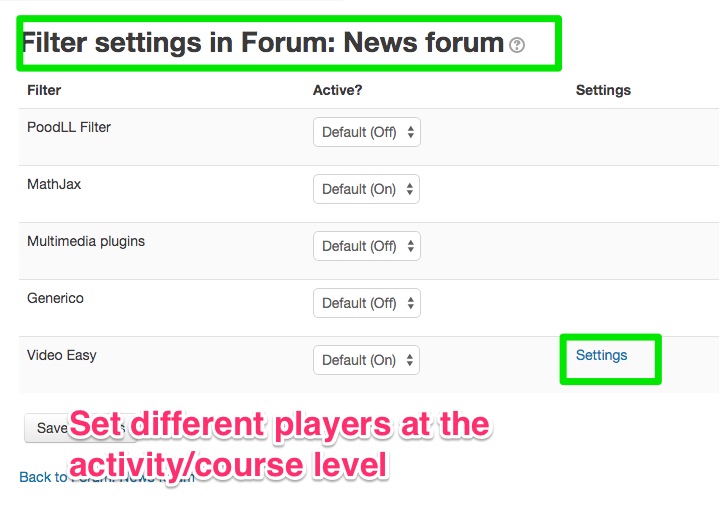
Video Easy Filter icon

Video Easy Filter

Maintained by Justin Hunt
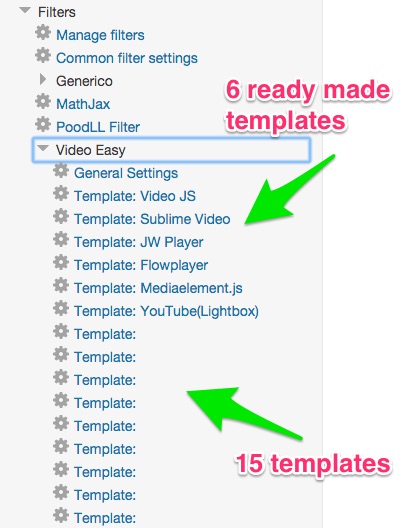
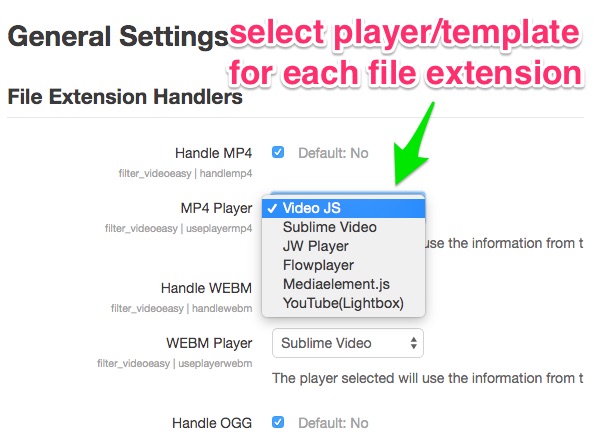
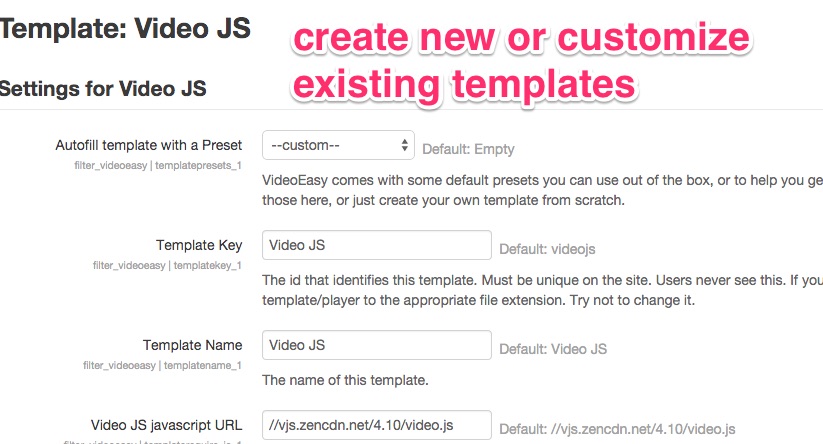
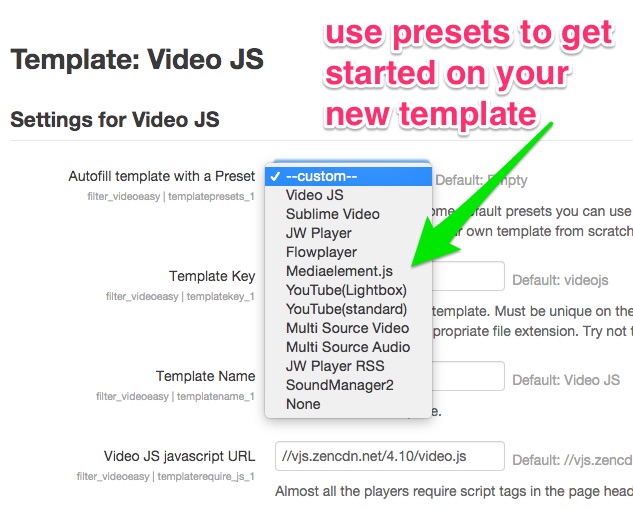
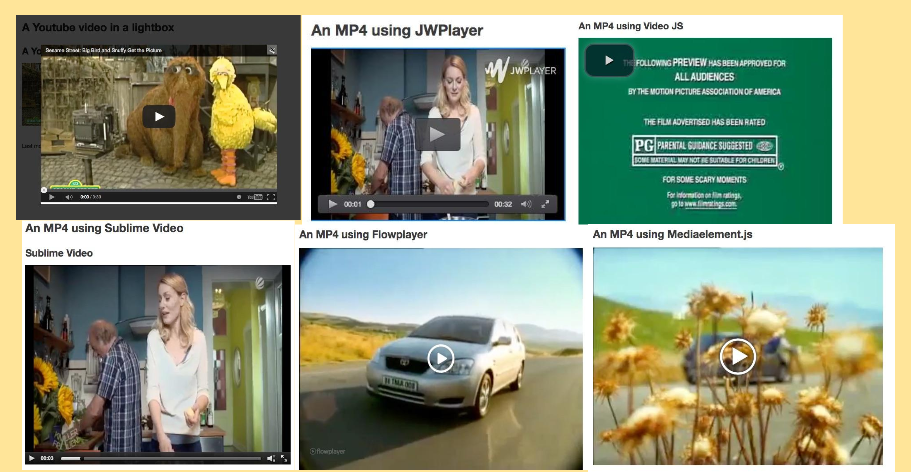
VideoEasy is a filter to play mp4, mp3 and other media files with html5 players. It uses user editable templates to allow the admin to customize the appearance of existing players or to support new players. Predefined player templates support Video JS, JPlayer, JW Player, Flowplayer and MediaElement.js
Price option: Free

Supports Moodle 2.6-5.2 See all versions
Latest release: 1 year ago
Installations: 607
Downloads (last 90 days): 117

Frankenstyle name: filter_videoeasy
Filters

Comments

Comments are no longer open for new posts. Existing comments remain available to read.

Hi! I have the same problem as Pascal. If I add more than one sound (I use mp3 files), only the first one is showing. If I add second file after the first one, it's not showing it or any other content after that sound. I don't think it's the problem with the template because I've tried all of them, even made a custom one, and the result is the same.
Hi Pascal. That does sound like a bug indeed. Though its likely its a problem with template itself. The key point then is, what is the template? ie what player? If you switch to a different player, is the problem resolved?
Hello, I found a bug with 1.1.2. If Iuse more than 1 video in the same block, I only see the first video. And if I have links after my video, it's the same. When rendering, the links are hidden.
Thank you Justin! I completely overlooked that plugin. I will give it a shot.
Well. Which is better?
i) pasting in a link to the video file in the moodle media dialog
ii) manually linking a piece of text to the video file
iii) entering the video id in a popup dialog from the Moodle html editor
The first two are good use cases for videoeasy, ie you have the url to the video file. But if all you have is the ID, ie the third case, then the Generico filter might be a better option. The Generico filter is VideoEasy's big brother, and has its very own Atto editor icon for inserting things. You would make a "brightcove" template and then from the Atto editor click Generico , then click "brightcove," and enter the ID. The template would be largely just the embed code that brightcove gives you with the ID part turned into a variable (eg @@id@@ ). See here for the Generico filter: https://moodle.org/plugins/view/filter_generico
How would one go about referencing a video Id from a video streaming service like brightcove? I am haivng trouble getting my filter to work by listing the video ID in a page.
I suggest you find the line of code that is causing the error message. The error message just tells the file and char number, but I can' t really work with that. I also don't have IE8 and am not sure if it has debugging options. It is probably better for many reasons that you drop support for IE8 and encourage all involved to upgrade to another version or use a different browser. IE8 will have many more problems than this on modern sites.
After confirm with flowerplayer customer service, we also update flowplayer and video easy plugin, but the result is still the same. We face the problem of the error message : https://drive.google.com/file/d/0BxriXuT0xeaFYVJMVS0yWW0wM2s/view?usp=sharing . Would it be possible to give us other suggestion ? Thank you.
The version of the plugin can be seen on this page:
[YOUR_MOODLE_URL]/admin/plugins.php?contribonly=1
That error message relates to some javascript problem.
IE 8 will sometimes have problems with modern javascript.
I am not even sure it supports: console.log('Hello world')
That error might come from the videoeasy's javascript, or it might come from the player you are trying to load.
It looks like its coming from videoeasy's javascript. Try updating to the latest version of VideoEasy.
If that doesn't fix it, I guess you will need me to look at it. But I am not very excited about trying to support IE8.
Dear support team,
How do we know the version of video easy plugin which we used now? Because it can not run by using ie8 at winxp, it always show the message as listed as below : https://drive.google.com/file/d/0BxriXuT0xeaFUE9PQ2FLYkF3ZWc/view?usp=sharing
If it is possible with jwplayer, then it should be possible with VideoEasy. I did set up flowplayer with subtitles for mp4. And I just put that on the demo site now, so that you can see how it was done. In that case I followed the info in the flowplayer docs to set up a video with subtitles using a .vtt file. Then I put the subtitle file in the same directory as the video with the same file name (but different extension). You can see all that at the PoodLL Demo site. Make sure that you log in as admin (creds on top page) so that you can see the template itself. http://demo.poodll.com/mod/page/view.php?id=190
Is there a way to use subtitles with this plugin? I'm having a little trouble, I'd like to have mp4s handled by jwplayer and utilize subtitles.
Thanks David. Boy that was the fastest approval yet. I will put up a screenshot or two shortly.
Thanks Justin for yet another nice plugin shared with the community. It is nice to see how the ideas coming from your Generico filter evolve into new and vital spheres. I am happy to approve the plugin now. You are cleared to land now, welcome to the Plugins directory!
Any chance for a nice screenshot please?