
Booking
Maintained by
Wunderbyte GmbH, David Bogner
The booking module simplifies event, seminar, and course registrations. 500+ Features include capacity limits, automated waitlists, custom email notifications, confirmation tracking, and seamless integration into Moodle courses.
Comments
Product ratings and reviews are coming to Moodle Marketplace. Until then, existing comments remain available to read, but new posts have been disabled.
D
Thankyou for what is probably a great module for booking...
BUT that's the problem, I have no idea, because the documentation (http://docs.moodle.org/22/en/Booking_module) seems to be missing 95% essential information,
No explanation for any of these fields, what they do, or how to use them.....
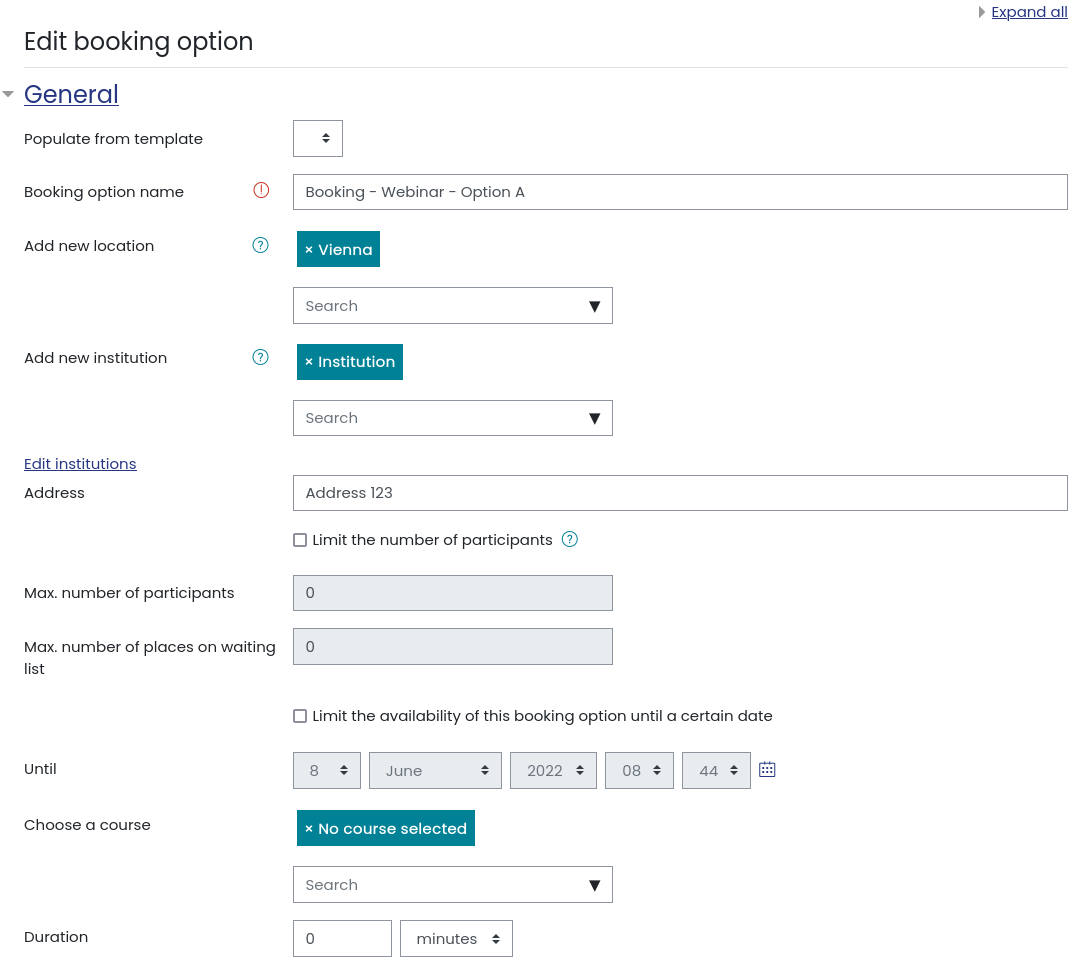
Booking nameRequired field (what is this for, who sees this?)- no mention in the docs of what this is anywhere
Event typeRequired field (I have no idea what this means - surely all events are bookings?)- no mention in the docs of what this is anywhere
Booking text (where is this shown what is this for? who sees it?)- no mention in the docs of what this is anywhere
Duration (mins, weeks hours, are they contiguous?)- no mention in the docs of what this is anywhere - formatting?
Course points (I have no idea what this is)- no mention in the docs of what this is anywhere
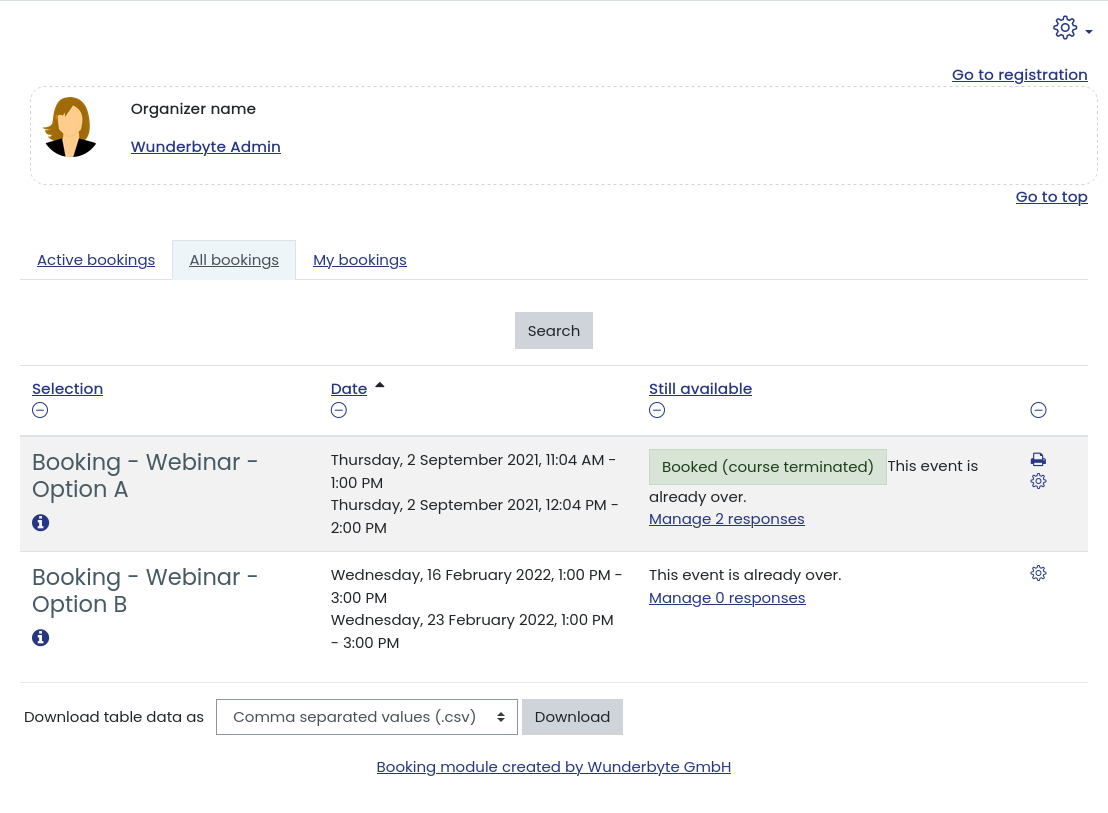
Organizer name (Is this the name of the person they are going to meet?) - I assume so but no mention in the docs of what this is anywhere
Poll Url - no mention in the docs of what this is anywhere - the help file pop-up doesnt help
Teachers poll url - no mention in the docs of what this is anywhere
It seems essential information is missing. Is this confusion to encourage people to pay for an explanation via paid support ? This doesnt seem very fair. If a module is badly documented then it seems wrong to say "well if you want us to give you proper documentation then you can always pay for it"
Paid support is a very fair and reasonable request to make (I wish we - -as a totally unfunded charity - could afford it) but could we at least get explanations of how to use the tool, with a description of the settings instead of being left to guess - or have 6 words answers for each setting?
I am quite frustrated, I have installed the software only to discover it doesn't explain 90% of the features. Are we supposed to guess what any of these settings do? Or abandon the guesswork and go for another solution?
I started my email with the subject line something for nothing. Perhaps if someone sent me proper documentation that explains ALL the settings clearly - I could return the favour - for example - by creating some video tutorials that we coukd all use and benefit from and furter promote this great tool? (Thats what my voluntary schools project does by the way)
Do let me know either way as I need to know how to use the tool - or delete it and start all over again with another solution that has explanations for teachers are not just moodle coders and senior tech level admin
Many thanks
Dom
The export fails for all booking options no matter if there only two or up to 80. If I then click a single booking option, it works fine.
I did not have the time to have a closer look at the problem. How did you turn off the output buffer?
Kind regards,
David
I turned off output buffering temporarily on my production server and the error is cleared. Did you have output buffering turned on when you tried to reproduce the error? Again, it only happens when I try to download all booking option responses. It does not happen when downloading a single booking option. Thank you again for any help.
places/waitinglist places are not shown in the booking overview! Available places are set to 20, waitinglist places to 5. Do I have to consider anything else to get this working?
I am using the latest plugin version on Moodle 3.1.2+!
Many thanks in advance!
Quiz results download just fine for me. Also, individual booking options download fine. It is only when I try to download all booking options that it throws the error. Is there a difference in the code between a single booking option and downloading all?
I turned off output buffering on a dev server and I do not get the error. However, the resulting file is shown in the browser instead of being prompted to download. I would like to keep output buffering on for performance reasons.
The server is Apache 2.4, PHP 5.6 and MySQL 5.6. I have Opcache enabled. Output buffering is set to 4096. I see the same error on a fresh 3.1 site on the same server. Any insight would be appreciated.
Thanks for adding the Delete option.
I dont understand the tagging issue you are talking about though. What i wanted to know is if there is a way to add more fields on the Booking report, except for the fields that are from the "Additional Fields" category? I am specifically interested in the user profile fields the under the "Optional" category. e.g. Skype ID, Yahoo ID etc.
Or maybe there is a way to add these fields using Tags?
Thanks,
Lebato
With following stack trace error :
Stack trace:
line 1708 of \lib\tablelib.php: coding_exception thrown
line 181 of \lib\tablelib.php: call to table_dataformat_export_format->__construct()
line 165 of \lib\tablelib.php: call to flexible_table->export_class_instance()
line 76 of \mod\quiz\report\overview\report.php: call to flexible_table->is_downloading()
line 96 of \mod\quiz\report.php: call to quiz_overview_report->display()
Can anyone help me in getting this resolved , I am on Moodle version 3.1