Navigation buttons
Maintained by
Davo Smith
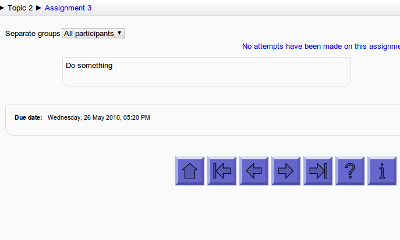
Add customisable navigation buttons (next/prev/etc.) to the bottom of each activity page (Moodle 1.9/2.0+)
Comments
Comments are no longer open for new posts. Existing comments remain available to read.
It does, however, correctly update the completion state and doesn't show an error popup, so hopefully that is a good enough fix (I'd be happy to review a patch from anyone keen to produce a more complete fix).
It looks like you are correct that there is a bug in that particular button type - it's not part of the original development (it was contributed by another developer), so it's not directly on my radar for testing during upgrades. However, if it has stopped working, then I'll try to find a bit of spare time to investigate / fix.
Thanks a lot
I've not seen any issues installing the plugin on Moodle 3.11 - it really doesn't do anything much during install (adds 2 standard capabilities + 1 DB table), so I would be very surprised if it could cause an issue. I'll see if I can double-check when I have a moment.
The readme file says that this version does not need to have core changes.
iframe class="filter_embedquestion-iframe" ..."" title="Embedded question" src="https://.../filter/embedquestion/showquestion.php?...
But I really like the embedded question plugin as well, as it allows to just use ONE question from the question bank to reinforce the learning on a specific page, without the somewhat complex user interface of running a quiz (several steps: starting the quiz, submitting the quiz, confirming that you want to submit etc.).
A problem vs. the navigation buttons is that the embedded question (to my knowledge!) does not 'behave' like a quiz or any other activity type, so it is not possible to use the functionality for behavior of the navigation buttons for specific activity types. It 'just' generates portions of a web page.
I have access to the blocks/navbuttons/footer.php code, but adjusting this code is far beyond my competence in PHP. And regarding the embed_question plugin, I really do not know how use the tags that it generates in order to NOT generate nav buttons for this kind of (sub-)pages.
In the HTML code the plugin generates an iframe with recognizable contents, like
It is probably fairly straightforward to add a specific exception to not show using embed_question, but I've not tried that plugin, so I would need to find some time to try it out and see what happens (in the meantime, I'm happy to accept a simple patch that solves this problem, if you are able to look at the code in blocks/navbuttons/footer.php).
But I have one question: Is there a way to DISABLE the rendering with the navigation buttons on a SPECIFIC page? I have a problem with the embed_question plugin, which generates an embedded page based upon a quiz question. Then the buttons are rendered twice, both for the embedded page and 'real' page. And the buttons for the embedded pages do not work as wanted, as they change the contents only of the embedded section.