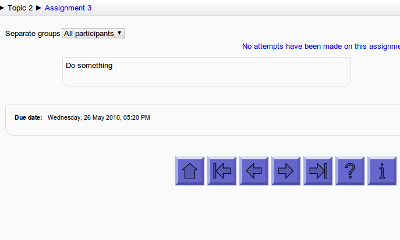
Navigation buttons
Maintained by
Davo Smith
Add customisable navigation buttons (next/prev/etc.) to the bottom of each activity page (Moodle 1.9/2.0+)
Comments
Comments are no longer open for new posts. Existing comments remain available to read.
I have been using the navigation buttons for some time now but since my upgrade (don't know if this has anything to do with it) the navigation buttons are lost on one of my courses. All others are fine but this one and no matter what I do I can't seem to get it back - there is no error just no navigation buttons would you have any ideas to help me please?
I apologize for having posted twice the same (old) issue.
There are many plugins now classified as 'other' which share the same problems you described, and the translator can not translate any of them.
Unfortunately, due to the small core modification needed to make this plugin work, it has been reclassified into the 'other' category on moodle.org (it was originally uploaded as a block). This breaks the download folder naming, the online translation, automatic install and update (and probably other helpful features). I've raised this issue before, but I've not yet seen a solution.
The last section link is probably a mistake, can you check if this has already been fixed in the github version?
I was translating into mexican spanish the Navigation Button block and I found two strings with the same content:
lastactivitysection has "Last activity in section"
and
lastsection also has "Last activity in section"
And I think the last string could perhaps be:
lastsection "Last section"
But I am not a programmer nor a native English speaker.
The Navigation buttons block is great.
I think it would be even better if it could be directly installed from the web brower via the Administration block > Site administration > Plugins > Install add-ons option in Moodle 2.5
All that would be needed is for the folder currently named 'davosmith-moodle-navbuttons-???????' to have the name changed to 'navbuttons' in the download package for Moodle 2.5 .
This way, admins without root access could esily install this block.
Thanks again for another great Moodle add-on.
Julie
I realise that I didn't push the fix out to Moodle.org, so now I've updated the version number and pushed it here as well.
$iconfilename = array_shift(array_values($files))->get_filename();