
Reengagement icon

Reengagement

Premium Certified Partner
Allows timed release of content and emails users to remind them to complete course activities.
Price option: Free

Supports Moodle 2.9-4.4 See all versions
Latest release: 1 year ago
Installations: 4483
Downloads (last 90 days): 915

Frankenstyle name: mod_reengagement
Activities

Comments

Comments are no longer open for new posts. Existing comments remain available to read.

Thanks Dan,
I think you are right. If I run cron manually the plugin works fine. I will check the configuration...
the learner doesn't "access" this module at all - it is really just a teacher-level activity not really designed for the students to see within the course. It also relies on cron being correctly configured on your site. There is a bit more documentation with some examples here: https://docs.moodle.org/en/Reengagement_activity
Hi Dan,
Looks like a interesting plugin to me, but I cannot make it work. Although I think I generally understand how to work with access restriction and activity completion, I don't manage to get the reengagement activity completed for a learner. I can set access control to be triggered by another activity and set the delay for firing the email, but how does the learner trigger the start of the count-down? By default, the reengagement activity is hidden, which makes a lot of sense but even making it visible doesn't help. If the learner tries to access it, the message is “This reengagement is not available”. What am I missing? Thanks.
Dan,
Sorry for the belated reply. I should have mentioned we're on Moodle 3.1, and the testing where unenrolled users received emails was on version 3.1.7 (2016082302), the latest stable for 3.1.
Not sure if you plan on updating the 3.1 version, but our school should be updating to 3.2 in July regardless so I'll retest at that point.
The target activity only does something if you tick the "suppressemail" box. the version of this plugin in the github repository makes this more clear by disabling the target activity selector if suppressemail is not ticked.
hI Dan I added a select element but when I am saving the activity the selected element return to default data. Can you tell me what should I do
Hi Nicholas, that issue should already be fixed in the version available in the github repository.
Hi, I am loving the activity so far, but I did notice one issue, I am not sure if it is intentional. If I unenrol a user from a course, or if their enrollment ended because it is past duration, but a reengagement email was already scheduled, then an email will still be sent to the user at the scheduled time. If I specifically change the user's enrollment from "Active" to "Suspended", then the email is suppressed, as I would expect to happen in the other two cases. Is this intended behavior? Would you consider adding a check to avoid sending reengagement emails if a user is not enrolled or their enrollment is inactive?
Hi Chris, the only information we currently have is available from the links here (documentation/forum posts etc) - one day we might create a short video walk-through. Also make sure you have the scheduled task process/cron running correctly on your site. Thanks.
Hi,
This is an amazing plugin but I don't understand how it does work. Is there any tutorial to follow? I read the documentation and the forum posts and tried them but didn't receive any email. I am not sure if I am doing anything wrong but I have seen a number of users in the same situation. Would you be kind enough to show a working example, please?
you could probably do that with 2 re-engagement activities, one to send the e-mails on monday, the other to send them on friday - It can take a bit of work to understand how to use it but feel free to ask further questions in the community forums. Thanks.
Hi, I find this plugin very interesting but I have a question. Is it possible to send notifications/emails automatically for example every monday and friday?
Nobody is answering there
Ibrahim - please use the community forums to ask for further help related to activity completion and restriction. Thanks.
I added activity "Quiz1" to my course.
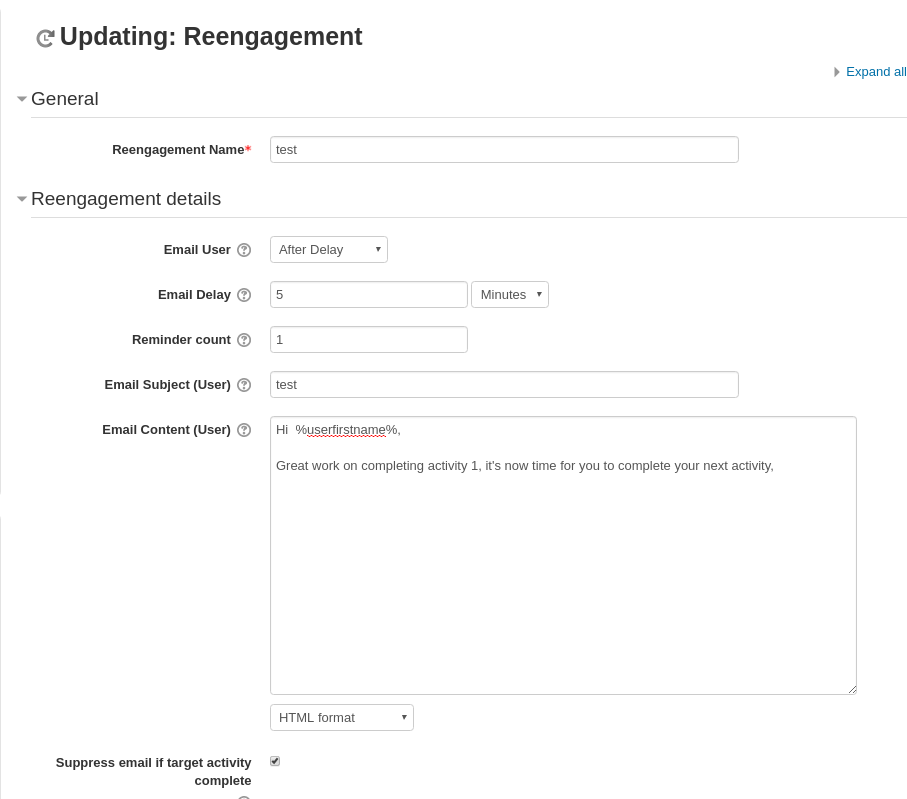
Then I added activity "Reengagement1" with the following settings:
- Email delay: after 5 minutes
- Restrict access on Quiz1 completion
- Show completion after 10 minutes
Then I added activity "Quiz2" with restriction on "Reengagement1" completion.
Now The email was sent and "Reengagement1" was checked completed but "Quiz2" is not yet available.
Are there any settings I should put in the plugin database.
What are the completion values that I have to put in the database configuration.
Please Help