SAML2 SSO Auth
Authentication using exists SimpleSAMLphp Service Provider

Comments
Comments are no longer open for new posts. Existing comments remain available to read.
I can say that it is possible to use multiauth, for example, using a SQL database and a LDAP at the sametime (this is my scenario) or you can have more then one Identity Provider, for example a external IdP (this is my scenario too).
So, I have my users doing authentication against my own IdP and a external IdP. When the user choose my IdP it is possible to authenticate against a SQL database and/or a LDAP server.
I have made a simplesSAMLphp module that try to authtenticate a user, first in SQL database and if it fails then try again in LDAP. You can see this module in my github (https://github.com/dmirandaa/autochooseauth)
I already found the multiauth configuration option in SimpleSAMLphp, I understand that it's only possible to configure one
authentication source in the plugin, but also in Moodle. There's only one attribute in the mdl_user table (auth attribute) which
declares the authentication for the user on your Moodle site. I'll take a look at the multiauth configuration, thanks.
It is possible to use multiauth module in SimpleSAMLphp to achieve this.
So you need to configure this in SimpleSAMLphp not in SAML2SSO.
Is that correct?
I'm sorry for the delay; I suggest to all visitors to open an issue on GitHub page https://github.com/dmirandaa/moodle-auth_saml2sso/, which produce a warning for the developers. This forum has not this feature.
This plugin cannot migrate users from internal sources by design. In fact, there is no guarantee that an account with an internal username is the same identity on the IdP which has the same username. Sorry, you have to check one-by-one and switch them from the user profile pages.
Or, if your are confident, open the locallib.php file and set to false the plugin name around line 20 in order to fool the plugin import function
About the second issue, I don't understand: which page is the "the wrong login page"? The Moodle default?
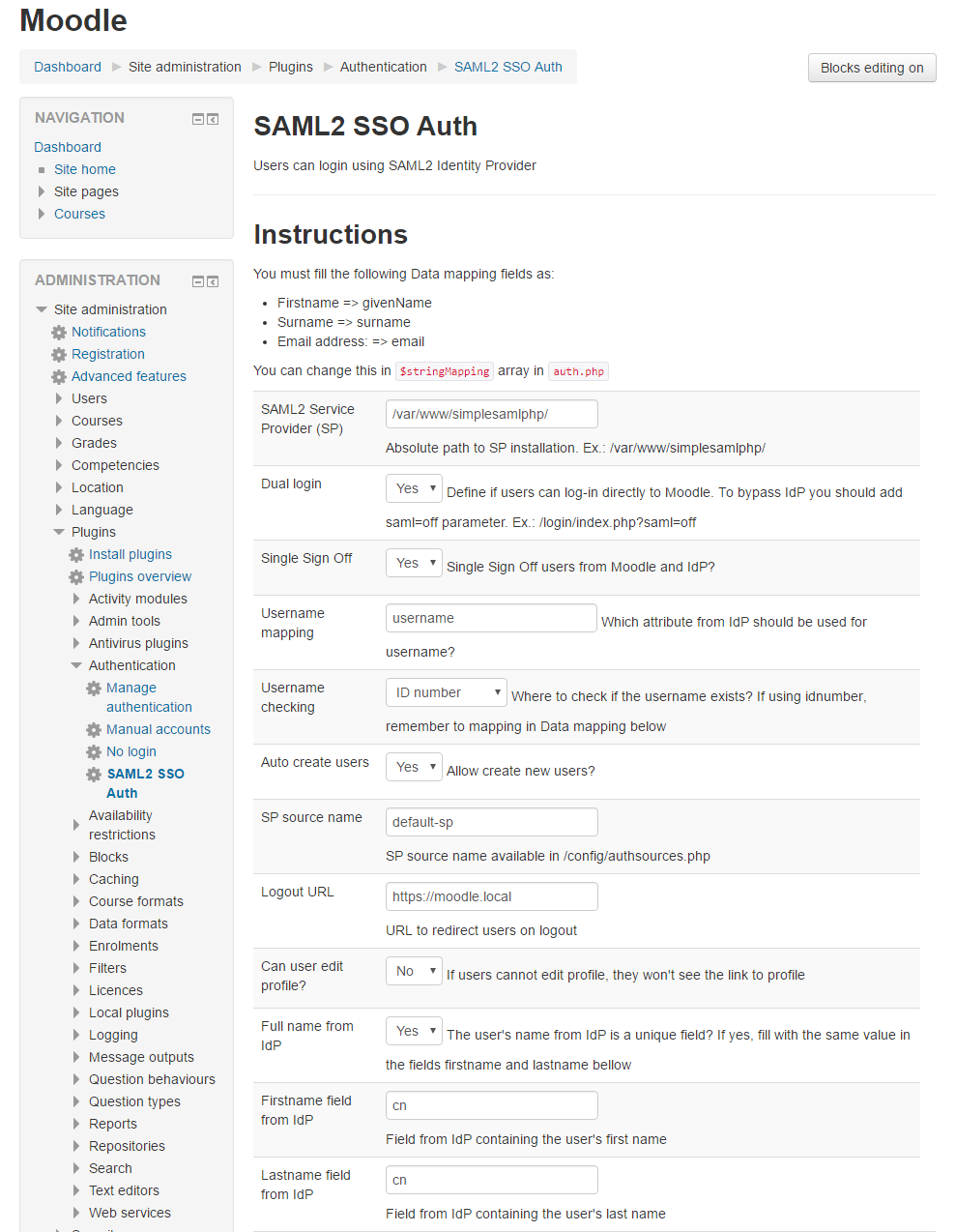
When I install the latest version of your plugin and I go to my Moodle site, the wrong login page is showed (not the login of my IDP). When I end my url with
?saml=on it shows my IDP login. What is the right way to configure this?
I changed the default icon with a neutral one. However, you can use any pics setting its url in the control panel of the plugin.
It looks like the saml login button is now added to the Moodle login/index.php page. Do you have a saml icon for that button? The current one looks like a narrow Microsoft image on that page.
have you unzip the plugin files into the <$moodle_home>/auth/saml2sso/ folder?
If you unzip as-is the file you downloaded from Github, it will create a directory named
moodle-auth_saml2sso-master
resulting the error you reported.
You have to rename it saml2sso.
Moodle ver. 3.6
plugin version - 2018121500
plugin release = '3.5.3'
I need some clue... error messages, screenshoots, ecc... Could you move to GitHub and opening a a issue? It is easier to track than this forum.