Course overview (legacy)

Maintained by Howard Miller
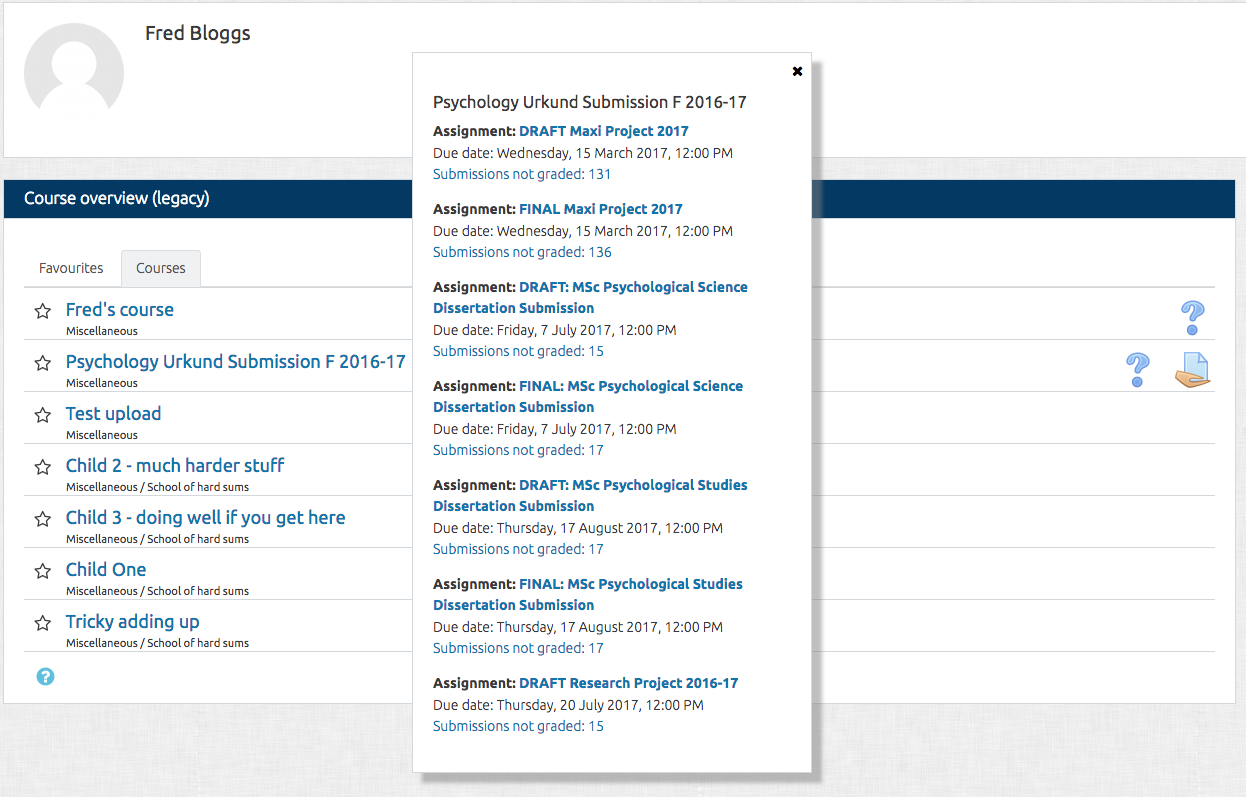
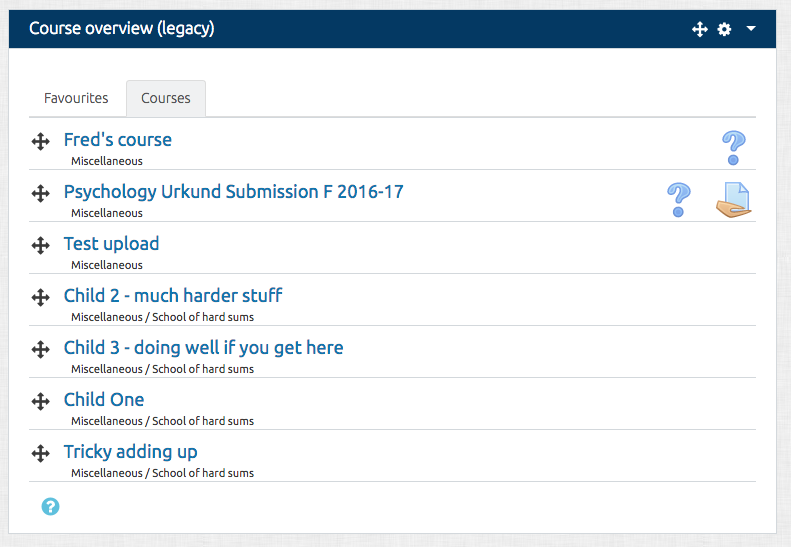
The Course overview block is visible on a user's Dashboard and shows a list of all courses in which a user is enrolled/has an assigned role.
Price option: Free

Supports Moodle 3.3-3.7 See all versions
Latest release: 7 years ago
Installations: 405
Downloads (last 90 days): 65

Frankenstyle name: block_course_overview
Blocks

Comments

Product ratings and reviews are coming to Moodle Marketplace. Until then, existing comments remain available to read, but new posts have been disabled.

Howard -- Thanks for getting back to me. I have tried version 3.3.2 on Moodle 3.3.3 (a clean, new install). It does looks like the current course overview block on Moodle 3.2, but I'm noticing a couple problems. First, when I customize the page, I can no longer drag and drop the courses to re-order them. Instead, I get the up-down caret symbol next to each course that I can click on, which then allows me to click on a box to move it to a new location (i.e., the older, non-ajaxy way of moving page items). Also, when I am not logged in as an Administrator (i.e., logged in as a regular user), the configure menu (the gear icon) for the legacy course overview block (3.3.2) is dimmed and can't be selected (I'm not noticing any permissions that govern this). When logged in as an Administration, the expected drag-and-drop selectors are present (I can click and drag courses around to re-order them), and the configure menu is active.
So based on this, it doesn't look like version 3.3.2 of the legacy block will really work for us when we upgrade to Moodle 3.3.
Thanks... Brian
Brian,
You can use version 3.3.2 if you don't want any of the new changes. It's definitely ok with 3.3.
If you do want the new changes, please make sure you have the latest version. There are a number of fixes.
I'll check out the Clean theme and get back to you...
Hi... I have some questions about this legacy block. It actually doesn't appear to be a "legacy" block anymore... it has new features. From my way of thinking, a legacy module should function/look like the block before a new version replaced it in core. But the course overview (legacy) block doesn't seems to follow that. We're running 3.2, and plan to upgrade to 3.3 at the end of 2017. But we don't really want to switch to the new 3.3 course overview block in the middle of our academic year, so we thought we'd use the legacy block until we can switch to the new one in the summer. But I see that the legacy block is a now different block. It has new features (e.g., favorites), which we don't want. It also doesn't work right when using a Clean-based theme (which we are). The formatting is off (e.g., the course name and favorite star is cut off at the left). Worse, when you change the setting to show categories, this produces a Moodle error (Exception - Class 'coursecat' not found). This only seems to happen when using the Clean theme (I don't see this error in Boost).
Is there a 3.3-compatible version of the legacy course overview block that is a true legacy block... one that functions/looks like the way the course overview block functioned in 3.2?
Thanks... Brian
I've done some work on this. Keeping favourites in the course list is now an option. I've done a bit more work on the layout as it was causing some problems on small screens with big course names. I have increased the size of the X, although it does seem to work for me. I'll release an updated version (hopefully) later today after I've done some more testing.
Hi Howard,
I'll try to give some exemples : on a website, when you select an article as favourit, you still see it in the general navigation. On this Moodle plugin directory, if you define a plugin as favourit, you can see it on your favourit list, but still see it on the general list. Generaly, a favourit list is a subselect of things you want to access easier, but without "deleting" for other ways to access it.
In fact, my first reaction when testing this new version, defining favourit and coming back to the Course tab was "Where did my courses disapeared" sad
I understand that GitHub is probably easier for you, but not everybody has a GitHub account. More people are used to Moodle forums (and perhaps tracker). Tested on a Moodle 3.3.3 (little) test site, with Firefox 52, the X isn't active (clean, more or boost), and the little grey - is here and active (clean and more) ; on boost, i must use the Esc key.
For the last suggestion, i was thinking as something like for https://moodle.org/plugins/block_completion_progress
YOU can then open ONE discussion about this plugin, and link to it (and subscribe to receive emails). This way, you don't have to look regularly at these forums, but all related information can be grouped at the same ("official") place.
Hi Séverin, I'm not sure about not removing from the course tab to add to favourites. Can you 'sell it to me'? The black X *should* be clickable. I must admit that I didn't try it in the Clean theme - I will. I'd be perfectly happy if users posted Issues in Github. I don't think I ever look at the Blocks or General plugins forums. I probably should.
For this plugin entry in the Plugins directory, it could be interesting to add in the "Useful links" block a link to a general discussion for this plugin. It would point to a discussion in the Blocks forum (or General plugins forum). That would allow easier discussions, without "polluting" here.
I've just seen and tested the 3.3.3 version, which add a favourite tab. I really think that adding a course to favourite should NOT remove it from the course tab!
When you click on an activity icon, it opens a window with details. This window has a black X (in upper right), but it's not cliquable to close the window, you must use the escape key. Looking further, i've seen a little grey - (in the upper left) that close the window, but it's nearly invisible (with clean theme).
Christian... that's incorrect. It will appear in a side column by default and then need to be moved. I'm not sure if a block can appear in the centre column by default. I'll check.
Thanks Howard for looking after this plugin. FYI the version.php was not bumped to 3.3.2 in your GitHub repo for this plugin.
Cheers,
Fred
First of all: We are very happy to have this plugin smile, thx a lot! We installed the newest version 20170911 today. The documentation says "By default this block appears in the central content block on the Dashboard". In contrast to this statement , on our site this block is appearing in the left column. Of course it may be moved manually to the central column but each user has to to this individually. What do we need to do so that it appears in the central column by default or after a reset?
Thanks Howard. I have running both on all home pages at the moment.
There were some Javascript conflicts/issues in the 3.3.1 release which are fixed on the master branch. There should now be no need to remove the core 'Course overview' block. I will release a new version as soon as I have done a bit more testing.

I am happy to announce that Howard Miller kindly volunteered to become a new maintainer of this plugin. Thanks Howard!

Before one can use it, you should disable the new Course overview plugin. I had (German version) two "Kursübersicht" in the block menu and because the edit-buttons (both!) where greyed out and did not work properly, I guess, there conflicts...
Henry, very glad with the old fashioned dashboard. smile