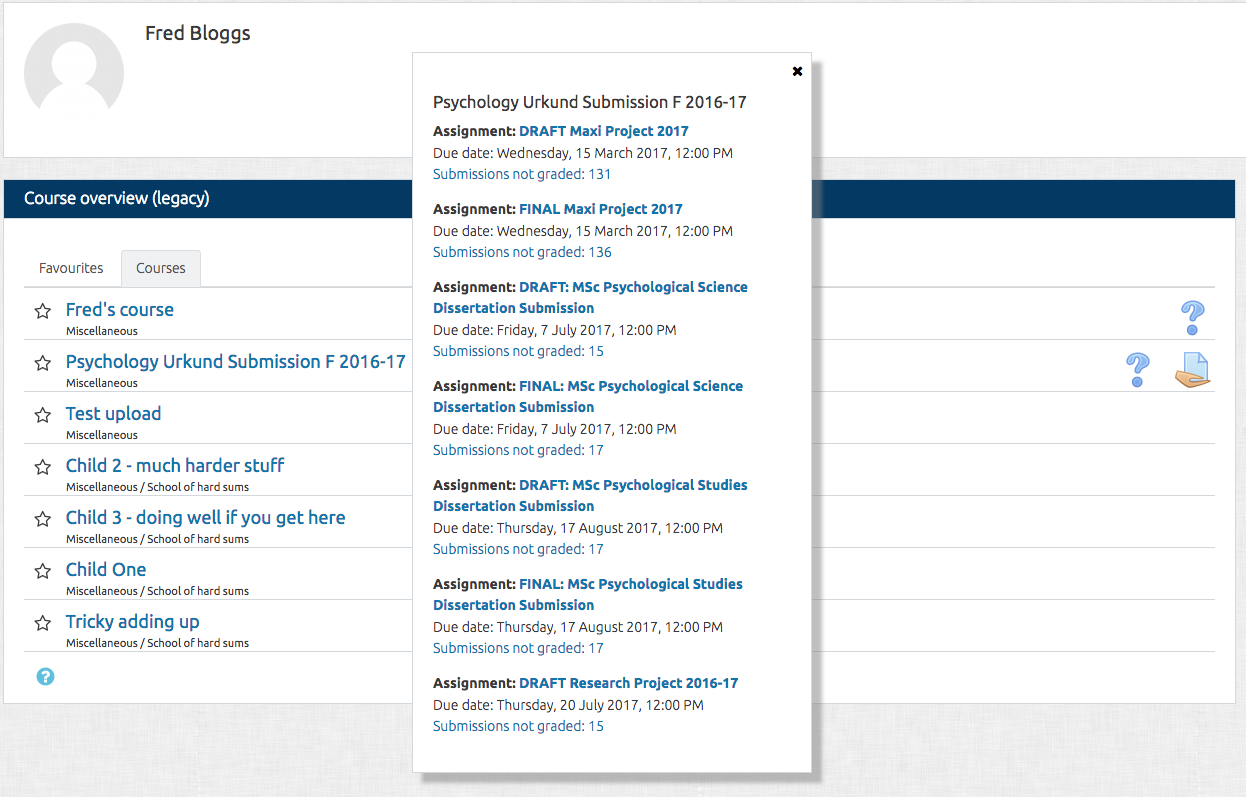
Course overview (legacy)

Maintained by Howard Miller
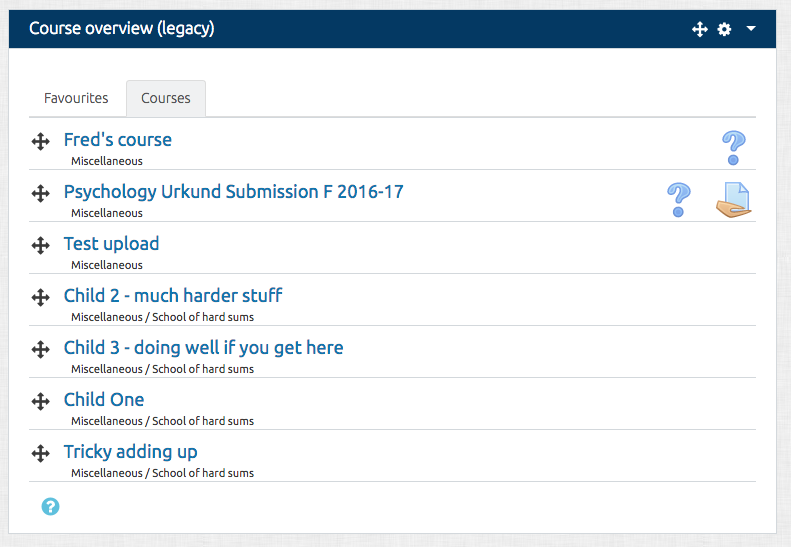
The Course overview block is visible on a user's Dashboard and shows a list of all courses in which a user is enrolled/has an assigned role.
Price option: Free

Supports Moodle 3.3-3.7 See all versions
Latest release: 7 years ago
Installations: 405
Downloads (last 90 days): 65

Frankenstyle name: block_course_overview
Blocks

Comments

Product ratings and reviews are coming to Moodle Marketplace. Until then, existing comments remain available to read, but new posts have been disabled.

Hi, Has anyone tried this in Moodle 4.0? Mine seems to be having issues with it?
Hi, is there any plans to modify to block to be compatible with Moodle 3.8? When trying to use this block in dashboard of the 3.8 I get the error "Coding error detected, it must be fixed by a programmer: assign_print_overview() can not be used any more and is obsolete."
Thank you for a great plugin! It has saved me a lots of time and effort when grading the assignments.
Several months ago, you wrote that this plugin "may stop working in Moodle 3.7". Do you now know if you will make it compatible with 3.7?
Because i think this block is still used by lot of people/sites, and very useful when you don't want to loose place with course description images for exemple.
I have made a short video showing both the default tab problem and the problem with Courses and Favourites changing place. Does anyone else have those problems? https://play.lnu.se/media/t/0_klqjt72x
Using Moodle 3.4.4 and Course overview (Legacy) 3.5.4
We also have discovered a serious problem: The courses marked as Favourites and the courses not marked as favourites switch place when customising the course order.
Steps to replicate
1. Set Favourites as default tab and have Keep favourites in course list unchecked.at admin/settings.php?section=blocksettingcourse_overview
2. Have courses not marked as Favourites plus one or more courses marked as Favourites
3. Select Customise this page
4. Select the Courses tab
5. Change order on a few courses
6. Select Stop customising this page
7. Verify that all your favourites have been unmarked as favourites, and that you previously unmarked courses have become favourites.
Using Moodle 3.4.4 and Course overview (Legacy) 3.5.4
We have a problem with the HTML output on the Favourites and Courses tabs. When page is reloaded, none of the tabs is marked as active. The default tab set in administration should be. Bug tracker: https://github.com/thepurpleblob/moodle-block_course_overview/issues/31
Regarding my question from Wed, 3 Oct 2018, 9:07 AM, it turned out to be another javascript distrurbing the sorting functionality.
Hi,
I think that the Title of this bloc should NOT include "(legacy)", because it's shown to users (that don't understand that). Of course it can still be shown on the Name of the block.
Hi, we are testing this plugin since our users hate the new course overview block in moodle 3.3-4. It lookks very nice, but I have a problem though: when re-ordering the courses on Courses or Favourites, they go back to their original place when I select Stop costumising this page. Anyone has any idea about this? I did report it as an issue, but I'm not sure if it's us doing something wrong. https://github.com/thepurpleblob/moodle-block_course_overview/issues/29
Thanks very much for the plugin! Just wanted to report a spelling thing: The mouse-over text for a quiz notice says "You have quizs that need attention" instead of "quizzes that need attention"
Hi,
I find this plugin really great.
I don't know if this proposal has already been suggested to you.
I think it would be usefull to add the possibility to the user to add their own categories like the current categories "Favourites" and "Courses".
Teachers teach in several school sections, it would be great that they can put all their French courses in the French category, the computer courses in the computer category, etc. For the student I imagine that they could put their courses in year : Category 2017, Category 2018, etc.
Thank you.
Just to note. If anybody finds bugs or has any suggestions for enhancements, please add them here... https://github.com/thepurpleblob/moodle-block_course_overview/issues. They'll nag me until I do them over there!
Scott... I've got todo some updates on this anyway. Give me a few days. I'll add an option in the settings to set the default page. It seems like a sensible thing. I was a bit doubtful about which one to make the default anyway.
Hi Howard. I'm trying to make the Timeline tab default to the Courses view. I tried changing the "active" btn class in timeline-view.mustache which seemed logical but it is having no effect. Any tips on how to make this change?