Multi-Language Content (v2)
Maintained by
Iñigo Zendegi Urzelai, Iñaki Arenaza, Kepa Urzelai
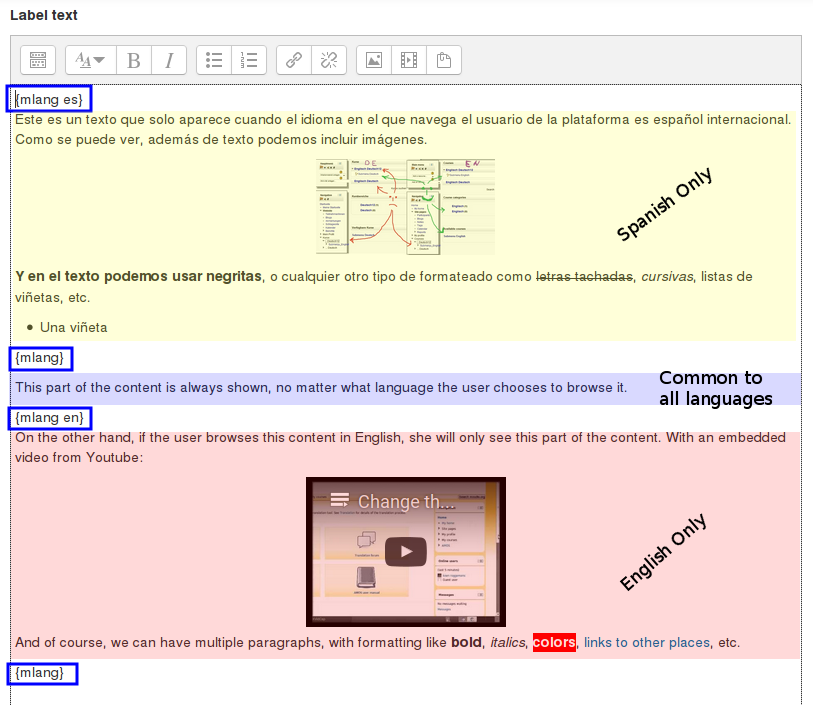
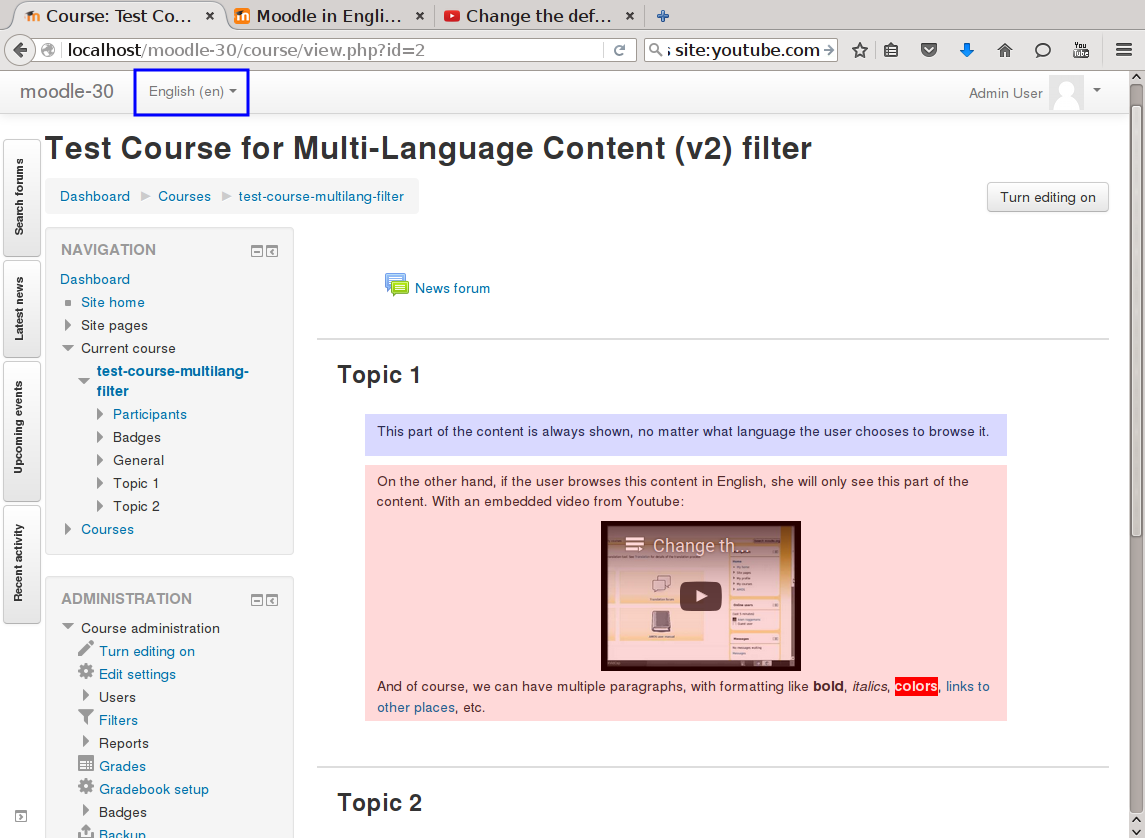
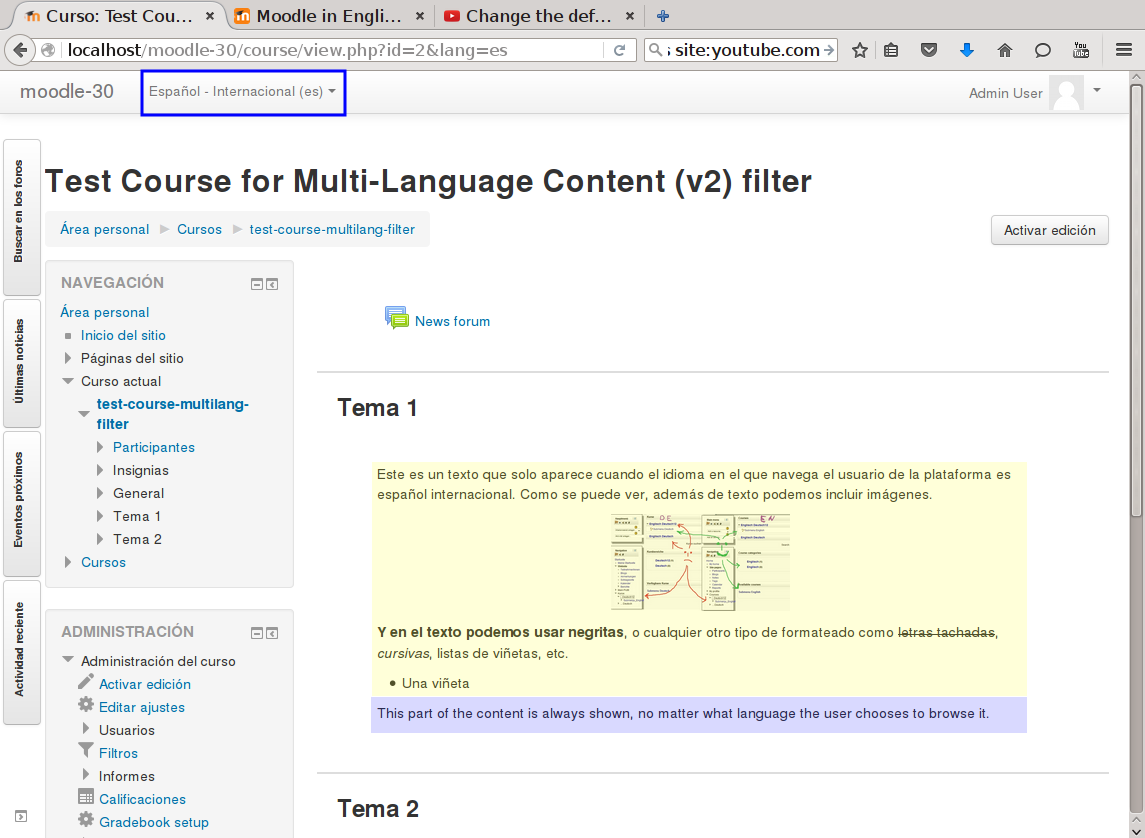
This filter is a greatly simplified multi-language filter. It uses very simple non-HTML tags to mark multi-language blocks. Namely {mlang XX} {mlang} pairs, where XX is the Moodle short name for the language pack (i.e., en, fr, eu, es, es_mx, etc.)
It uses the same tags as the filter_multilangsecond plugin (to be compatible with it), but there is one difference between the two. This filter allows standalone {mlang} tags that don't require adjoining alternative language tags. This makes the filter more flexible at the cost of potentially producing empty sets of tags.
Comments
Product ratings and reviews are coming to Moodle Marketplace. Until then, existing comments remain available to read, but new posts have been disabled.
before opening an issue in the plugin tracker, check that the standard multi-language plugin from Moodle works. If the standard plugin doesn't work, then most probably the issue is on the theme side.
Saludos.
Iñaki.
I've copy-pasted your text to a label in our site ('Text and media area' since 4.1) and it works as expected, but if you think it's a bug open an issue at https://github.com/iarenaza/moodle-filter_multilang2/issues with the details and we'll check what's happening.
Been trying to use it in our Theme's Slider block (appreciate that might not work and I'll contact the Space theme developer), but I see no reason why this wouldn't work in a Label.
The syntax seems correct, have you checked that the plugin is enabled both at site level and at course/activity level?
https://docs.moodle.org/en/Managing_filters
{mlang en}
Meet Dan. WIth a background in veterinary medicine, find out more about his passion to improve veterinary education and the welfare of animals around the world.
{mlang}
{mlang pt}
Conheça Dan. Com formação em medicina veterinária, descubra mais sobre a sua paixão por melhorar a educação veterinária e o bem-estar dos animais em todo o mundo.
{mlang}
When I view this label in both languages (using the drop down menu), both sets of text are still showing. Help!
IIRC the Moodle app shows the content based on the preferred language of the user profile in Moodle, and then if the user changes the language of the app (see https://tracker.moodle.org/browse/MOBILE-2848 for more details)
Anyway, if you see that there is an issue with the app this isn't the best place for it, instead of that you should open an issue here: https://tracker.moodle.org/projects/MOBILE/
This tool has been great help for us in several years, thanks for good work. I am instructional designer at Norwegian National Center for Multicultural teaching and learning. This is might not right place to ask, so forgive me if neccessary.
I am testing out Moodle app at the moment. We use the free version, and for me the language selector is not showing anywhere in the app, so content in multi-lang blocks do not show up. Changing language in the settings do not help, as this is controlled by the language selector. Is this a missing functionality in the Moodle app? Any idea?
You could use {mlang other} insted of {mlang en}, and that would make English your default language. That means that a user who is navigating in Spanish or Japanese, would see the content between {mlang es} or {mlang ja} tags, but the one navigating in English or any other language would see it in English.
Hope you find my message helpful.
Best Regards,
Kepa Urzelai
I don't fully understand your issue. Moodle always is shown in a language (https://docs.moodle.org/en/Language_settings#Default_language), so using {mlang} tags should also work for non-logged-in users. And, if you're not sure about what that language could be, you can also add a {mlang other}{mlang} section to ensure that all the users will see it.
Anyway, if you think there is an issue in the plugin, you'd better write about it on GitHub.
I'm currently using the plugin and it works incredible.
I have only one inconvenient but don't know if it's from the plugin or another section of moodle. I'm currently working to have my page in three different languages (English, Spanish, and Japanese) with English being the main language. When making the {mlang en} the users that login doesn't have the english as default language, instead they have "language", which makes the content invisible until english is selected from the list. Is there anyway to go around this problem? I tried using {mlang} instead but that just makes the content visible in English and the translated language.
I have currently the middle version 4.1 and Udemy theme.
This is not an issue with the filter. It does work in page footers but it depends on the theme you are using.
If it is not working in your theme, contact your theme's developer and ask them to fix it. It is usually a pretty quick fix but it must be done by a programmer.
If you have the skills to do it yourself, the content to be displayed needs to be passed through the format_string() or format_text() functions which are part of the Moodle Output API. More information is available at https://moodledev.io/docs/apis/subsystems/output#output-functions
Hope you find this helpful.
Best regards,
Michael Milette
A big shout-out to Michael Millete, Luca Bösch and Petr Skoda, that contributed the majority of the fixes and enhancements!
Saludos.
Iñaki.