Courses to Calendar

Maintained by Andres Ramos, LMS Doctor
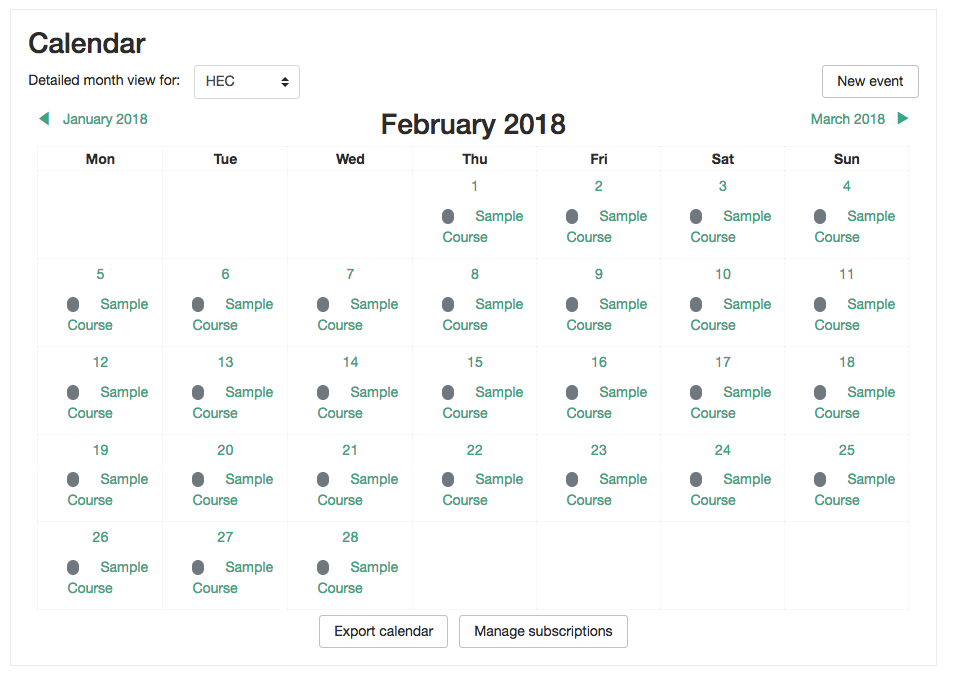
Display all your courses in the Calendar as Site Events from selected categories. Sometimes and for some reasons, you want to display to everyone your courses in the Calendar and this is exactly what this plugin does.
Price option: Free

Supports Moodle 3.4-5.0 See all versions
Latest release: 10 months ago
Installations: 229
Downloads (last 90 days): 82

Frankenstyle name: local_coursetocal
Local plugins

Comments

Comments are no longer open for new posts. Existing comments remain available to read.

I could attempt to make a video. On the discussion forums, I posted there too but with an image. Basically, after the installation, I can modify any of the settings (I believe it's just one). After I click on Save. The screen reloads but without the option for changing the setting but just the New Setting screen. I have to manually leave the page but if I go to Site Admin-> Notifications, it comes back. So I uninstall.
Hi Stephen, That's odd. Can you make a small video and share it to helpdesk@lmsdoctor.com ? I would love to take a look.
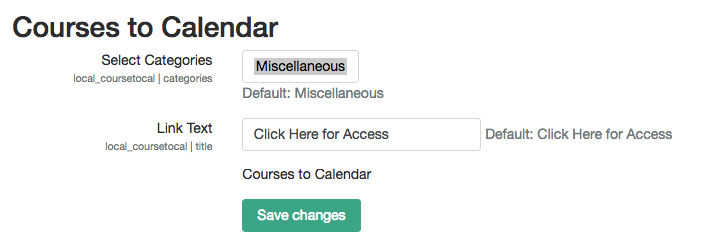
When I install, it gets stuck on the settings page where I have the option to change the default text for links. Even after saving the settings, it goes back to the same screen. Moodle 3.8.4.
It should work just fine - I have it running on 3.8 and getting ready to test on 3.9...
Any plans to make this compatible with 3.8+?
Thanks Andres for this plugin. It's very useful.
Please update to Moodle 3.8.
Best regards,
Install it and see the how to use section...
I want to apply this plugin on my website page. Let me know the exact way to do it.
Mam I have shared in community. Please help me: https://moodle.org/mod/forum/discuss.php?d=382957
Thank you for your resonse Emma smile how to manually delete from the calendar? I am seeing mdl_event table but not sure what to delete and what not to. Please guide me.
Otherwise, remove the plugin and manually delete from calendar.
I am not sure now that you removed the plugin. Try reinstalling it and then unselecting the category that you selected in the settings.
Hello friends I have added the calendar to course event. Courses events, category events are coming perfecty. I need to remove them from calendar now. Selecting none gives the whole result. How to remove ?? Uninstalling plugin isn't helping. Moodle 3.5
First of all, many thanks for Emma for helping me to get it work! And to Andres for the response and instructions!
New question: Would the latest version of this plugin work on Moodle 3.6? Does any one has experience or comments?
Thanks.
You can email me direct if you want at emmar@ecboces.org. Send me a screenshot of the coursetocal settings and then the course edit settings page for a course that should be showing up and the calendar page for the day of the course start date...