Courses to Calendar
Maintained by
Andres Ramos, LMS Doctor
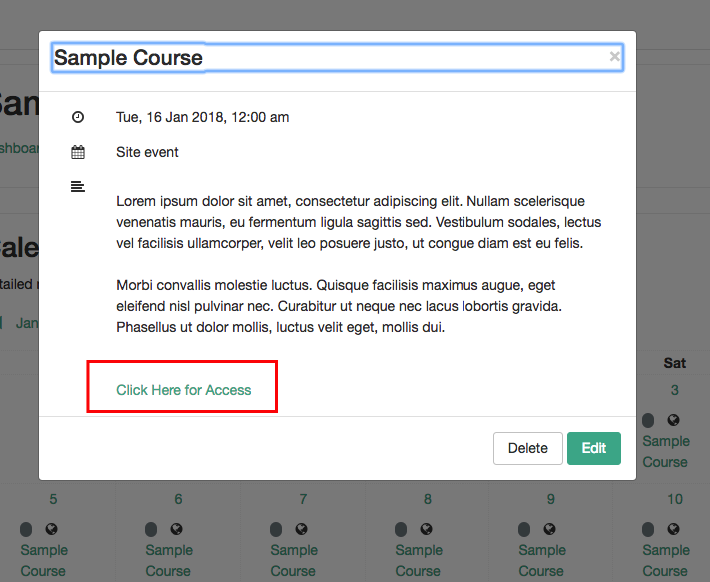
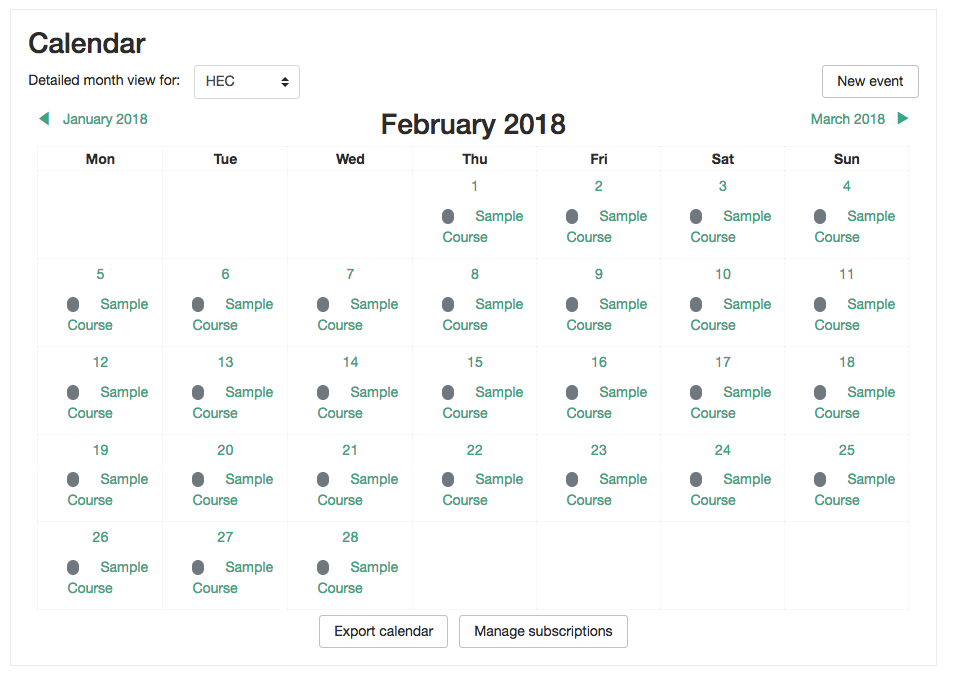
Display all your courses in the Calendar as Site Events from selected categories. Sometimes and for some reasons, you want to display to everyone your courses in the Calendar and this is exactly what this plugin does.
Comments
Comments are no longer open for new posts. Existing comments remain available to read.

Leslie Huang
I just update the plugin to the newest version. However the courses still don't show up on the calendar. Is any hint or suggestions you can provide? Thanks.
Emma Richardson
So the courses show up as site events. You do not need to select a course. They will appear on the course start date on the calendar.
Leslie Huang
I did use the Moodle built in calendar. I saw something on the top of calendar says "Detailed month view for: .." then a drop down box to select "All courses" or one of my courses. But the course do not appear on the calendar. By the way I am using moodle 3.4 and Course to Calendar V3.4(2017120600).
Emma Richardson
What other calendar would you use? This plugin works with the built in Moodle calendar. Did you select the category that the courses are in?
Leslie Huang
Hi Andres! Thanks so much for your quick response! I did those steps but the courses did appear on my calendar. Do we use the original calendar?
Andres Ramos
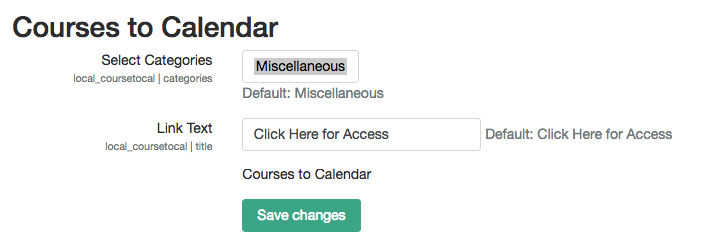
Hello @Leslie, Simply go to site administration > plugins > local plugins > courses to calendar, there you can select 1 or more categories that you wish the courses should appear on the calendar for everyone. Save changes and you should see the courses in the calendar according to their Start and End date. Feel free to comment if you have any other question.
Leslie Huang
Hi! I installed this plugin, and it appears on my local plugins list. However I couldn't find a way to open it up to use. Can you please provide a brief instructions? Thanks.
Plugins bot
Approval issue created: CONTRIB-7186