
Unilabel
Maintained by
Andreas Grabs
The Moodle plugin "mod_unilabel" enables you to include some nice formated text on the course- or frontpage.
There are 5 different content types included (extendable sub plugins):
- Simple text
- Carousel
- Collapsed text
- Course teaser
- Topic teaser

Comments
Comments are no longer open for new posts. Existing comments remain available to read.
For anyone else with the same problem: You now have to disable the use of the Default load content using Ajax setting for unilabeltype_grid.
since the last update to 4.5.13, the modal dialog box in the grid no longer works for us.
See https://training.aresdata.de orange tiles.
Previously, when you clicked on it, this modal popup appeared with further text. Now you are redirected to the login page instead.
What could be the reason for this or has a bug crept in here?
Peter
Version of Unilable is: 4.5.8 (Build: 2025042200)
It would be helpful to know how to fix it.
Thanks
Do you have a specific example for another case in which "login as..." cause similar problem?
I would recommend you the "Companion account" plugin (https://moodle.org/plugins/auth_companion) to test your course from the students perspective.
We have a problem with unilabel when we are using "login as" method. All the links are not working. Does anyone knows something about it?
it seems that you have copied the source code of the unilabel plugin to the wrong directory.
Please check the path you used.
The plugin must be copied to the folder: your-moodle/mod/unilabel.
Best regards
Andreas
mod_unilabel produces the following error when installing on Moodle 4.4. Default exception handler: The plugin 'unilabeltype_carousel' was installed in the wrong location '$CFG->dirroot/mod/unilabel'. The installation should take place here: '
Best regards
Friedhelm
Best regards
Andreas
a user asked for the following "problems":
--------------------------
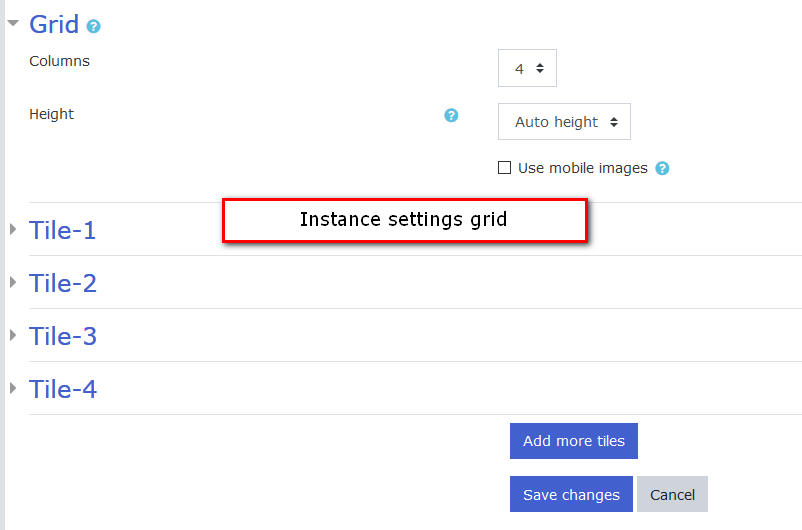
I like to use the universal text field in grid form to structure my courses. I have two questions about this:
Question1: From time to time, the order of my created tiles is simply swapped. This can be fixed by editing and saving several times without actually changing anything.
Question 2: Is there a way to swap the order of the tiles? So far, I haven't found a way, except for the unintentional swap as described in question 1.
--------------------------
Can someone explain to me or the user how the order is created? Is it possible to set the order?
Thanks, Birgit from germay!
I am experiencing some issues with the unilabel on our Moodle 4.1
I have opened two threads on the Moodle in English forum:
1. https://moodle.org/mod/forum/discuss.php?d=449805
2. https://moodle.org/mod/forum/discuss.php?d=449806
I see the specialists are here, so just posting the links here to