
OpenMeetings
Maintained by
Maxim Solodovnik
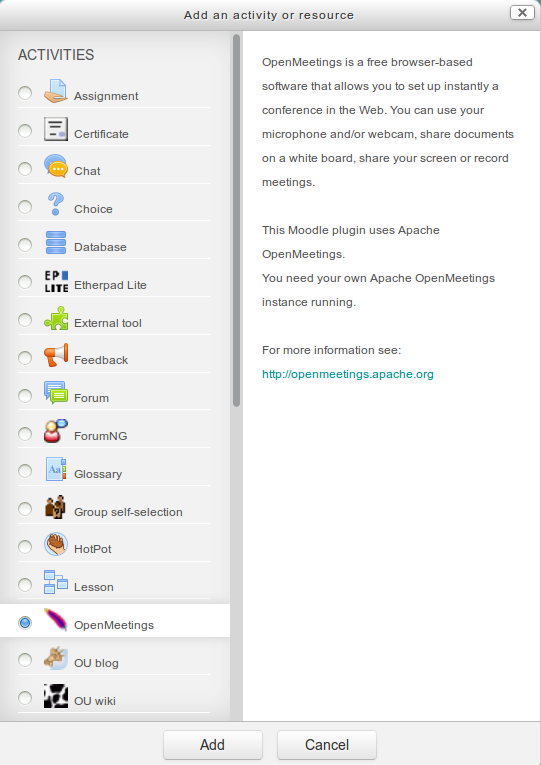
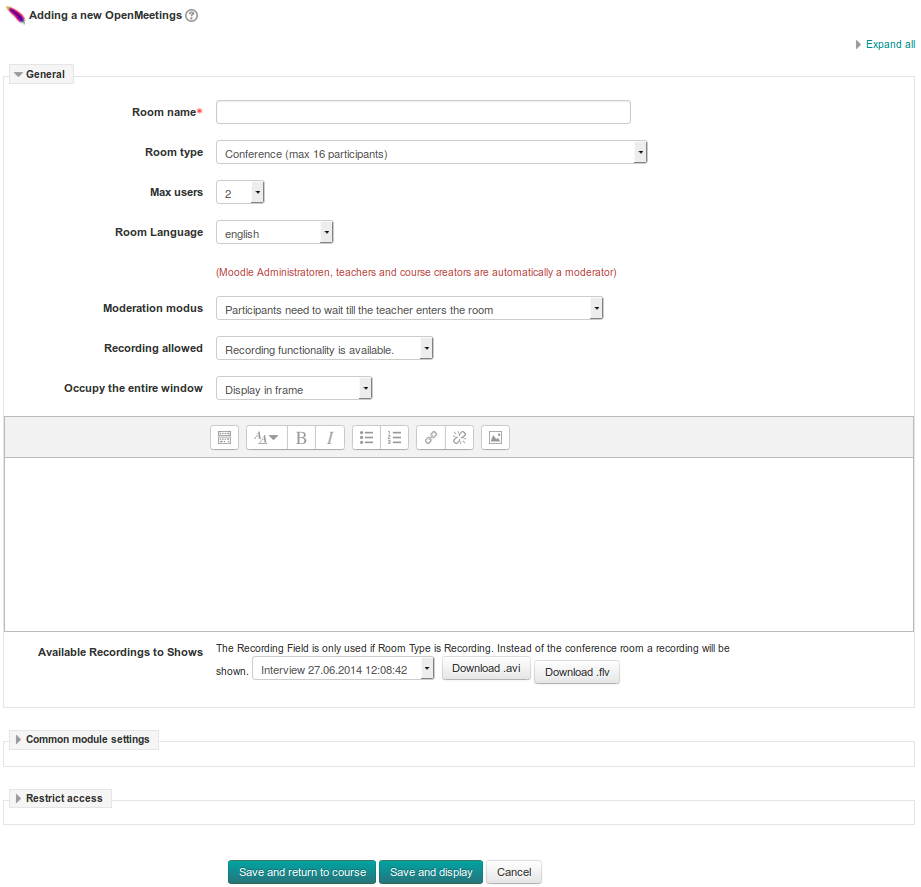
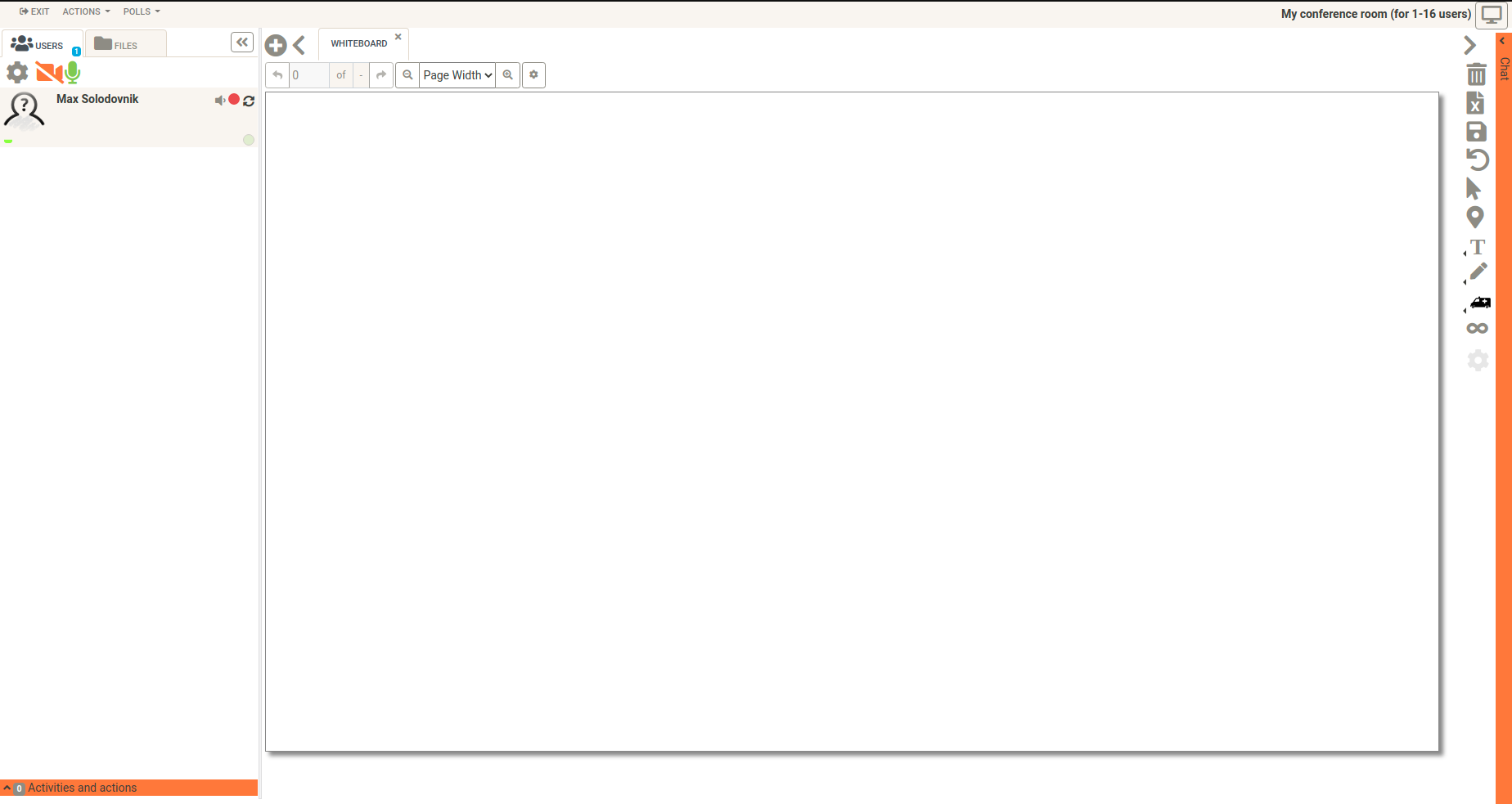
OpenMeetings is a free browser-based software that allows you to set up instantly a conference in the Web. You can use your microphone and/or webcam, share documents on a white board, discuss in a chat, share your screen or record meetings. It is available as hosted service or you download and install a package on your own server.
Comments
Comments are no longer open for new posts. Existing comments remain available to read.
Could someone confirm the requirement of PHP7.0 for OM3.2.1? Especially with connection to openmeetings-moodle-plugin. The readme.md file of that plugin (https://github.com/openmeetings/openmeetings-moodle-plugin) contain the following info:
##Requirements## PHP 7.0 or later, OpenMeetings 3.2.0 or later and Moodle 2.9 or later.
Is that correct ot its still possible to use older PHP for latest OM 3.2.1 and latest openmeetings-moodle-plugin ?
(ubuntu 14.04.5 with php 5.5.9-1)
Thanks,
Anton
sorry you are right. I've changed the requirements for version 2.0.0.6.
Thanks & Greetings,
Michael
I agree with Łukasz Sanokowski. You should avoid requiring higher versions than those required by corresponding Moodle version.
I think that requiring PHP 7 in latest (2.0.0.6) version is unwise. Most of stable branches of Linux distros doesn't support it yet.
the issue with OpenMeetings Version 3.1.4, you described is known by the developer of OpenMeetings: https://issues.apache.org/jira/browse/OPENMEETINGS-1530
Please, don't use OM Version 3.1.4. Please use now the new released OM Version 3.1.5: http://mail-archives.apache.org/mod_mbox/openmeetings-dev/201701.mbox/%3CCAJmbs8iubirv9rr4-Z-y5qhXCZ9+6jYqUUsMqVEw6BT5w_XuEw@mail.gmail.com%3E
Thanks & Greetings,
Michael
Either a breaking API change was introduced in OpenMeetings 3.1.2, 3.1.3 or 3.1.4, or we did something stupid.
Tested on Moodle 3.2 with PHP 5.6 using the OpenMeetings admin user.
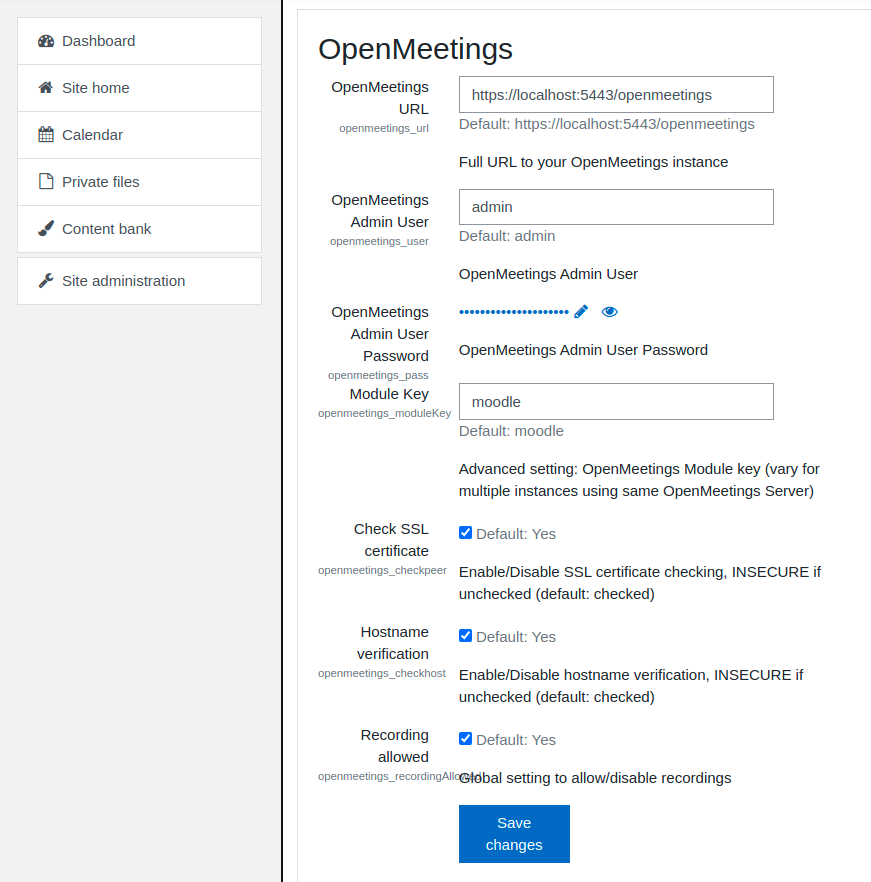
which version of OpenMeetings do you use? You have created a special user in OpenMeetings with SOAP access?
Thanks & Greetings,
Michael
I manage several Moodle platforms. I have two platforms, both in version 3.0 of Moodle, and in one I have installed version 1.7.5 of the module "openmeetings", and in the other I have updated to version 2.0.0.5. In both of them, I have not changed the configuration, it is the same on both platforms.
On the platform with version 1.7.5 I create the openmeetings activity without problems within the course. In the platform where I updated to version 2.0.0.5, when saving the creation of the activity "openmeeting" I get the following error on screen:
Error While signing into OpenMeetings, please check credentials
Error While signing into OpenMeetings, please check credentials
Could not login User to OpenMeetings, check your OpenMeetings Module Configuration
As I said before, the configuration of "openmeeting" is identical on both platforms. I have traced part of the code and the error is exactly giving the call to the login function inside the ./api/OmGateway.php file.
How can I solve it?
Thank you very much in advance.
In the plugin settings entering login and password of the administrator OpenMeetings.
I am trying in course to add an element OpenMeetings and getting the error:
"Could not login User to OpenMeetings, check your OpenMeetings Module Configuration"
Debug mode enabled. I have no any errors.
I can not connect as admin OpenMeetings.
In description to OpenMeetings plugin recommended
create special user in OpenMeetings with SOAP access ( "WEB -service (only access via soap)").
But I have no in type list "WEB -service (only access via soap)" in OpenMeetings.
In OpenMeetings settings: allow.soap.register=1
In PHP.ini (v 5.6) soap enabled
Please, any help...